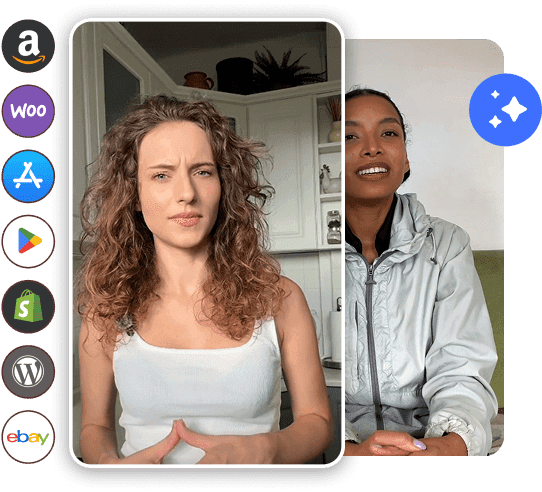
How To Create UGC-Style Ads With AI Avatars

How to Create UGC Ads with AI Avatar
Reading Time: 9 minutes

Holiday season, budget season, or just another chaotic Tuesday… brands everywhere keep fighting for attention. And strangely, the ads winning the battle right now look raw, handheld, and almost accidental. That’s the charm of UGC. Now mix that with AI avatars, and suddenly scaling “authentic creators” becomes oddly easy. 

This guide explains how to create UGC-style ads with AI avatars that look real enough to double-take. Read on! 

What Are UGC-Style Ads?

UGC-style ads are advertisements designed to imitate real user-generated content. They look like casual clips shot by everyday people instead of agencies. The goal is to build trust through relatable delivery, natural framing, and simple storytelling. This format works especially well on platforms like TikTok, Instagram Reels, and YouTube Shorts.

Create UGC ads with AI avatar

Key characteristics

  • Authenticity – natural tone, unscripted style, real-user vibes
  • Storytelling – simple narratives like “I tried this product last week…”
  • Mobile-first framing – vertical clips, close face framing, handheld look
  • Conversational speech – less brand talk, more human talk
  • Short runtime – punchy delivery that holds attention

But why do they work so well for conversions? 

UGC-style ads lower the psychological barrier. Viewers trust them faster, feel less “sold to,” and stay longer. They also blend into social feeds, making the viewer pause before skipping. This mix of authenticity and relatability often leads to higher ROAS compared to traditional polished ads.

What Are AI Avatars?

AI avatars are digitally generated human characters that simulate real people on camera. They can speak, move, express emotions, and deliver scripts with natural gestures. They are trained on advanced visual models to mimic human motion and tone, making them suitable for UGC-style content.

Create UGC ads AI

How do they simulate real creators?

They mimic human speech patterns, eye movements, micro-expressions, and lip-sync. Some avatars even shift posture slightly, blink irregularly, and vary tone, details that make them feel more believable.

Types of AI avatars

Here are the major types of AI avatars – 

1. Photo-realistic avatars

How to Create UGC ads with AI avatar

These avatars look almost identical to real people, with detailed skin textures, natural expressions, and lifelike eye movement. They are perfect for testimonial-style ads where trust and closeness matter. Brands use them for product reviews, unboxings, or casual conversations that feel like a real person shot the video on their phone.

2. Animated avatars

Type of AI avatar

These characters are slightly artistic or stylized, with smooth motions and expressive faces. They work well for playful, fun brands that want personality without looking too serious. Animated avatars are often used for app demos, quirky intros, or more creative short-format ads where realism isn’t the main goal.

3. Studio-style avatars

These look like professional presenters standing in front of clean backdrops with well-managed lighting. They are great for explainers, product breakdowns, feature walkthroughs, or corporate messaging. Studio-style avatars help brands deliver clear and polished communication without hiring on-camera talent or booking a studio.

4. Influencer-style avatars

How to Create AI UGC ads with avatar

These avatars resemble lifestyle creators you’d see on TikTok or Instagram, with casual outfits, trendy setups, and relaxed gestures. They mimic the vibe of influencers talking directly to their followers, making them ideal for relatable content. Brands use these avatars for problem–solution videos, product recommendations, and short viral-style hooks.

Why Brands Are Combining UGC + AI Avatars

Real creators are great, but they come with calendars, contracts, and revisions. AI avatars skip all that. They mimic human delivery, speak any language, and show up at 2 am without complaining. Brands use them to create endless variations of UGC-style ads fast and with very little cost.

1. Speed of production

AI avatars let brands generate multiple ad variations in minutes, not days. There’s no need for retakes, reshoots, or waiting for creators to send files. This speed makes it easier to test new hooks and ideas quickly, helping campaigns stay fresh and responsive.

2. Reduced cost

Traditional UGC requires paying creators, editing teams, and sometimes even renting small studio spaces. With AI-powered avatars, most of those expenses vanish. All you need is your laptop and a script, making it far more affordable to produce large volumes of content.

3. Creative freedom and script control

Brands can fine-tune every word, gesture, pacing, and emotion in the video. Nothing gets mispronounced or delivered awkwardly, and you don’t need to chase reshoots. This level of control helps maintain messaging accuracy across all UGC-style ads with AI avatars.

4. Consistency across campaigns

Using the same avatar across different ads builds familiarity and trust over time. The tone, face, and style stay consistent even as you change angles or hooks. This helps brands maintain a unified identity without relying on multiple human creators with different looks or delivery styles.

5. No scheduling or creator dependency

There are no booking calendars, time zones, sick days, or last-minute cancellations. The avatar is always available whenever your team is ready to produce. This allows brands to move fast and create content on their own timeline rather than waiting for someone else’s availability.

What You Need Before Creating AI UGC Ads

All AI magic still needs a few basics before hitting “generate.”

1. Clear script/ad angle: Know the hook, message, and CTA before creating.

2. Product visuals or selling points: Images, descriptions, or URLs to let the AI build scenes properly.

3. Target audience understanding: The tone, language, and avatar should match who you’re trying to sell to.

4. Platform preferences (Meta, TikTok, YouTube): Different platforms have different attention spans, formats, and pacing.

Rewrite this section with these new steps and properly write each step at least 3-4 lines.

Cta Image
Start Creating UGC Ads With AI Avatars
Say goodbye to creator delays and high costs. Start generating on-brand, high-converting UGC ads with AI avatars.
Generate AI UGC Ads

How To Create UGC-Style Ads With AI Avatars (Step-by-Step)

Below is the most practical workflow for making UGC-style ads with AI avatars inside Tagshop AI. The process is quick, clean, and built for marketers who want content that feels natural, not overly polished or robotic.

1. Log in to Tagshop AI

Head over to tagshop.ai and sign in. The dashboard opens into a neat workspace with clear sections for URL-to-video, avatar tools, and script features. Everything is laid out so that even a new user can start creating in minutes without digging through menus.

2. Go to the AI Avatar Video section

Once you’re in, move to the AI Avatar Video area, which is where all the avatar-driven UGC videos are created. This section is designed to feel simple, almost like you’re editing a social media clip. It gives you quick access to avatars, voice settings, and your project timeline.

How to Create UGC ads with AI avatar

3. Select an Avatar from 100+ options

Choose from a large library of avatars that cover photo-realistic, casual, studio-ready, and influencer-style looks. Each avatar has its own personality and delivery style, so the ad feels more human. Brands usually pick avatars that match their audience’s age, tone, and niche for better engagement.

How you can create UGC ads with AI avatar

4. Add your script or let AI write one for you

You can paste a complete script if you already know your angle, or simply type a rough idea and let the AI build the full script. The tool supports 30+ languages, which helps when you’re running ads in multiple markets. Scripts can sound casual, salesy, funny, or even a bit raw, depending on what you want.

AI avatar UGC-style ads

5. Customise and edit inside the editor

Use the editor to add product shots, stock clips, transitions, or extra voice layers. You can tweak timing, change visuals, or adjust how the avatar delivers each line. It works a bit like a lightweight editing tool, so you keep control without needing a pro video editor.

How to Create UGC ads with AI avatar

6. Render and download your final video

Once everything looks right, hit render and wait a few minutes. The video processes quickly and is ready to download in standard ad-friendly formats. From here, you can upload it straight into your Meta Ads dashboard, TikTok Ads Manager, or wherever you run campaigns.

Best Practices for UGC-Style AI Avatar Ads

A little structure helps your ads feel less mechanical and more shareable.

  • Make the script feel slightly unscripted.
  • Use jump cuts to mimic real creator pacing.g
  • Add product close-ups or text overlays.
  • Keep videos around 15–30 seconds.s
  • Use real customer language, not brand-style phrases.
  • Add a clear CTA around the end.
  • Test multiple hooks and compare performance.
Cta Image
Start Creating UGC Ads With AI Avatars
Say goodbye to creator delays and high costs. Start generating on-brand, high-converting UGC ads with AI avatars.
Generate AI UGC Ads

Examples of AI-Generated UGC Ads

Let’s take a look at some of the key AI-generated ads 

Example 1: Testimonial-style

This format shows an avatar speaking directly to the camera, almost like a friend sharing their honest experience. The delivery feels casual and a bit unpolished, which actually boosts trust. It works well for reviews, satisfaction stories, or “I tried this last week, and it honestly worked” moments that people relate to.

UGC-style ads with AI avatars

Example 2: Problem–solution demo

Here, the avatar starts by calling out a common pain point the audience knows too well. Then the product is introduced as the quick fix, usually with a simple visual or a short explanation. This type of AI UGC ad performs strongly because it moves fast and hits a clear emotional trigger.

How to Create UGC ads with AI avatar

Example 3: Before–after transformation

This ad uses split-screen or back-to-back visuals to show what changes after using the product. The avatar guides viewers through what’s different, making the transformation easy to understand. It’s perfect for skincare, cleaning tools, fitness gadgets, and anything where results speak louder than long descriptions.

How to Create UGC ads with AI avatars

Example 4: Tutorial/how-to

The avatar breaks down the product in simple steps, almost like a short lesson. It explains how to use it, what to expect, and tiny tips that help people feel confident before buying. These videos often get saved or shared because they feel useful and not overly pushy.

UGC ads with AI avatars


Common Mistakes to Avoid While Creating UGC-Style AI Video Ads

Even good AI UGC ads fall apart if these errors creep in.

  • Overly robotic tone
  • Avatars that don’t match the audience’s demographic
  • Scripts that are too long
  • Missing product shots
  • No emotional connection
  • Hooks that fail to grab attention

How AI UGC Ads Perform Against Traditional UGC

Let’s see how AI UGC differs from traditional UGC  – 

FactorAI UGC AdsTraditional UGC
CostMuch lowerHigher and inconsistent
SpeedMinutesDays or weeks
Creative scalabilityUnlimited variationsLimited to creators
A/B testingEasy with quick editsHarder with reshoots
Real-world statsOften higher CTR for top-funnel adsStronger mid-funnel trust

Recommended Tools for Creating AI Avatar UGC Ads

Here are the top AI UGC creation tools that you must be using in 2025 – 

1. Tagshop AI

This tool is built for marketers who want UGC-style ads with AI avatars that feel natural. Its URL to video converter let generates you UGC ads directly from product link. It removes editing stress and handles scriptwriting with AI, avatar recording, video assembly, and transitions.

How to Create UGC ads with AI avatar

Key Features:

Pricing: Free trial + paid plan from $11/month

Cta Image
Start Creating UGC Ads With AI Avatars
Say goodbye to creator delays and high costs. Start generating on-brand, high-converting UGC ads with AI avatars.
Try Tagshop.ai

2. Wondershare Virbo

Best for: Clean, polished, and great for presenter-style AI videos.

Key Features:

  • Lifelike avatars
  • Script to video
  • Text to speech
  • Multilingual support
  • Auto branding

Pricing: From $19.9/month

3. Heygen

Best for: Popular for high-quality avatars with smooth lip-sync.

Key Features:

  • Hundreds of avatars
  • Script-to-video
  • AI voice sync
  • Multi-language
  • Custom avatars

Pricing: From $29/month

4. Elai

Best for: Balanced, simple, and professional.

Key Features:

  • Custom avatars
  • Text to video
  • PowerPoint to video
  • Voice cloning
  • API automation

Pricing: From $23/month

5. Vidnoz AI

Best for: Great for fun, vivid, studio-like content.

Key Features:

  • Talking avatars
  • Text to video
  • Voice cloning
  • Script generator
  • Audio enhancer

Pricing: From $19.99/month

Conclusion

AI avatars are quickly becoming the easiest way to scale UGC-style ads without burning time or budget. They’re fast, flexible, and surprisingly real when done right. This is the moment to try new angles, test fresh hooks, and see what your audience actually responds to.

If you want a simple place to start, try Tagshop AI. Pick a template, drop in your script, and launch your first AI avatar ad in minutes.

Frequently Asked Questions

Tagshop AI offer AI avatars built for UGC-style ads. They let you create creator-like videos without hiring actual creators.

Choose a tool, pick an avatar, add your script, upload product visuals, and hit generate. The tool handles the rest.

They mimic real creators, casual tone, natural gestures, phone-style framing, and a pace that feels like someone speaking to a friend.

People trust content that feels human. Quick demos, simple storytelling, and real-talk beat overly polished commercials every time.

Tagshop AI is an avatar video generator, produce influencer-style or testimonial-style videos for paid and organic campaigns.

Pick an avatar that matches your customer’s age, vibe, and communication style. The closer the fit, the better the engagement.

Keep it short and casual. Start with a hook, highlight a benefit, show proof, and wrap up with a simple call to action.

TikTok, Instagram, Facebook, YouTube Shorts, and Pinterest—basically any platform that pushes short vertical videos.

Use a conversational tone, add tiny pauses, include jump cuts, mix in product shots, and avoid studio-level polish.

Create multiple variations of the same script, switch avatars, test new hooks, and run nonstop A/B tests to see what sticks.

Problem-first lines, bold claims, surprising facts, or quick demos. Anything that grabs attention in two seconds flat.

Track CTR, watch-time, hold rate, conversions, and your A/B test outcomes. These tell you exactly what’s working and what’s not.

Written by:

Yuvraj

Yuvraj

Content Writer at Tagshop

Yuvraj Singh is a content writer at Tagbox with 4+ years of experience crafting SEO-driven long-form content. He blends storytelling with strategy, helping brands stand out online. Passionate about exploring AI-powered tools, he writes with a sharp eye on trends, making complex ideas simple and engaging for readers.

Array
Array ( [0] => WP_Term Object ( [term_id] => 284 [name] => AI Actor [slug] => ai-actor [term_group] => 0 [term_taxonomy_id] => 284 [taxonomy] => category [description] => [parent] => 0 [count] => 2 [filter] => raw [cat_ID] => 284 [category_count] => 2 [category_description] => [cat_name] => AI Actor [category_nicename] => ai-actor [category_parent] => 0 ) [1] => WP_Term Object ( [term_id] => 247 [name] => AI UGC [slug] => ai-ugc [term_group] => 0 [term_taxonomy_id] => 247 [taxonomy] => category [description] => [parent] => 0 [count] => 123 [filter] => raw [cat_ID] => 247 [category_count] => 123 [category_description] => [cat_name] => AI UGC [category_nicename] => ai-ugc [category_parent] => 0 ) )
Create AI-Generated UGC Ads in Minutes Sign Up Now
Table of Contents