
Come utilizzare Kling 4.0 per la generazione di video
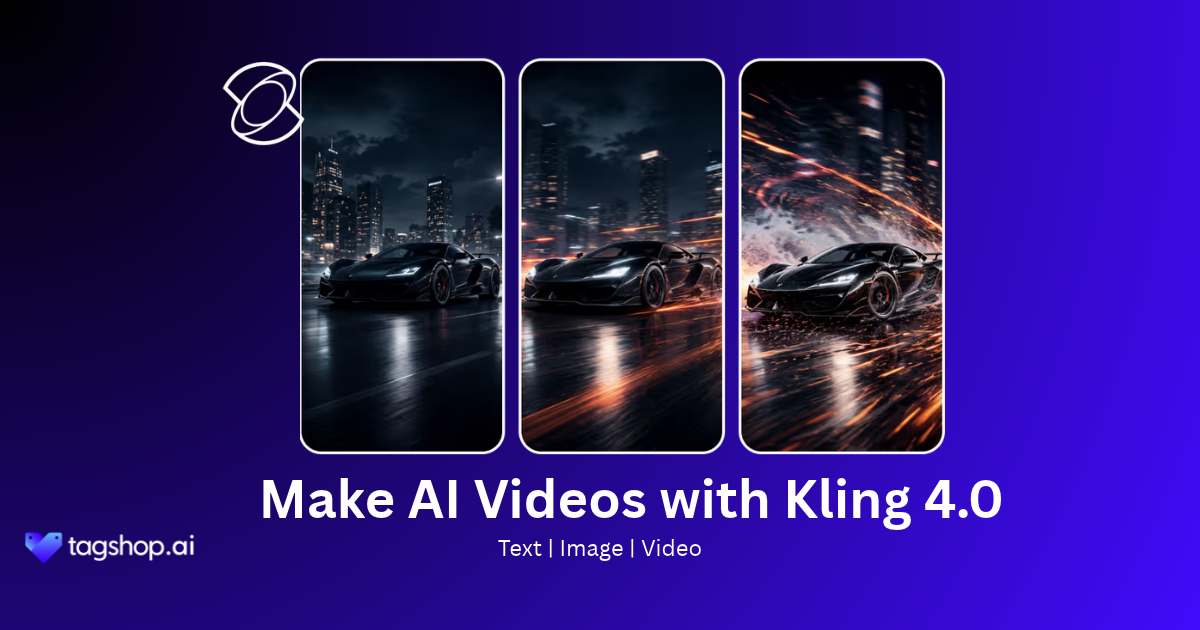







AI video has reached a turning point. For years, the gap between “AI-generated” and “looks like it was actually produced” was wide enough that brands had to treat the two as separate categories. Kling4.0 narrows that gap to almost nothing.
This guide covers everything you need to know: what Kling 4.0 is, what makes it worth switching to, how to use it on Tagshop AI, why brands are making it their default model, and how it compares to its predecessor. By the end, you will know exactly how to generate your first video with Kling 4.0 and what to expect from the output.
Che cos'è Kling 4.0?
Kling 4.0 is the latest AI video generation model developed by Kuaishou, the research team behind one of the most widely used AI creative platforms globally, with over 60 million users and more than 600 million AI videos generated.
The model takes a text prompt, a reference image, or a combination of both and generates a video clip that executes the described motion, camera behavior, and visual style with a level of fidelity that earlier Modelli video di intelligenza artificiale non è stato possibile raggiungere l'obiettivo.
Kling 4.0 introduces measurable advances over previous versions across four core dimensions. Motion coherence is significantly improved, meaning subjects maintain consistent shape, texture, and identity across frames without the limb distortion or face drift that appeared in earlier generations.
The full Kling 4.0 model supports video generation up to 30 seconds, native 4K and 1080p output with 10-bit HDR, up to 10 keyframes for directorial control, up to 15 multi-modal reference inputs per task, native multi-language audio with lip sync, and on-screen text generation in 9 languages. It also supports prompts up to 8,000 tokens in length, giving creators detailed control over every element of a scene from subject action and camera movement to dialogue, lighting, sound design, and pacing.
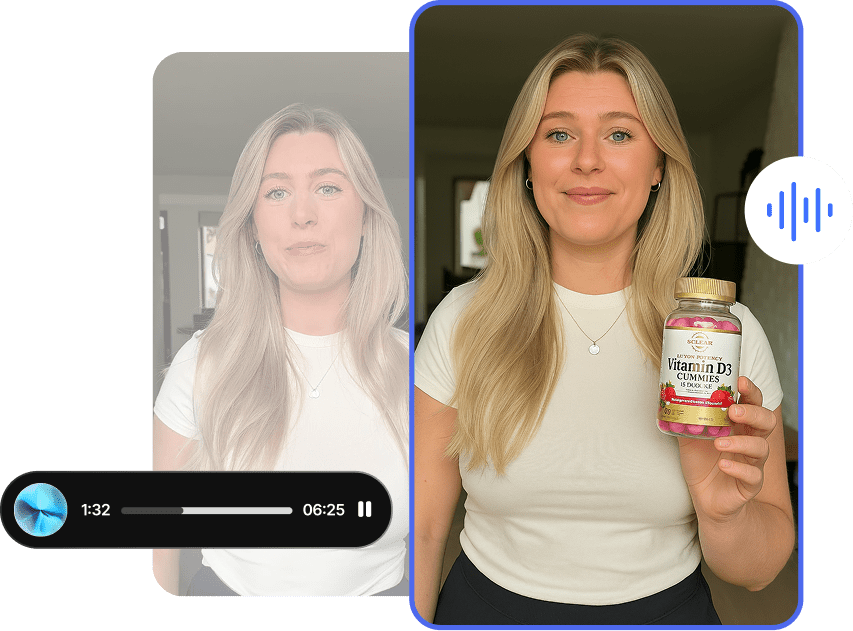
Benefits of Using Kling 4.0
Longer video without manual stitching.
Kling 4.0 generates up to 30 seconds of video in a single pass, with video extension available up to 2 minutes across multiple passes with continuous visual coherence. Most ad formats, UGC structures, and short brand films fit entirely within a single generation.
Cinematic visual quality at scale.
Native 4K 10-bit HDR output with 21:9 ultrawide support means your AI video competes visually with camera-shot content on high-resolution placements including connected TV and YouTube. Color depth, highlight detail, and tonal transitions look like footage, not renders.
Stable motion in complex scenes.
High-speed action, sports, dance, fight sequences, and large-scale crowd scenes no longer break the model. Character body mechanics stay coherent, spatial relationships hold through fast movement, and physical impacts carry real weight. This is the most significant practical upgrade for brands creating lifestyle, fitness, or action-oriented content.
Precise directorial control.
Up to 10 flexible keyframes can be placed at any point on the timeline. You define when characters appear, when scenes change, when products are revealed, and how camera movements sequence across the clip. You are directing the video, not hoping the model guesses your intent.
Multi-modal references that actually work.
Up to 15 references per generation task including images, videos, and subject references means you can bring your product photography, brand identity assets, and motion style references into one job. Each reference gets a specific role, controlling appearance, movement, camera direction, or visual style, rather than all competing in a single prompt.
Native multi-language audio.
Dialogue, lip sync, and stereo audio are generated natively across 9 languages, accents, and dialects. For brands running global campaigns, this replaces dubbing and subtitling workflows entirely for many asset types.
Faster iteration with Kling 4.0 Flash.
The Flash variant of the Kling 4.0 model family generates videos up to 20 seconds at 720p with faster turnaround times. It is ideal for creative testing before committing to full 4K generation.
Precise prompt execution.
Unlike earlier versions that filled vague prompts with generic animation, Kling 4.0 executes instructions literally. Specific wording produces specific results. The model follows a clear formula: subject and action first, then movement and physics, then camera direction, then lighting and mood, then style. This structure gives predictable, repeatable output across iterations.
How to Use Kling 4.0 on Tagshop AI
Tagshop AI has integrated Kling 4.0 and made it available to all users on the platform. Here is the exact process to generate your first video.
Passo 1: Accedi a Tagshop AI
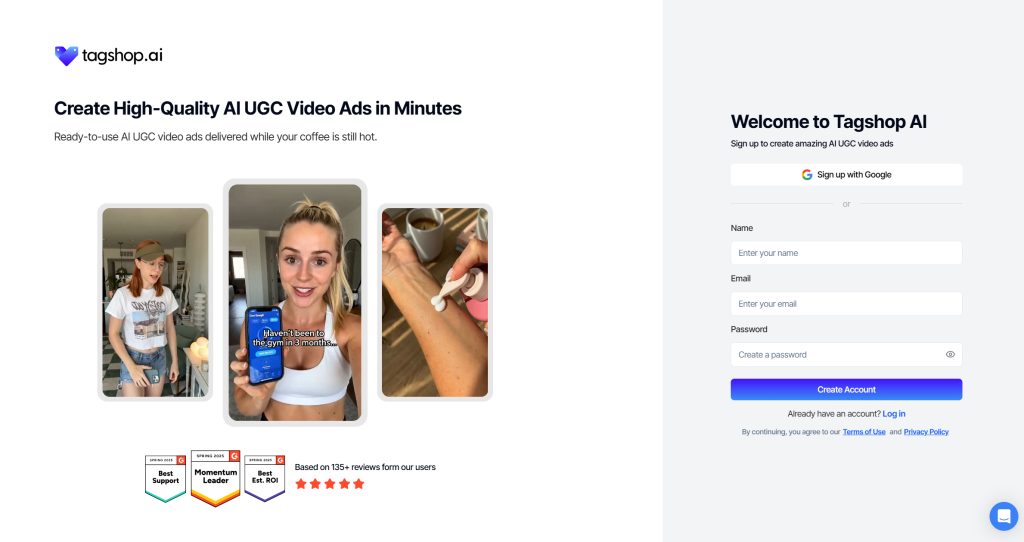
Vai su tagshop.ai and log in to your account. If you are new to Tagshop AI, create an account directly from the homepage. Kling 4.0 is available to all users with no additional plan requirement or waitlist.
Once logged in, you will land on your main dashboard where your projects, recent generations, and available tools are accessible.
Step 2: Navigate to the Assets Generator
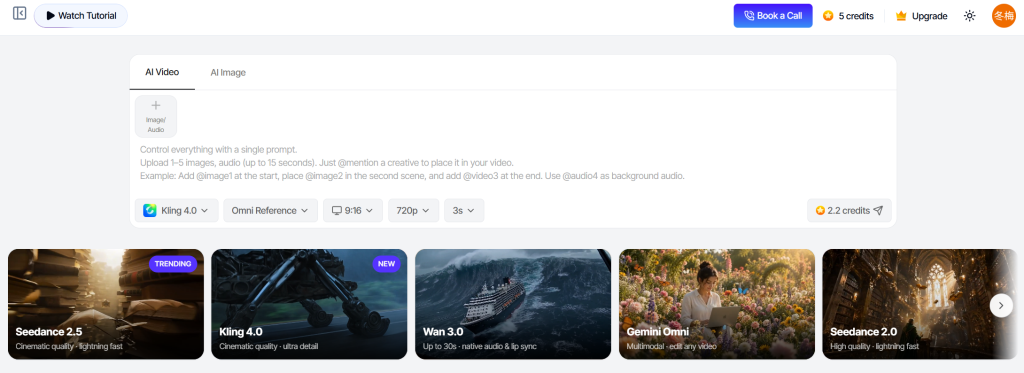
From the dashboard, go to the Assets Generator section. This is the central workspace on Tagshop AI where all AI video and image generation happens. You will see a model selector, input fields for your prompt and reference assets, and output settings for duration, resolution, and keyframe configuration.
Migliori Assets Generator is where all 27+ AI models on Tagshop AI are accessible, including the full Kling 4.0 model and Kling 4.0 Flash.
Step 3: Select Kling 4.0, Write Your Prompt, and Add a Reference Image
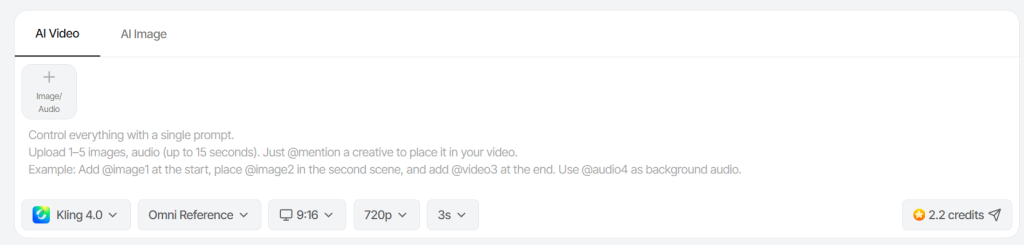
In the Assets Generator, open the model selector and choose Kling 4.0 from the list. Selecting the model explicitly matters as leaving it on a previous version will produce output from that older engine regardless of what your prompt says.
Once Kling 4.0 is selected, write your generation prompt in the text field. For the best results, structure your prompt in this order: start with your subject and their action, then describe the motion and physical behavior, then specify the camera movement, then add lighting and mood, and close with any style descriptors.
Un forte prompt example for a product video looks like this: “A glass skincare bottle sits centered on a white marble surface. The bottle slowly rotates 360 degrees. Camera executes a slow dolly in from a wide shot to a close-up on the label. Soft studio light from the left, clean and minimal aesthetic, 4K photorealistic quality.”
For a reference image, click the reference input area and upload your asset. This is optional but strongly recommended for brand content. You can upload your product photograph, a character reference, a style image, or even a short video clip. Kling 4.0 treats this as the ground truth for visual appearance and animates directly from it. For tighter output, upload multiple references with each one assigned to a specific role such as product shape, color identity, or camera pacing.
After your prompt and references are in place, set your target duration, select your output resolution, and configure keyframes if you want to guide specific moments in the timeline. Then submit the generation job. Kling 4.0 will return your video in minutes.
Tips for better results from the first generation:
Keep prompts under 80 words total. Kling 4.0 parses tokens sequentially and weights earlier instructions more heavily, so front-loading your subject action and camera direction gives those elements priority over style descriptors.
Add a negative prompt to suppress the most common artifact types before they appear. A reliable baseline negative prompt is: “warping, morphing faces, extra limbs, flickering, motion blur, artifacts, distorted hands, jitter, duplicate subjects, overexposed frames.” Only add terms that address a confirmed problem in your source image. Stacking more than 12 to 15 exclusion terms degrades positive motion instruction quality.
Match your motion intensity to your subject type. Portraits and product shots perform best at subtle or moderate intensity. Action sequences and abstract environments can handle dynamic intensity without breaking. Never pair a dynamic intensity tier with a slow camera move like a dolly in, as the competing vectors destabilize the frame.
Devi leggere: 20+ Ready to Use AI Video Prompts
Why Brands Choose Kling 4.0
Brands generating video content for paid advertising, social media, and product marketing face a consistent set of pressures: the output needs to look credible, it needs to be produced fast, it needs to work across multiple formats and markets, and the cost per asset needs to stay manageable as volume increases and Kling 4.0 addresses all four.
Visual credibility at 4K HDR.
The model’s native 4K 10-bit HDR output with cinema-grade color handling closes the visual gap between AI-generated and camera-shot content for most ad placements. Brands no longer have to run separate production shoots to satisfy high-resolution placement requirements.
Production speed measured in minutes, not weeks.
A 30-second product video that would take days to schedule, shoot, and edit can be generated from a product photograph and a structured prompt in under 10 minutes. For teams running frequent creative refreshes across campaigns, this changes the economics of video content entirely.
Consistent brand assets across every output.
Omni Reference with up to 15 inputs per generation means your product photography, brand color system, and visual style guides can travel into every video you generate. The model maintains product details, colors, logos, and visual identity across different compositions and camera angles.
Global campaigns without localization overhead.
Native dialogue generation across 9 languages with accurate lip sync removes the post-production step of dubbing for many asset types. A brand running campaigns in multiple markets can generate language-native video variants from the same source assets.
Creative testing at volume.
Kling 4.0 Flash provides fast, lower-resolution generation for teams that need to test multiple creative directions before committing to full 4K output. Running 10 creative variants with Kling 4.0 Flash to identify what converts before generating the winning version at full resolution is a workflow that was not practical before this model existed.
Trend replication with brand assets.
Upload a trending video clip and Kling 4.0 picks up its pacing and camera movement to generate new content featuring your own products and brand assets. This makes social trend participation a repeatable, scalable process rather than a reactive scramble.
Kling 3.0 vs. Kling 4.0: Full Comparison
| Caratteristica | Kling3.0 | Kling4.0 |
|---|---|---|
| Durata massima del video | Fino a 10 secondi | Up to 30 seconds (single pass); up to 2 minutes with extension |
| Risoluzione in uscita | 1080p | Native 4K and 1080p, 10-bit HDR, 21:9 ultrawide |
| Keyframe Control | Limitato | Up to 10 flexible keyframes on the full timeline |
| Input di riferimento | Basic image reference | Up to 15 multi-modal references (10 images, 5 videos, 7 subjects) |
| Motion Coherence | Moderate; limb drift visible in fast action | High stability across action, sports, fight scenes, dance |
| Prompt Token Limit | Shorter prompts | Fino a 8,000 token |
| Adesione immediata | Generic movement when instructions are vague | Literal execution of specific action and camera verbs |
| Camera Control | Basic directional support | Named moves: dolly, orbit, crane, pan, push-in; compound moves supported |
| Supporto audio | Basic sync | Native multi-language dialogue, dual-channel stereo, 9 languages |
| Precisione della sincronizzazione labiale | Basic | Tight A/V sync with natural character performance |
| On-Screen Text | Limitato | 9 languages plus emoji, motion-stable |
| Temporal Fidelity | Fine details can flicker or drift | Details persist through full clip duration |
| Trending Replication | Non disponibile | Built-in via Omni Reference video input |
| Video Editing | Non disponibile | Modify expressions, camera angles, backgrounds, dialogue with references intact |
| Negative Prompt Weight | Basso | High; suppresses specific artifact categories effectively |
| Flash Variant | Non disponibile | Kling 4.0 Flash: up to 20 seconds, 720p, faster turnaround |
The table clarifies the scope of the upgrade. Kling 4.0 is not a performance improvement on Kling3.0. It is a different class of model, with capabilities in duration, resolution, reference handling, audio, and camera control that didn’t exist in the previous version.
Conclusione
Kling 4.0 is the most capable AI video generation model available for brand and marketing use today. The combination of 30-second single-pass generation, 4K HDR output, stable motion physics, multi-language native audio, deep multi-modal reference support, and precise camera control gives brands a tool that produces genuinely professional video output from product photography, text prompts, and brand assets.
On Tagshop AI, Kling 4.0 is available alongside 27 other AI models and Oltre 360 avatar IA with no additional setup required. Log in, navigate to the Assets Generator, select Kling 4.0, and you can generate your first video in minutes.
The brands that move fast with this model will build a content production advantage that compounds quickly. Creative testing at volume, localized variants without production overhead, and trend-native content from your own brand assets are all achievable today with Kling 4.0 on Tagshop AI.
Domande frequenti
Kling 4.0 is the latest AI video generation model from Kuaishou. It takes a text prompt, a reference image, or both, and generates a video by treating the input image as the first frame and synthesizing subsequent frames according to the movement and camera instructions in the prompt. The full model supports generation up to 30 seconds, native 4K 10-bit HDR output, up to 15 multi-modal references, 10 keyframes, native multi-language audio, and prompts up to 8,000 tokens.
Yes. Kling 4.0 is available to all Tagshop AI users with no additional purchase or plan upgrade required. Log in to your account, navigate to the Assets Generator, and select Kling 4.0 from the model selector.
The prompt order that produces the most consistent results in Kling 4.0 is: subject and action first, then motion and physics, then camera movement, then lighting and mood, then style. Kling 4.0 parses instructions sequentially and weights earlier tokens more heavily, so front-loading your subject and primary action anchors the generation before secondary parameters are introduced. Keep total prompt length under 80 words for best results.
Kling 4.0 responds to explicit camera movement vocabulary placed early in the prompt. Supported moves include dolly in, dolly out, pan left, pan right, orbit left, orbit right, crane up, crane down, and push-in. Combining two compatible camera moves in one prompt, such as “slow push in, slight arc left,” produces compound movement. Using more than two camera directives in a single prompt increases the probability of unstable framing.
The most effective approach is to use a negative prompt baseline and match motion intensity to your source image type. Paste this into the negative prompt field: “warping, morphing faces, extra limbs, flickering, motion blur, artifacts, distorted hands, jitter, duplicate subjects, overexposed frames.” For portrait and product shots, keep motion intensity at the subtle or moderate tier. For architectural or landscape images, mid-range intensity works well. Dynamic intensity is best reserved for abstract footage or high-energy action scenes where structural accuracy is secondary to movement volume.
Kling 4.0 Flash is a faster, lighter variant of the Kling 4.0 model family. It generates videos up to 20 seconds at 720p resolution with quicker turnaround times, making it practical for fast creative iteration and volume testing before committing to full-resolution generation. The full Kling 4.0 supports up to 30 seconds of generation at native 4K 10-bit HDR with the complete feature set including Omni Reference with up to 15 inputs, up to 10 keyframes, and native multi-language audio.
Yes. Kling 4.0 supports up to 15 reference inputs per generation task, including up to 10 images, up to 5 videos, and up to 7 subject references. Each reference can be assigned a specific role covering character appearance, product shape and color, camera pacing, motion style, or visual identity. For brand content, uploading your product photography as the primary reference and using a style reference for lighting and composition gives you the most consistent output that reflects your actual visual identity.
Kling 4.0 performs strongly across product ads and brand commercials, short narrative and cinematic content, e-commerce product demonstrations, UGC-style social content, music and performance videos, and pre-production visualization. Its stable motion handling, multi-language audio, and long generation window make it particularly well-suited for lifestyle and action-oriented brand content, global campaign localization, and any use case where visual consistency across multiple assets and angles is required.
Scritto da:

 Aggiungi Tagshop.ai come fonte preferita nella ricerca Google






 Presentiamo

 Wan 3.0 è ora attivo su Tagshop AI
