11 Top Renderforest Alternatives for AI Video Creation

AI video creation tools have exploded lately, letting everyday marketers, solo creators, and big brands pump out slick clips without hauling cameras or hiring crews. Stuff like realistic avatars, auto scripts, and one-click edits make pro results happen in minutes now. Renderforest jumped in early as a solid leader with its templates and easy avatar setups, handling everything from quick explainers to branding packs. But now, loads of users hunt for Renderforest alternatives as they are facing issues, especially with credits. Moreover, other platforms bring hyper-real looks, UGC vibes that feel handmade, URL-to-video tricks, and smarter tweaks tailored for ads, social reels, and eCommerce pushes.
What Is Renderforest?
Renderforest serves as a handy online platform packed with AI tools for whipping up videos, animations, logos, mockups, and even full websites. Folks turn to it for turning simple text prompts or scripts into ready-to-go clips, all without needing fancy editing chops.
Common spots it shines include training sessions for teams, quick explainer pieces, smooth onboarding flows for new hires, and step-by-step product walkthroughs that show off features clearly.
Standout bits cover AI avatars that talk through scripts, text-to-speech voices in bunches of languages, a huge pile of customizable templates, and solid multi-language backing to reach wider crowds.

Why You Should Consider Moving Away from Renderforest
Renderforest works fine for basic stuff, but plenty of users hit walls as needs grow. Newer Renderforest alternatives tackle these gaps head-on with fresher tech and more room to play.
Limitations in avatar realism and customization
Avatars in Renderforest often come off stiff or robotic, with movements that don’t feel natural and faces that repeat too much. Tweaks stay pretty basic no deep changes to gestures, expressions, or looks beyond preset picks. Folks complain about lacking diverse characters or precise controls, making clips feel dated next to hyper-real options elsewhere. This holds back brands wanting talking heads that truly connect or stand out in crowded feeds.
Lack of UGC-style video creation
Renderforest leans heavy on templates and animation, skipping that raw, handheld UGC vibe that hooks viewers today. No easy way to mimic real creator clips like phone-shot reviews or casual product holds. This leaves gaps for social ads or eCommerce where authentic feels drive clicks and trust way better. Brands chasing viral shorts or relatable marketing end up needing extra tools to get that genuine edge.
Limited flexibility for ads and social content
Templates lock things down too tight for quick A/B tests or platform tweaks like vertical Reels. Scaling variations takes manual work, and outputs don’t always optimize straight for Meta, TikTok, or YouTube specs. Reviews mention slow renders on big projects and missing bulk tools, slowing down fast-paced campaigns. This pushes marketers toward more agile alternative to Renderforest setups built for modern short-form chaos.
Pricing concerns
Free tier slaps watermarks and caps quality/storage hard, forcing quick upgrades. Paid plans climb fast for HD exports, unlimited minutes, or premium assets reviews call out credit limits and yearly vs monthly gaps. Heavy users feel squeezed when volume ramps up, especially against cheaper or feature-richer Renderforest competitors starting lower with more included. This makes budgeting tricky for growing teams or frequent creators.
Competitors now offering more advanced features
Fresh tools pack AI UGC creation, multi-avatar scenes, direct URL-to-video turns, auto-editing, and bulk campaigns that Renderforest skips. These extras like product-holding avatars or script generators speed workflows and boost results big time. Reviews push switches for better realism, integrations, and innovation keeping pace with 2026 trends in ads and social.
Best 11 Renderforest Alternatives for AI Video Creation in 2026
| Tool Name | Best For | Key Features | Price (Per Month) |
|---|---|---|---|
| Pictory | Content-to-video conversion | Blog-to-video, auto captions, highlight extraction | $45 |
| Canva | Design & video editing | Drag-and-drop editor, templates, AI tools | $42 |
| Tagshop AI | AI-powered ad storytelling & Custom Avatar | Dynamic ad videos, creative experimentation, scalable production, ready-to-launch marketing assets | $23 |
| Animaker | Animated video creation | Drag-and-drop editor, characters, templates | $25 |
| Moovly | Video & animation creation | Templates, media library, drag-and-drop editor | $49 |
| Synthesia | AI avatar videos | AI avatars, multilingual support, professional output | $49 |
| TopView.ai | AI video ads | Text-to-video, automated editing, ad formats | $40 |
| HeyGen | AI video marketing & avatars | AI avatars, text-to-video, multilingual voiceovers | $29 |
| Vyond | Business animation videos | Character animation, templates, storytelling tools | $58 |
| Colossyan | AI training & explainer videos | AI presenters, multilingual support | $70 |
| InVideo | AI video creation | Text-to-video, templates, quick editing tools | $25 |
These Renderforest alternatives stand out in 2026 with stronger AI tricks, realistic avatars, and tools built for ads, social clips, or training. Brands switch for better UGC feels, faster workflows, and features that match today’s short-form demands.
1. Pictory
Pictory makes turning long text, blog posts, scripts, or even full webinars into short, punchy videos a breeze with smart AI. It scans content, picks matching stock clips from millions of options, adds captions, voiceovers, and music automatically. Marketers love repurposing articles into social reels or highlights, while teams use it for quick internal updates. No deep editing skills needed just paste a URL or text, tweak what pops up, and export. It speeds up content flow big time for blogs, courses, or promo bites.

Key features:
- Text, script, or URL-to-video conversion
- Auto selection from vast royalty-free stock library
- AI voiceovers with realistic tones
- Automatic captions and highlighting
- Video editing from existing recordings
- Branding with logos, colors, fonts
Pros:
- Super quick repurposing of written content
- Huge stock media saves sourcing time
- Easy for non-editors
Cons:
- Limited advanced manual controls
- Stock matches not always perfect
Best for:
- Repurposing blogs/articles into videos
- Social media highlights
- Quick marketing clips with lip-sync needs
Pricing: Free trial; plans start from $45/month (annual billing).
2. Canva
Canva’s Magic Studio brings AI video magic right into its massive design platform that millions already know. Text prompts turn into clips, avatars present scripts, or photos animate with effects. It ties seamless with templates, brand kits, and stock for quick social posts, presentations, or ads. Beginners crank out polished pieces fast, while teams collaborate live. Recent boosts make video generation stronger for shorts or full decks.

Key features:
- Text-to-video and image-to-video generation
- AI avatar presenters
- Magic Edit/Expand for visuals
- Auto resizing for platforms
- Vast template and stock library
- Brand kit integration
Pros:
- Extremely easy and familiar interface
- All-in-one design plus video
- Great for mixed media projects Source
Cons:
- AI video less advanced than dedicated tools
- Credit limits on heavy generation
Best for:
- Quick social media videos
- Presentations with avatars
- Beginner-friendly content with lip-sync
Pricing: Free basic; Pro from $42/month per user.
3. Tagshop AI
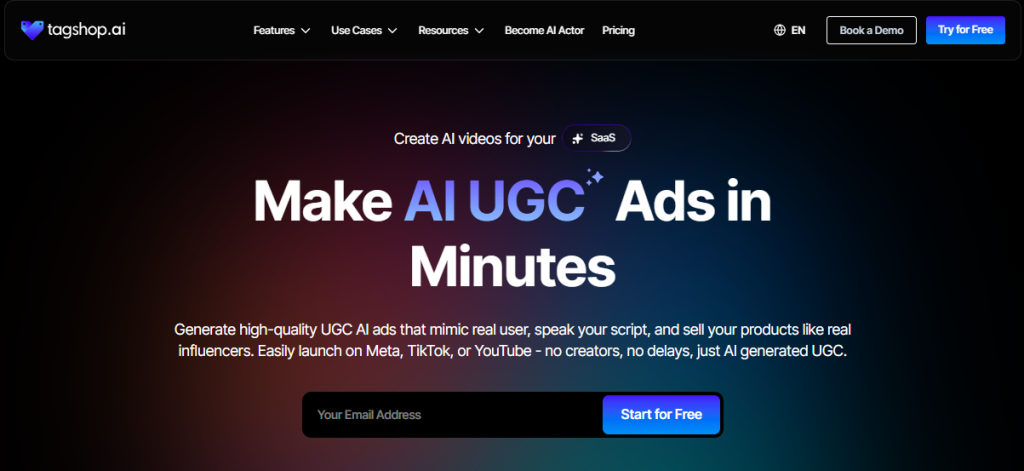
Tagshop AI changes the game for eCommerce brands by turning simple product URLs into authentic UGC-style video ads in minutes. No cameras, no creators, no shoots just drop a link, choose an avatar, tweak the script if needed, and get hyper-real clips with models holding and demoing items naturally. It pulls details like titles, features, and images automatically, crafts conversion-focused scripts, adds human-like voices, and perfect lip-sync. Brands scale hundreds of variations cheap for testing on Meta or TikTok, slashing costs massively while boosting CTRs with that raw, trustworthy UGC feel missing from template-heavy tools.
Key features:
- URL-to-video auto generation with product scraping
- 100+ diverse hyper-realistic avatars with gestures and product interaction
- AI script writer and enhancer
- Multilingual voiceovers and natural lip-sync
- Bulk video creation for campaigns
- Built-in editor for custom tweaks
- Direct exports to ad platforms
Pros:
- Extremely affordable scaling for high-volume ads
- Authentic UGC look drives higher conversions
- Super fast and beginner-friendly
- No manual scripting needed
Cons:
- Focused mainly on short product ads
- Less suited for long-form training or storytelling
Best for:
- AI UGC product ads
- Marketing videos
- Social content
Pricing: Tailored plans with unlimited requests; starts around $23–$30/month, free trial available.


The video you created for us truly exceeded our expectations - it's fantastic!
"Every frame was not only engaging but also beautifully crafted, clearly showing the high level of creativity and effort that went into its production. We achieved CTR of over 2%, and with a cost per click of just $0.20, the effectiveness of your work is undeniable."
Esma E.
Influencer Marketing

Seamless AI UGC video and image generation tool
"I work in the API security space, but I have always been curious about exploring different AI tools whether for generating images, videos, or creative content. UGC is something every brand needs nowadays, and I have tried many AI video tools. What I like about Tagshop AI is its simplicity. It’s easy to use, not complicated, and even someone without an AI background can get started quickly. That makes it a very user-friendly AI UGC video tool."
Sivan Michaeli-Roimi
VP Marketing @Pynt | Founder of Heyou.io

Best image to Product holding video generator for me
"I used Tagshop AI 2 days ago. Create an ai ugc product holding video with the tool. I have literally found the tool easy to use, with no complex functionality inside it. They have their own image generation model, where you can first generate a product image or upload one, and then you can also create a video for the same product. I like this idea, pretty cool, but let’s see how I can move to their plan."
Alon Michaeli
Head of Revenue AI at DealHub

Avatar looks realistic. Helpful to generate high-quality ai ugc videos.
"I've been using Tagshop AI as an AI ugc video generation tool for 1 month, and it's working well for me. I love the variety of avatars in their avatar library. The best part I have got in this tool is their editor, simple and clean look, and easy to use. Now, I don't need to switch tabs to edit the video."
Yuliia Kolomiiets
VP of Marketing
Multi-lingual features in the tool are pretty amazing.
"As my targeted audience is from the USA, Germany and Italy, their multilingual feature is helpful in this situation. I can create multiple avatar videos in different languages. So this is the benefit when you are targeting a wide audience."
Anirudh
Head of Digital Marketing

Time Saving and Affordable Tool
"The tool is super quick while creating the ai ugc videos. I like the editor within the tool, you don't have to switch to another tab."
Stephen Mathew
Marketing Manager

AI influencer becomes easy to create with Tagshop AI
"With the Tagshop AI, I have created a set of AI avatar videos that are now working for my clients. I am happy that I have found the fastest way to create AI avatars. The tool is quick and easy to use. I mean beginner-friendly, even a non-ai person can also operate this."
Kazi Mainuddin
Content Marketer
4. Animaker
Animaker packs a punch as an AI-powered animation and video platform that lets anyone build stunning clips from scratch or text prompts. It mixes cartoon styles with live-action elements, huge character builders, and smart voice tools to crank out everything from explainers to social shorts. Beginners jump in easy with drag-and-drop, while pros dig deep customization. Massive libraries keep things fresh, and recent AI upgrades handle voiceovers, subtitles, and auto animations smoothly.
Key features:
- Advanced character builder with billions of combinations
- AI-powered voiceovers in 800+ voices and accents
- Drag-and-drop timeline with smart actions
- 4K exports and vertical formats
- Vast asset library with props, backgrounds, music
Pros:
- Endless creative styles and customization
- Strong collaboration for teams
- Great for both animation and hybrid videos
Cons:
- Can feel overwhelming for absolute beginners at first
- Higher plans needed for full HD/4K unlimited
Best for:
- High-quality animated explainers
- Engaging marketing stories
- Educational content with lip-sync accuracy
Pricing: Free plan available; paid starts from around $25/month (billed annually).
5. Moovly
Moovly brings together massive stock libraries and AI tools to help teams create pro videos quick without deep skills. It pulls millions of clips, images, sounds, and graphics, then layers on auto subtitles, doodles, and sync features. Businesses and educators lean on it for training, internal comms, or marketing pieces that blend personal uploads with polished assets.
Key features:
- Access to millions of stock media and sounds
- AI-generated subtitles and text-to-speech
- Personal media uploads and custom branding
- Drag-and-drop editor with timeline
- Team collaboration workspaces
Pros:
- Huge variety of ready assets saves time
- Solid for education and corporate use
- Flexible mixing of styles
Cons:
- Renders can slow on complex projects
- Less advanced avatar realism than pure AI competitors
Best for:
- Training and internal videos
- Educational content
- Business presentations with lip-sync needs
Pricing: Free basic plan; Pro from around $49/month.
6. Synthesia
Synthesia leads the pack for lifelike AI avatar videos where digital presenters read scripts with natural expressions and gestures. Type text, pick from hundreds of avatars or create custom ones, and get pro talking-head clips in minutes. It’s huge for training, explainers, or updates without filming. Supports tons of languages for global reach, plus integrations for scaling.
Key features:
- 230+ hyper-realistic AI avatars
- 140+ languages and voice accents
- Custom personal avatar creation
- Script-to-video with lip-sync
- Multi-avatar scenes
- PPT or document import
Pros:
- Top-tier avatar realism and expressions
- Excellent for corporate/training
- Fast localization
Cons:
- Minute limits on lower plans
- Higher cost for volume
Best for:
- Professional training videos
- Corporate explainers
- Multilingual content with accurate lip-sync
Pricing: Free limited; paid from $49/month.
7. TopView.ai
TopView.ai packs smart AI to crank out viral marketing videos quick, pulling lessons from millions of top ads on TikTok, YouTube, and Facebook. Paste a product URL or upload assets, and it handles scripting, editing, voiceovers, and avatars that hold or demo items naturally. No shoots or pros needed perfect for eCommerce folks scaling UGC-style ads cheap. It nails product-focused clips with realistic presenters, multilingual support, and bulk variations for testing what hooks best.

Key features:
- URL-to-video auto generation with product details scrape
- Realistic AI avatars that hold/showcase products
- GPT-powered viral script writing
- Natural lip-sync and multilingual voiceovers
- Bulk campaign creation and A/B variations
- Ad library insights for optimization
Pros:
- Fast viral-style outputs from links
- Strong product interaction in avatars
- Affordable for high-volume marketing
Cons:
- Avatars can feel slightly off in complex scenes
- Heavier focus on short ads over long content
Best for:
- Product marketing and UGC ads
- eCommerce promotions
- Social platform content with lip-sync avatars
Pricing: Free trial; plans start from $40/month.
Let’s check out the best TopView alternatives and competitors.
8. HeyGen
HeyGen stands out as a top AI video platform focused on personalized avatar clips that feel incredibly natural. Users type scripts, pick or create avatars, including custom ones from photos, and add gestures, backgrounds, or translations in one go. It handles everything from sales outreach to internal updates or global marketing without filming crews. Recent updates boost interactivity, voice cloning, and multi-language dubbing, making localization effortless for teams reaching worldwide audiences.
Key features:
- 230+ hyper-realistic avatars with natural movements
- Instant text-to-video with perfect lip-sync
- Custom avatar creation from photos/videos
- One-click translation to 140+ languages
- Gesture and expression controls
- Team collaboration and branding tools
Pros:
- Outstanding realism and personalization
- Fast scaling for outreach or training
- Strong localization features
Cons:
- Minute-based limits on lower tiers
- Can get pricey for very high volume
Best for:
- Personalized sales/marketing videos
- Multilingual content
- High-quality human-like avatars with accurate lip-sync
Pricing: Free trial; Creator from $29/month (or $24 annual).
9. Vyond
Vyond delivers powerful animated video creation with AI boosts, letting businesses craft engaging stories through customizable characters and scenes. It mixes classic animation with modern generative tools for quick prompts-to-video or full studio edits. Teams use it heavily for training, compliance, or marketing that needs consistent branding and security.

Key features:
- Expressive animated characters and props
- AI-powered instant video generation (Vyond Go)
- Auto lip-sync and character actions
- Vast library of assets and transitions
- Enterprise compliance and collaboration
- Scene branching for interactive videos
Pros:
- Professional animation quality
- Secure for big organizations
- Flexible from quick AI to detailed edits
Cons:
- Steeper learning for full features
- Higher pricing for individuals
Best for:
- Animated corporate training
- Compliance and onboarding videos
- Engaging stories with lip-sync accuracy
Pricing: Trial available; Starter from around $58/month (annual).
10. Colossyan
Colossyan targets workplace learning with realistic AI avatars and interactive video builds. Turn scripts or PDFs into training clips, add quizzes or branching, and localize fast. It blends screen recordings with avatars for practical demos that feel hands-on.
Key features:
- Realistic avatars with custom creation
- Text-to-video and auto translation
- Interactive elements like quizzes/branching
- Screen recording integration
- PDF/document import to video
- SCORM export for LMS
Pros:
- Great for interactive training
- Strong localization and compliance
- Easy for L&D teams
Cons:
- More focused on education/corporate
- Avatar variety narrower for marketing
Best for:
- Workforce training and onboarding
- Interactive learning modules
- Realistic avatars with lip-sync accuracy
Pricing: Free trial; plans from around $70/month.
11. InVideo
InVideo combines AI generation with full editing for turning ideas, text, or articles into polished videos quick. Huge template library, stock media, and smart tools handle scripts, voiceovers, and cuts automatically. Creators mix AI speed with manual tweaks for YouTube, social, or ads.
Key features:
- Text/article-to-video AI
- 5000+ templates and stock assets
- AI script generator and voiceovers
- Collaborative timeline editing
- Generative media and effects
- Direct platform exports
Pros:
- Versatile for short or long videos
- Massive resources and templates
- Good balance of AI and control
Cons:
- Watermarks/limits on free
- Can overwhelm with options
Best for:
- YouTube and social content
- Marketing/promotional videos
- Content repurposing with lip-sync avatars
Pricing: Free plan; paid from $25/month.
How to Choose the Best Renderforest Alternative
Picking the right Renderforest alternative boils down to matching the tool to exact video needs and workflow. These quick checks help narrow options fast and avoid mismatches.
Evaluate the type of videos you need
Start by listing main use cases short UGC product ads, long training modules, quick social reels, corporate explainers, or animated stories. Tools like Tagshop AI or TopView crush eCommerce ads, while Synthesia or Colossyan dominate professional training. Pictory or InVideo shine for repurposing blogs into clips, and Vyond handles animated narratives best. Aligning this early saves headaches later.
Check avatar realism + customization levels
Look closely at how natural avatars move, express, and interact especially gestures or product holds. Test samples for lip-sync accuracy and diversity. Options like Synthesia, HeyGen, or Tagshop AI lead in hyper-real looks, while Animaker or Vyond offer more stylized control. Skip stiff or repetitive characters that hurt engagement.
Look for generative AI features
Prioritize smart shortcuts like URL-to-video (Tagshop AI, TopView, Pictory), auto script writing, or one-click editing. These slash production time big time. Bulk generation for A/B tests, voice cloning, or multi-language dubbing add extra power for scaling campaigns without manual rework.
Compare pricing and output quality
Balance cost against volume and resolution needs check minute limits, export quality, and hidden fees. Free tiers or trials reveal real value. Tagshop AI or InVideo stay affordable for high output, while enterprise picks like Vyond or Synthesia justify higher tags with security and support.
Consider integrations
Seamless ties to ad platforms (Meta, TikTok, YouTube) or tools (Shopify, LMS, Zapier) speed workflows. Direct exports cut upload hassles, while API access helps automation. Canva or InVideo integrate broadly, and training-focused tools often support SCORM for learning systems.
Test free trials before committing
Always run real projects in trials upload scripts, generate samples, tweak avatars, and export finals. Check render speed, ease, and output feel on target platforms. Hands-on testing spots quirks reviews miss and confirms the fit before money changes hands.
Conclusion
Renderforest alternatives keep gaining ground in 2026 because creators and brands demand more natural, versatile AI video tools that match today’s fast-paced social and ad trends. Older template-heavy platforms struggle to deliver the hyper-real avatars, authentic UGC vibes, and quick generative tricks users now expect. Try the tools mentioned above, pick based on core video needs (ads, training, social shorts) and budget. Test trials hands-on to find the perfect fit and step up the video game.
Frequently Asked Questions
Tagshop AI leads as the most lifelike avatars and natural expressions. The tool is easy to use and provide great results.
Tagshop AI and TopView.ai specialize in authentic, handheld UGC product ads.
Yes Canva, InVideo, Pictory, and Animaker start lower with strong features.
Tagshop AI, TopView.ai, and Pictory excel at turning product links or articles into videos automatically.
Tagshop AI and TopView.ai for realistic product-holding UGC clips.
Yes, Tagshop AI, HeyGen, Colossyan, and others offer custom avatar creation from photos or videos.
Canva stands out with its simple, familiar interface and quick AI tools.
Synthesia, Colossyan, and Vyond shine for professional training and onboarding.
Most do Synthesia supports 140+ languages, HeyGen and others offer strong multilingual options.
Absolutely all provide optimized exports, vertical formats, and direct platform integrations for seamless ad creation.
Written by:

Rohan Singh is an AI-forward content specialist with 5+ years of experience creating creative, trend-led content for digital-first brands. He blends industry insights, AI-powered research, and content intelligence to produce engaging, relevant narratives aligned with evolving marketing trends. Constantly exploring new AI tools, he ensures his work stays innovative, impactful, and built for how audiences consume content today.