How to Create AI Videos with Your AI Twin: Step-by-Step
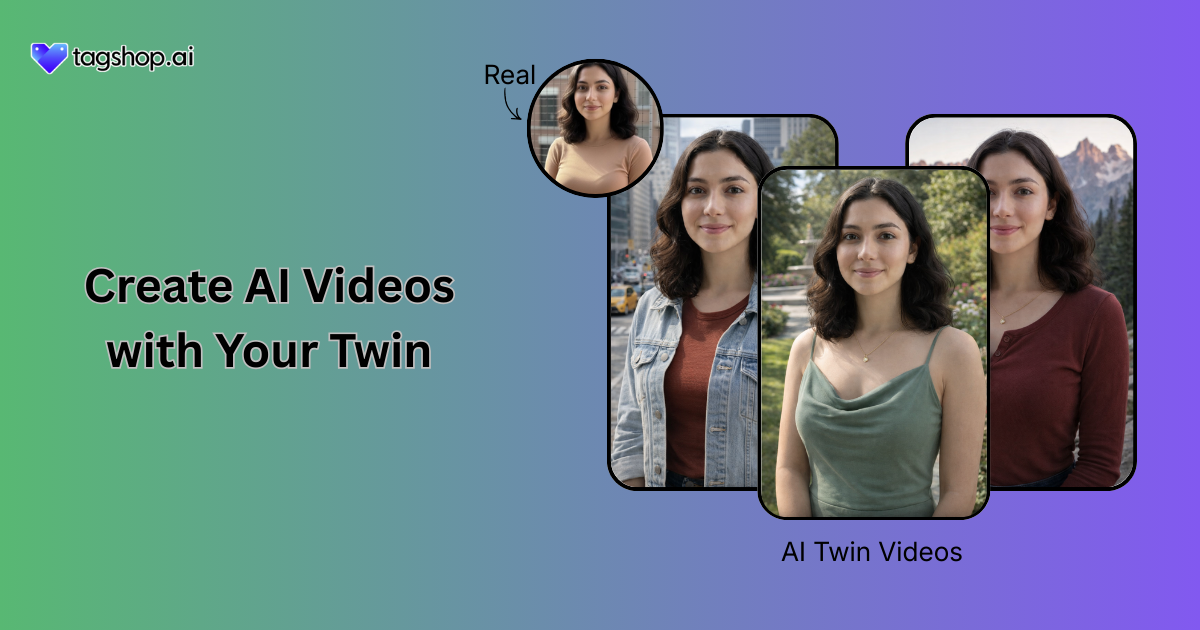







Filming videos every day sounds cool. Until you actually have to do it. Lighting issues, bad takes, low energy days, repeat. That’s exactly why AI Videos with an AI Twin are suddenly everywhere in 2025. Not as a gimmick, but as a workaround. A smarter one.
AI Twins let you show up on camera without being on camera. Same face, same voice, and zero burnout. This guide walks you through how to create AI videos with your AI Twins. Read on!
What is an AI Twin?
An AI Twin is a virtual version of a real human created using AI. It replicates your face, voice, expressions, and speaking style to generate realistic videos without filming every time.
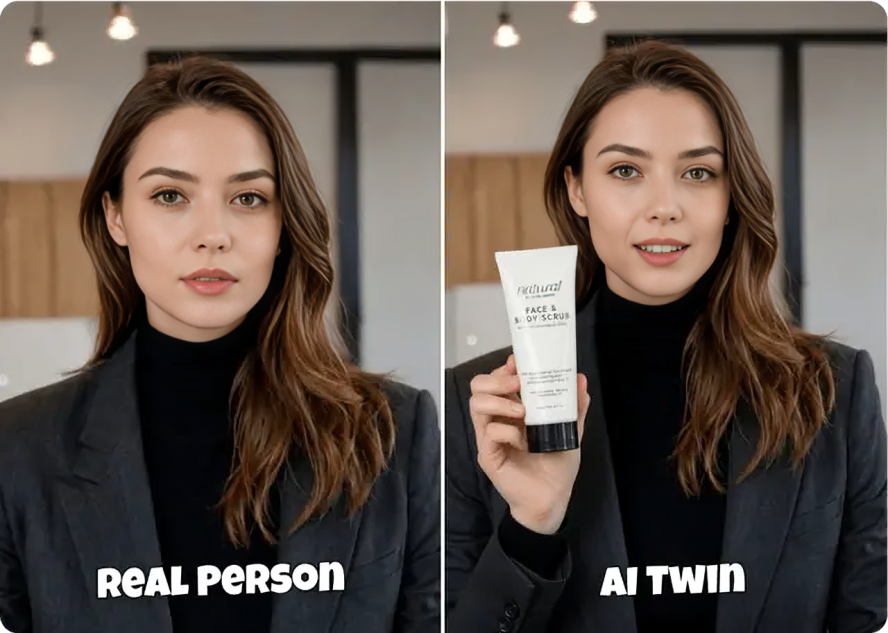
In simple words, it’s you. But available 24/7. No camera, no mic, and no bad hair days.
AI twins are widely used for content creation, ads, training videos, product demos, and social media at scale.
Types of AI Twin Generators
There isn’t just one kind of AI twin. Brands and creators usually work with two main types, depending on the use case.
1. Visual Twin
A Visual Twin creates a realistic AI avatar using your photos or videos. This avatar can talk, move, and appear on screen just like a real person.
It’s commonly used for:
- Virtual events
- Metaverse experiences
- Online courses
- Social media videos
- Explainer content
Once created, your visual twin can appear in unlimited videos without you ever pressing record again. Honestly, that part still feels a bit unreal.
2. Voice Twin
A Voice Twin replicates how you sound. Your tone, your pauses, and even the way you mess up words sometimes.
This tech is growing crazy fast in:
- Podcasting
- Voiceovers
- Audiobooks
- Virtual assistants
- Customer support bots
You record a small sample, and AI learns how you talk. After that, scripts turn into speech that actually sounds… human. Not perfect. Just real enough.
Read More: AI Twin Generation: Stats and Facts
But What’s in It for Brands?
This is where brands really start caring.
Using smart AI twin generators, brands can create AI ads using real human faces, without repeating shoots or paying for endless reshoots. It saves time, money, and energy.
Instead of coordinating creators, lights, cameras, approvals, and revisions, brands can:
- Reuse one AI Twin across hundreds of videos
- Test multiple scripts fast
- Localize content without new shoots
- Scale AI UGC ads without burnout
And yes, this is why AI twins are becoming a big deal in performance marketing.

How to Create AI Videos Using Your AI Twin (Step-by-Step)
Now let’s get practical.
Here’s exactly how you can create AI videos with your AI Twin using Tagshop AI, a smart AI video generator, without turning it into a technical headache.
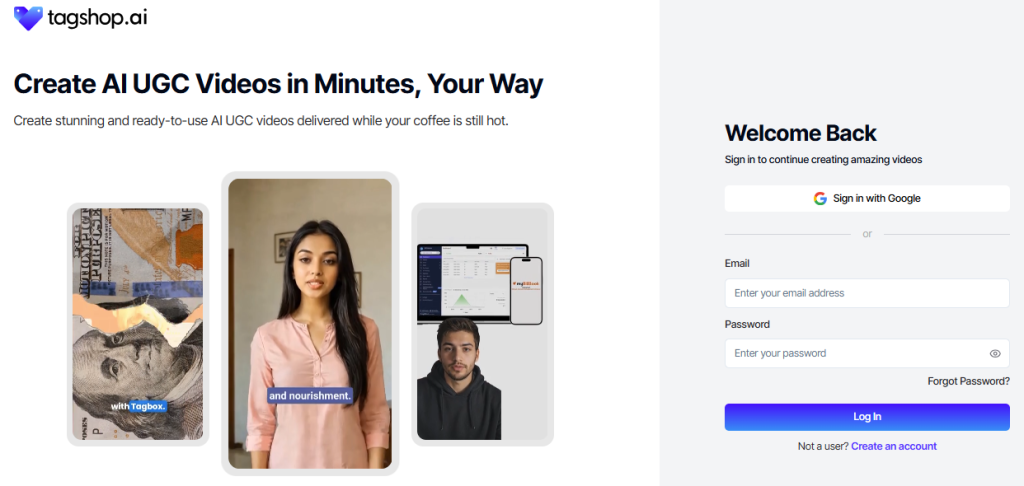
Step 1: Create an Account on Tagshop AI
Sign up for a free Tagshop AI account, or log in if you already have one. Once inside, the dashboard is clean and simple. You’ll see quick access to AI video tools straight away.
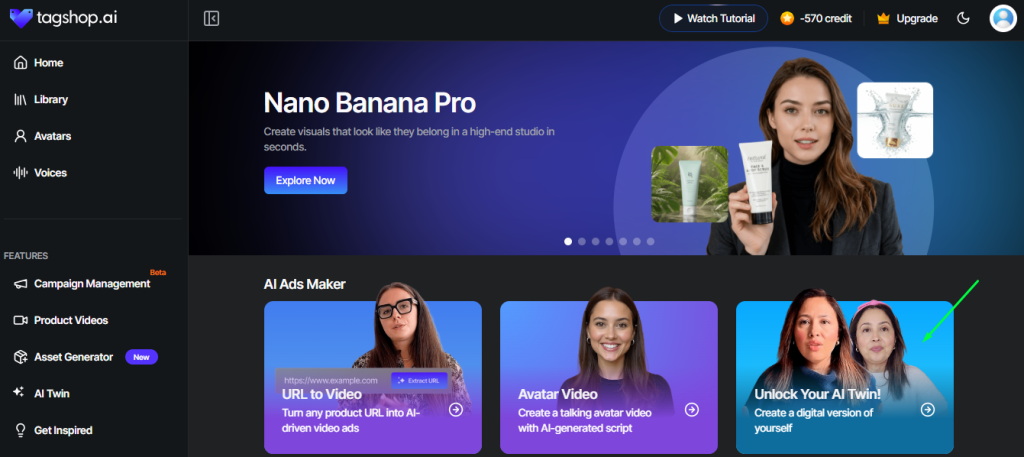
Step 2: Go to the AI Twin Section
From the dashboard, head to the AI Twin section. If you’re new, don’t worry. The flow is pretty guided. You’re not dropped into chaos.
Step 3: Upload Your Image
Next, upload a clear image of yourself.
Quick tip here: Use a well-lit photo. Front-facing. Neutral expression works best. No sunglasses, no weird angles. The cleaner the input, the better your twin looks. This image becomes the base for your digital avatar, so yeah, don’t rush it.
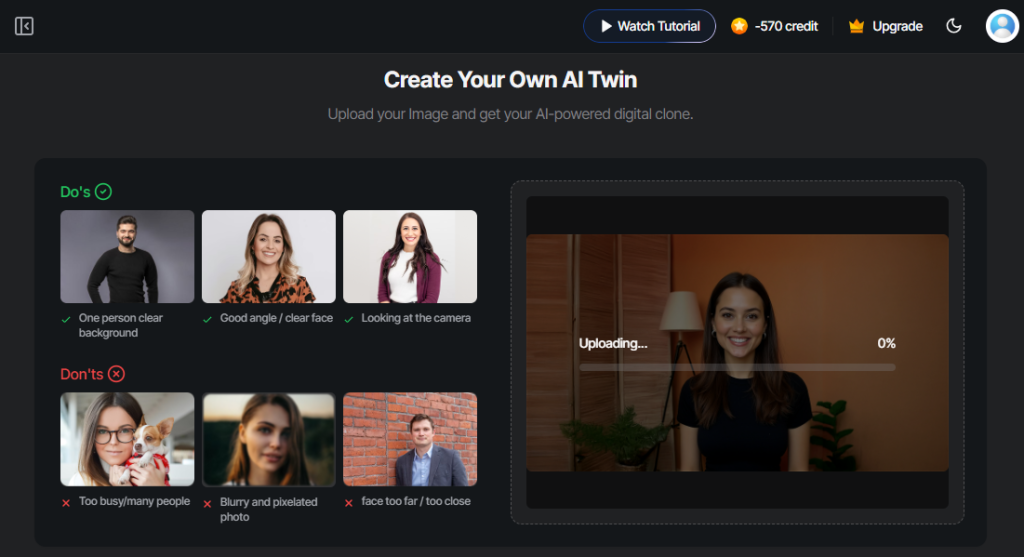
Step 4: Name Your AI Avatar and Choose Details
Now comes the customization part.
You’ll:
- Name your AI avatar
- Select voice preferences
- Choose gender
- Set age range
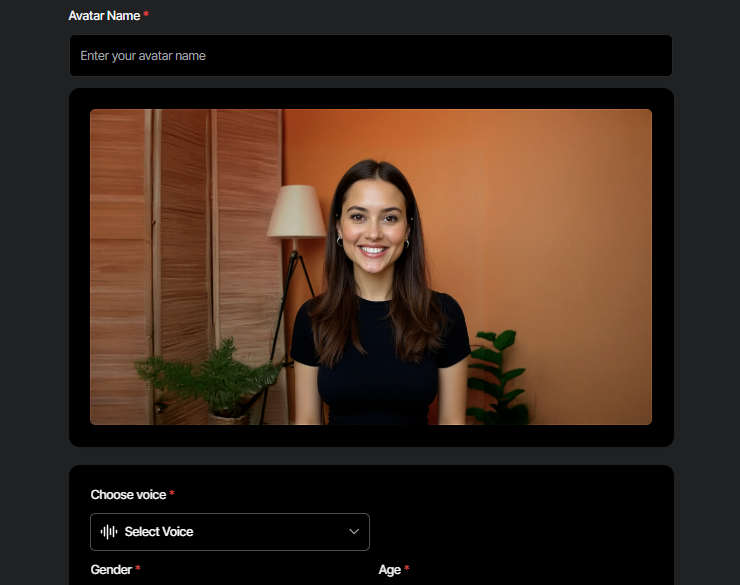
This helps the system fine-tune how your twin looks and speaks. It’s less about “design” and more about accuracy.
Step 5: Consent and Authorization
This step matters a lot. Tagshop AI asks you to self-upload a short consent video of yourself. This confirms that you’re authorizing the creation of your own AI Twin.
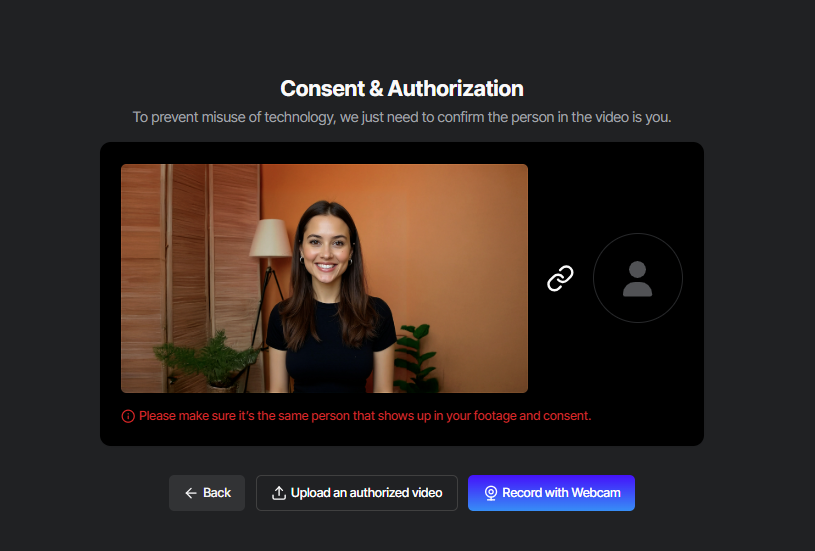
It’s a necessary safety step and, honestly, a good thing. No shady cloning nonsense here.
Step 6: Prepare the Script
Upload your own script or use Tagshop AI’s script generator to create a short, hook-driven script. Especially useful if you’re making TikTok or Reels-style videos. Keep scripts short, conversational, and a little imperfect. Perfect scripts sometimes perform worse, funny enough.
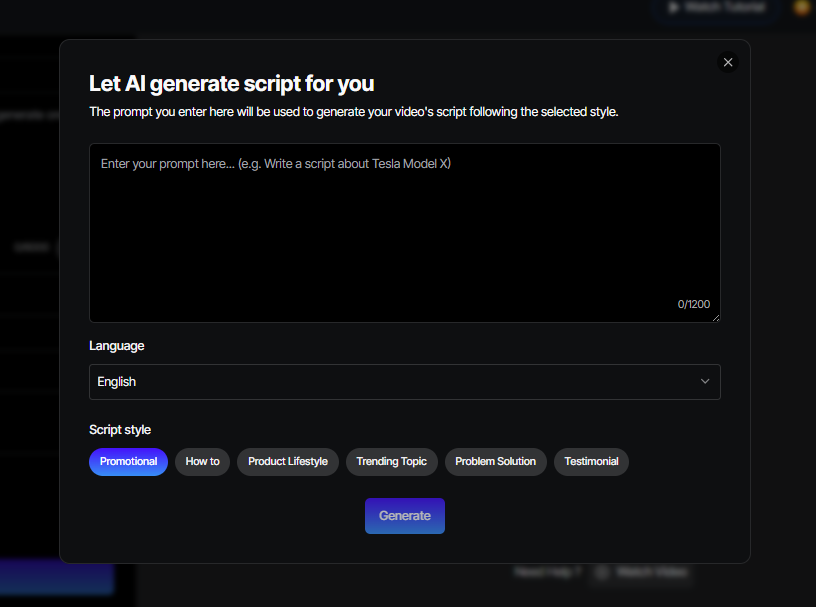
Step 7: Customize the Video in the Editor
Inside the video editor, you can:
- Add captions
- Insert hooks
- Include on-screen text
- Drop in B-roll or visuals
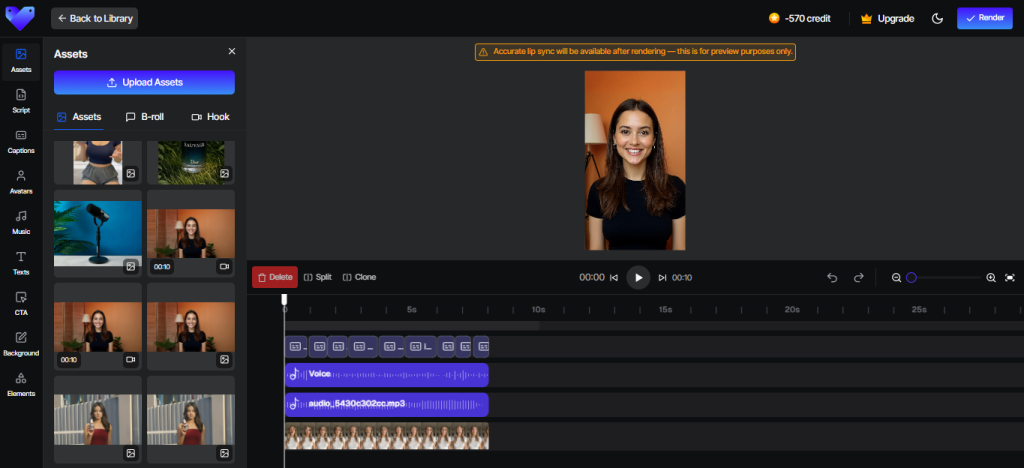
This is where you make the video feel native, not like an ad screaming “BUY NOW PLEASE”. Small tweaks here make a massive difference.
Step 8: Render and Export the Video
Once everything looks good, render the video. Export it in a TikTok-ready or Reels-friendly format, depending on where you’re posting. From here, it’s ready for ads or organic content.
Technical Tips to Create AI Videos with Your AI Twin
Creating an AI twin video is easy. Creating one that actually feels real and performs well needs a little extra thought. These practical tips help you avoid robotic results and get videos that people actually watch.
1. Use Natural Scripts, Not Ad Scripts
Salesy scripts, which are highly polished, right away become too real to trust. Talk like you normally do, using informal words, soft pauses, and little mistakes. When the script is human-like, your AI twin is genuine rather than being a forced ad.
2. Keep Videos Short and Focused
AI twin videos perform best when they stay within the 15 to 45 second range. Focus on one clear message, one strong hook, and one simple call to action. Trying to explain too much at once usually leads to drop-offs.
3. Match Platform Style
Every platform has its own visual language, and your AI twin videos should respect that. TikTok content should feel casual and fast-paced, while Instagram ads should look native. Vertical formats, on-screen captions, and relaxed pacing help videos convert better.
4. Don’t Overuse the Same Twin Everywhere
Even the best AI twin can feel repetitive if used the same way everywhere. Switch up scripts, hooks, captions, and visual pacing to keep things fresh. Audiences pick up on repetition quickly, and once they do, engagement drops fast.
5. Test Multiple Versions
Multiple testing is one of the most significant benefits of AI twins. Generate various versions of the same video with alternative hooks or openings and then carry out tests. The whole process of working on a video, which used to take multiple days, can now be done in just one afternoon with testing and refining.
Read More: How Can You Use AI Twins for Your YouTube Videos?
Conclusion
Creating AI videos used to sound futuristic. Like something only big tech brands could afford. Now? It’s practical, fast, and surprisingly simple.
If you’ve been stuck between “I need more video” and “I don’t want to film again,” AI Twins are the middle ground. Tools like Tagshop AI make it doable without turning you into a tech wizard.
Your face, your voice, and your message. Just scaled.
If you’re ready to stop filming and start multiplying, you know where to go.
Frequently Asked Questions
Yes, as long as platforms require consent and authorization, as Tagshop AI does.
Usually, a few minutes for setup, with processing done shortly after.
Yes, if proper consent is obtained from the person being cloned.
Yes. Short, native-style AI twin videos perform very well on TikTok.
Most platforms allow updates with new images or videos if needed.
Written by:

Neeraj is passionate about reshaping brand storytelling through AI-powered UGC videos. As the Founder he helps brands unlock authentic, creator-style video content that drives results - without the traditional time, cost, or complexity. His approach blends AI innovation with marketing performance to scale engagement efficiently.
 Add Tagshop.ai as a preferred source in Google Search





 Introducing

 Wan 3.0 is now live on Tagshop AI