12 Best LinkedIn video makers in 2026
LinkedIn videos are no longer optional in 2026, they’re essential. With short-form clips, thought-leadership content, AI-driven videos, and personal branding dominating feeds, choosing the Best LinkedIn video makers has become critical for B2B growth.
Yet many professionals struggle with low engagement, inconsistent quality, and time-consuming edits. As reach drops and competition rises, the right tools can directly impact visibility, engagement, and conversions. This blog solves that problem by breaking down the best tools to create scroll-stopping LinkedIn videos, fast, scalable, and built for results.
What Is a LinkedIn Video Maker?
A LinkedIn video maker is a digital tool or platform that helps creators produce engaging video content tailored for LinkedIn’s professional audience. These tools simplify editing, add effects, and often integrate AI video capabilities so that even beginners can craft high-quality clips. LinkedIn video creation isn’t just about aesthetics, 79% of businesses use video for communication and marketing because it boosts visibility, explains services, and supports thought leadership.
What sets LinkedIn apart from other platforms is its B2B audience and professional tone: it’s where decision-makers, executives, and industry experts engage with content that educates, informs, and builds trust rather than purely entertains. Tools for LinkedIn video makers and LinkedIn video tools help brands meet this demand by enabling polished storytelling, optimized formats, and efficient workflows.
Key benefits include:
- Simplified editing for professional videos
- Templates for thought leadership or corporate content
- AI-assisted workflows to boost output quality

Read More: How to create LinkedIn video using AI?
Types of LinkedIn Videos You Can Create
1. Personal Branding Videos
Personal branding videos focus on sharing opinions, experiences, and insights directly from founders, leaders, or professionals. These videos build trust, authority, and long-term visibility. The Best LinkedIn video makers help professionals maintain consistency with captions, templates, and quick edits using LinkedIn video generators.
Use cases: career advice, behind-the-scenes stories, founder journeys, weekly insights
Industries: SaaS, consulting, marketing, HR, finance
2. Product Promo Videos
Product promos highlight features, workflows, or outcomes in a short, professional format without feeling salesy. High-performing LinkedIn video makers and AI videos simplify screen recording, animations, and voiceovers while keeping messaging concise.
Use cases: feature launches, demo walkthroughs, updates
Industries: SaaS, B2B tools, fintech, enterprise software
3. Company Culture Clips
Culture videos humanize brands by showcasing teams, values, and work environments. Using the best LinkedIn video makers ensures culture content stays authentic yet visually clean with minimal editing effort.
Use cases: hiring campaigns, employer branding, team wins
Industries: startups, agencies, enterprise companies
4. Thought-Leadership Content
These videos focus on trends, opinions, and industry insights to position brands as experts. Advanced LinkedIn video tools help structure scripts and visuals for credibility and retention.
Use cases: market analysis, predictions, POV content
Industries: marketing, tech, finance, consulting
5. AI Avatar Videos
AI avatar videos use digital presenters to deliver messages without live recording. Modern LinkedIn AI video generators enable scale while maintaining a professional tone.
Use cases: announcements, multilingual updates, explainer content
Industries: SaaS, global enterprises, education
6. Educational / Carousel-Style Video Posts
These videos break down concepts step by step, similar to carousel posts but in video format. The Best LinkedIn video makers combine text, motion, and visuals to achieve high retention.
Use cases: tutorials, how-tos, frameworks
Industries: marketing, sales, education, product teams
The 12 Best LinkedIn Video Makers in 2026
| Tool Name | Best For | Key Features | Price (Per Month) |
|---|---|---|---|
| Veed.io | Online video editing | AI subtitles, screen recorder, social media video editing | $29 |
| InVideo AI | AI video generation | Text-to-video, templates, stock media library | $25 |
| Canva | Design & video creation | Drag-and-drop editor, templates, AI design tools | $120 |
| Loom AI | AI screen recording videos | Instant recording, AI summaries, team sharing | $24 |
| Tagshop AI | End-to-end AI video ads | URL → script → avatar → video, multi-platform ads, automation workflow | $23 |
| Descript AI | Podcast & video editing | Text-based editing, overdub AI voice, transcription | $35 |
| Adobe Express Video | Quick branded videos | Templates, branding kits, Adobe ecosystem integration | Custom Pricing |
| Kapwing | Collaborative video editing | AI captions, meme generator, team editing tools | $50 |
| Pictory AI | Blog-to-video automation | Article to video, AI voiceovers, auto highlights | $25 |
| Wave.video | Marketing video creation | Video hosting, live streaming, social media tools | $30 |
| FlexClip | Simple online video maker | Templates, AI video generator, stock media | $30 |
| Animoto | Slideshow & promo videos | Drag-and-drop video builder, music library, templates | $29 |
1. Veed.io
Veed.io is a browser-based video editing platform designed for fast, no-code video creation. It’s widely used by marketers, creators, and teams who want to produce clean, professional videos without installing heavy software. As one of the top LinkedIn video makers, Veed.io works well for short-form professional content like thought-leadership clips, announcements, and brand updates. Its strength lies in simplicity—everything runs in the browser, making it ideal for LinkedIn creators who prioritize speed, captions, and visual clarity over advanced production complexity.

Key Features
- Online video editor (no download required)
- Auto subtitles & caption generator
- Video templates for social media
- Screen & webcam recording
- Stock media, text, and brand kits
- AI-powered tools for trimming and cleanup
Pros
- Extremely easy to use for beginners
- Fast captioning for LinkedIn videos
- Works directly in the browser
- Good template library
- Ideal for quick edits and repurposing
Cons
- Limited advanced animation controls
- AI features are less deep compared to AI-first tools
Pricing
Veed.io offers a free plan with limitations. Paid plans start around $29/month, with higher tiers for teams and advanced exports.
2. InVideo AI
InVideo AI is a powerful AI-assisted video creation platform that turns your ideas into polished videos with minimal effort. While this blog highlights the Best LinkedIn video makers, InVideo AI deserves mention for its blend of automated creativity and classic editing tools that help professionals produce LinkedIn-ready content quickly. It excels for marketers, entrepreneurs, and social teams who want AI generation paired with flexibility—letting you generate scripts, choose avatars, add voiceovers, and export ready-to-share videos all in one place.
Key Features
- AI Video Generator: Turn prompts into complete video scenes with visuals and narration.
- AI Avatars: Create human-like or branded avatars for your content.
- Text-to-Video: Automatically generate video from scripts.
- Subtitles & Voiceovers: Auto captions and text-to-speech for accessibility.
- Templates & Media: 7000+ templates, stock footage, and assets.
Pros
- Intuitive and beginner-friendly interface
- Strong AI script-to-video workflows.
- Large template and stock media library.
- Auto subtitles and voiceovers reduce editing time.
- Works entirely in a browser—no downloads.
Cons
- Free plan includes watermarks and limited exports.
- Some advanced generative features reserved for higher-tier plans.
Pricing
InVideo AI pricing tiers range from a Free plan (watermarked videos, limited credits) to paid plans starting at $25/month.
3. Canva
Canva is a drag-and-drop creative platform that has become a go-to for quick, polished video design—especially for professionals and teams producing LinkedIn content. While this blog lists the Best LinkedIn video makers, Canva stands out for combining simplicity with deep template libraries, brand kits, and collaborative tools that make it easy to create everything from product highlights to thought-leadership clips. Its browser-based approach and intuitive UI make it ideal for marketers, small teams, and solo creators who want professional quality without a steep learning curve.

Key Features
- Drag-and-Drop Video Editor: Easy editing with timelines and assets.
- Templates for LinkedIn: Professionally crafted templates optimized for social video.
- Brand Kit: Upload logos, colors, fonts for consistent branding.
- Team Collaboration: Real-time editing with team members.
- Stock Media Library: Access to millions of photos, videos, and music.
Pros
- Extremely beginner-friendly and visual.
- Rich library of templates and assets.
- Great for social and professional branding.
- Real-time collaboration for teams.
- Cross-platform (browser and app).
Cons
- Less advanced video effects compared to specialized editors.
- Some premium assets restricted to paid plans.
Pricing
Canva offers a Free plan with basic features. Paid plans start with Canva Pro at $120 /month.
4. Loom AI
Loom AI brings the power of AI to asynchronous video communication by helping users create expressive, professional videos without complex editing tools. While this guide focuses on the Best LinkedIn video makers, Loom AI is especially useful for professionals who want to record explanations, demos, and insights that resonate with LinkedIn’s B2B and expert audience. Its AI features enhance clarity and engagement—making it a go-to for product updates, walkthroughs, and thought leadership messages that feel personal yet polished.
Key Features
- AI-enhanced Recordings: Improves clarity and delivery in videos.
- Screen & Cam Capture: Record your screen with webcam overlay.
- Smart Transcription: Converts speech to text for captions.
- Instant Share Links: Easy sharing tailored for professional workflows.
- Reactions & Engagement Data: Viewer insights from shared videos.
Pros
- Extremely easy and fast for async videos.
- Ideal for demos, feedback, and personalized messages.
- AI transcription and captions save editing time.
- Great for sales, product, and internal comms.
- Simple sharing and embed options.
Cons
- Limited advanced video editing features compared to full editors.
- Best for short, explanation-style clips, not full production videos.
Pricing
Loom offers a Free tier with basic recording and viewer analytics. Paid plans start with Business at $24/month.
5. Tagshop AI
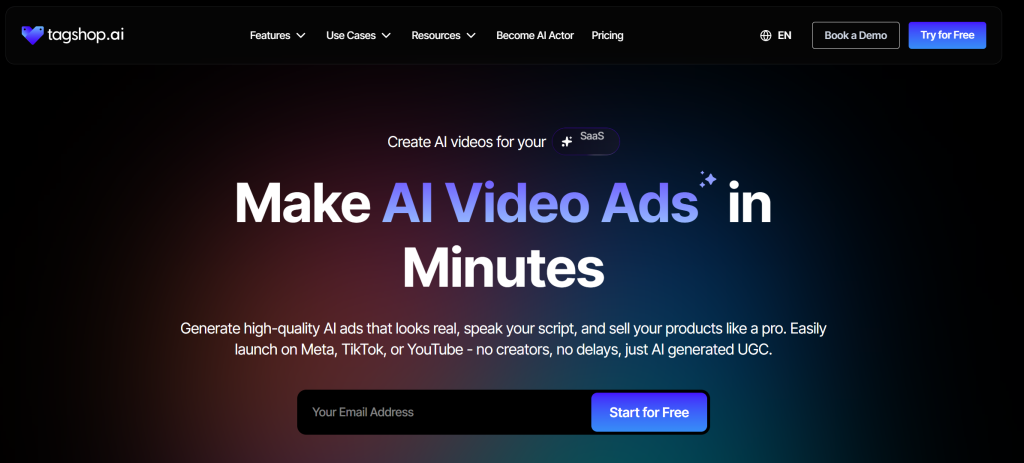
Tagshop AI is a cutting-edge AI video creation platform built for professionals and brands who want scalable, high-quality video content with minimal effort. While this blog focuses on the Best LinkedIn video makers, Tagshop AI stands out as a versatile tool that blends advanced AI video capabilities with intuitive workflows ideal for marketers, founders, and agencies targeting B2B audiences.
Its suite of features helps you create everything from dynamic LinkedIn ads to personal brand storytelling and thought-leadership clips without complex editing software. With LinkedIn video makers evolving, Tagshop AI bridges automation and creativity, making it easier to produce engaging professional videos tailored for LinkedIn’s unique audience.
Key Features
- Link to Video: Converts existing URLs into ready-to-edit video drafts.
- AI Avatar: AI-generated hosts for professional narration.
- Custom Avatar: Brand-aligned digital presenters.
- AI Twin: Personalized AI clones to automate content creation.
- AI Reels Generator: Quick short-form video creation optimized for social.
- AI Influencer Maker: Styles content like top creator formats.
- AI Video Ads: Generates high-impact promotional video ads.
Pros
- Rapid video production with minimal manual editing
- Deep AI automation (avatars, scripts, formats)
- Excellent for LinkedIn ad and thought-leadership content
- Customizable avatars and branding elements
- Scales content output for teams and agencies
Cons
- Might feel less hands-on for users who prefer full manual control
- Advanced features may have a learning curve for non-technical users
Pricing:
Tagshop AI offers a free trial. The paid plan starts from $23/month


The video you created for us truly exceeded our expectations - it's fantastic!
"Every frame was not only engaging but also beautifully crafted, clearly showing the high level of creativity and effort that went into its production. We achieved CTR of over 2%, and with a cost per click of just $0.20, the effectiveness of your work is undeniable."
Esma E.
Influencer Marketing

Seamless AI UGC video and image generation tool
"I work in the API security space, but I have always been curious about exploring different AI tools whether for generating images, videos, or creative content. UGC is something every brand needs nowadays, and I have tried many AI video tools. What I like about Tagshop AI is its simplicity. It’s easy to use, not complicated, and even someone without an AI background can get started quickly. That makes it a very user-friendly AI UGC video tool."
Sivan Michaeli-Roimi
VP Marketing @Pynt | Founder of Heyou.io

Best image to Product holding video generator for me
"I used Tagshop AI 2 days ago. Create an ai ugc product holding video with the tool. I have literally found the tool easy to use, with no complex functionality inside it. They have their own image generation model, where you can first generate a product image or upload one, and then you can also create a video for the same product. I like this idea, pretty cool, but let’s see how I can move to their plan."
Alon Michaeli
Head of Revenue AI at DealHub

Avatar looks realistic. Helpful to generate high-quality ai ugc videos.
"I've been using Tagshop AI as an AI ugc video generation tool for 1 month, and it's working well for me. I love the variety of avatars in their avatar library. The best part I have got in this tool is their editor, simple and clean look, and easy to use. Now, I don't need to switch tabs to edit the video."
Yuliia Kolomiiets
VP of Marketing
Multi-lingual features in the tool are pretty amazing.
"As my targeted audience is from the USA, Germany and Italy, their multilingual feature is helpful in this situation. I can create multiple avatar videos in different languages. So this is the benefit when you are targeting a wide audience."
Anirudh
Head of Digital Marketing

Time Saving and Affordable Tool
"The tool is super quick while creating the ai ugc videos. I like the editor within the tool, you don't have to switch to another tab."
Stephen Mathew
Marketing Manager

AI influencer becomes easy to create with Tagshop AI
"With the Tagshop AI, I have created a set of AI avatar videos that are now working for my clients. I am happy that I have found the fastest way to create AI avatars. The tool is quick and easy to use. I mean beginner-friendly, even a non-ai person can also operate this."
Kazi Mainuddin
Content Marketer
6. Descript AI
Descript AI is a unique video and audio editing platform that blends powerful text-based editing with generative AI tools—a combo that makes it easy to turn long recordings into polished clips perfect for LinkedIn. While this blog highlights the Best LinkedIn video makers, Descript stands out for its transcript-first workflow, allowing you to edit video like a document. For creators and teams repurposing webinars, podcasts, or interviews, it streamlines trimming, captions, and enhancements so you can deliver high-impact professional content without traditional timeline editing.

Key Features
- Text-based editing: Edit video/audio by editing text transcripts.
- Overdub (AI voice): Generate or replace narration with AI voices.
- Studio Sound: AI audio cleanup for professional clarity.
- Screen Recording: Create lessons, demos, or presentation clips.
- Automatic captions: Instant, editable captions for social video.
Pros
- Intuitive text-first editing—great for repurposing content.
- Built-in AI tools like Overdub and Studio Sound.
- Auto captions tailored for LinkedIn engagement.
- Ideal for teams converting long content to short clips.
- Simple interface with powerful backend tools.
Cons
- Not as strong for advanced motion graphics.
- Learning curve for those unfamiliar with text-based workflows.
Pricing
Descript offers a Free plan with basic editing and watermark exports. Paid tiers start with $35/month.
7. Adobe Express Video
Adobe Express Video is built for professionals who want speed without sacrificing polish. Instead of heavy timelines or complex controls, it focuses on guided creation – helping you turn ideas into clean, professional videos and video animations in minutes. For marketers and founders publishing consistently on LinkedIn, it fits naturally into the Best LinkedIn video makers list because of its strong branding controls, AI assistance, and seamless Adobe ecosystem. It’s especially useful when you want branded, presentation-style videos that look premium without spending hours editing.
What Makes Adobe Express Video Different
- Scene-based video creation instead of complex timelines
- AI-powered text effects and video layouts
- Brand kits for fonts, colors, and logos
- Stock photos, videos, and music included
- Quick resize for LinkedIn and other platforms
Pros
- Extremely clean, professional output
- Great for brand-led and corporate videos
- Easy learning curve for non-editors
- Strong design quality (Adobe ecosystem)
- Fast creation for LinkedIn posts
Cons
- Limited advanced motion graphics
- Less control for detailed manual editing
Pricing
Adobe Express offers a Free plan with basic features. For the Premium plan, they offer custom pricing, unlocking premium assets, brand kits, and advanced AI features. Enterprise plans are available for teams.
8. Kapwing
Kapwing is a creator-friendly, browser-based video editing suite that’s perfect for professionals who value simplicity and speed. While this list highlights the Best LinkedIn video makers, Kapwing earns a spot by combining intuitive editing with smart AI features—ideal for marketers, teams, and creators who need to produce on-brand videos without complex software. Its real-time collaboration and automated tools help transform scripts, captions, and media into polished content that resonates with LinkedIn’s professional audience. Whether repurposing webinars, creating testimonials, or crafting thought leadership clips, Kapwing makes the process fast and flexible.

Key Features
- Browser-based editor: No downloads—edit anywhere.
- Auto subtitles & translations: Caption generation for accessibility.
- Templates & presets: Designed for social formats.
- Collaboration tools: Team editing in real time.
- AI tools: Smart cropping, background removal, and cleanup.
Pros
- Clean, intuitive interface for all skill levels.
- Fast export and sharing workflows.
- Excellent for quick LinkedIn edits and captions.
- Team collaboration built in.
- Works in any modern browser.
Cons
- Some advanced effects are limited.
- Free plan exports include watermarks.
Pricing
Kapwing has a Free tier with watermark limitations. Paid plans start at $50/month
9. Pictory AI
Pictory AI is a cloud-based AI video creation platform that turns text, scripts, articles, or other content into polished videos in minutes—no complex editing skills required. While this guide highlights the Best LinkedIn video makers, Pictory AI deserves attention for how it simplifies video production with automated scene building, voiceovers, and brand styling that suits LinkedIn’s audience and use cases like thought-leadership clips or explainer videos. Its intuitive interface and AI-powered tools let marketers and creators publish high-quality, professional videos quickly and efficiently.

Key Features
- Text to Video: Create videos automatically from written scripts or ideas.
- AI Video Editor: Smart scene detection and editing tools.
- URL to Video: Turn web content into videos instantly.
- Voiceovers & Captions: Add AI-generated narration and auto captions.
- Brand Kit Integration: Apply logos, colors, and fonts for consistent branding.
Pros
- Great for converting text or long content into videos quickly.
- AI handles scene creation, visuals, and voiceovers.
- No steep learning curve—beginner-friendly.
- Useful for marketers and educators needing fast content.
- Works fully in the browser.
Cons
- Not ideal for detailed manual editing controls.
- Some advanced features are locked behind higher tiers.
Pricing
Pictory AI pricing starts at approximately $25/month for basic plans (with free trial options) and rises depending on the minutes of video and features included.
10. Wave.video
Wave.video is a versatile online video creation and hosting platform designed for creators, marketers, and teams who want professional videos without complex software. While this list highlights the Best LinkedIn video makers, Wave. video stands out by combining easy-to-use editing tools with strong social-ready features, helpful for LinkedIn content that needs captions, brand consistency, and cross-platform formats. Its intuitive editor and rich template library make it ideal for thought-leadership clips, company updates, and marketing videos that demand both speed and polish.

Key Features
- All-in-one editor: Create, edit, and publish from one workspace.
- Template library: Ready-made designs for business and social videos.
- Auto captions & subtitles: Boost accessibility and engagement.
- Branding tools: Maintain colors, fonts, and logos across videos.
- Hosting & sharing: Built-in video hosting with analytics.
Pros
- Beginner-friendly interface with powerful features.
- Excellent caption and subtitle tools for LinkedIn.
- Templates tailored for professional social content.
- Built-in hosting helps manage and track videos.
- Cloud-based with cross-platform access.
Cons
- Advanced motion graphics are limited.
- Higher-tier plans are needed for full feature access.
Pricing
Wave.video offers multiple pricing plans starting with a Free tier (limited features). Paid plans starts at $30/month.
11. FlexClip
FlexClip is a lightweight, browser-based video editor built for speed and simplicity. Instead of overwhelming users with complex timelines, it focuses on ready-to-use templates, drag-and-drop editing, and quick AI assistance. That’s why it fits naturally among the Best LinkedIn video makers—especially for professionals who want clean, business-friendly videos without a steep learning curve. FlexClip works well for LinkedIn explainers, announcements, and short brand videos where clarity and consistency matter more than advanced effects.

What FlexClip Does Best
- Template-first editing: Pre-designed video layouts for business and social use
- AI text-to-video: Turn scripts or ideas into videos quickly
- Stock media library: Access photos, videos, icons, and music
- Simple branding tools: Add logos, colors, and text easily
- Cloud-based workflow: Edit and export directly from the browser
Pros
- Very easy for beginners and non-editors
- Fast video creation with templates
- Good balance of AI and manual editing
- Affordable compared to heavy video tools
- No software installation required
Cons
- Limited control for advanced animations
- AI features are basic compared to AI-first platforms
Pricing
FlexClip offers a Free plan with export limitations. Paid plans start around $30/month, with higher tiers unlocking HD exports, more AI credits, and premium stock assets.
12. Animoto
Animoto is a user-friendly online video maker tailored for creating visually engaging content with minimal effort. While this list features the Best LinkedIn video makers, Animoto earns a spot for its straightforward drag-and-drop interface and focus on professional-grade, shareable videos. Whether you’re highlighting services, sharing company updates, or promoting thought leadership, Animoto helps you build polished clips quickly without deep editing knowledge. Its design-forward templates and intuitive workflow make it a solid choice for marketers, entrepreneurs, and business teams.
Key Features
- Drag-and-drop editor: Build videos easily from templates.
- Customizable templates: Designed for business and social posts.
- Music & text tools: Add licensed tracks and animated text.
- Branding controls: Upload logos and colors.
- Cloud-based platform: Edit from anywhere.
Pros
- Great for beginners and non-editors.
- Fast video creation with professional finishes.
- Ideal for LinkedIn announcements and promos.
- Extensive template library.
- No software download needed.
Cons
- Limited advanced editing features.
- Fewer AI-driven automation tools.
Pricing
Animoto offers a Free trial with basic access. Paid plans start at around $29/month for the Professional tier, with higher tiers unlocking HD exports, extra templates, and branding features
How to Choose the Perfect LinkedIn Video Maker
Here’s what you must look for when deciding for a Linkedin Video Maker
Start With Your Content Goals
Different goals require different capabilities. Before picking from the Best LinkedIn video makers, align on what you’ll publish most often:
- Thought leadership: talking-head videos, insights, trends
- Product showcases: feature walkthroughs, demos, launch updates
- Company updates: hiring, milestones, announcements
- AI avatar videos: scalable content without camera presence
- Client testimonials: polished, trust-building clips
Your primary use case should guide your tool choice—not the other way around.
Look for Must-Have Features
High-performing LinkedIn videos rely on functionality more than flashy effects. The Best LinkedIn video makers typically include:
- Auto-captions (critical for silent scrolling)
- Brand templates for visual consistency
- AI script generator to speed up ideation
- Support for 1:1 and 16:9 high-quality formats
- Stock footage and graphics
- Team collaboration features
- Native exports optimized for social platforms
Factor in Budget Realistically
Not every team needs premium software on day one:
- Free vs paid tools: free plans often limit exports or add watermarks
- Subscription vs one-time: subscriptions suit frequent creators
- Watermark restrictions: crucial for brand credibility
Some of the Best LinkedIn video makers deliver strong value even at mid-tier pricing.
Match the Tool to Your Skill Level
Finally, be honest about execution:
- Beginner-friendly tools for speed
- Advanced editors for creative control
- AI-driven automatic editors for scale
Conclusion
The tools you choose ultimately shape how your professional story shows up on LinkedIn. Some platforms excel at quick edits and templates, others at repurposing long content, while AI-first tools unlock scale without constant recording. Among all the options covered, Tagshop AI stands out for marketers and teams who want consistent, AI-driven LinkedIn videos.
Frequently Asked Questions
There’s no single best tool for everyone. Tagshop AI is great for AI avatars and B2B ads, Canva works well for quick branded videos, and tools like Descript or InVideo AI suit creators who want speed with flexibility.
Free tools are fine for testing or basic posts, but they usually add watermarks, limit exports, or restrict features. For consistent personal branding or business content, a paid plan is usually worth it.
Yes. AI tools can help with scripts, avatars, captions, and editing. When used well, they save time and still produce professional, LinkedIn-friendly videos that don’t feel overproduced or robotic.
Square (1:1) and landscape (16:9) formats work best on LinkedIn. Square videos often get better feed visibility, while 16:9 is ideal for demos, webinars, and longer thought-leadership content.
Most modern tools do. Auto-captions are important because many users scroll LinkedIn on mute. Good captions improve watch time, accessibility, and overall engagement without extra manual work.
Yes, especially for educational or insight-driven content. AI avatars work well if the script is authentic and valuable. Many professionals use them to stay consistent without recording on camera every time.
Look for auto-captions, brand templates, LinkedIn-ready formats, easy exports, basic analytics, and AI assistance for scripts or editing. The tool should match your workflow, not slow you down.
AI-first platforms like Tagshop AI and InVideo AI work well for B2B demos. They help create clear walkthroughs, avatar-led explanations, and ad-friendly videos without needing a full production setup.
Yes. Most tools let you resize videos into 1:1, 9:16, or 16:9 formats. This makes it easy to reuse the same content across platforms with minimal extra effort.
Written by:

Neeraj is passionate about reshaping brand storytelling through AI-powered UGC videos. As the Founder he helps brands unlock authentic, creator-style video content that drives results - without the traditional time, cost, or complexity. His approach blends AI innovation with marketing performance to scale engagement efficiently.