“I wanted to clone myself so I could sleep more. Turns out… it worked.”
Joke? Reality? Let’s Find Out
If you’re trying to stay consistent on YouTube, show up everywhere, and avoid repeating the same intro 14 times, AI twins start making strong sense.
Using AI Twins for your YouTube videos isn’t about being lazy. It’s about being scalable, smart, and still sounding like you. Even on days when you don’t want to look at a camera. Or pants.
Read on as we break it all down.
Why Creators are Using AI Twins for YouTube Videos?
Let’s understand what you gain using AI twins for YouTube –
1. Produce faceless or scalable content
Don’t want to be on camera every single time? Fair. AI twins let you create videos without physically showing up, while still keeping you as the face of the channel. Same presence. Zero burnout.
2. Save time on repetitive filming
Recording intros, outros, updates… again and again is tedious. Your AI twin handles repetition while you focus on ideas, scripts, or, honestly, just living life. Time saved here adds up fast.
3. Reuse the twin across all social platforms
One twin shows up on multiple platforms. Use the same digital version of yourself for YouTube, Shorts, Reels, TikTok, and AI ads. No re-recording. No resizing panic at midnight.
4. Target global audiences with multilingual content
Your twin doesn’t get tired of speaking Spanish, Hindi, or French. Multilingual videos become possible without learning new languages or hiring voice actors every time. That’s a massive reach, instantly.

How to Use AI Twin for Your YouTube Videos: Step-by-Step
This is the part people overcomplicate. But you don’t have to.
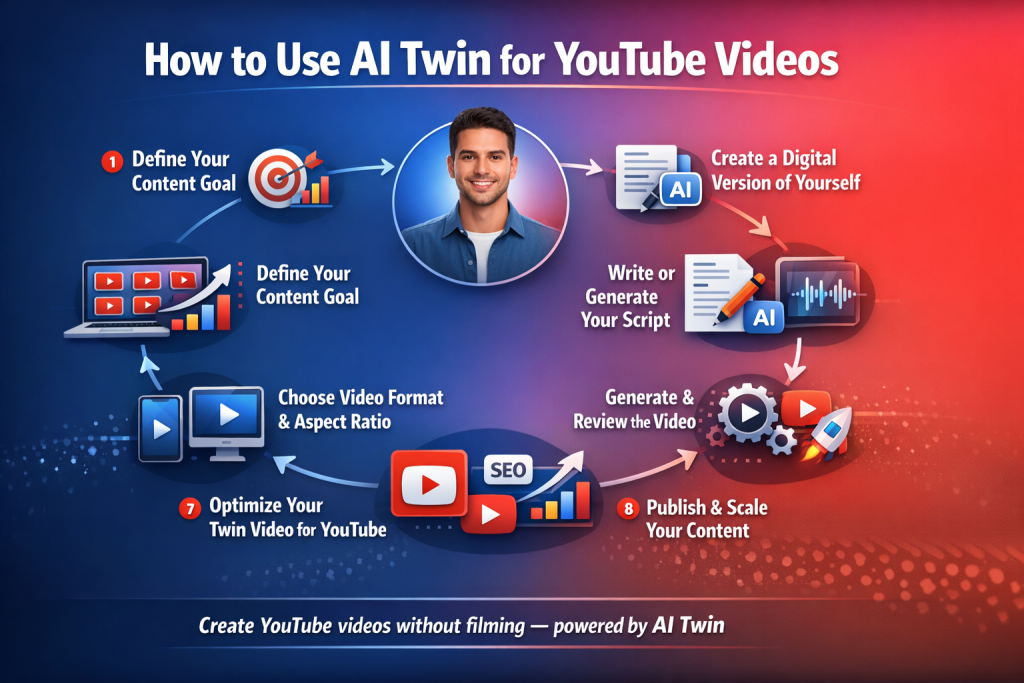
1. Define Your YouTube Content Goal
Before touching any tool, ask one thing: “Is this for education, shorts, ads, product explainers, or channel growth?”
Your goal decides script length, format, and tone. Skip this, and everything feels off.
Why this is important:
Your goal decides everything else: script length, pacing, visuals, and even how “salesy” you sound. Without clarity, videos feel confusing, and viewers drop fast. Clear intent = higher watch time and better retention.
2. Create a Digital Version of Yourself
This is where AI twin tools come in. Platforms like Tagshop.ai let you create a realistic digital version of yourself using images and voice inputs. It’s built for creators, not engineers.
Why this is important:
Your face builds familiarity. Familiarity builds trust. A digital twin lets you stay visually consistent on YouTube without filming daily, which is huge for long-term channel growth.
3. Write or Generate Your Script
Write how you speak and not how brands speak. Short sentences and slight pauses bring authenticity. Even tiny imperfections. Over-polished scripts kill authenticity faster than bad lighting.
Why this is important:
YouTube audiences can smell scripted content instantly. Conversational scripts keep videos feeling human, which directly improves watch time and comments. Authentic delivery beats perfect wording every time.
4. Create Your Voice Clone
Your voice matters more than your face. Cloned voices keep familiarity intact. When viewers hear “you,” trust stays. Even if it’s technically not you talking live.
Why this is important:
Viewers build a subconscious connection with voices. When they hear you, trust stays intact, even if the video is AI-generated. This is critical for educational channels and personality-driven content.
Read More: How to Clone Voice With AI?
5. Choose Video Format & Aspect Ratio
YouTube long-form? Go landscape. Shorts? Vertical. This step sounds basic, but people mess it up constantly and blame the algorithm later.
Why this is important:
Wrong formats hurt reach before the video even gets a chance. YouTube favors content that fits native viewing behavior. This single step can decide whether your video gets pushed or buried.
6. Generate & Review the Video
Always review. Always. Check pacing, lip sync, tone, and weird pauses. Fix small things. They matter more than fancy transitions.
Why this is important:
Small errors break immersion. Fixing them keeps the illusion intact and makes the video feel intentional. Clean delivery increases average view duration, which YouTube heavily rewards.
7. Optimize Your Twin Video for YouTube
Include titles, descriptions, and hooks in the first 5 seconds. AI twins don’t replace YouTube basics. They just help you produce faster.
Why this is important:
AI twins don’t replace YouTube fundamentals. Optimization tells the algorithm who to show your video to. Better targeting = better impressions = better growth.
8. Publish & Scale Your Content
Once it works, repeat. That’s the real power. Not one video. But consistent output without burning out.
Read Must: How to Create AI Videos with Your AI Twin: Step-by-Step
Why this is important:
Consistency beats virality. AI twins remove burnout from the equation, letting you publish regularly without energy dips. More videos mean more data, and it leads to faster channel growth.
The Future of AI Twin Videos
Here’s what we can expect from AI twins in the future –
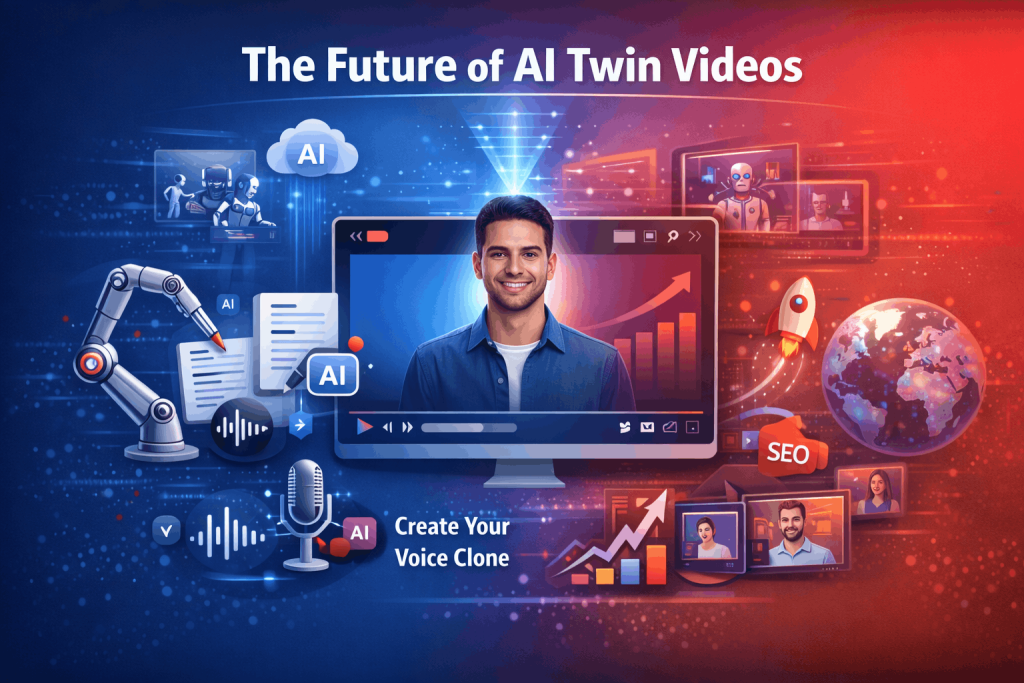
1. Always-on content creation
AI twins will let marketers produce videos daily without filming every time. One digital version of you can create explainers, ads, Shorts, and updates on autopilot.
2. Hyper-personalized video marketing
Brands will use AI twins to deliver personalized videos based on user behavior, location, and intent. Same message but different versions. Such messages feel personal and scale massively.
3. Faster UGC-style ad production
AI twins will power UGC-style ads at scale. Marketers can test multiple hooks, CTAs, and formats quickly without reshooting content again and again.
4. Multilingual video reach
AI twins will speak multiple languages fluently, helping brands create multilingual videos using AI and enter global markets without hiring voice actors or local creators for every region.
5. Consistent brand presence
AI twins will maintain tone, face, and voice consistency across platforms, ensuring every video feels on-brand, even when produced in bulk.
Read More: What is the difference between AI Twin, Digital Twin, and AI Avatars?
Final Note
Using AI Twins for your YouTube videos isn’t about replacing creators. It’s about protecting them from burnout.
You still control the ideas, the tone, and the message. The twin just handles execution when you can’t. Or don’t want to.
If you’re serious about consistency, scaling, and staying human while using AI, Tagshop AI is one of the smartest tools to adopt right now.
Frequently Asked Questions
An AI twin is a digital counterpart that can talk, show up in the video, and perform the script while still sounding and looking like you. It is a great tool for content creators to make videos faster, as they don’t have to shoot constantly.
AI twins take your likeness, voice, and scripts to produce lifelike videos. The process aligns the visuals and the audio, making the result seem like a real recording instead of an animated one.
Definitely, provided that the content is in accordance with YouTube’s rules. Transparency, creativity, and moral usage are more important than whether a video was produced by AI or shot live.
Tools like Tagshop AI, and similar platforms are popular. Tagshop AI is especially creator-focused and easy to use without technical expertise.
Absolutely. AI twins are perfect for faceless channels where you still want a personal presence without appearing on camera every time.
They’re great for Shorts. Short scripts, fast hooks, vertical formats. You can create multiple Shorts quickly using the same twin and test what works.
Yes. AI twins are widely used for UGC-style ads that feel authentic, personal, and native. Especially useful for brands and solo creators.
When done right, yes. Engagement depends on content quality, hooks, and relevance. Viewers care more about value than how the video was created.
Yes. AI-generated videos can be monetized as long as they meet YouTube’s monetization and originality standards. Quality and compliance are key.
Not negatively if optimized properly. Titles, descriptions, watch time, and engagement still matter more than whether a video uses AI.
For ease, safety, and creator-first design, Tagshop AI is a perfect AI twin generator. It balances realism, scalability, and control without overcomplicating things.
Written by:

Neeraj is passionate about reshaping brand storytelling through AI-powered UGC videos. As the Founder he helps brands unlock authentic, creator-style video content that drives results - without the traditional time, cost, or complexity. His approach blends AI innovation with marketing performance to scale engagement efficiently.