How to Convert a Photo into an AI Avatar (Digital Twin)
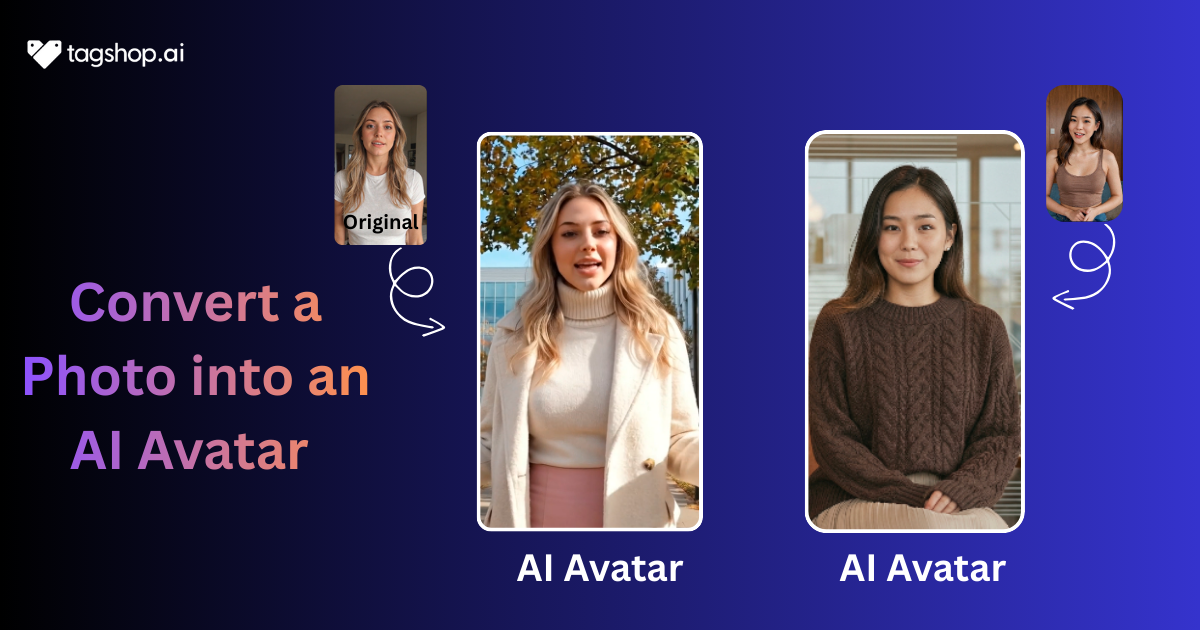
How to convert a photo to an avatar has become the hottest question in marketing rooms this year. One clear selfie and you can have a perfect digital twin that talks, blinks, and sells your product 24/7 without ever needing coffee or a ring light.
These AI avatars are taking over ads, customer support bots, and endless Reels because they look and sound scarily human while costing pennies. Brands and creators use them to stay consistent, scale content like crazy, and never show their real face again. This guide walks you through every step, from uploading your photo to launching your first money-making avatar video today.
What Is an AI Avatar (Digital Twin)?
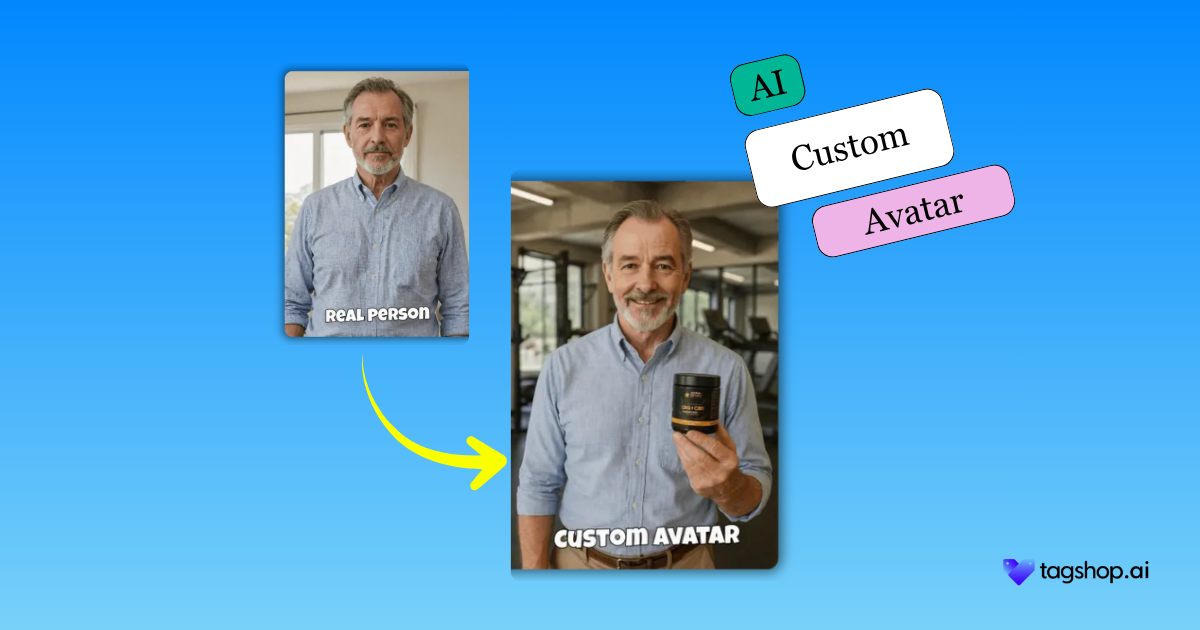
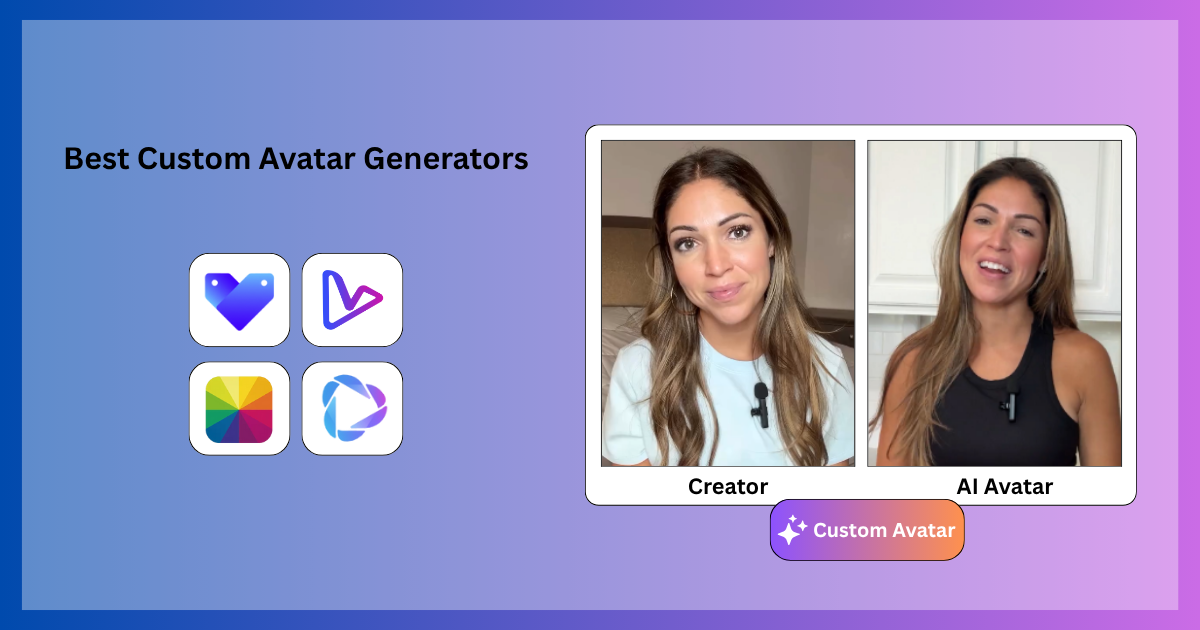
An AI avatar or digital twin is a lifelike, animated version of a real person created from just one or a few photos. It’s not a cartoon – it’s a 3D head that blinks, moves, and talks exactly like the original human, but it never gets tired, never needs makeup, and can record a hundred videos while you sleep. Various tools in the market make it easy for you to create an AI avatar with Ian Mage.
How it works
Modern tools use AI vision models to map facial features, helping you to convert a photo to an avatar, then layer on realistic skin texture, eye movements, and micro-gestures. A separate voice model (or your own cloned voice) handles perfect lip-sync. Animation engines add natural head tilts and hand movements. The result feels 100 % real on camera.
Real-world applications for brands
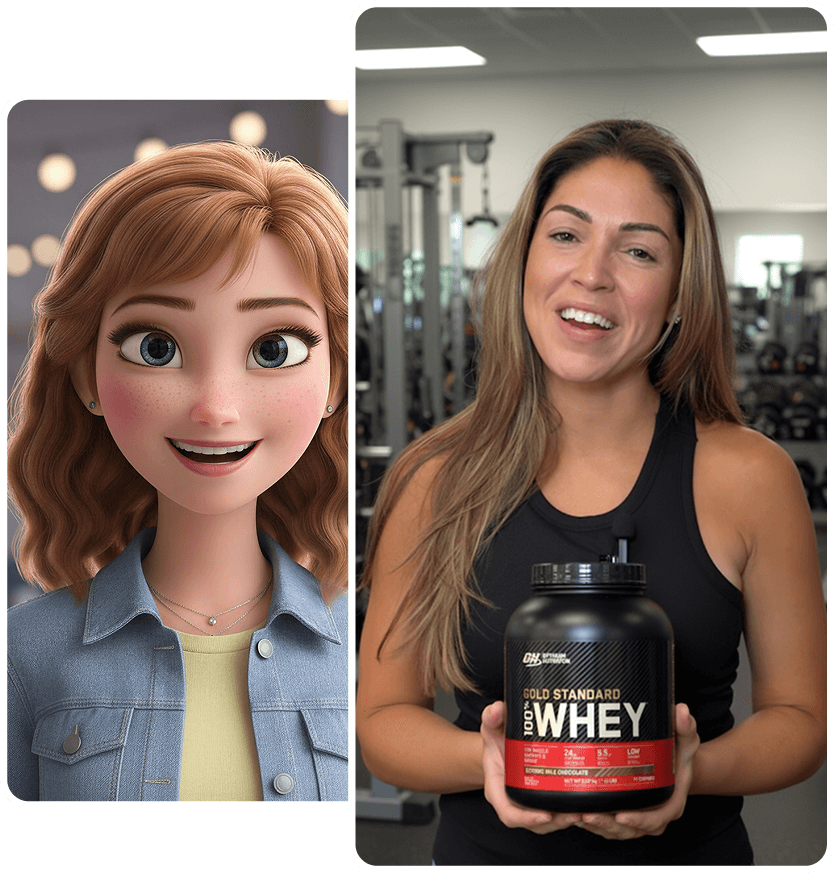
- Marketing videos – your avatar stars in every TikTok ad without shooting new footage.
- Product explainers – it opens the app on screen and walks through features like a real demo.
- Influencer-style content – raw “I just tried this” videos that look like UGC but cost pennies.
- Customer onboarding – personalized welcome videos for every new user.
- Training videos – consistent employee education that never changes tone or appearance.
These digital twins are now the standard for brands that want unlimited video content with zero on-camera hassle.

Why You Should Convert a Photo To an Avatar
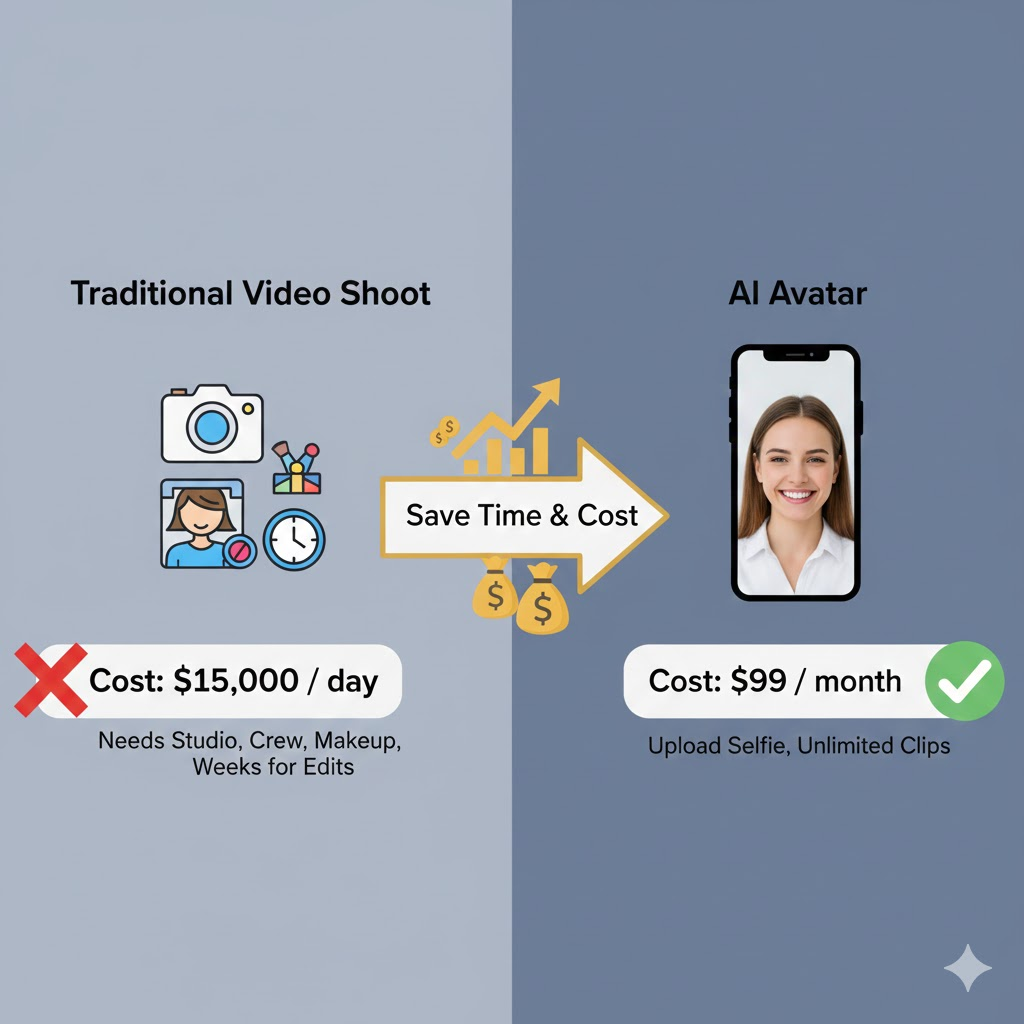
Using a photo to create an AI avatar can be a great marketing move for your brand, and there are various reasons behind it. Some of them are:
Save time and cost
One photo replaces every future video shoot. No more booking studios, hiring crews, paying makeup artists, or waiting weeks for edits, and this is just the tip of the iceberg of benefits that you can enjoy when you convert a photo to an avatar. Brands drop a selfie into the tool and get unlimited talking-head clips for the price of one traditional production day. The math is brutal: a $15k human shoot becomes $99/month flat. That saved cash goes straight into ad spend, where it actually moves the needle.
Create videos without recording.
Bad lighting, noisy kids, or just hating your voice no longer stops production. Upload the photo once to your image-to-avatar generation tool, and the AI avatar does everything perfectly, every time. No retakes, no “one more” because the dog barked. Brands launch campaigns on Christmas Day if they want. The avatar never calls in sick.
24/7 content creation
The digital twin never sleeps. You can create an AI avatar with an image at any time. Generate fifty new clips using the image-to-avatar generation tool while you’re at dinner. Post daily on TikTok, Reels, YouTube, and LinkedIn without ever picking up a camera. Brands that used to struggle for one video a week now flood every platform and let the algorithm reward the consistency.
Maintain brand consistency
Every video uses the exact same face, voice tone, outfit style, and mannerisms. No more “that creator used the wrong filter” disasters. The avatar becomes the unbreakable brand ambassador who always stays on message, never ages, and never goes off-script.
Scale video production for ads, reels, and product demos
One avatar can give hundreds of videos. Change the script, background, or language in one click using any image as an avatar generation tool. Brands test twenty hooks for the same product in an afternoon instead of praying on one expensive human shoot. Winners scale instantly.
Useful for shy/non-camera-friendly people
Founders who freeze on camera, marketers who hate their voice, or teams in different countries all get a perfect on-screen spokesperson. The avatar carries the message confidently while the real humans stay comfortably behind the scenes, running the show.
Read More: How to Create AI Twin: A Beginner’s Guide
What You Need to Know Before You Convert a Photo to an Avatar
There are certain prerequisites that you need before creating your AI avatar. You just need to follow these steps:
A high-quality photo (front-facing, well-lit)
The whole avatar lives or dies by this one shot. Use at least 1024×1024 or higher, sharp focus, and even natural light (window light works best)to create an AI avatar with an image. Face the camera straight on, eyes open, no shadows across cheeks or nose. Phone selfies are fine if they’re crisp; avoid old Facebook pics or group crops. Brands that start with a crystal-clear headshot get avatars that look scarily real; blurry or dark uploads turn into creepy, uncanny-valley nightmares nobody trusts.
Neutral background
Busy walls, bookshelves, or beach sunsets confuse the AI and create weird edges. Shoot against a plain wall – white, grey, or soft pastel is perfect. The tool isolates the face better and adds any background later (office, gym, kitchen) with one click. A clean backdrop now saves hours of manual fixing later and keeps the final video looking professional instead of homemade.
Clear expressions
A slight natural smile beats a blank face every time. Relaxed eyes looking straight at the lens, mouth slightly open like you’re about to speak. No big grins, no duck faces, no side-eye. The AI uses these micro-expressions to animate natural blinks and nods. Brands going for trustworthy get soft smiles; hype or energetic niches add a bit more life. Test two photos if unsure – the one that feels like “talking to a friend” wins.
Step-by-Step Guide: How to Convert a Photo to an Avatar Using Tagshop
Step 1: Sign Up or Log In to Tagshop AI

Head to tagshop.ai and hit “Start Free.” No card, just email and verify. The dashboard loads fast, with a clean layout and everything in reach. Brands jump in quickly, no long onboarding videos needed. This is where the AI twin magic begins.
Step 2: Add Your Image and Click on the AI Twin Option
On the left sidebar, click “AI Twin” – it’s right there under creation tools. Upload your high-quality selfie or use the webcam to record a short video clip for even better movement mapping.
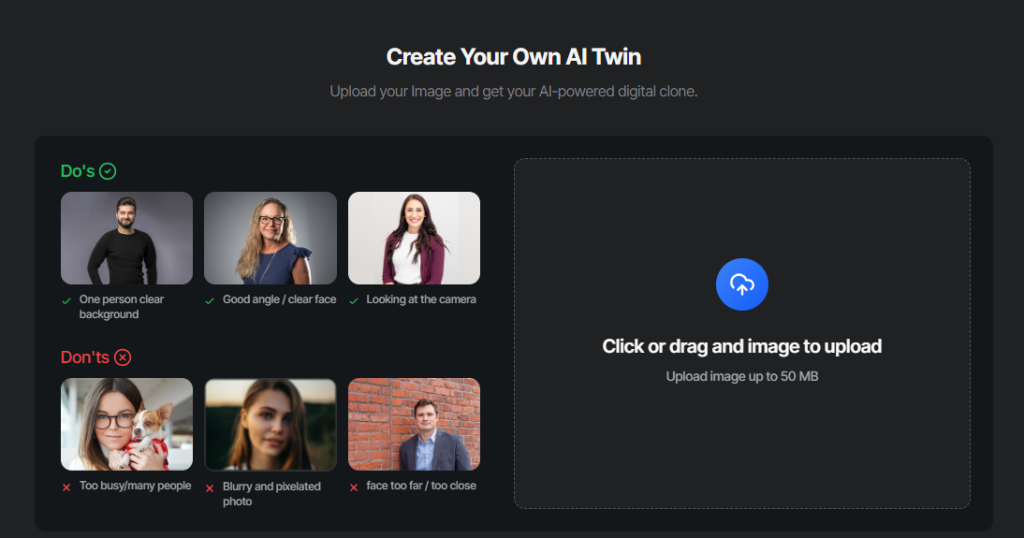
The tool scans the face and builds the digital twin in minutes. Brands love the webcam option for natural expressions and gestures that make the avatar feel alive from the first render.
Step 3: Select AI Avatar Settings
Fine-tune the twin: adjust skin tone, hair, outfit, or background. Pick from natural voices or clone your own. Change energy level—excited for ads, professional for onboarding. The sidebar makes swaps instant.
Step 4: Make a video using your avatar
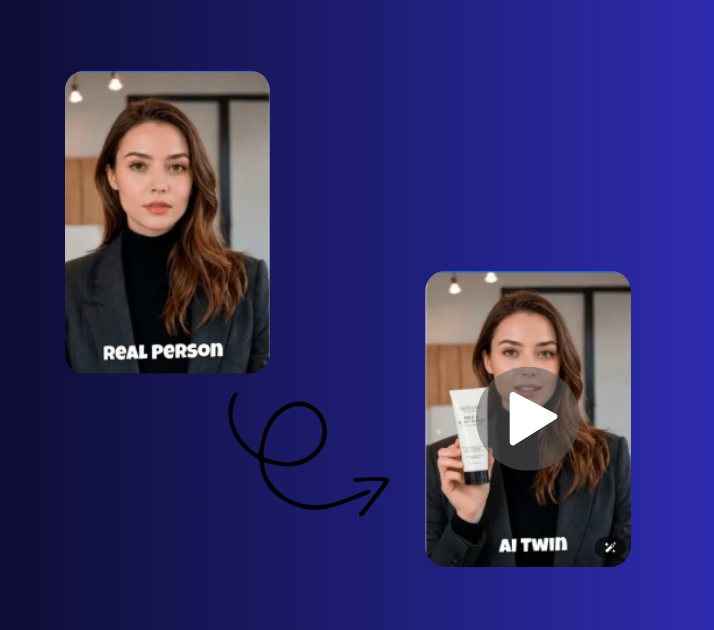
Now you have your avatar, now generate a script or let the tool work its charm, make your AI twin video for your brand.
Step 6: Download and Launch Your Video
Download your video as per your need and showcase it on the platform you desire.
Tips To Convert a Photo to an Avatar
Do you need your AI avatar videos to go viral and be the talk of the town? Here are some tips you can consider
Use high-resolution photos
Start with a sharp, high-resolution selfie – at least 1024×1024 pixels, ideally 4K if possible. Low-res shots create blurry avatars that scream fake the second they move. Clear details around eyes, mouth, and skin texture let the AI map natural expressions accurately. Brands that skip this step end up with uncanny-valley results nobody trusts on camera. One good photo now saves hours of fixing glitches later.
Maintain consistent lighting
Even soft lighting from the front is non-negotiable. Avoid harsh shadows across the face or strong side light that flattens features. Natural window light or ring light at eye level works best. Inconsistent lighting confuses the AI and creates weird color shifts when the avatar moves. Brands aiming for professional trust can’t afford avatars that look like they were shot in a basement.
Add natural pauses and gestures.
Real people don’t talk like robots. Insert short pauses, “umm,” slight head nods, or hand movements in the script. The AI follows these cues for lifelike delivery. Brands that forget this get stiff, unnatural avatars that kill engagement in seconds. A quick “you know what I mean?” pause makes viewers lean in instead of swipe away.
Use professional-quality voices
Skip cheap robotic text-to-speech. Choose premium voices or clone your own with a clean 30-second sample. Natural intonation, breathing, and emotion sell the illusion. Brands running ads need voices that sound like trusted friends, not Siri. One flat voice can tank conversions even if the avatar looks perfect.
Keep scripts natural and conversational.
Write as you talk to a friend: short sentences, contractions, filler words when needed. “I was honestly shocked how easy this was.” beats “This product is remarkably user-friendly.” Brands that sound corporate lose trust fast. The avatar delivers exactly what’s written, so conversational scripts create believable humans that viewers actually listen to.
Test multiple versions for ads (A/B testing)
Never launch one avatar and pray. Duplicate the project, change outfit, background, voice tone, or hook, then run $20–50 on each version. Data shows which combination stops thumbs and drives clicks. Brands that skip testing waste budget on “pretty” avatars that don’t convert.
Read More: Best AI Avatar Solutions for UGC Product Ads
Common Mistakes to Avoid When You Convert a Photo to an Avatar
While AI avatar videos make your marketing simple, here are a few mistakes you need to avoid to make your videos and avatar stand out.
Using blurry or low-light photos
A bad photo ruins the whole avatar. Blurry shots, low resolution, or dark shadows make the digital twin look creepy and unnatural the second it moves. The AI can’t guess missing details, so eyes look dead and skin looks plastic. Brands that rush with a quick phone snap in a dim room end up with ads nobody trusts. Always shoot in bright, even light with a sharp camera. One clear selfie saves hours of failed renders and keeps the avatar looking like a real human that viewers actually believe.
Over-exaggerated animations
Too much head bobbing, wild hand waves, or cartoonish smiles scream fake from the first frame. The goal is subtle, natural movement – a slight nod, soft blink, tiny shoulder shift. Brands that crank animation sliders to max get uncanny-valley monsters that make viewers swipe instantly. Keep gestures minimal and realistic. Test with the default settings first; only tweak if the avatar feels stiff. Less is more when you want people to think it’s a real person talking.
Robotic voice tones
Cheap text-to-speech with flat intonation or weird pacing kills trust faster than anything. “Hello. This. Is. An. Ad.” makes viewers bail in two seconds. Brands that skip premium voices or proper cloning end up sounding like a 2010 GPS. Pick natural, expressive options or record 30 seconds of real speech to clone. Add pauses and emphasis in the script. The voice has to feel like a friend chatting, not a machine reading.
Long scripts that reduce engagement
Nobody watches 90-second talking heads on social. Attention dies after 15 seconds. Brands that cram every feature into one video lose viewers halfway and tank completion rates. Keep scripts short, punchy, and hook-first. Say one thing well, end with a clear CTA. Break longer messages into a series of quick clips. Short wins the scroll; long gets swiped.
Using copyrighted images without permission
Grabbing a celebrity photo or stock model shot seems smart until the platform flags it or the owner sends a cease-and-desist. Brands that use random internet images risk account bans and legal headaches. Always shoot your own selfie or use licensed photos you own. For custom avatars, record team members or hire models with clear rights. Safe photos keep campaigns running without sudden takedowns.
Conclusion
Turning one photo into a perfect AI avatar (digital twin) is no longer a gimmick; it’s the smartest move any brand can make in 2026. You get unlimited, on-brand, human-quality video content without cameras, crews, or burnout. One selfie becomes your 24/7 spokesperson for ads, Reels, explainers, onboarding, and support, in any language, any style, any time. So what are you waiting for? Use Tagshop to generate your AI twin and take your marketing game to a new level.
Frequently Asked Questions
Upload a clear front-facing selfie to a tool like Tagshop AI. The software scans the image, maps facial features, adds 3D depth, and pairs it with a voice for natural movement. Processing takes 30–60 minutes the first time, then generates videos in seconds. Start with a well-lit photo, pick a script, and export a talking clone ready for ads or Reels.
Use a high-resolution image (at least 1024×1024 pixels) with even lighting and no shadows. Face the camera straight on, eyes open, slight natural smile. A plain background helps the AI isolate the face. Avoid hats, glasses, or heavy makeup – they cause glitches. Phone selfies work if they’re sharp and recent.
Tagshop AI stands out for speed and realism – it builds digital twins from one photo, adds lip-sync, and exports for social in minutes. HeyGen is strong for custom gestures, Synthesia for professional tones. For brands, Tagshop’s e-commerce focus and batch creation make it the top pick.
Yes, absolutely. Export in 9:16 for Reels/TikTok, 16:9 for YouTube, or 1:1 for feed posts. Add CTAs like “Try Now” and trending music. Platforms allow AI content if it feels authentic – UGC style passes easily. Brands run them in Spark ads without issues.
Initial photo processing is 30–60 minutes for the digital twin build. Every video after that renders in 20–90 seconds. Batch 10 clips in under 10 minutes. First-time setup is the longest part; ongoing creation is instant for daily ads or Reels.
Yes – record 30 seconds of natural speech (like reading a short script). The tool analyzes tone, pace, and inflection, then clones it for perfect lip-sync. Use it for consistent branding across videos. Some tools let you tweak accents or energy for variety.
Reputable tools like Tagshop AI delete photos after processing and use end-to-end encryption. Check privacy policies for data retention – most don’t share or sell images. For brands, opt for enterprise plans with NDAs. Avoid free sketchy apps; stick to established ones with compliance badges.
Yes – select from 140+ languages and accents in the tool. Upload a photo, pick Spanish (Mexico) or French (Paris), and the avatar delivers with natural flow. Brands use this for global campaigns, swapping voices without reshooting. Test for cultural fit to keep it authentic.
Glitches come from low-res photos, uneven lighting, or stiff scripts. Fix with a sharp, well-lit selfie, add pauses/gestures in the script, and use premium voices. Preview and tweak expressions – subtle smiles beat big grins. Test on mobile; if it looks off, re-upload a better image.
Written by:

Rohan Singh is an AI-forward content specialist with 5+ years of experience creating creative, trend-led content for digital-first brands. He blends industry insights, AI-powered research, and content intelligence to produce engaging, relevant narratives aligned with evolving marketing trends. Constantly exploring new AI tools, he ensures his work stays innovative, impactful, and built for how audiences consume content today.