How to Generate Facebook Videos with AI
Mark Zuckerberg did not accidentally push Facebook toward video. He saw early that people stop scrolling for movement, not perfection. Static posts fade fast, but video holds attention even when the message is simple.
Today, Facebook feels less like a social network and more like a nonstop video stream where brands either adapt or disappear quietly.
Most marketers understand this shift, yet many still struggle to keep up with video demands. Production takes time, coordination, and money. This gap between intent and execution is where AI quietly changed everything, especially for Facebook video creation.
The Growing Importance of Video Content on Facebook for Brands and Marketers
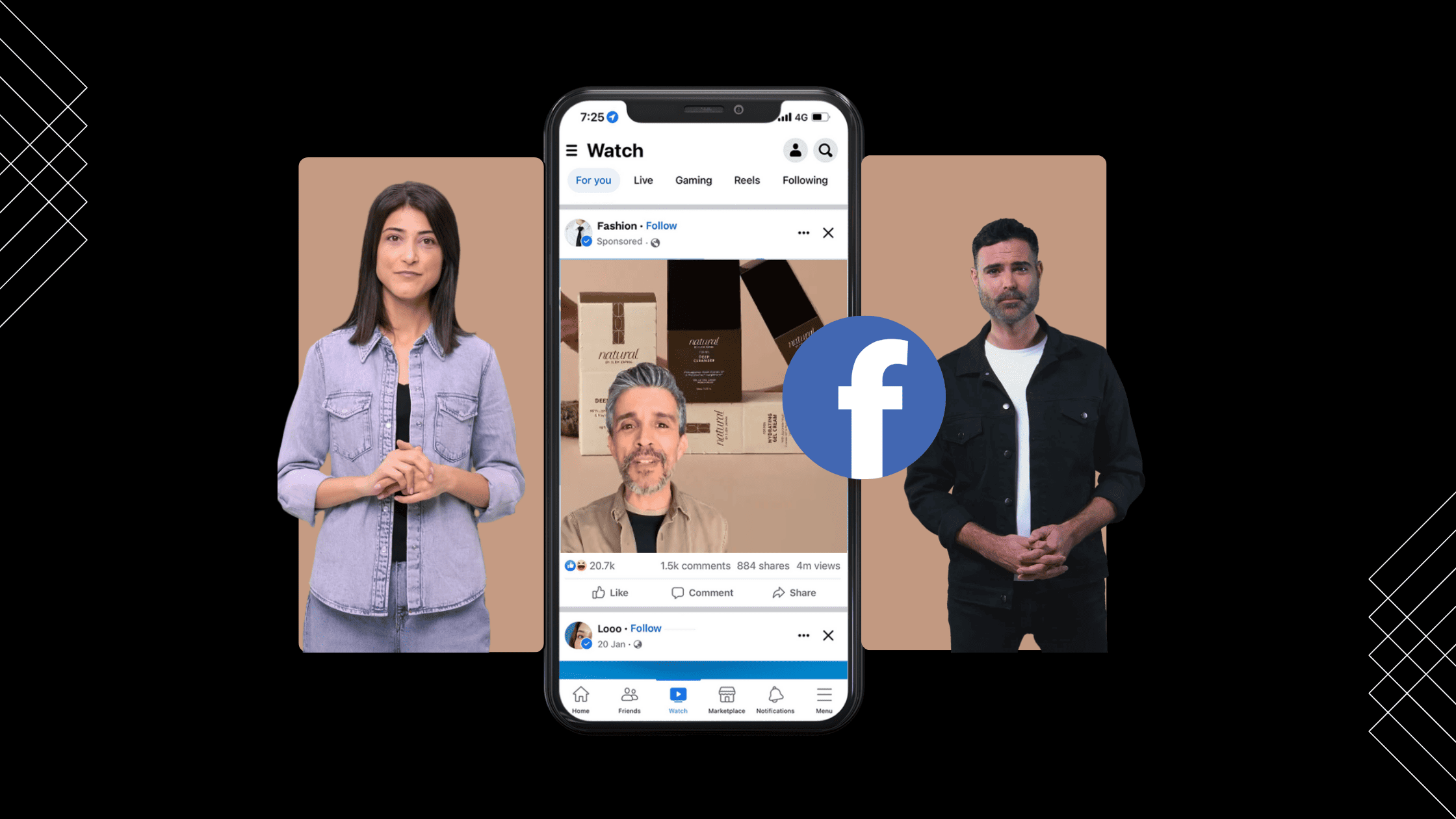
Facebook has become aggressively video-driven over the past few years. Reels, feed videos, Stories, and ad placements all favor motion-based content over static images. This is not a trend anymore. It is the platform’s operating system.
For brands, video now plays a direct role in reach, engagement, and conversion performance. Campaigns with video consistently outperform image-based ads, especially on mobile. Users scroll fast, skim faster, and rarely stop unless something moves.
The challenge is volume. Facebook rewards consistency, but traditional video workflows were never built for daily or weekly production. This mismatch forces marketers to either slow down campaigns or compromise on quality. That pressure is exactly why more teams are learning how to generate Facebook videos with AI instead of relying on old production models.
What Are AI-Generated Facebook Videos?
AI-generated Facebook videos are videos created using automated systems instead of manual filming and editing. These systems use artificial intelligence to assemble visuals, scripts, voiceovers or avatars, and captions into ready-to-publish videos.
For anyone exploring how to use AI for Facebook videos, the core idea is simple. You replace manual labor with automation while keeping control over messaging and branding.
How AI Uses Product Data, Scripts, Visuals, and Avatars to Create Videos
AI tools pull structured information from product pages, descriptions, and images. Based on this data, the system builds a narrative that highlights features, benefits, and use cases.
Scripts are generated automatically but follow proven advertising patterns. Visuals are arranged using layouts optimized for mobile viewing. AI avatars or voiceovers add a human presence without requiring real presenters.
Captions are created alongside the video to ensure clarity for sound off viewing. This end to end automation explains why learning how to generate Facebook videos with AI has become essential for performance marketers.
Difference Between Traditional Video Creation and AI Video Generation
| Area | Traditional Video Creation | AI Video Generation |
| Time Investment | Several days or weeks | A few minutes |
| Cost Structure | High production expenses | Low and predictable |
| Skill Requirement | Editing and filming expertise | No technical skills needed |
| Creative Output | Limited variations | Unlimited variations |
| Scalability | Difficult to maintain | Easy to scale |
Common Use Cases for AI-Generated Facebook Videos
- Facebook Ads for awareness, retargeting, and conversions
- Facebook Reels focused on short form discovery
- Feed videos for product launches and announcements
- Story placements designed for vertical, mobile viewing
How to Generate Facebook Videos Using Tagshop AI
Creating Facebook videos with Tagshop AI is built around simplicity and speed. The platform is designed for marketers who want output without complexity.
Step 1: Create a Tagshop Account
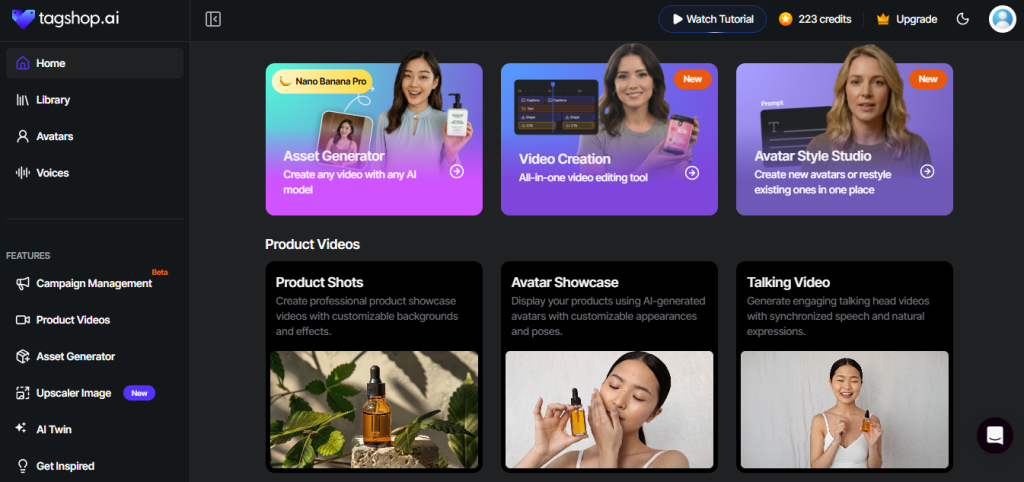
Log in to your Tagshop AI account or sign up if you are new. The setup process is straightforward and does not require integrations or technical steps. Once inside, you can start creating videos immediately.
Step 2: Paste a Product Page URL
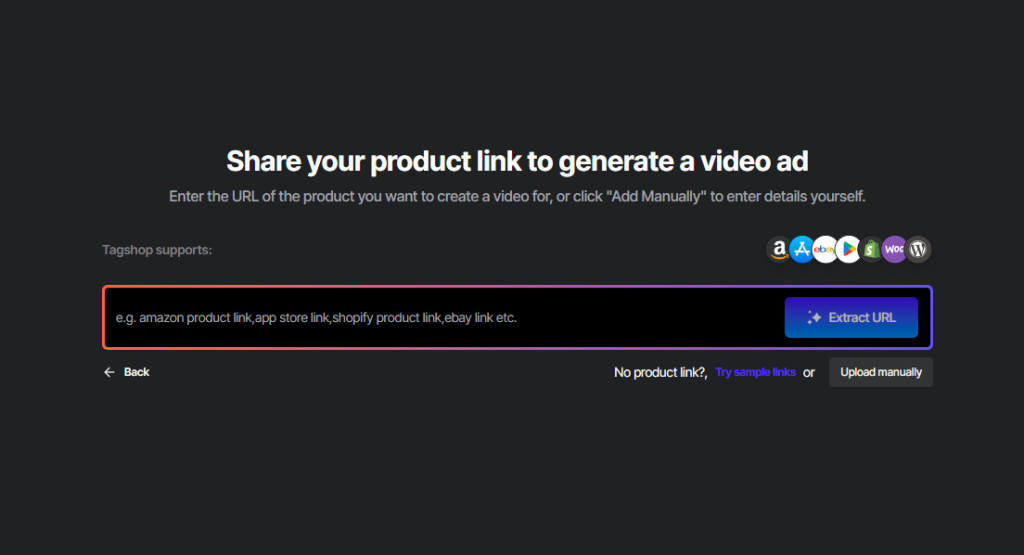
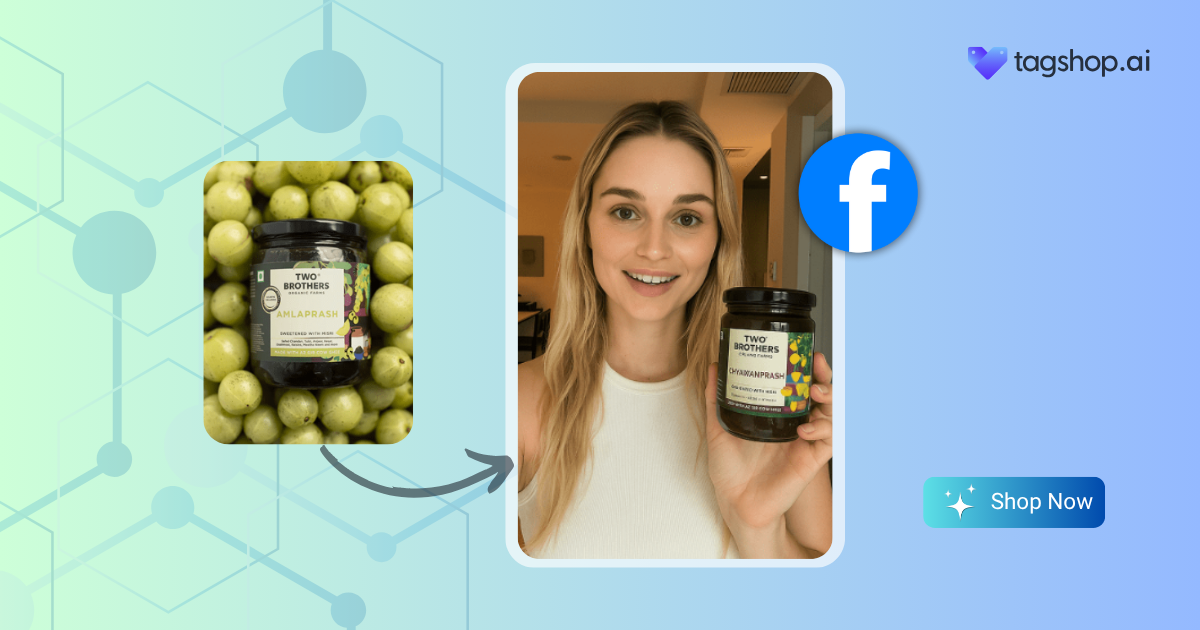
Paste your product page URL into the Tagshop AI dashboard. The platform automatically collects product images, descriptions, and key details. This removes the need for manual uploads and copy pasting.
This step alone saves hours for teams figuring out how to generate Facebook videos with AI efficiently.
Step 3: Select Target Audience
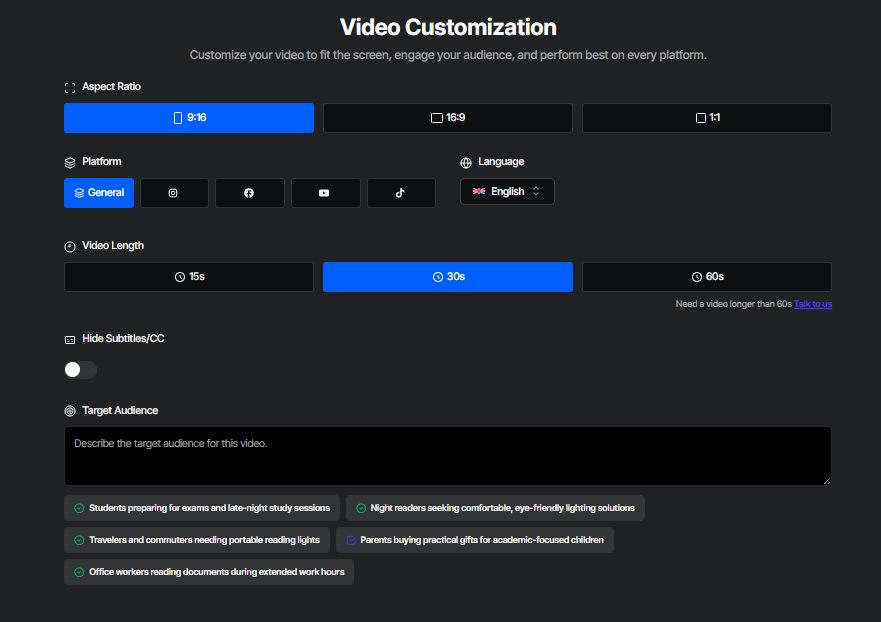
Choose the video ratio according to the platform, for example, 9:16 for TikTok, Reels, or Shorts, or 16:9 for YouTube. Next, select the platform where you want to upload the video so the format matches its requirements. After that, set the video length depending on the type of content you want to create. Finally, choose the target audience to ensure the video style, tone, and messaging are optimized for the right viewers.
Step 3: Select an AI Avatar
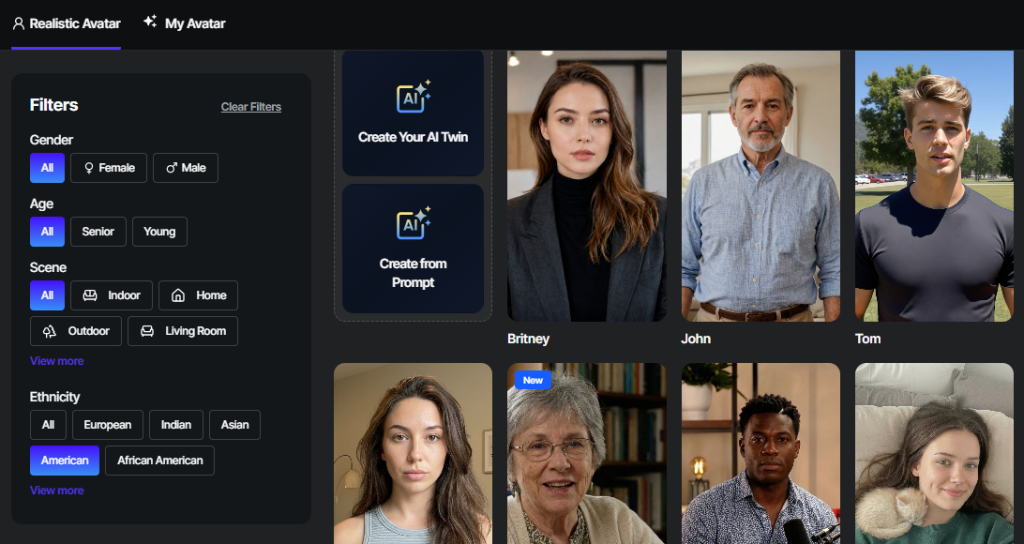
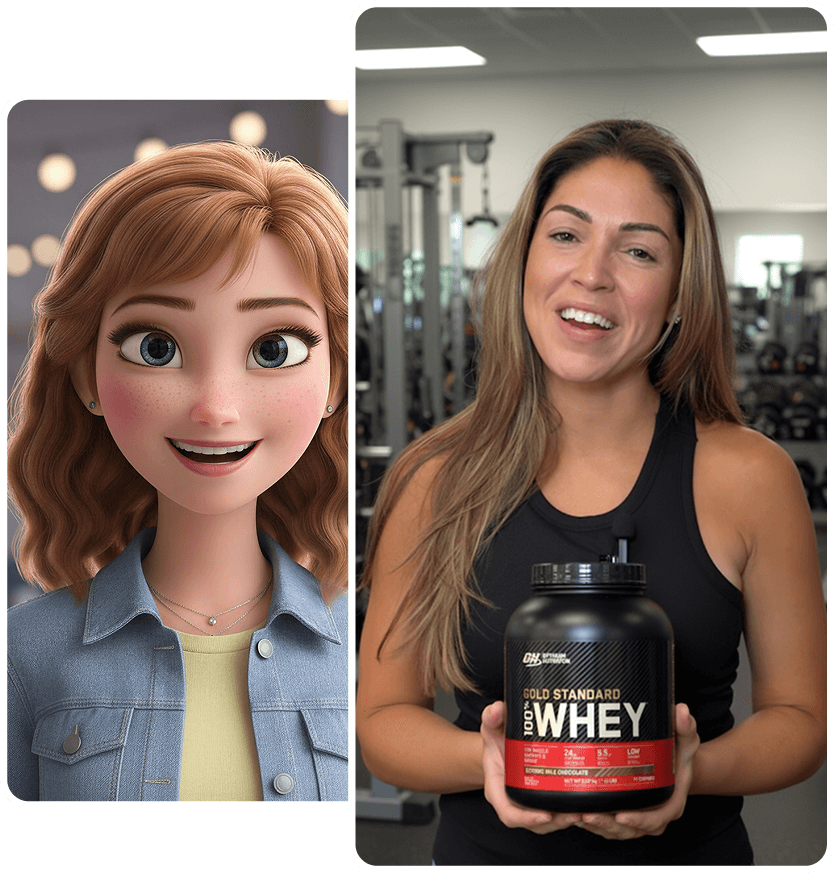
Choose an AI avatar that fits your brand’s tone and audience. Avatars help deliver product messages clearly and consistently without the need for filming real people. This works especially well for explainer style ads.
Step 4: Generate AI Script and Captions
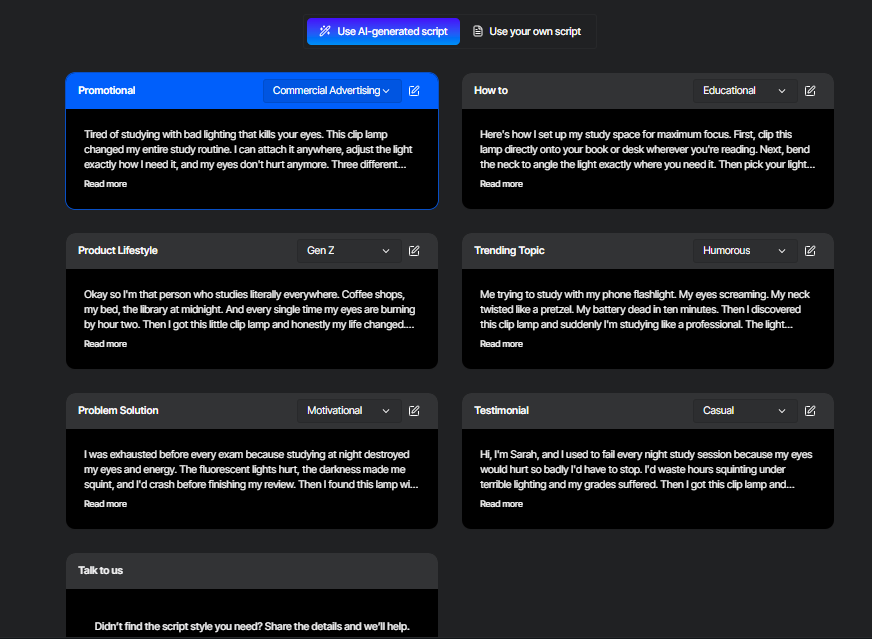
Tagshop AI generates a script based on your product and campaign objective. Captions are created to support engagement and readability on Facebook. You can review and adjust the content if needed.
This stage shows how to make Facebook videos with AI while keeping creative control.
Step 5: Edit and Render Your Video
Use the built in editor to fine tune visuals, text placement, and pacing. Once satisfied, render the video and export it for Facebook use. The final output is optimized for performance and placement.

Benefits of Using AI for Facebook Video Creation
Let’s understand why AI-generated videos are becoming the go-to solution for faster, scalable ad creation:
Faster Video Creation Without Editing Skills
The AI system enables all team members to produce videos without any need for prior training or practical experience. Marketers can track ongoing trends together with performance analysis results because of this rapid response capability.
Cost-Effective Alternative to Traditional Video Production
AI drastically reduces production costs. There are no shoots, no editing fees, and no creative bottlenecks. This makes AI an obvious choice for brands learning how to use AI for Facebook videos at scale.
Consistent Brand Messaging Across Multiple Campaigns
Templates and structured scripts ensure consistency across all videos. Messaging stays aligned even when producing high volumes. This consistency builds trust and recognition over time.
Easy Multiple Video Variations A/B Testing
AI makes creative testing practical instead of expensive. Marketers can generate multiple versions of a video with different hooks or CTAs. This improves decision making based on real performance data.
Scalable Video Creation for Ads, Launches, and Retargeting
AI scales without friction. Whether launching new products or refreshing retargeting creatives, volume is no longer a limitation. This scalability supports long term Facebook growth.
Best Practices for AI-Generated Facebook Videos
AI handles execution, but strategy still determines success. These practices help maximize results.
Keep Videos Short and Mobile Focused
Most Facebook users watch videos on mobile devices. Short videos between five and fifteen seconds perform best. AI templates should prioritize vertical formats and quick pacing.
Hook Viewers Immediately
The first three seconds decide everything. Use bold visuals or direct messaging early. AI scripts should lead with the most compelling value point.
Use Clear Captions for Sound Off Viewing
Many users watch without sound. Clear captions ensure your message lands regardless of audio. This improves completion rates and comprehension.
Match Video Format to Placement
Feed videos, Reels, and Stories behave differently. AI should generate placement specific creatives rather than one generic version. This alignment improves engagement.
Add Clear CTAs
Every video should guide viewers toward an action. Clear CTAs increase clicks and conversions. AI ensures CTAs are included consistently.
Test Variations Frequently
AI allows rapid testing. Use it. Test hooks, visuals, and messaging regularly to stay ahead of creative fatigue.
Conclusion
Facebook video creation no longer belongs to teams with massive budgets or in house studios. It belongs to brands that can move quickly, test often, and adapt constantly. AI has shifted the advantage toward speed and intelligence rather than production power.
If you are serious about learning how to generate Facebook videos with AI that actually perform, Tagshop AI gives you a practical path forward. It simplifies creation, supports scale, and helps marketers focus on results instead of logistics. Facebook rewards movement. AI helps you keep moving.
Frequently Asked Questions
AI automates scripting, visuals, avatars, and captions into a single workflow. It removes manual effort and speeds up production. This allows marketers to focus on campaign strategy.
Yes, AI-generated videos are commonly used in Facebook ad campaigns. They meet creative requirements and support fast testing. Many performance teams rely on them daily.
AI-generated videos are allowed as long as they follow Facebook advertising guidelines. Content must be accurate and compliant. The creation method does not violate policies.
The best tool combines automation, flexibility, and performance focus. Tagshop AI is designed specifically for Facebook video creation and scaling.
Most AI-generated Facebook videos perform best between five and fifteen seconds. Shorter videos match user behavior and platform preferences.
Written by:

Neeraj is passionate about reshaping brand storytelling through AI-powered UGC videos. As the Founder he helps brands unlock authentic, creator-style video content that drives results - without the traditional time, cost, or complexity. His approach blends AI innovation with marketing performance to scale engagement efficiently.