How to Make a LinkedIn Video With AI: A Beginner’s Guide
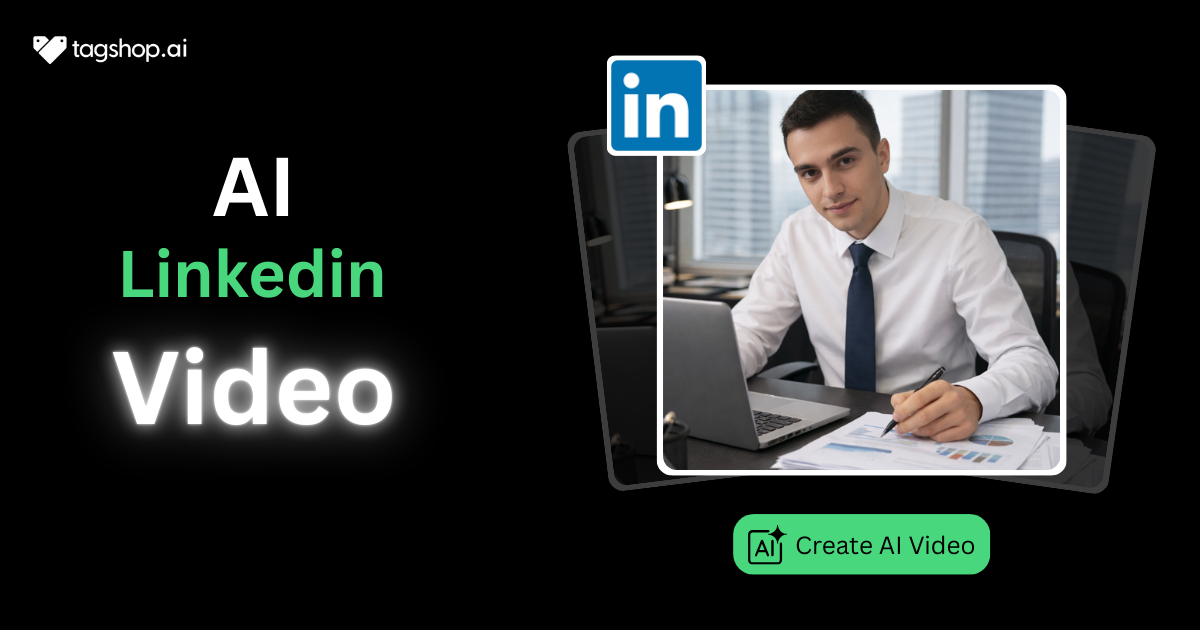
Learning how to make a LinkedIn video with AI has become one of those skills people wish they picked up earlier. And why not? LinkedIn is clearly pushing video! But most professionals still hesitate. Cameras feel awkward. Editing feels annoying. And honestly, most of us just want a simpler way.
That is exactly where AI helps you significantly.
Getting Started!
Let us be real for a second. Everyone says “video works on LinkedIn,” but very few people actually enjoy making videos. You open the camera, say two lines, hate your voice, redo it, and then give up. Sound familiar? Meanwhile, your feed is full of clean, confident videos. No chaos. No awkward pauses. AI quietly fixes this problem. It lets you create videos without the stress. And once you realize that, LinkedIn suddenly feels less intimidating.
What Is an AI LinkedIn Video?
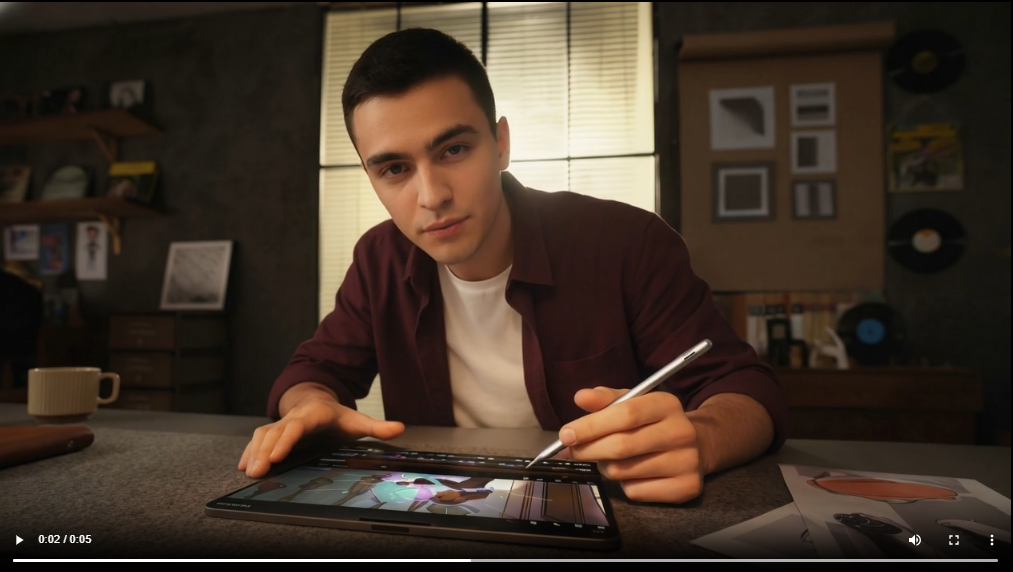
An AI LinkedIn video is a video created using artificial intelligence for scriptwriting, avatars, editing, captions, and formatting, designed specifically to match LinkedIn’s professional content style.
Types of LinkedIn AI Videos
One nice thing about AI videos is flexibility. You are not locked into one format. You can experiment without starting from scratch every time.
1. Thought leadership talking-head videos
These are the classic LinkedIn videos where someone shares opinions, lessons, or industry insights. With AI avatars, you still get that talking-head feel without recording yourself. This works really well for founders, consultants, and people building authority.
2. Company updates
AI videos are great for announcements. New features, milestones, hiring updates, or even culture posts. Everything looks consistent and polished, even if different people are involved behind the scenes.
3. Product explainers
If your product needs explaining, AI helps simplify things. Short videos with clear points usually perform better than long explanations anyway, so this format fits LinkedIn perfectly.
4. UGC-style professional videos
These feel more personal but still professional. They do not look like ads. They feel like someone genuinely sharing something useful, which LinkedIn audiences appreciate.
5. Client testimonials
Instead of chasing clients for video recordings, you can turn written testimonials into video content. It saves time and still builds trust.
6. Educational micro-videos
Short videos that explain one idea. Just one. These do very well on LinkedIn because they respect people’s time.
7. Personal branding content
Career advice, lessons learned, mistakes you made, and those you fixed later. AI makes it easier to show up regularly without worrying about being on camera every time.

Why AI Videos Work Well on LinkedIn
LinkedIn is a professional platform, but attention still matters. AI videos work because they are clear, consistent, and easy to consume.
There is no shaky camera, no bad lighting, no awkward pauses. More importantly, AI makes it easier to post regularly. And consistency is what LinkedIn really rewards. When people keep seeing your content, they start trusting it. That trust slowly turns into engagement and reach.
How to Make a LinkedIn Video With AI Step by Step
Now, let us get into the actual LinkedIn video withthe AI process. Below is a simple, execution-focused flow using Tagshop AI.
Step 1: Create an Account on Tagshop AI
First things first. Sign up for a free Tagshop AI account or log in if you already have one. The dashboard is clean and easy to understand.
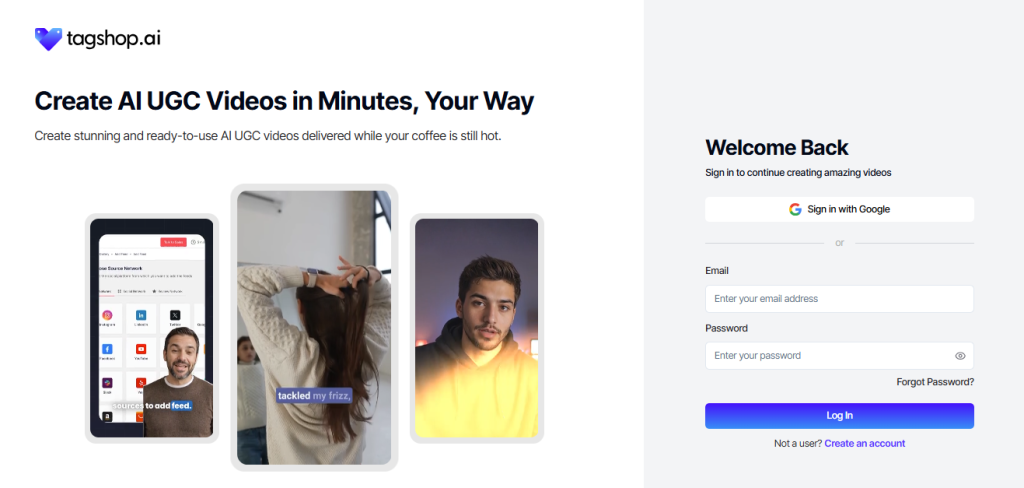
You do not need any technical background here. Everything is laid out clearly, which honestly helps a lot if you are new.
Step 2: Go to the Avatar Video Section
Once inside the dashboard, head to the Avatar Video section. This is where most LinkedIn-style AI videos are created.
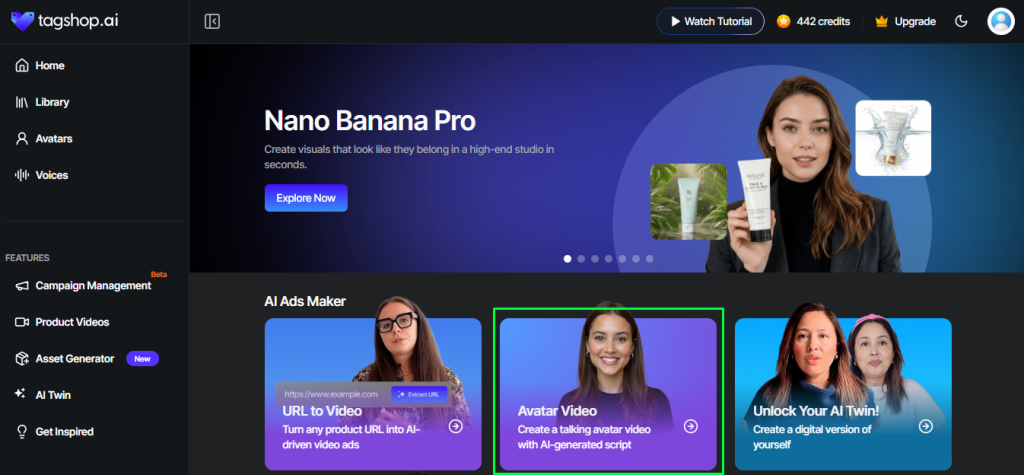
This section is designed for short, scroll-friendly videos, which is exactly what LinkedIn prefers.
Step 3: Select an AI Avatar
Now choose an AI avatar. Pick one that matches your brand tone and audience. Professional, friendly, neutral. Whatever fits your voice.
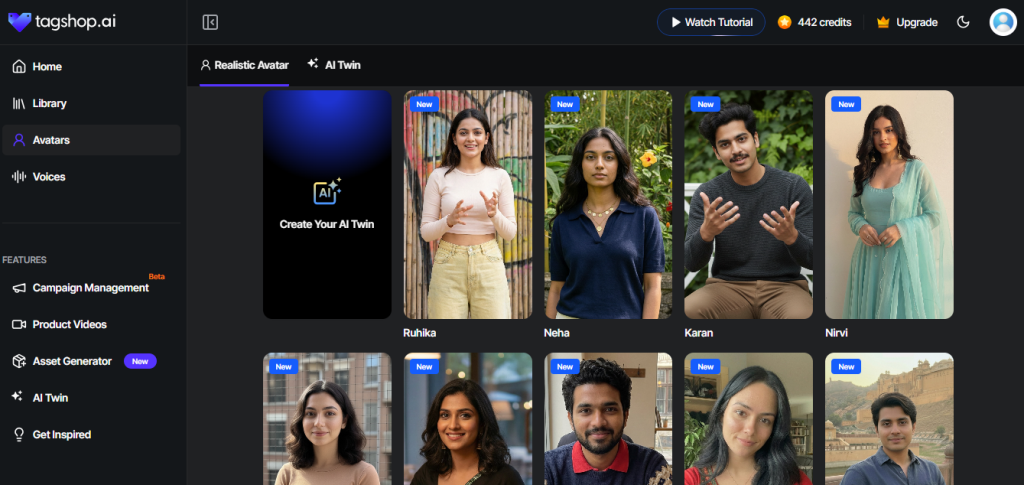
This step is especially useful if you do not enjoy being on camera. You still get a face-led video without actually filming yourself.
Step 4: Prepare the Script
Upload your script or use the Tagshop AI script generator. Keep it short and straight to the point.
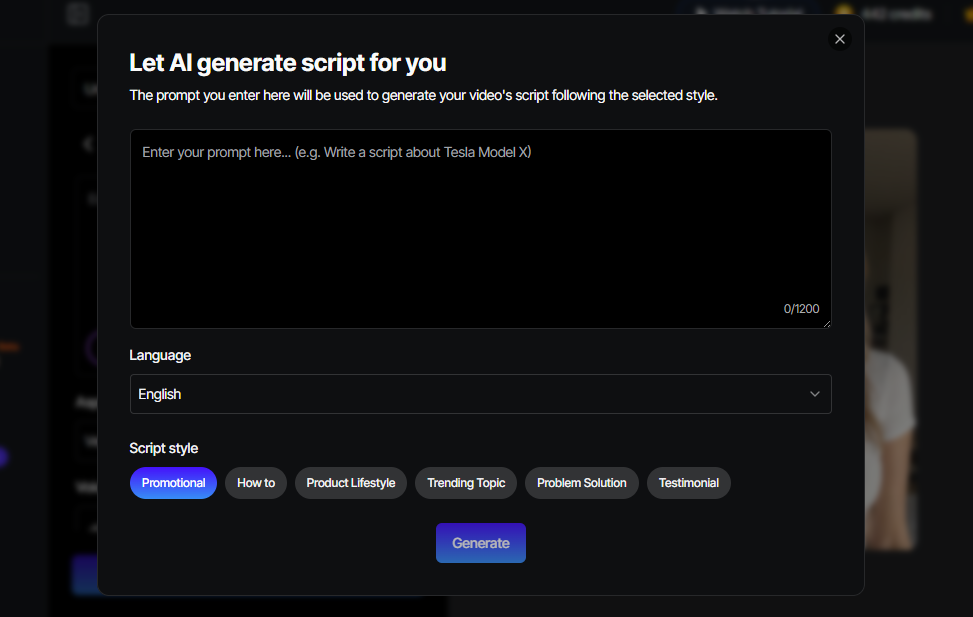
Do not overthink this part. One idea. One message. Write how you would explain it to a colleague, not how you would write an essay.
Step 5: Customize the Video in the Editor
Now open the editor. Add captions, on-screen text, hooks, or simple B-roll elements.
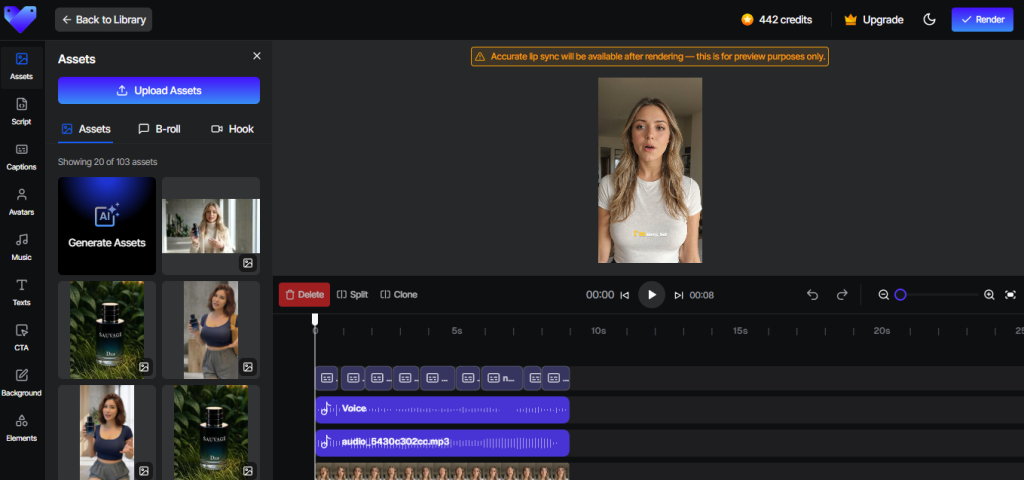
These small details make the video feel native to LinkedIn instead of looking like a generic clip.
Step 6: Optimize for LinkedIn Format
Make sure the video is optimized for LinkedIn. Use the right aspect ratio, strong opening seconds, and clear captions.
People scroll fast on LinkedIn. You have to earn their attention quickly.
Step 7: Render and Export the Video
Once everything looks good, render the video and export it as a LinkedIn-ready file.
That is it. These are the complete steps to make a LinkedIn video with an AI workflow.
Benefits of Making LinkedIn Videos With AI
Before jumping into best practices, it helps to understand why this approach works so well long-term.
1. Create professional-quality videos in minutes.
AI takes care of editing, visuals, and captions. You focus on ideas. What used to take days now takes under an hour, sometimes less.
2. No need for recording equipment or editing knowledge
No cameras. No microphones. No editing software. AI removes all the technical stress that usually stops people from starting.
3. Maintain consistent posting without burnout.
Posting consistently is hard. AI makes it manageable. When effort goes down, consistency goes up.
4. Perfect for thought leaders, founders, marketers, and HR teams
Whether you are building authority, promoting a product, or hiring talent, AI videos fit almost every professional use case.
5. AI avatars help shy creators appear confidently on camera
Not everyone likes recording themselves. AI avatars let you show up confidently without forcing discomfort.
6. Cost-effective for recurring content
Hiring agencies or setting up in-house production is expensive. AI keeps costs predictable and low.
7. Makes video creation scalable for teams
Templates and shared branding make it easy for teams to collaborate without losing consistency.
Best Practices for AI-Generated LinkedIn Videos
AI can help you, but your usage still matters.
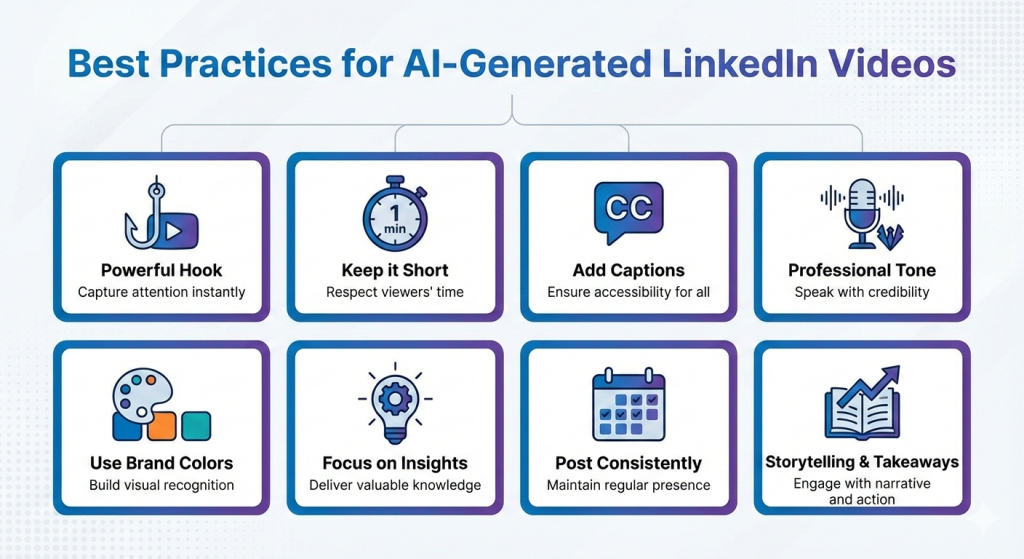
1. Begin with a powerful hook: The first three seconds play a very important role. Pose a question. Describe a problem. Make an interesting statement that will cause people to stop for a moment.
2. Limit video time: The best time is twenty to sixty seconds. If the topic is very strong, people might still pay attention to longer videos; otherwise, they will lose interest.
3. Always provide captions: The majority of users scroll without sound. Captions are no longer an option; they are a must.
4. Use a professional and practical tone when speaking: LinkedIn users want clarity rather than hype. Speak your mind. Make it practical.
5. Utilize brand colors for recognition: In the long run, using the same visuals will make it very easy for people to recognize your content.
6. Offer insights instead of filling up with less important stuff: If the video does not educate, reconsider it. LinkedIn prefers value over noise.
7. Be consistent about your posting: A good goal is to have two to four videos a week. Regular posting, even twice a week, is enough provided you are consistent.
8. Use storytelling alongside actionable takeaways: Create a brief story or impart a lesson, and then conclude with a clear takeaway. The simpler the better.
Final Checklist Before Posting
Just a quick check before you publish your work!
- Did you make use of captions? – Captions raise the level of clarity, accessibility, and patience of the watching audience.
- Is the aspect ratio in the right proportions for the platform? – For LinkedIn feeds, go with 1:1 or 16:9.
- Is the script nice and professional? – Get rid of filler words and awkward phrasing. Read it once aloud.
- Is the CTA appropriate? – Invite people to comment, share, or think. But don’t push too hard.
- Did you hashtag correctly? – Three to five hashtags related to the topic are just right.
- Is the content following the branding? – Ensure that the tone and the visuals are in accordance with either your or the company’s identity.
Conclusion
It’s difficult to imagine LinkedIn video creation without the help of AI because it has positively changed the whole process. AI has taken away the barriers, made the process quicker, and let the creators have a consistent output.
When using Tagshop AI, creating a LinkedIn video with the AI tool becomes a weekly routine for you without any pressure.
If growing your LinkedIn account is important to you, then this is one of the easiest places to commence.
Frequently Asked Questions
Use an AI tool to write a script, choose a template, add captions, and export the video for LinkedIn.
Tagshop AI and similar platforms offer avatars, templates, captions, and LinkedIn-friendly formats.
Yes, AI avatars can simulate talking-head videos without filming yourself.
Square or landscape videos with captions work best.
Twenty to sixty seconds usually perform best.
Most AI video tools generate captions automatically during editing
Written by:

Neeraj is passionate about reshaping brand storytelling through AI-powered UGC videos. As the Founder he helps brands unlock authentic, creator-style video content that drives results - without the traditional time, cost, or complexity. His approach blends AI innovation with marketing performance to scale engagement efficiently.