The Ultimate Guide to the Best AI Video Tool for Product Ads

Product photos are not relevant anymore. If your ad isn’t moving, nobody stops. Brands that are winning in this market are all running short, addictive psroduct videos that look like real customers hyping the item on their phone. Those are AI videos. AI video crushes static creatives on every platform: higher click-through, longer watch time, way more adds-to-cart. AI now builds these videos in minutes from a single product link or photo. No shoots, no editors, no production team. The right video ads maker is the only tool you need to pump out unlimited scroll-stopping product ads and finally beat the algorithm.
What Is a Video Ads Maker?
A video ad maker is a tool that helps you make AI videos. You don’t require filming, scripting, or editing skills to make videos using the AI video ads maker. Brands and marketers actually use to turn product links, photos, or bullet points into ready-to-launch ads on TikTok, Meta, YouTube, and Amazon. You drop your Shopify URL or images, pick a style (UGC phone clip, carousel, demo, unboxing), and it hands back a finished 6–30 second spot with music, captions, voice, and hooks. No After Effects, no editor on retainer.
Regular video editors still need you to shoot footage and write scripts. An AI video ads maker does most of the heavy lifting automatically. It writes the hook, adds trending sound, puts big yellow captions, and makes your product the hero.
Why AI Tools Are Essential for High-Converting Product Ads
There are various reasons why brands are using AI tools, and you should do it. Here are a few reasons to use them.
Speed & Scalability
Your new drop hits the next morning? A solid AI video ads maker spits out thirty ready-to-launch clips before the coffee’s cold. Brands push entire collections live in hours, not weeks. Brands often run a brand-new TikTok-style ad for every SKU every single day without hiring another editor. When a sound goes viral at 9 p.m., they’re live with it by 10:15 p.m. while competitors are still emailing freelancers.
Lower Production Costs
One real UGC shoot still runs five to twenty grand once you pay the creator, studio, and editor. An AI video ads maker charges pennies per clip and never hits you with “revision fees.” Brands that used to torch six figures a month on video now spend a couple grand tops and shove every saved dollar straight into the media budget, where it actually makes money.
Auto-Generated Product Storytelling
Drop your Shopify link and the tool instantly writes hooks like “I was skeptical until I tried this…” or “finally jeans that don’t gap at the back.” It puts your product in real kitchens, gyms, and bedrooms, adds lifestyle shots, and makes the item look irresistible without you typing a word or directing a single scene.
Personalized Ads for Different Audiences
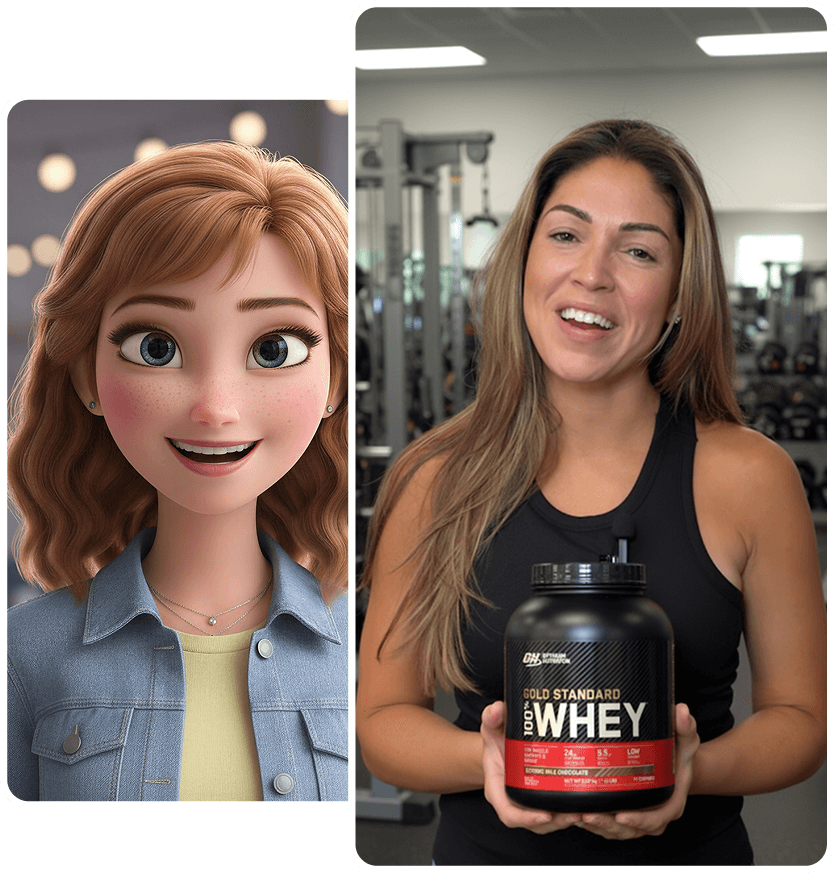
Same product, ten buyer personas. One click changes the avatar from gym bro to busy mom, flips the background from weights to kitchen counter, switches the voice to Spanish. Brands serve perfectly matched creatives to every segment without shooting ten separate videos or paying ten different creators.
A/B Testing Variations with One Click
Duplicate the project, swap the hook, avatar, music, or CTA, and hit generate. Twenty, fifty, a hundred versions ready before lunch. Brands finally stop gambling everything on one expensive human cut and let real data pick the winner. Scale the bangers, kill the duds, watch ROAS climb.

Key Features to Look for in the Best AI Video Tool for Product Ads
You might be aware that there are various AI video tools available in the market, which might create a dilemma when choosing the best. Here are key features that you can keep in mind while choosing the one for you.
Product-Focused Templates
Skip the generic “corporate slideshow” nonsense. The best video ads maker ships hundreds of templates built only for products: TikTok hook + reveal, UGC phone review, carousel swipe-through, Amazon listing layout, unboxing flow, before/after split.
Smart Product Highlighting
Your product must own the screen. Top tools auto-zoom on the button, add glowing outlines, slow-motion pour, 360 spin, or hand reaching in frame. No manual keyframes needed. One kitchen gadget client saw the ” add to cart ” jump the moment the AI started circling the “one-click grind” feature automatically.
AI Voiceovers & Captions
Natural voices that actually sound like real customers, not robots. Accents, energy levels, Gen-Z slang, Spanish, Hindi, whatever your audience speaks. Auto big yellow captions synced perfectly because everyone watches muted. One click swaps from hype voice to calm mom voice without re-recording anything.
Multi-Platform Export
One project, every format: perfect 9:16 for TikTok/Reels, 1:1 for feed, 16:9 for YouTube, exact Amazon listing specs. No black bars, no re-cropping, no “why does it look weird on mobile?” headaches. Export all versions at once and launch everywhere on the same day.
E-commerce Integrations
Direct Shopify, Amazon, WooCommerce sync. New product added to the store? It auto-pulls images, title, price, and reviews into ready templates. No copy-paste hell. One supplement brand cut creative production from four days to four minutes per SKU after connecting its catalog.
AI Image-to-Video Conversion
Drop five static product photos and watch the tool animate hands holding, spinning, pouring, and wearing the item in realistic scenes. No video footage required. Perfect for dropshippers who never touch inventory.
Branding Tools
One-click brand kit: logo bug, exact hex colors, font pack, price tag overlays, subtle watermark. Keeps everything on-brand while still looking raw UGC. Agencies load client kits once, and every ad comes out perfect without chasing designers for assets.
Speed of Render & Batch Creation
Anything over sixty seconds per clip is trash. The best tools finish a 15-second ad in 20–40 seconds and let you batch-export fifty variations at once. Brands running high-volume campaigns need this, or they’re leaving money on the table every single day.
Read More: How to Create High-Converting Ecommerce Ads With AI?
How to Evaluate an AI Video Tool for Your Product Ad Strategy
Define Your Output Type
Start by locking down the exact video style that drives your ROAS: raw UGC phone clips, fast TikTok hooks, polished carousel swipe-throughs, Amazon listing demos, or retargeting reminder ads. The chosen video ads maker must dominate that format out of the box. Picking a general-purpose tool instead of a product-focused one guarantees wasted time and weak creatives that never convert.
Check Template Relevance for Your Niche
Open the template library and scroll fast. Beauty brands need skin close-ups and glow effects. Fashion demands quick outfit changes. Gadgets require screen recordings and finger taps. Kitchen tools want slow-motion pours if fewer than twenty niche-perfect templates mean constant workarounds and ads that feel forced instead of native.
Evaluate Automation vs. Manual Control
Dropshipping teams survive on full automation: link in, ad out. Agencies and big brands demand frame-by-frame control for client sign-off. Test both paths in the free trial. The ideal video ads maker runs 100 % hands-off for volume days yet opens deep editing when the creative director wants pixel-perfect tweaks.
Review Export Quality & Compression
Download test exports in 9:16, 1:1, and 16:9. Zoom in on text and product details. Look for artifacting, color shifts, or soft edges. Run the files through real phones. Low-bitrate crunch kills trust faster than a bad hook. Only accept crystal-clear output across every platform.
Look at Cost vs. Scalability
Calculate real monthly volume. Stores pushing 200–500 ads need true unlimited rendering under $99/month. Per-minute or per-export pricing collapses at scale. Hidden watermarks on lower tiers or sudden overage fees turn a cheap tool into the most expensive mistake.
Analyze Learning Curve & Ease of Use
Time the first complete workflow from a blank project to an exported ad. Anything over eight minutes on the first try is too slow for daily use. Drag-and-drop assets, one-click brand kits, and clear preview buttons separate tools marketers actually use from toys that collect dust.
Most Popular Types of Product Ads You Can Create With a Video Ads Maker
There are various styles of product ads, depending on different platforms and needs. Here are the most popular types:
TikTok-Style Product Ads
Fast hook, trending sound, big text, 7–15 seconds max. Avatar grabs the product, quick zoom on the feature, instant “add to cart” energy. These dominate Spark ads and organic Reels. Marketers duplicate the same template, swap the product link, and launch fifty versions in an hour.
Social-Proof & UGC Product Videos
Avatar acts like a real customer: “Nobody paid me to say this…” Shows the product in a messy bedroom, with a cracked phone overlay and yellow captions. Perfect for cold traffic because trust hits instantly. Brands run these as top-of-funnel warmers before pushing offers.
Unboxing & Demo Videos
Hands rip open the box, pull the item out, show every angle, quick feature callouts. Ideal for new launches and trust-building. Marketers use the same flow for every SKU and keep the feed feeling fresh without shooting new footage.
Amazon Product Listing Videos
Exact Amazon specs, plays right under bullet points. Avatar holds the product, swipes features, and flashes 5-star review snippets. These videos sit inside the listing and quietly lift conversion without extra ad spend.
Retargeting Ads for Social Media
“Still thinking about this?” with the exact abandoned-cart item front and center. Countdown timer, price flash, urgency hook. Marketers pull cart data, auto-generate personalized versions, and recover sales that would have vanished.
Holiday & Seasonal Product Ads
Same product, new background: Christmas lights, beach towel, Halloween pumpkin. One-click overlay swap and seasonal hook. Marketers prep Black Friday, Valentine’s, and Summer Sale creatives weeks ahead and launch the second the season flips.
How to Create a Product Ad Using a Video Ads Maker
Creating a product ad using an AI video ad maker is like a cake walk; you just need to follow these steps.
Step 1: Upload product images or clips
Drag-and-drop hero shots, lifestyle photos, or paste the Shopify/Amazon link. The video ads maker instantly pulls title, price, colors, and reviews. Takes ten seconds.
Step 2: Choose a template
Scroll the library and pick the exact style: “UGC bedroom review,” “TikTok hook + zoom,” “unboxing flow,” or “Amazon listing carousel.” One click locks the layout.
Step 3: Add captions, hooks, and band enefits
AI auto-writes three hook options. Edit one line if needed (“finally jeans that don’t gap”). Drop bullet benefits; captions generate automatically in big yellow text.
Step 4: Add music + AI voiceover.
Choose a trending sound or let AI match the vibe. Pick avatar voice: hype girl, calm mom, Spanish, Hindi. Lip-sync and tone adjust in one toggle.
Step 5: Apply brand kit.
Upload logo, set hex colors, and font pack once. Every new project pulls the kit automatically. Subtle corner bug and price tag overlay stay on-brand.
Step 6: Export for the platform
Hit export → choose TikTok/Reels 9:16, Meta feed 1:1, YouTube 16:9, Amazon specs. All versions download at once, crisp and ready for the ads manager.
Step: Run and test variations
Duplicate project five to ten times, swap hook/avatar/music/CTA, regenerate. Launch all versions with $20–50 each, kill losers in 24 hours, scale winners hard.
Common Mistakes to Avoid When Using AI Video Tools
Overusing templates without customization
Grabbing the first template and hitting export makes every ad look identical. Competitors run the same layout, viewers scroll past instantly. Always swap background, avatar outfit, text color, and hook so the clip feels fresh, not factory-stamped.
Not adding brand identity.
The logo off, using random fonts, and ignoring brand colors, turns great creatives into generic noise. One missed brand kit upload, and the ad screams “drop-shipper” instead of trusted store. Load the kit once and force it on every project.
Using low-quality product images
Blurry 800px JPGs or dark phone pics make even the best AI tools look cheap. Garbage in, garbage out. Always feed clean, well-lit, high-resolution shots, or the final video kills trust before the hook lands.
Skipping hooks or captions
Starting slow or running silent text kills performance in three seconds flat. No hook = instant swipe. Force a curiosity or pain hook in the first line and big, bold, perfectly synced captions on every single export.
Ignoring mobile-first formats
Exporting only landscape or square when 90 % of traffic is vertical is suicide. Text gets cropped, product disappears, message lost. Always preview and export 9:16 first; everything else is secondary for TikTok, Reels, and Stories.
How to Choose the Best AI Video Tool for Product Ads
Budget
Unlimited rendering must sit under $99/month for brands running real volume. Anything with per-minute, per-export, or credit buckets collapses the second you hit 200+ clips. Hidden watermarks on cheaper tiers or surprise overage charges turn a “deal” into the most expensive mistake. Lock in flat monthly pricing with zero limits.
Templates
Demand 100+ layouts built only for product ads: UGC phone clips, TikTok hooks, Amazon listing videos, carousel swipes, unboxing flows, before/after splits. Generic corporate slideshows and birthday templates are useless. Open the library first; if fewer than fifty feel native to e-commerce, walk away.
Ease of use
Time the first complete ad from blank project to export. Over eight minutes on day one means the tool will collect dust. Drag-and-drop assets, one-click brand kits, preview buttons that actually work, and zero nested menus separate daily drivers from frustrating toys.
Automation level
Dropshippers and high-SKU stores need link-in, ad-out automation. Agencies and big brands want frame-by-frame control for client revisions. The perfect video ads maker nails both: fully hands-off for volume days yet opens deep editing when the creative director demands pixel-perfect tweaks.
Integrations
Direct Shopify, Amazon, WooCommerce, and Klaviyo sync is non-negotiable. New product added to the catalog should auto-appear in the tool with images, price, title, and reviews ready to drag. Manual copy-paste across platforms wastes hours and kills launch speed.
Export formats
One-click perfect 9:16, 1:1, 16:9, 4:5, Amazon specs, no black bars, no cropped text. Download samples and zoom on mobile. Crunchy compression or color shifts make even perfect creatives look cheap and destroy trust instantly.
Scalability
True unlimited batch creation and rendering with zero queues. 500–1000 ads per month must fly without slowdowns or extra fees. Brands pushing serious media spend can’t wait hours for renders or hit artificial caps mid-campaign.
5 Best AI Video Tools for Product Ads
1. Tagshop AI
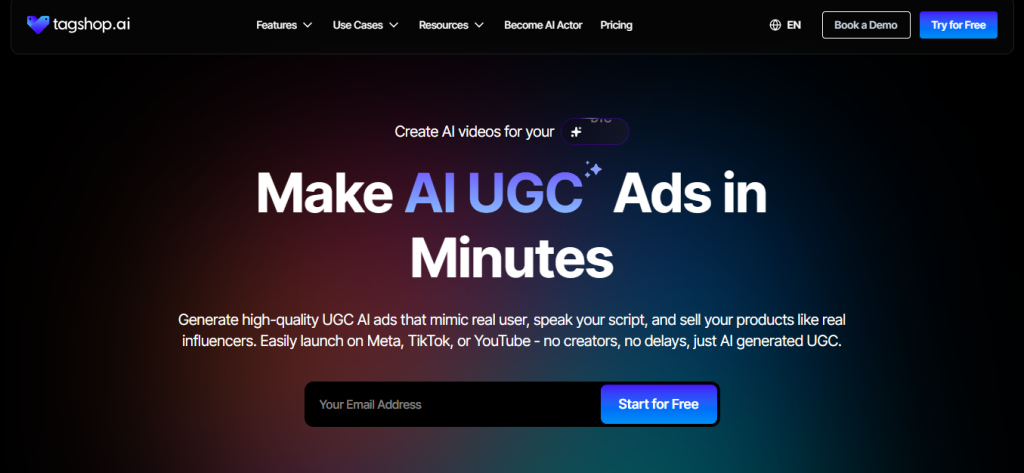
Tagshop AI is the workhorse for brands needing fast, UGC-style clips from a single product link. It pulls details like images, titles, and features, then generates 15-30 second videos with avatars unboxing or demoing the item. Perfect for product ads, it adds trending sounds and captions automatically. Brands love how it mimics real customer rants, making ads feel authentic without shoots. One e-com team used it for gadget promo clips exported and ready for ads, boosting engagement without extra edits. It’s built for scale, handling multiple SKUs in batch mode.
- Key Features:
- URL-to-video for instant product demos.
- 100+ AI avatars with lip-sync and voice cloning.
- Auto-script generation and UGC templates.
- Export optimized for TikTok, Reels, Shorts.
- Batch creation for A/B testing.
- Pros:
- Super fast clips ready in under 10 minutes.
- Shoppable tags for direct sales links.
- Affordable for small teams with unlimited videos.
- Realistic UGC output that fools the algorithm.
- Cons:
- Free trial limits to basic exports.
- Less focus on non-product content like stories.
- Learning curve for advanced customization.
- Pricing:
- Free trial: Basic videos.
- Starter: $29/month (unlimited videos, five sources).
- Pro: $99/month (advanced moderation, priority support).
2. HeyGen
HeyGen specializes in lifelike avatars that deliver faceless product stories with natural gestures and expressions. Input a script or prompt, and it creates talking-head ads where the avatar feels like a real user explaining the product. Ideal for tech demos or testimonials, it supports 140+ languages for global campaigns. Brands use it to localize ads quickly, adding B-roll like app screens. A marketing team praised its seamless CapCut integration for final tweaks, making it a go-to for high-volume e-commerce.

- Key Features:
- 700+ AI avatars with real-time lip-sync.
- Text-to-video from scripts or prompts.
- Multi-language support and voice cloning.
- Templates for TikTok, Reels, Shorts.
- Pros:
- Hyper-realistic avatars pass as human.
- Easy integration with editing apps.
- Great for personalized content at scale.
- Free tier for testing ideas.
- Cons:
- Watermarks on free exports.
- Higher plans for commercial use.
- Limited free credits per month.
- Pricing:
- Free: Basic avatars, limited exports.
- Creator: $29/month (120 credits, watermark-free).
- Business: $89/month (unlimited, custom avatars).
3. Synthesia
Synthesia delivers studio-quality faceless explainers with AI presenters that break down product features in a polished yet relatable way. Feed it a script, and it outputs videos with natural pacing and visuals like app interfaces. Great for SaaS or tech brands, it handles multi-language dubs for international ads. A content team used it for supplement tutorials, clips that felt like expert talks, not pitches, driving higher retention on Shorts. It’s reliable for consistent branding across campaigns.

- Key Features:
- 230+ AI presenters with expressions.
- Script-to-video in 140+ languages.
- Custom branding and templates.
- Integration with PPT or docs.
- Pros:
- Professionals look for B2B content.
- Easy localization for global audiences.
- No filming is ideal for consistency.
- Strong for long-form to Shorts repurposing.
- Cons:
- Steeper learning for non-video pros.
- Credits burn fast on renders.
- Less “raw” UGC feel for casual TikToks.
- Pricing:
- Starter: $22/month (10-minute video).
- Creator: $67/month (30 minutes).
- Enterprise: Custom.
Let’s check out the best Synthesia alternatives and competitors.
4. Runway ML
Runway ML empowers brands to craft immersive product scenes with text-to-video generation, turning simple prompts into dynamic backgrounds or full clips. It’s ideal for e-com visuals like “product on a sunny kitchen counter” or animated demos. Integrate with avatars for hybrid ads; a fitness brand created “morning routine” vids with generated rooms, viewers engaged more with the lifestyle feel. Fast for ideation, it pairs well with editors for polish.

- Key Features:
- Text-to-image/video for scenes and backgrounds.
- Motion tracking and green screen removal.
- Integration with editing software.
- High-res exports for social.
- Pros:
- Endless custom visuals without shoots.
- Works for animated or realistic styles.
- Free tier for testing prompts.
- Boosts engagement with unique settings.
- Cons:
- Steep curve for complex prompts.
- Credits limit free generations.
- Best paired with other tools for full vids.
- Pricing:
- Free: Basic generations.
- Standard: $15/month (625 credits).
- Pro: $35/month (2,250 credits).
Continue reading: How to Create AI Video Ads for Food and Beverage Brands
5. Creatify
Creatify is tailored for e-commerce, generating UGC-style product videos from URLs with 1000+ avatars. It auto-creates unboxings or demos, adding trending music and captions. Brands use it for TikTok ads; a gadget seller turned links into clips that exported ready for Spark, saving hours on production. It’s simple for quick tests, focusing on conversion hooks.

- Key Features:
- URL-to-video for UGC unboxings.
- 1000+ avatars with lip-sync.
- Auto-script and music matching.
- Export for TikTok and Reels.
- Pros:
- Fast for product-specific ads.
- Realistic UGC output.
- Easy A/B testing.
- Affordable for small business brands.
- Cons:
- Limited to short clips.
- Basic editing tools.
- Watermarks are free.
- Pricing:
- Free trial: Basic videos.
- Starter: $39/month (unlimited).
- Pro: $99/month (advanced features).
Conclusion
Static images are not relevant anymore. Every brand that still runs carousels while competitors flood feeds with addictive product videos is quietly bleeding ROAS. A proper video ads maker is no longer an option; it’s the single tool that gives marketers unlimited scroll-stopping creatives at the speed of thought, for pennies, without ever booking a shoot. Speed wins trends, cost savings fuel media spend, and scalability lets brands test 50 hooks instead of praying on one. The gap between winners and everyone else is now measured in how fast they adopt AI. Start today or watch the algorithm bury the brand tomorrow.
Frequently Asked Questions
Tagshop AI currently leads for pure product ads – URL-to-video, UGC style, TikTok-ready in minutes.
Absolutely. Plans start under $99/month for unlimited clips. Small teams out-create agencies on day one.
Yes! Perfect 9:16, trending sounds, big captions, shaky phone style. They dominate Spark and Reels daily.
UGC reviews, unboxings, demos, Amazon listings, carousel swipes, retargeting reminders, seasonal drops.
They outperform human shots on engagement and cost. Top brands are now running AI creatives.
Shopify/Amazon sync, product-focused templates, auto-zoom, multi-platform export, brand kits, batch creation.
Top tools finish a ready-to-launch 15-second clip in 20–90 seconds from the product link.
Zero. Drag product, pick template, export. Easier than uploading a photo.
Written by:

Rohan Singh is an AI-forward content specialist with 5+ years of experience creating creative, trend-led content for digital-first brands. He blends industry insights, AI-powered research, and content intelligence to produce engaging, relevant narratives aligned with evolving marketing trends. Constantly exploring new AI tools, he ensures his work stays innovative, impactful, and built for how audiences consume content today.