How to Convert a Product URL Into YouTube Shorts With AI







Creating YouTube Shorts seems easy – until you try to do it consistently.
Creators spend hours sifting through long videos, manually cutting clips, resizing frames, and adding captions, yet still end up with Shorts that don’t perform.
The process is repetitive, time-consuming, and frustrating, especially when you know short-form content is essential for reach, but producing it keeps eating into time meant for filming, strategy, or growth.
In this blog, we will discuss how to convert a product URL into a YouTube Shorts using AI.
Use Cases of AI Shorts
Here are some of the use cases of
1. eCommerce brands
For eCommerce brands, AI YouTube Shorts can transform a dull marketing strategy into an engaging one in a few minutes. Brands won’t have to rely on shoots, creators, or editors anymore; they can simply create YouTube Shorts using tools like Tagshop.ai.
They can turn the product link into an engaging video that automatically highlights the product features. These videos are a perfect match for YouTube Shorts, Instagram Reels, and TikTok, thereby increasing product discovery, engagement, and feature showcase.
2. DTC brands
Direct-to-Customer brands are known for their storytelling and rapid content delivery. Tagshop AI helps users deliver consistent messaging without exhausting their budgets.
It can be new drop ideas, customer review announcements, or product benefits clarification, with AI-generated YouTube Shorts, and content can be released daily. Also, they maintain a UGC-like, non-ad style that resonates with modern audiences. So, what do we get? Longer watch time, better brand recall, and deeper engagement without having to give to a content team.

How to Convert a Product URL to YouTube Shorts Using Tagshop AI (Step-by-Step)
Tagshop AI is designed for creating advertisements that resemble friend recommendations rather than brand promotions.
Log in to Tagshop AI
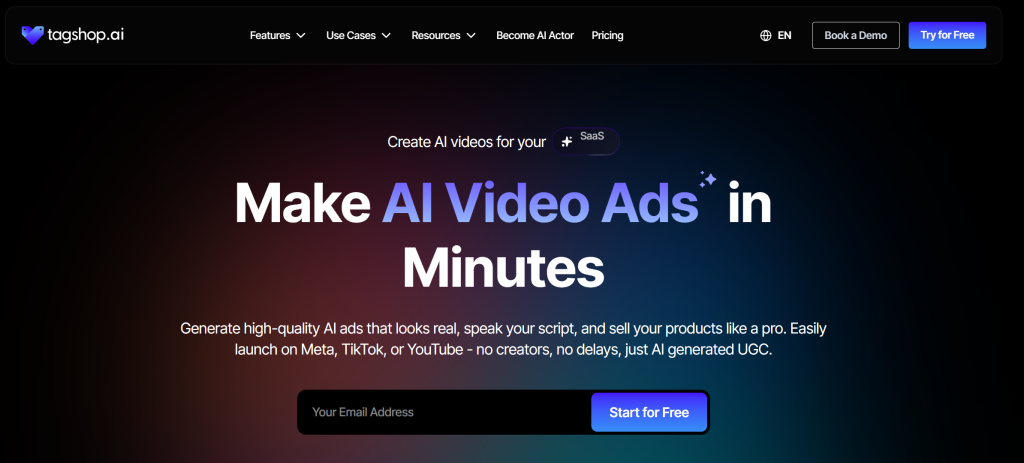
Visit Tagshop AI and log in. Designed with speed in mind, the dashboard opens into a tidy workspace with distinct sections for script features, avatar tools, and URL to video. Without navigating complex menus or deep folders, even a beginner can create videos in minutes.
Go To Tagshop’s URL to Video Generator

Go to the particular product that you want to advertise. Take the URL of the product and enter it in the Tagshop.ai input field. When you click Extract URL, it will begin scraping your listing details within seconds.
Tagshop.ai will retrieve the title, description, pricing information, and all available product photos. Here, you have complete control: select the party images you wish to highlight, or add additional behind-the-scenes footage to give your video a unique touch. Click Next when you have established your visual basis.
Step 3: Creative and Formative
The video must now be customized to meet the needs of the platform. One of the most critical phases in creating Shorts with a product URL is this :
- For YouTube Shorts, TikTok, and Reels, use an aspect ratio of 9:16. For Instagram or Pinterest feed posts, go with 1:1.
- Style & Tone: Modify the sentimental “vibe.” For a flash sale, do you want it to be lively? Elegant and serene for high-end jewelry? Or quirky for a memorable present?
- Audience Targeting: To help the AI decide which aspects to highlight in the script, choose your ideal consumer profile.
Click Save & Generate Script when you’re satisfied.
Step 4: Select Your AI Avatar
Instead of offering a single choice, Tagshop.ai provides several script alternatives tailored to the distinctive features of your goods.
- Brand Voice: Select the choice that best suits the atmosphere of your store, whether it’s lively sales, minimalist and contemporary, or cozy and welcoming.
- The Face of the Brand: Choose your AI avatar here. By acting as your spokesperson and delivering the script with natural gestures and facial expressions, these computerized humans give you a “UGC” feel without requiring you to appear on camera.
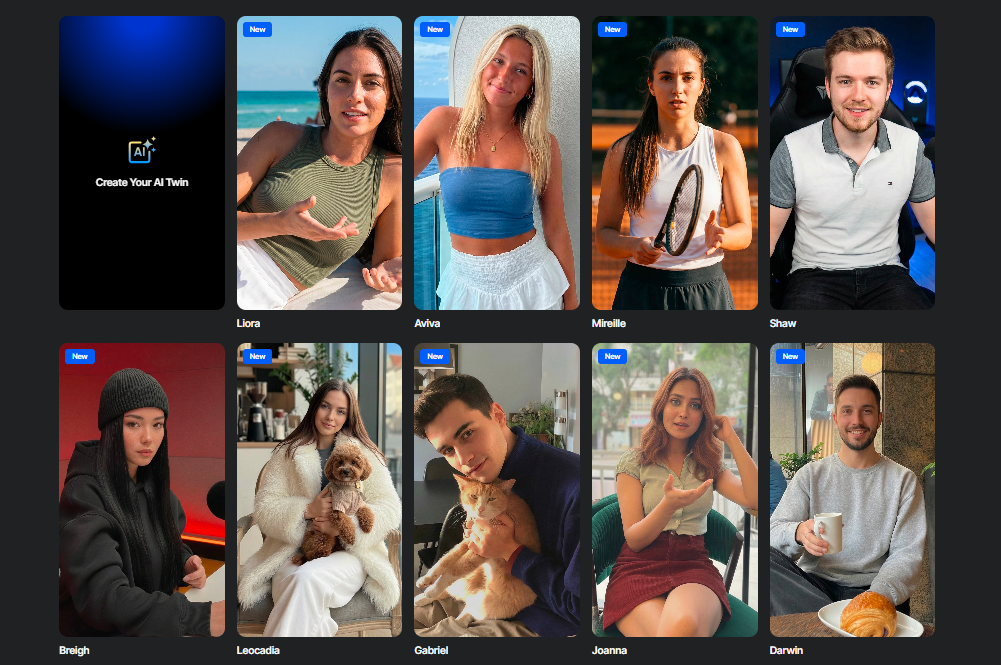
Click Generate Video after your script and avatar have synchronized. You can get up to five distinct versions from Tagshop.ai. You can select the version that best resonates with you, as each may have different pacing, music, or graphic transitions.
Final Review: Click Render after previewing the versions and selecting your favorites.
The outcome: You’ll have polished, high-definition videos ready for the YouTube Shorts channel in minutes.
Benefits of Converting Product URLs to YouTube Shorts With AI
Create product videos in seconds, no editing.
The most significant obstacle in digital marketing is traditional video creation, which frequently takes days to complete. Tools like Tagshop AI remove this need entirely. These resources are then assembled into a final 9:16 video using generative models. With this “zero-editing” method, you can produce a professional-caliber video draft in the time it takes to make a cup of coffee, avoiding the learning curve associated with complicated programs like Premiere Pro or After Effects.
Perfect for scaling daily and weekly content
The YouTube Shorts algorithm rewards frequency and consistency. Brands often need to post five to seven times a week to remain relevant, which is practically impossible with manual editing. You can produce a month’s worth of content in one afternoon using AI-driven URL conversion. You can maintain a high-volume publishing schedule that maintains your brand at the top of the Shorts feed without exhausting your creative staff by automating the tedious processes of resizing, captioning, and syncing.
A/B Test Multiple Variations Quickly
With tools like Tagshop.ai, you can create YouTube Shorts as per your requirements. The tool helps users tweak content, scripts, and avatars to resonate with the target audience in under a minute. This gives you immense freedom to create as many videos as you want. You can rapidly A/B test multiple video variations using a workflow.
Best Practices for High-Converting Product Shorts
Here are some of the best practices for high-converting YouTube Shorts.
1. Start With a Strong Visual Hook (first 1–2 seconds)
Whether a viewer remains or swipes depends on the first two seconds. You don’t have time for a leisurely introduction or a company logo in the world of shorts. A “pattern interrupt, something that pauses the thumb, is what your hook should be. Use a dramatic “before” photo, a striking image of the product in use, or an AI avatar posing a contentious query. The viewer will leave if they don’t perceive value right away.
2. Highlight One Key Benefit Per Clip
Attempting to list every feature of a product in fifteen seconds is a standard error. This dilutes the message and overwhelms the audience. Choose the one most significant change or advantage instead. If you are advertising a waterproof backpack, show it getting wet while the interior remains dry, rather than focusing on the straps and zippers. Five muddled messages are not nearly as remembered as one clear one.
3. Keep videos between 5 and 15 seconds.
The “sweet spot” for product discovery is far shorter than YouTube Shorts, which can last up to 60 seconds. Shorter videos are more likely to be viewed to the end, which signals to the YouTube algorithm that your content is of high quality. Aim for a punchy duration of five to fifteen seconds. Because of this “looping” effect, the viewer may watch it twice in order to fully understand it, hence doubling your engagement metrics.
4. Always include on-screen Text and Captions.
Many YouTube Shorts viewers watch videos without sound, either in public or at work. To communicate the core benefit to the audience at a glance, use white, bold text with high contrast. With AI-powered tools like Tagshop AI, these captions are created automatically; therefore, your communication is guaranteed to be equally effective whether the video audio is on or off.
5. Use trending Shorts formats.
The YouTube ecosystem has its own “language.” This includes specific styles such as “POV” (Point of View), “Life Hack” formats, and “Unboxing” styles. When you convert your product link, instruct the AI to use these familiar structures. By mimicking the formats that are already going viral, your product content feels less like a “commercial” and more like a native part of the user’s feed, reducing “ad fatigue.”
One of the strongest elements of any YouTube Shorts is a call-to-action button. An effective, high-quality YouTube Shorts video must consistently communicate the following steps to the viewer. It could be something like Check the link, watch the video till the end or Shop Now, ” etc. Your CTA needs to be brief, straightforward, and shown on the screen. Do not overwhelm the viewers with more than one CTA. You just need to use a simple CTA.
Why Do YouTube Shorts Matter for eCommerce?
Here are some of the reasons why YouTube Shorts work for ecommerce.
1. Massive Organic Reach
YouTube Shorts helps eCommerce brands reach one of the platform’s largest organic audiences. YouTube Shorts surfaces directly in YouTube’s dedicated Shorts feed, which helps even new or low-subscriber channels reach thousands or millions of viewers without paid promotion.
2. High Product Discovery Potential
The whole notion of product discovery has completely changed, with consumers now discovering products not just through search but also while scrolling. YouTube Shorts is a discovery-first platform where users discover products they haven’t even searched for. A short demo, a problem-solution clip, or a before-and-after shot is enough to generate interest instantly.
For eCommerce brands, this kind of passive discovery is a potent tool, as it allows them to introduce their products much earlier in the buying cycle. By using YouTube Shorts, you can be seen by customers even before they start searching on Google or Amazon, giving you the first-mover advantage.
3. Boosts Conversion With Visual Product Demonstrations
Buying decisions become a lot easier after seeing a product demonstrated. Brands can then use shorts to quickly and visually address common customer doubts. It also answers the questions buyers typically ask in under 60 seconds- How does it work? How big is it? Which problem does it solve?
Such clarity gives customers a sense of security that neither static images nor text alone can match. Decision-making is easier when shoppers can get the product immediately. Some brands even use Shorts for virtual product demonstrations, showing various usage scenarios or sharing customer testimonials in video format, which helps them achieve higher click-through rates and conversions across product pages.
4. Ideal for Showcasing UGC-Style Content
UGC style YouTube Shorts do not seem like advertising- this is precisely why they work. Viewers trust visuals that feel real, casual, and creator-led. AI UGC video generators can help you replicate this format using the script, a conversational voiceover, and a creator-style aesthetic.
5. Works Across All Stages of the Buyer Journey
One of the most significant advantages of YouTube Shorts for eCommerce stores is that it supports all stages of the buyer journey.
At the awareness stage, YouTube Shorts can appear in your target audience’s feed via the algorithm. A quick hook, bold visual, and a problem-solving attitude can keep them engaged and turn them into buyers.
At the consideration stage, brands can create more feature and benefits-related videos. This will help them better understand the product and make the right call immediately.
The Final Note
Short-form video is not just a trend; YouTube Shorts sits right at the centre of this shift. Converting product URLs to Shorts is one of the fastest ways to grow eCommerce visibility. With AI tools like Tagshop AI, brands can instantly generate product demos, reviews, and UGC-style Shorts. This makes short-form content creation at scale easy, fast, and affordable.
Frequently Asked Questions
You can paste a product URL into an AI video tool, which automatically extracts product details and converts them into a ready-to-post YouTube Short within minutes.
An AI platform like Tagshop.ai converts product URLs into videos by automatically generating scripts, visuals, voice-overs, and captions.
Yes. AI tools can scrape product pages to collect images, descriptions, pricing, and features directly from the website link for video creation.
Yes. Tagshop.ai converts product pages into YouTube Shorts by extracting product data and generating UGC style video optimized for the short-form platform.
Yes. Tools like Tagshop.ai help users turn URLs into Shorts by pulling images, titles, and key features to create engaging product videos.
Most AI YouTube Shorts are under a few minutes, depending on customization and voiceover, making the process significantly faster than traditional video editing.
You don’t need a script. AI automatically generates video scripts from product details, benefits, and use cases extracted from the product URL.
Yes. You can customize tone, visuals, pacing, and overall style to match your brand voice and your target audience’s preferences.
Yes. AI tools generate natural voice-overs and auto-captions, ensuring your YouTube Shorts remain effective even when viewers watch without sound.
Yes. AI generates Shorts optimized for organic reach and paid ads across YouTube, Instagram, Facebook, and other short-video platforms.
Yes. You can create multiple YouTube Shorts by changing the hooks, script, or CTA to test different creatives.
Upload videos in 9:16 format, keep them under 60 seconds, add relevant keywords in titles and descriptions, and include #Shorts for visibility.
Written by:

Wagisha Adishree is an AI-driven SEO content writer who transforms data, algorithms, and marketing insights into high-impact narratives. She combines human creativity with AI-powered strategies to create content that ranks, converts, and connects. Naturally curious and sharp-witted, she enjoys exploring AI newsletters, decoding Pinterest trend signals, and drawing inspiration from football culture.
 Add Tagshop.ai as a preferred source in Google Search







 Introducing

 Wan 3.0 is now live on Tagshop AI