12 Best Deevid Alternatives for AI Video Creation

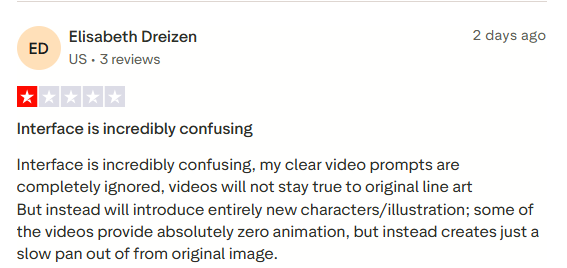
AI video tools keep popping up everywhere these days, turning basic ideas, pictures, or words into full clips without fancy gear or big teams. Deevid AI handles that job pretty well, quick turns on text-to-video, animating still shots, or tweaking styles for shorts that catch eyes fast. However, users often complain about the tool’s confusing interface and various other issues, leading them to reach out for Deevid alternatives.
Users prefer easy usage, cheaper plans, tighter e-commerce hooks, or extras like global dubbing to be ahead. These Deevid alternatives bring different strengths to the table. This piece rounds up twelve solid picks to swap in, helping marketers, shops, and creators find better fits for their video needs.
12 Best Deevid Alternatives in 2026
Plenty of marketers and brands hunt for Deevid AI alternatives that fit specific workflows better. These deevid alternatives and competitors bring unique angles, from e-commerce focus to global dubbing.
1. Tagshop AI
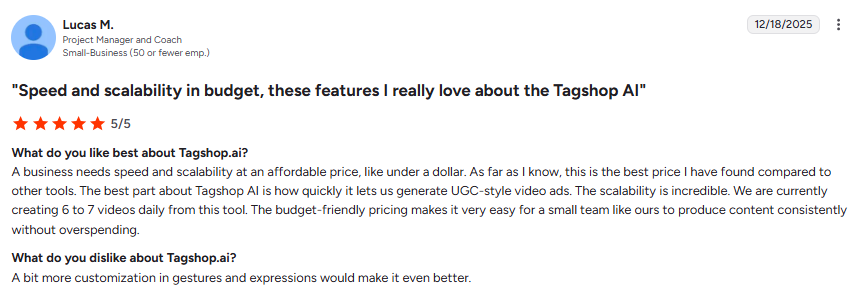
Tagshop AI flips product pages into ready-to-post AI video ads fast, pulling details straight from links to build authentic UGC-style clips with AI avatars demoing items. Brands get multiple variations in minutes, skipping shoots while keeping that real-user feel that boosts clicks on social and sites.
Key Features
- 300+ AI Avatars — Huge selection of realistic, diverse avatars covering ages, styles, and ethnicities, plus multilingual voices for worldwide campaigns.
- AI Video Ads — Templates optimized for Meta, TikTok, and more, complete with CTAs, trending formats, and conversion-focused layouts.
- AI Twin Generation — Upload photos to create custom digital twins that speak and act consistently across all videos.
- AI Product Shots — Virtual staging puts items in lifestyle scenes, hands holding them, or dynamic use without any real photography.
- AI Video Editor — Easy drag-and-drop tweaks for timing, text, music, branding, and exports in platform-ready sizes.
- Product Link to Video — Drop a product URL and the system grabs images, specs, prices, and crafts full scripts with hooks, voiceovers, and visuals tailored for ads.
Pros
- Huge savings on production time and costs for scaling ads.
- Direct integration for publishing to ad managers.
- Feels like genuine UGC that converts better.
Cons
- Heavy lean toward e-commerce products over general videos.
- Custom twin quality depends onthe uploaded photo clarity.
Pricing: Starting from $23/month

2. Quso AI
Quso AI (once called Vidyo.ai) is an alternative to Deevid AI that shines at turning long podcasts, webinars, or YouTube videos into dozens of short clips ready for social, spotting hooky moments automatically, and adding captions fast. Creators and teams schedule straight to multiple platforms while tracking what performs.
Key Features
- AI-powered clip finder with virality predictions to pick winning segments
- 80+ talking avatars for faceless or branded videos
- Auto captions and subtitles in various styles and languages
- Content repurposing, like blogs or notes from videos
- Direct scheduling to 7+ social networks with analytics
Pros
- Cuts repurposing time massively for consistent posting
- Strong caption variety that grabs attention
- All-in-one from edit to publish
Cons
- AI Avatars are good, but not the most lifelike
- Less suited for fresh text-to-video creation
Pricing: Starting from $19/month
3. VMEG
VMEG tackles video localization head-on, translating and dubbing content into 170+ languages with voice cloning and tight lip-sync for global reach. Brands and creators expand audiences without reshooting, keepingthe original tone across cultures.

Key Features
- AI video translator and dubber for YouTube, TikTok pulls
- Advanced voice cloning from short samples
- Precise lip-sync even with multiple speakers
- Subtitle generation and OCR extraction
- Batch processing and 4K support
Pros
- Top-notch natural dubbing quality
- Handles complex multi-speaker videos well
- Fast for international scaling
Cons
- Focuses more on localization than original generation
- It can get pricey for very high volume
Pricing: Starting from $25/month
4. Vozo AI
Vozo AI handles dubbing, translation, and lip-sync across 110+ languages, plus prompt-based script rewrites and shorts creation for multilingual campaigns. Marketers tweak voices and visuals easily for natural results.
Key Features
- Proprietary LipREAL tech for accurate sync in tough angles
- Voice cloning and emotion-matched dubbing
- AI video rewrite via prompts
- AI shorts generator with platform optimization
- Talking photo and avatar modes
Pros
- Highly realistic lip-sync and voices
- Flexible post-generation editing
- Good for global ad adaptation
Cons
- Generation times can vary
- Interface packs lots of options
Pricing: Starting from $15/month
5. Visla
Visla stands out as a full-featured AI video platform that handles everything from quick recordings to polished edits and team workflows, turning text, scripts, PPTs, or raw footage into professional clips suited for marketing, training, or internal shares. Teams and solo makers get strong collaboration tools alongside AI smarts for faster output without steep learning curves.

Key Features
- AI video generation from ideas, text, scripts, webpages, or documents like PDFs
- Custom and public AI avatars with voice cloning for personalized narration
- Screen and multi-camera recording with step-by-step guides
- Transcript-based editing, auto subtitles, and scene suggestions
- Stock footage recommendations and branding kits
- Real-time team collaboration and workspaces
Pros
- Excellent for team-based content and quick drafts
- Strong integration of recording, editing, and AI in one spot
- Good stock and personalization options
Cons
- The credit system can feel confusing and unpredictable
- Some reports of billing issues and support delays
Pricing: Starting from $19/month
6. Vidnoz AI
Vidnoz AI delivers straightforward avatar-driven videos aimed at business, education, and marketing, packing a huge library of realistic presenters and voices to skip filming entirely while keeping costs low. Users crank out multilingual talking-head clips or explainer shorts fast, with extras like voice cloning for that personal touch.
Key Features
- 1200+ lifelike AI avatars with natural gestures and lip-sync
- Text-to-speech in 140+ languages and voice cloning
- 2800+ templates for quick starts
- Talking about photo animation and image-to-video
- Screen recording, blend, and direct sharing
- Multilingual dubbing and subtitles
Pros
- Generous free plan for testing and light use
- Massive avatar and template selection
- Beginner-friendly with fast results
Cons
- Watermarks and limits on the free tier
- Outputs can feel generic without tweaks
Pricing: Starting from $15/month
7. Jupitrr AI
Jupitrr AI takes raw talking-head footage and pumps it up with auto B-roll, captions, and effects, perfect for creators turning podcasts, webinars, or webcam recordings into scroll-stopping social clips. It focuses on enhancement over full generation, saving hours on manual hunts for visuals.
Key Features
- Automatic B-roll addition from premium stock libraries
- AI caption generation in 50+ languages with styles
- Transcript-based editing and natural language commands
- Platform-specific resizing and templates
- Audio-to-video conversion with hooks and music
- Brand kits and custom searches
Pros
- Huge time-saver for repurposing long content
- High-quality stock integration
- Intuitive for non-editors
Cons
- Mainly enhances existing footage, not pure creation
- Some features are locked behind higher plans
Pricing: Starting from $11/month
8. Magic Hour AI
Magic Hour AI bundles a bunch of creative video tools into one dashboard, covering text-to-video, face swaps, animations, and lip-sync for quick viral shorts or stylized content. Creators mix effects freely without switching apps, leaning toward fun and experimental outputs.

Key Features
- Text-to-video and image-to-video generation
- Advanced face swap and talking photo lip-sync
- Video-to-video style transfers and animations
- Auto subtitles and trending templates
- Upscaling, cleanup, and batch processing
- API access for custom workflows
Pros
- Versatile all-in-one for creative effects
- Strong face swap realism and ease
- Fast for social-ready clips
Cons
- Watermarks and lower res on free outputs
- Results can vary in a natural look
Pricing: Starting from $10/month
9. Zebracat
Zebracat turns text prompts, blogs, or audio into full marketing videos quickly, picking smart scenes, adding captions, and matching music without much fuss. Marketers and bloggers get polished shorts or longer pieces ready for social, saving hours on editing while keeping control over tweaks.
Key Features
- Text-to-video from prompts, scripts, or blog posts with auto scene selection
- AI script suggestions and voiceovers with realistic tones
- Automatic captions, effects, and trending music sync
- Voice cloning and multilingual support for global clips
- Blog-to-video conversion for fast repurposing
- Custom branding, pacing edits, and export options
Pros
- Super fast turnaround from idea to finished video
- Strong stock library and smart auto-edits
- Easy tweaks keep creators in charge
Cons
- Some outputs need manual fixes for perfect flow
- Higher plans needed for longer or watermark-free videos
Pricing: Starting from $19/month
10. Akool
Akool packs enterprise-level tools for realistic face swaps, talking avatars, and video translations, letting brands personalize content at scale with tight lip-sync and voice cloning. Businesses build interactive spokespeople or localize clips without reshooting.

Key Features
- Advanced face swap and realistic avatar generation
- Voice cloning with emotion and lip-sync precision
- Video translation and dubbing in 150+ languages
- Real-time streaming avatars for live engagement
- Custom training for brand-specific faces
- API integration and high-res commercial outputs
Pros
- Top realism for avatars and swaps
- Strong for personalized marketing at volume
- Solid security and privacy controls
Cons
- Steeper curve for full features
- The cost of this Deevid AI alternative climbs with heavy enterprise use
Pricing: Starting from $30/month
Check out the top Akool alternative and competitors.
11. Invideo
Invideo mixes massive templates with AI scripting and stock assets to build videos from text ideas or existing footage, handling everything from shorts to longer explainers. Teams collaborate easily while tweaking outputs for platforms.
Key Features
- Text-to-video with AI script and scene generation
- Huge template and royalty-free media library
- Voiceover options, including clones and multilingual
- Drag-and-drop editor with transitions and effects
- Platform-specific exports and team workspaces
- Generative fills for custom visuals
Pros
- Versatile for all video lengths and styles
- Great collaboration and stock access
- Intuitive even for beginners
Cons
- Can feel template-heavy without deep tweaks
- Higher tiers needed for unlimited exports
Pricing: Starting from $25/month
Check out the top Invideo alternatives and competitors.
12. Pictory
Pictory excels at turning scripts, blogs, or long recordings into short highlight videos with auto captions and voiceovers, perfect for repurposing content fast. Creators add branding easily while the AI handles visuals and pacing.

Key Features
- Script/blog/URL-to-video conversion
- Auto highlight extraction from webinars or podcasts
- Text-based editing for quick changes
- Realistic AI voices in multiple languages
- Captioning and branding kits
- Stock library integration for scenes
Pros
- This Deevid AI alternative is brilliant for content repurposing and highlights
- Simple text edits speed up workflow
- Affordable scaling for regular use
Cons
- Less control overthe original cinematic generation
- Relies heavily on stock for visuals
Pricing: Starting from $19/month
Check out the best Pictory alternatives and competitors.
Conclusion
Deevid AI kicks off solid videos quickly from text or images, but plenty of Deevid alternatives out there in 2026 handle specific jobs way better. Test a few Deevid AI competitors mentioned in the blog now, and pick one that suits you the best. The right pick saves time, cuts costs, and pumps out clips that actually perform. Jump on one today and watch video content step up big.
Written by:

Rohan Singh is an AI-forward content specialist with 5+ years of experience creating creative, trend-led content for digital-first brands. He blends industry insights, AI-powered research, and content intelligence to produce engaging, relevant narratives aligned with evolving marketing trends. Constantly exploring new AI tools, he ensures his work stays innovative, impactful, and built for how audiences consume content today.