12 Best Leonardo AI Alternatives for AI Image Generation
If you’ve been playing around with Leonardo AI for those crisp, detailed images, you might be happy with the tool. Whether it’s fantasy characters, game assets, or just a wild concept, you know it hits hard with style control and quick results.
But honestly, the token limits on the free side can get annoying fast, or maybe you’re after something with better text in pics, cheaper runs, or a totally different feel. That’s why hunting for the Leonardo alternative makes sense now. Plenty of solid options out there now deliver similar.
For you, we’ve pulled together 12 that stand out right now, some free-heavy, others pro-level, so you can test what clicks for your stuff without wasting time.
What is Leonardo: An Overview
Leonardo AI came onto the scene a few years ago as a really practical generative AI setup focused on spitting out high-quality images, game-ready textures, 3D assets, and now even some video clips, all from text prompts, sketches, or existing pics. It got popular fast among game developers who were tired of grinding out consistent characters, environments, concept art, or product visuals by hand. As an AI Image Generator platform, it positioned itself as a go-to solution for creators needing fast, scalable visual production without sacrificing quality or stylistic control.
The whole thing lives in a slick web app (with mobile access too), letting you flip between a ton of custom-tuned models for different vibes like photoreal, anime, fantasy, or whatever wild style you need. Key stuff includes real-time canvas for editing (inpainting to fix bits, outpainting to expand scenes), upscaling for crisp details, prompt helpers, image-to-image guidance, and lately stronger video tools.
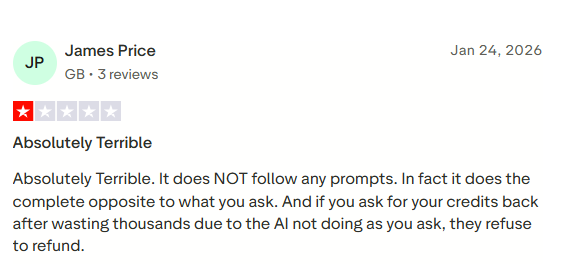
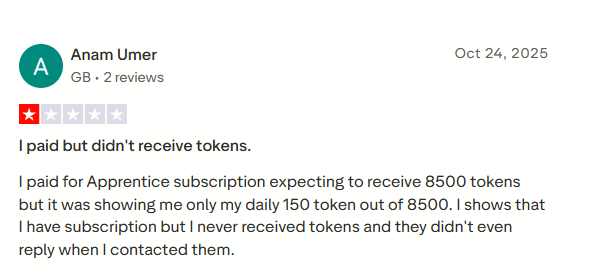
Higher plans go up to unlimited relaxed mode on their own models. In recent times, people are often found unhappy with the tool as it occasionally doesn’t follow the prompts. While many are facing issues with the token distribution, there has been a spike in searches for Leonardo alternatives.
12 Best Leonardo Alternatives for AI Video Creation
| Tool Name | Best For | Key Features | Price (Per Month) |
|---|---|---|---|
| Midjourney | AI image generation | High-quality art, creative visuals, prompt-based images | $30 |
| DomoAI | AI video & image generation | Anime generation, video effects, AI visuals | $28 |
| Tagshop AI | AI video ads & product creatives | AI video ads, product visuals, automation workflow | $23 |
| ClipDrop | AI image editing | Background removal, cleanup, upscaling | $25 |
| DALL·E | AI image generation | Text-to-image, creative visuals, editing tools | $29 |
| Ideogram | AI design & typography | Text-based image generation, creative designs | $60 |
| Playground | AI image creation | Flexible image generation, editing tools | Custom |
| Magic Studio | AI photo editing | Background remover, object editing, enhancements | $25 |
| Skybox | 360° AI environments | Panoramic scenes, immersive backgrounds | $24 |
| Luma AI | 3D content creation | 3D capture, rendering, AI models | $30 |
| Runway | AI video & image editing | Generative video, effects, background tools | $25 |
| AutoDraw | Simple AI drawing tool | Quick sketches, AI suggestions, easy drawing | Free forever |
Leonardo AI does solid image work, but when folks start chasing AI video creation from those stills or prompts, it can feel limited or slow. That’s why people look for stronger video-focused Leonardo AI alternatives that handle motion, talking heads, ads, or quick clips way better. These picks lean into actual video production, especially digital content for marketing, social, or e-commerce.
1. Midjourney
Midjourney started as the king of artistic still images, but by 2026, it rolled out a solid video model that lets you animate those stunning pics into short clips. You generate or upload an image first, then hit animate with auto motion or manual prompts describing how things should move, like panning, zooming, or evolving scenes.
It delivers 5-second videos in SD or HD (HD on higher plans), with options for batches to control costs. Great for dreamy, cinematic transitions or artistic motion that matches Midjourney’s signature style.
Key Features
- Image-to-video animation from your generated or uploaded stills.
- Auto motion prompts for quick “just make it move” results.
- Manual motion descriptions for precise control over action and scene changes.
- 5-second video clips in SD or HD resolution.
- Batch generation options to save on GPU time.
- Relax mode on higher plans for unlimited slower gens.
Pros
- Turns Midjourney’s incredible artistic images into moving art seamlessly.
- High-quality, stylized motion that feels cinematic and unique.
- Huge community for prompt ideas and inspiration.
Cons
- The video is still short (5 seconds) and more experimental than pro editing tools.
- Costs extra GPU time, so it adds up fast on lower plans.
- Interface stays Discord-heavy for most users.
Pricing Starting from $30/month (Basic plan, with annual discounts available).
2. DomoAI
DomoAI works as a full creative studio for turning text, images, or short clips into animated videos, stylizations, or fun effects like anime conversions and lip-sync talking heads. It’s popular for quick social content, YouTube shorts, or stylized animations without needing heavy software.
You get fast lanes for priority gens, relax mode for unlimited slower work on paid plans, and tools like background removal or upscaling baked in. Solid pick if you want one spot for both image tweaks and video output.
Key Features
- Text-to-video and image-to-video generation with various styles.
- Talking avatars and lip-sync for character videos.
- Animation styles include anime, 3D, and illustrations.
- Smart editing, like background removal and upscale to 4K.
- Parallel fast lanes for quicker processing.
- Relax mode for unlimited generations on higher tiers.
Pros
- All-in-one for animation, stylization, and basic video edits.
- Generous credits and a relaxed mode keep costs manageable for frequent use.
- Easy for creators making social or YouTube content fast.
Cons
- The credit system means heavy video work eats up limits quickly on basic plans.
- More stylized/animated than ultra-realistic talking head focus.
- It’s a newer tool, so the community and advanced features are still growing.
Pricing Starting from $28/month (Basic yearly plan, with free tier for starters).
3. Tagshop AI
Tagshop AI stands out big time if you’re after fast Leonardo alternatives with realistic AI video ads without shooting anything yourself. It’s built for brands, agencies, and marketers who want to turn product pages, images, or simple ideas into scroll-stopping clips that feel like real people talking about the stuff perfect for TikTok, Instagram, or Facebook ads.
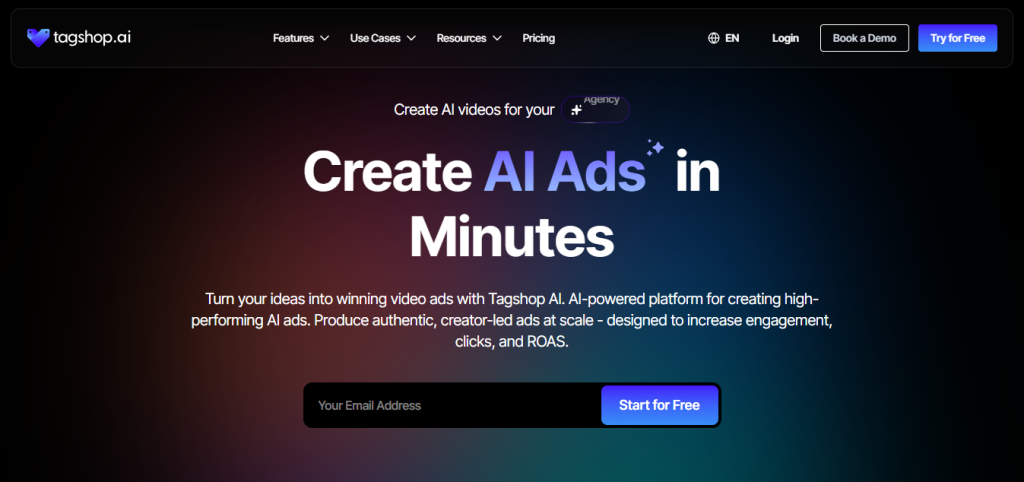
You paste a URL, pick an avatar, tweak a script if needed, and it spits out high-converting videos in minutes, cutting out the hassle of hiring creators or setting up cameras. Super handy for DTC shops testing lots of creatives quickly, and it keeps that authentic, user-generated vibe while staying cheap and scalable.
Key Features
- Custom Avatars: Pick from a big library of lifelike models or build your own that matches your brand’s look and voice perfectly.
- Image to Video: Upload a static product shot and watch it come alive with smooth motion, zooms, or talking elements for dynamic ads.
- AI Video Ads: Generate ready-to-run commercials tailored for platforms, complete with CTAs, music, and that genuine UGC feel.
- AI Twin Generation: Create digital doubles or personalized variants so your avatar stays consistent across tons of videos.
- AI Script Generation: Let it write natural-sounding scripts that fit your product and hook viewers right away.
- AI Video Editor: Trim clips, add text overlays, effects, royalty-free tracks, or tweak timing,g all in one spot.
- Link to Video: Just drop a product link, it auto-pulls details like images, titles, descriptions, then builds a full promo video with voiceover and transitions.
- AI TikTok Ad Generation: Special mode optimized for vertical, viral short-form ads that ride current trends and boost engagement fast.
Pros
- Turns product URLs or images into polished ads, crazy quick.
- Lifelike avatars and voices make videos feel real without influencers.
- Great for scaling marketing content on a budget.
Cons
- Mostly geared toward ad/UGC style, not super creative artistic videos.
- Video lengths and credits depend on your plan, so heavy users upgrade fast.
Pricing Starting from $23/month for basic plans (check tagshop.ai/pricing for latest credits and tiers often include free trials or starter credits).


The video you created for us truly exceeded our expectations - it's fantastic!
"Every frame was not only engaging but also beautifully crafted, clearly showing the high level of creativity and effort that went into its production. We achieved CTR of over 2%, and with a cost per click of just $0.20, the effectiveness of your work is undeniable."
Esma E.
Influencer Marketing

Seamless AI UGC video and image generation tool
"I work in the API security space, but I have always been curious about exploring different AI tools whether for generating images, videos, or creative content. UGC is something every brand needs nowadays, and I have tried many AI video tools. What I like about Tagshop AI is its simplicity. It’s easy to use, not complicated, and even someone without an AI background can get started quickly. That makes it a very user-friendly AI UGC video tool."
Sivan Michaeli-Roimi
VP Marketing @Pynt | Founder of Heyou.io

Best image to Product holding video generator for me
"I used Tagshop AI 2 days ago. Create an ai ugc product holding video with the tool. I have literally found the tool easy to use, with no complex functionality inside it. They have their own image generation model, where you can first generate a product image or upload one, and then you can also create a video for the same product. I like this idea, pretty cool, but let’s see how I can move to their plan."
Alon Michaeli
Head of Revenue AI at DealHub

Avatar looks realistic. Helpful to generate high-quality ai ugc videos.
"I've been using Tagshop AI as an AI ugc video generation tool for 1 month, and it's working well for me. I love the variety of avatars in their avatar library. The best part I have got in this tool is their editor, simple and clean look, and easy to use. Now, I don't need to switch tabs to edit the video."
Yuliia Kolomiiets
VP of Marketing
Multi-lingual features in the tool are pretty amazing.
"As my targeted audience is from the USA, Germany and Italy, their multilingual feature is helpful in this situation. I can create multiple avatar videos in different languages. So this is the benefit when you are targeting a wide audience."
Anirudh
Head of Digital Marketing

Time Saving and Affordable Tool
"The tool is super quick while creating the ai ugc videos. I like the editor within the tool, you don't have to switch to another tab."
Stephen Mathew
Marketing Manager

AI influencer becomes easy to create with Tagshop AI
"With the Tagshop AI, I have created a set of AI avatar videos that are now working for my clients. I am happy that I have found the fastest way to create AI avatars. The tool is quick and easy to use. I mean beginner-friendly, even a non-ai person can also operate this."
Kazi Mainuddin
Content Marketer

4. ClipDrop
ClipDrop, asa Leonardo alternative, packs a range of practical AI tools for editing and generating visuals, with some image-to-video and motion capabilities included. It’s more about quick fixes like background swaps, uncrop, relight, or cleanup, but you can extend that to simple animated sequences or enhanced stills that feel dynamic.
The clean interface works great on web, desktop, or mobile, and it’s handy for real-estate shots, portraits, or e-commerce product tweaks that need a bit of life added.
Key Features
- Text-to-image plus image editing suite (uncrop, relight, cleanup).
- Background removal and replacement for scene changes.
- Image upscaler and object extraction tools.
- Basic motion or animation extensions on select outputs.
- Skip-queue priority on pro for faster results.
- API access for integrating into apps.
Pros
- Super user-friendly for everyday photo and video tweaks.
- Free tier lets you test most tools without paying.
- Great combo of gen and edit in one spot.
Cons
- Video/motion features are lighter compared to dedicated generators.
- Some daily limits on free use, and a pro is needed for heavy work.
- Less focused on full creative video storytelling.
Pricing starts from free, with Pro at $25/month.
5. DALL·E
DALL·E (now integrated tightly with ChatGPT and OpenAI’s ecosystem) lets you describe scenes in natural chat, then generate or edit images that can feed into basic motion or video extensions via prompts.
It’s conversational, so you tweak outputs by saying “make it zoom in” or “add movement,” and newer versions handle photoreal concepts well. Great for quick ideas that turn into visuals, though pure video gen stays limited compared to specialists.
Key Features
- Natural language text-to-image in the ChatGPT interface.
- Easy iterative editing via chat (add/remove elements, change styles).
- Photorealism and creative concept handling.
- Integration for workflow with other OpenAI tools.
- Moderated, safe outputs for broader use.
Pros
- No learning curve, just talk to it like a friend.
- Fast for brainstorming visuals that could animate later.
- Tied into ChatGPT for seamless idea-to-image flow.
Cons
- Video capabilities remain indirect or basic (no native long clips).
- Pay-per-use or subscription credits add up for lots of gens.
- Less style control than dedicated art tools.
Pricing Starting from included in ChatGPT Plus at $29/month (API pay-per-image for heavier use).
6. Ideogram
Ideogram shines brightest as one of the best Leonardo alternatives when text needs to look sharp inside visuals, like logos, posters, or memes with readable words. While it’s mainly an image tool, folks pair it with other generators (like Veo or similar) to animate those crisp outputs into short videos. It delivers clean, consistent results, great for graphic-heavy scenes that then move in cinematic ways.

Key Features
- Top-notch text rendering for logos, slogans, or overlaid words in images.
- Remix, extend, and upscale tools for refining visuals before animation.
- Batch generation on paid plans for pumping out multiple variations fast.
- Character consistency to keep styles uniform across a series.
- Multiple style modes like realistic, design, 3D, or anime.
- Canvas editor for inpainting, outpainting, and layer tweaks.
Pros
- Crushes legible text in images better than most tools.
- Clean modern outputs perfect for graphic or branded video frames.
- Decent free tier lets you test without spending right away.
Cons
- No native video generation, so you need extra steps or tools to animate.
- Can struggle with super complex multi-element scenes at times.
- More design-focused than full storytelling motion.
Pricing Starting from free, with paid plans from $60/month.
7. Playground
Playground keeps things simple as a browser spot to mix models like Stable Diffusion or Flux for images, with some basic image-to-video or animation extensions. It’s chill for quick tests, filters, and community shares, though video stays lighter compared to dedicated clip makers.

Key Features
- Switch between multiple models for different image styles.
- Canvas editing and filters to tweak outputs.
- Free daily credits for experimenting without paying.
- Community sharing for prompt ideas and inspiration.
- Basic motion extensions on select generations.
- Easy interface for fast iterative work.
Pros
- Super straightforward to jump between models and try stuff.
- Good free access keeps costs low for casual use.
- Fun spot to brainstorm visuals that could turn into short clips.
Cons
- Video capabilities remain basic and not as advanced.
- Output quality varies depending on the model picked.
- Less fine control for pro-level video storytelling.
Pricing: Starting from free, with paid boosts for more credits.
8. Magic Studio
Magic Studio sits inside Canva, bringing AI gen straight into everyday design flows. It handles text-to-video for quick shorts, plus magic edits like auto B-roll, captions, and templates that make polished clips easy, even if you’re not a video pro.
Key Features
- Text-to-video generation from simple prompts inside Canva.
- Magic Design for instant video templates and layouts.
- Auto-add transitions, music, and effects to clips.
- AI voiceover and caption tools for accessibility.
- Integrated editing with highlights and music picks.
- Huge template library for social or marketing videos.
Pros
- Blends seamlessly if you already use Canva for graphics.
- Beginner-friendly with no steep learning curve needed.
- An affordable way to create and edit videos in one place.
Cons
- More template-based than raw creative control.
- Video gen leans simple over ultra-cinematic results.
- Pro features require the paid Canva plan.
Pricing starting from free Canva, with pro upgrades from $25/month.
9. Skybox
Skybox from Blockade Labs focuses on 360° panoramic environments and skyboxes using AI, perfect for immersive scenes in games, VR, or backgrounds. It generates detailed equirectangular images fast, with HDRI exports, but sticks to static 360° rather than full motion video.
Key Features
- One-click text-to-360° panorama generation.
- Advanced models for photoreal or artistic styles.
- Remix and upload your own 360° bases for tweaks.
- HDRI lighting exports for 3D use.
- Depth and coherence improvements in newer versions.
- Priority queue on higher plans for speed.
Pros
- Unique for creating immersive spatial backgrounds quickly.
- High-quality skies and environments stand out.
- Handy for game devs or VR needing ready assets.
Cons
- Limited to 360° stills, no native video or animation.
- Niche focus means less general use for regular clips.
- Exports and advanced access often need paid tiers.
Pricing $24
10. Luma AI
Luma AI powers cinematic video through Dream Machine, letting you go from text, images, or clips to smooth, high-fidelity motion. It brings reasoning for better consistency, keyframes, and HDR output, making it strong for storytelling or creative projects.
Key Features
- Text-to-video and image-to-video for seamless animation.
- Keyframe controls and character references for precision.
- Draft mode for fast low-res previews.
- HDR pipeline for production-grade color and lighting.
- Modify video tools to edit and reimagine clips.
- Multimodal workflow combining images and motion.
Pros
- Excellent motion consistency and realistic results.
- Great creative control with keyframes and reasoning.
- Works well for ideation, turning into finished scenes.
Cons
- Can take time for high-quality gens on busy days.
- Credits or plansare needed for heavier use.
- More focused on cinematic than quick ad clips.
Pricing $30
11. Runway
Runway leads in pro AI video with Gen-3 Alpha and newer models for text-to-video, image-to-video, and advanced editing. It offers motion brush, camera controls, and high realism, built for filmmakers and creators wanting controllable, quality clips.
Key Features
- Gen-3 Alpha and Gen-4 for high-fidelity video gen.
- Text-to-video, image-to-video, and video-to-video modes.
- Motion brush and advanced camera controls.
- Director mode for structured storytelling.
- Editing suite with fine-grained tweaks.
- Unlimited relaxed mode on top plans.
Pros
- Top-tier realism, consistency, and creative tools.
- Pro features suit serious filmmaking or ads.
- Flexible credits for different workflows.
Cons
- Credits add up fast for lots of generations.
- Higher tiers are needed for unlimited or priority.
- Learning curve for advanced controls.
Pricing Starting from $25/month (Standard plan with credits).
12. AutoDraw
AutoDraw from Google turns rough doodles into clean icons or clip art using AI suggestions from a big library of drawings. It’s lightweight and instant, great for quick sketches, but it stays basic with no real video or animation support.
Key Features
- Sketch rough shapes and get AI-matched clean drawings.
- Fast suggestions from professional artist styles.
- Simple web tool with no signup needed.
- Download icons for use anywhere.
- Unlimited free generations.
- Quick for brainstorming simple visuals.
Pros
- Instant fun and super easy for anyone.
- Completely free with no limits or watermarks.
- Handy for basic graphics or idea starters.
Cons
- Very basic, no advanced gen or video at all.
- Limited to icons and simple art styles.
- Not suited for complex or moving content.
Pricing: Free forever.
Conclusion
Hunting for Leonardo AI alternatives opens up tons of fresh options, depending on what you actually need: artistic flair with Midjourney, killer text in images from Ideogram, quick edits in ClipDrop, or full-blown video magic through Tagshop AI, Runway, and Luma.
Each Leonardo AI competitor brings something different: better pricing, easier flows, specialized strengths like UGC ads or cinematic motion, or just generous free tiers to play without limits. Test a couple that match your style, mix them into your workflow, and see what clicks.
The AI creative space keeps evolving fast, so the best pick today might shift tomorrow, but right now, these 12 give you plenty of solid paths away from Leonardo’s token walls.
Written by:

Rohan Singh is an AI-forward content specialist with 5+ years of experience creating creative, trend-led content for digital-first brands. He blends industry insights, AI-powered research, and content intelligence to produce engaging, relevant narratives aligned with evolving marketing trends. Constantly exploring new AI tools, he ensures his work stays innovative, impactful, and built for how audiences consume content today.