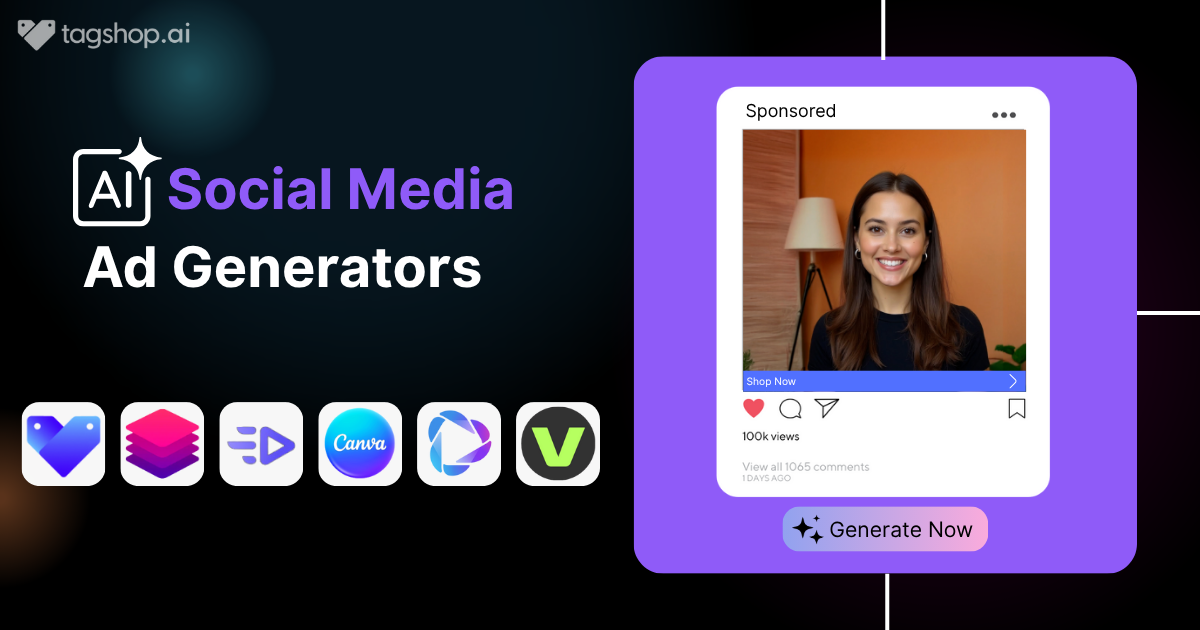
11 Best Facebook Video Makers in 2026

Videos are dominating Facebook more than ever: Facebook Reels receive higher visibility than images, video ads drive up to 3× higher engagement, and short UGC-style clips are outperforming static creatives across every industry.
For brands, creators, and marketers, this shift isn’t optional anymore. If you want attention, you need a video.
And you need it fast.
But here’s the real challenge: not everyone has an editing team, a studio, influencers, or hours to spare on production.
That’s exactly why Facebook video makers and AI-powered video tools have exploded in popularity.
Still, with hundreds of tools available, picking the right one can be confusing.
Why Facebook Video Creation Is Exploding in 2026?
Facebook’s latest performance insights show:
- Video ads get 3x higher engagement
- Reels CTR is up by 40% YoY.
- Product demo videos convert better than image ads by 2.5x
- AI-captioned videos perform the best in silent autoplay feeds.
This shift explains why businesses, small and large, are investing in faster, more automated video creation tools.
Top Ten Facebook Video Makers In 2026 You Can Swear By
Here are some of the best Facebook video makers you must know and use in 2026.
1. Tagshop AI
| Tool Name | Best For | Key Features | Price (Per Month) |
|---|---|---|---|
| Tagshop AI | AI UGC video ads & marketing videos | URL → script → avatar → video, AI UGC creators, multi-platform ad formats | $23 |
| Veed.io | Online video editing | AI subtitles, screen recording, templates, social media export | $29 |
| Animoto | Marketing & promo videos | Drag-and-drop editor, brand templates, stock media library | $29 |
| Clideo | Simple video editing tools | Video merger, compressor, subtitle generator, browser-based editing | $10 |
| Steve.ai | AI animated videos | Text-to-video, animation builder, voiceover automation | $39 |
| Biteable | Animated marketing videos | Pre-built templates, animation scenes, brand customization | $49 |
| Lumen5 | Blog-to-video creation | AI script extraction, social media videos, automated scenes | $29 |
| Clipchamp | Beginner-friendly video editor | Timeline editor, screen recorder, stock library | Custom Pricing |
| Descript | AI video & podcast editing | Text-based editing, screen recording, AI voice cloning | $35 |
| Invideo.io | AI marketing videos | Text-to-video, templates, automated voiceover | $25 |
| Pictory.ai | AI video creation from text | Script-to-video, auto captions, blog-to-video conversion | $25 |
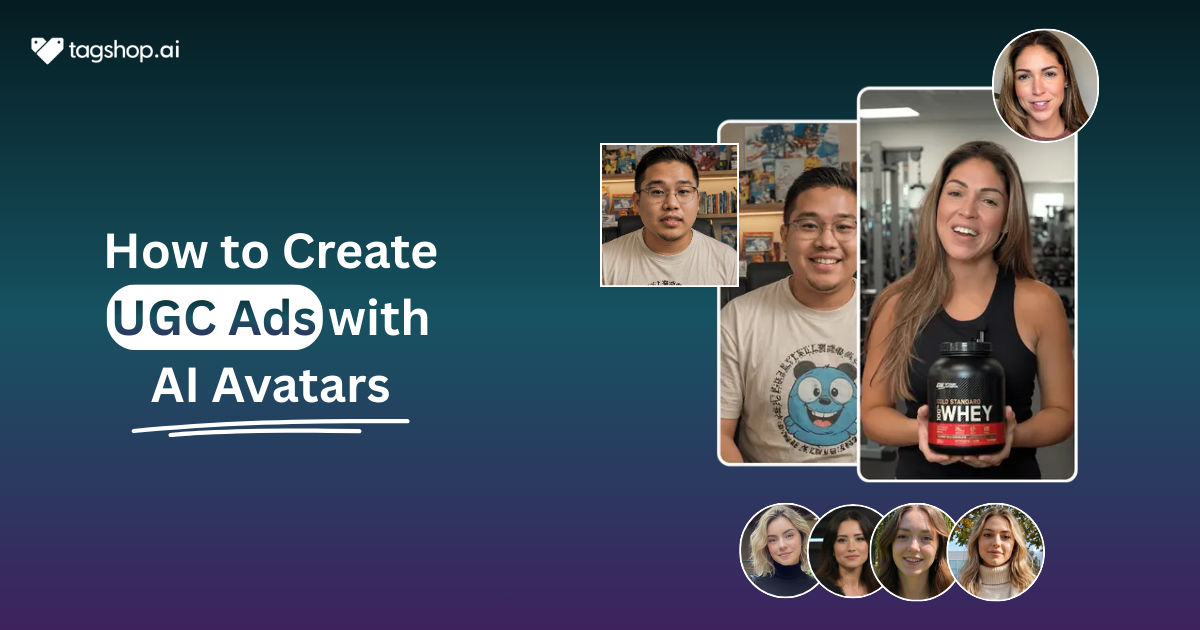
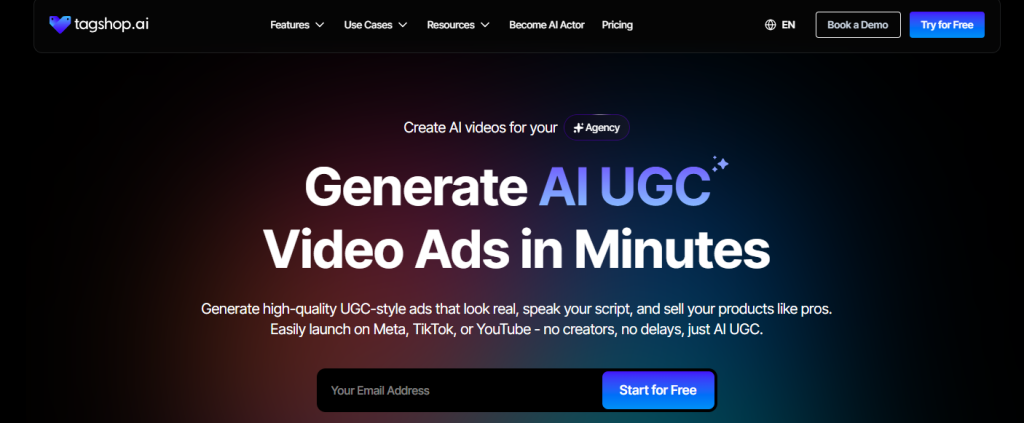
Tagshop AI is one of the most advanced and best Facebook video makers in 2026, explicitly built for ecommerce brands, performance marketers, and creators who want fast, native-style videos. What sets it apart is its ability to turn any link, image, product URL, or script into a conversion-ready Facebook video, without manual editing or creative burnout. The tool focuses heavily on UGC-style content, which aligns perfectly with Facebook’s current algorithm preferences.
- AI UGC Video Creation
Tagshop AI automatically turns your brief, product details, or uploaded media into native-style UGC videos that look like real creators shot them. It handles scripting, hooks, voiceover, pacing, and scene sequencing independently. This feature is handy for Facebook ads, where natural, human-style content performs much better than polished studio edits.
- URL to video
With Tagshop.ai, you can create Facebook videos via product URLs. Provide your product URL, choose the relevant digital avatar, and create your video.
- AI Twin Generation
This feature lets you create a digital avatar of yourself, your face, expressions, and voice style, so you can scale content without recording every video manually. For creators and founders who want a consistent on-screen presence. The Facebook Reels, announcements, product demos, and ad creatives without needing to film daily.
- AI Avatars
Tagshop AI avatars look more realistic than those from older avatar tools. You can choose from a range of looks, tones, and personalities to narrate product videos, tutorials, and explainer content. They are handy for brands that dont want to appear on camera but still need human-led Facebook videos.
- AI Voice Cloning
Voice cloning lets you create a perfect digital copy of your voice, which you can use for voiceovers across all your Facebook videos. It keeps your content consistent and removes the need to record voice notes each time. The cloned voice also works well for UGC videos, ads, and educational content.
Pros Of Tagshop.ai
Users have said that: Using Tagshop.ai’s digital Twin feature for the past 3 months has cut our creative production time by 60% and boosted CTR by 14%. The AI Twin looks and performs just like me, letting us produce high-quality product demos and social videos in minutes with consistent, platform-ready output.
Cons Of Tagshop.ai
Reviewers have said that the rendering is slower.
Pricing Of Tagshop.ai
Tagshop.ai offers four flexible plans, Free, Starter, Growth, and Scale, designed for creators and brands at every stage. The Free plan is excellent for basic trials with limited credits and 720p exports, while the Starter plan unlocks more avatars, better lip-sync, and watermark-free 1080p videos for $23/month.
Growth significantly boosts credits, avatar options, and retention for $79/month.
For high-volume teams, Scale delivers maximum credits, Hollywood-style lip sync, 4K exports, faster renders, and a dedicated account manager for $99/month.


The video you created for us truly exceeded our expectations - it's fantastic!
"Every frame was not only engaging but also beautifully crafted, clearly showing the high level of creativity and effort that went into its production. We achieved CTR of over 2%, and with a cost per click of just $0.20, the effectiveness of your work is undeniable."
Esma E.
Influencer Marketing

Seamless AI UGC video and image generation tool
"I work in the API security space, but I have always been curious about exploring different AI tools whether for generating images, videos, or creative content. UGC is something every brand needs nowadays, and I have tried many AI video tools. What I like about Tagshop AI is its simplicity. It’s easy to use, not complicated, and even someone without an AI background can get started quickly. That makes it a very user-friendly AI UGC video tool."
Sivan Michaeli-Roimi
VP Marketing @Pynt | Founder of Heyou.io

Best image to Product holding video generator for me
"I used Tagshop AI 2 days ago. Create an ai ugc product holding video with the tool. I have literally found the tool easy to use, with no complex functionality inside it. They have their own image generation model, where you can first generate a product image or upload one, and then you can also create a video for the same product. I like this idea, pretty cool, but let’s see how I can move to their plan."
Alon Michaeli
Head of Revenue AI at DealHub

Avatar looks realistic. Helpful to generate high-quality ai ugc videos.
"I've been using Tagshop AI as an AI ugc video generation tool for 1 month, and it's working well for me. I love the variety of avatars in their avatar library. The best part I have got in this tool is their editor, simple and clean look, and easy to use. Now, I don't need to switch tabs to edit the video."
Yuliia Kolomiiets
VP of Marketing
Multi-lingual features in the tool are pretty amazing.
"As my targeted audience is from the USA, Germany and Italy, their multilingual feature is helpful in this situation. I can create multiple avatar videos in different languages. So this is the benefit when you are targeting a wide audience."
Anirudh
Head of Digital Marketing

Time Saving and Affordable Tool
"The tool is super quick while creating the ai ugc videos. I like the editor within the tool, you don't have to switch to another tab."
Stephen Mathew
Marketing Manager

AI influencer becomes easy to create with Tagshop AI
"With the Tagshop AI, I have created a set of AI avatar videos that are now working for my clients. I am happy that I have found the fastest way to create AI avatars. The tool is quick and easy to use. I mean beginner-friendly, even a non-ai person can also operate this."
Kazi Mainuddin
Content Marketer

2. Veed.io
Veed.io is a quick Facebook video maker perfect for creators, marketers, and social media teams who need fast edits without having to deal with complex workflows. Some of the features it offers include automated subtitles, exquisite templates, text animations, a background remover, and a neat drag-and-drop interface. What dominates is its speed; users can create Facebook Reels, ads, and short-form content in a couple of minutes.
Moreover, Veed offers lovely brand kits and team collaboration features; thus, it can be considered a suitable agency tool for maintaining a consistent visual identity across different videos. Although it is not as AI-intensive as the new tools, it is still one of the most dependable editors for everyday Facebook content.

- Auto subtitles: Automatically generates and syncs from audio, with support for multiple languages
- AI avatars: It helps to create a talking head presenter from your text scripts
- Text-to-speech: Converts the text into a voiceover using various accents
- Magic Cuts: Removes pauses and filter words to shorten videos automatically
- AI Translation: It helps to translate the subtitles into 40+ languages
Pros Of VEED.io
- Reviewers on VEED.io have suggested that the tool is easy to use and has so many options for voiceovers.
Cons Of Veed.io
- Some users have said that Veed.io feels buggy and unreliable, often undoing actions and requiring constant refreshing. Plus, essential editing controls are hard to access, and most valuable features are locked behind an expensive upgrade.
Pricing :
Veed.io offers the Lite plan at $29 per month and also offers a custom plan.
Discover the top Veed.io alternatives and competitors.
3. Animoto
Animoto is a very simple Facebook video maker for beginners, and the whole process is based on templates and easy editing tools. This tool is excellent for brands that want to produce slideshow-style videos, create short promo clips, record testimonials, and make quick announcement videos. Just drag photos, text, product images, or video clips into the app, and the tool will automatically create a professionally polished video suitable for Facebook.
Besides that, it also offers music libraries, font customization, and aspect-ratio presets for Reels and feed posts. Animoto is not the right tool if you want to use advanced AI workflows or create high-conversion UGC.
Still, it is spot-on for small businesses that want nice, professional videos without going through a steep learning curve or having technical editing skills.

- Customizable themes: Modify your video’s themes to improve its overall appearance.
- Recording: Record the tour screen or webcam within the platform
- Template Library: Choose from hundreds of customizable video templates for different needs.
Pros Of Animoto
The reviewers on G2 have said that they find Animoto easy to use with an attractive dashboard and powerful drag-and-drop tools, plus access to Getty images, templates, effects, and animations. This makes it great for educators, nonprofits, and business owners to create engaging videos.
Cons Of Animoto
The reviewer says Animoto is extremely basic with poor editing capabilities and outdated tech, making it unsuitable even for personal use. They also report terrible customer service and a no-refund policy, and strongly advise against using the tool.
Pricing
- Personal Free per month (billed annually)
- Professional starts from $29 per month
4. Clideo
Clideo is one of the most popular Facebook video makers, offering basic functionality. This includes things like trimming, merging, compressing, resizing, or adding subtitles, or simply making a new video from an old one.
Clideo performed tasks fast and simply, though it was not a whole AI generator. In fact, minor edits can be completed with it in seconds.
That’s why the tool is excellent for creators who want to make last-minute adjustments and then upload their content to Facebook right away. As it is an entirely browser-based tool, you do not have to install heavy software or need a powerful device. Clideo is the right solution for marketers who want to make quick utility edits rather than go through a complete video-building workflow or template-based storytelling.

Here are some of the features of Clideo :
- Compress Video: Reduces file size while maintaining a quality suitable for Facebook.
- Add Subtitles: Easily upload captions for silence, autoplay, and accessibility compliance.
- Video Translator: Translate the caption in multiple languages.
- Text-to-speech: Convert written text into voiceovers in seconds.
Pros and Cons Of Clideo
Clideo has only a handful of reviews on G2, and all of them are mixed. Users have said that Clideo is a great open-source tool for editing.
Pricing
Clideo offers paid plans that start at $10 per month.
5. Steve.ai
Steve.ai is one of the best Facebook video makers on the list, converting scripts, blog posts, or text directions into animated or live-action videos. The AI-generated scene creation, automated voices, and character-based visuals are the features for which it is best known.
People can create explainer videos, educational content, product descriptions, and corporate messages in no time with Steve.ai. Additionally, steve.ai offers a complete set of characters, props, and actions, making it ideal for brands looking to use animated storytelling.
Although it is not as real as the UGC-focused tools, it occupies a distinct position – mainly SaaS companies, educators, and startups who are looking for neat, narrative-driven Facebook videos without the need to hire animators or editors are the ones that benefit most from it.

- Analyzes texts to generate a video automatically with music and narration, simplifying production by breaking content into scenes.
- Converts text into animated or live-action videos.
- Generates natural-sounding voiceovers in multiple languages and accents, which removes the need for human voice artists.
Pros Of Steve.ai
The reviewers on G2 have said that Steve.ai has great customer support and finds the tool reliable, especially compared to other browsers’ issues.
Cons of Steve.ai
Many of the reviews have said that they dislike Chrome and Safari limitations, but note that Steve.ai works well overall and offers helpful, patient support.
Pricing Of Steve.ai
Steve.ai offers plans starting at $39 per month.
Check out the best alternatives to Steve AI.
6. Biteable
Biteable is a beginner-friendly Facebook video maker tool known for its studio-quality templates, animated scenes, and corporate-style visuals. It is widely used by brands, HR teams, SaaS companies, agencies, and educators who need clean, polished explainer videos, announcements, and promo edits without editing experience.

Key Features of Biteable
- Upload your logo, fonts, and visual style to maintain consistent branding across every video.
- Hundreds of pre-built video templates tailored for announcements, promo clips, SaaS explainers, HR onboarding, education, internal comms, etc.
- Includes premium animations, stock footage, graphics, characters, icons, and music
- Multiple teammates can work on the same project, add comments, review timelines, and approve a version.
- Build videos block-by-block like slides; ideal for non-editors and business teams.
- Instantly reformat videos for Facebook feed, Facebook Reels, Facebook Ads, LinkedIn, YouTube, and more.
Pros Of Biteable
G2 reviews suggest that Biteable offers ready-to-use animations that are easy to use and deliver smooth performance, helping beginners create professional-looking videos quickly
Cons of Biteable
Some negative reviews on G2 say the only drawbacks are that many features aren’t available to trial users and that video downloads are restricted after the first week. Many of them also face major issues with video rendering, scene timing glitches, and slow customer service. This eventually led them to be unable to publish their project even after three weeks.
Pricing
Biteable pricing starts at $49 per month and includes a custom plan.
7. Lumen5
Another remarkable Facebook video maker that converts any long-form content, such as blogs, articles, or newsletters, into short videos that are ready to be uploaded to Facebook.
The content teams and SaaS brands are the major users of this tool, who want to repurpose their written content into short, engaging clips. In a nutshell, Lumen5’s AI selects visuals, designs scenes, adds captions, and generates the entire video with minimal input.

- Lumen5 is an absolutely bright idea for thought leadership, educational posts, listicles, and narrative-based videos on Facebook.
- This is an excellent brand for those who are focused on consistent, informative, top-of-funnel content without spending most of their time editing.
Pros Of Lumen5
The reviewers on G2 love Lumen5’s text-to-video feature, scene composition, and script editing, finding it more efficient than hiring a marketing firm.
Cons Of Lumen5
G2 reviewers have said that they find the free version very limited, mainly due to the lack of voiceover, image, and sound editing features.
Pricing Of Lumen5
The basic plan of Lumen5 starts at $29 per month.
Check out the top Lumen5 alternatives.
8. Clipchamp
Clipchamp, a Microsoft-owned company, is a tool for creating quick, practical Facebook videos, with features like templates, auto-captioning, brand kits, and simple timeline editing. In particular, it is a good tool for Windows users as it runs well even on the most basic laptops.

- Alongside Clipchamp, a user can also record the screen, capture via webcam, and apply green screen effects.
- Relaxing creators to choose between complex Adobe Premiere and this overly simplistic template-only tool is a more intelligent decision for them.
Pros Of Clipchamp
The reviewer finds Clipchamp very easy to use and especially loves the Text to script feature for quick edits.
Cons Of Clipchamp
Some users have said their main issue is that script changes aren’t editable in real time; any minor edit regenerates the entire script, forcing them to redo cuts.
Pricing Of Clipchamp
Clipchamp has a free plan, and for the paid plan, there is custom pricing.
9. Descript
Descript is a revolutionary text-based video editor that operates like a document—editing the transcript updates the video. In fact, it is the best choice for creators who make head-talking videos, tutorials, or educational videos for Facebook.
The operations, such as overdub (AI voice cloning), filler-word removal, and timeline editing make it highly efficient for refining long videos.
On another note, Descript also allows users to record screens, edit podcasts, and work with multi-track video. Although it is not meant for ad-style creatives or UGC, it is the best tool in town for polished expert videos, interviews, FAQs, and knowledge-based content that perform well on Facebook.

Key Features :
- AI co-editor makes video editing easy.
- The tool includes features for automatic transcription, filler word removal, eye contact correction, and more.
- Supports real-time collaboration, which allows the teams to work together.
Pros Of Descript
Users appreciate the intuitive editing which speeds up the video creation process.
Cons of Descript
- Some users have admitted that audio mixing features may require switching to a different tool.
Pricing of Descript
- Descript’s pricing starts from $35
10. Invideo.io
InVideo is a multi-purpose Facebook video creator that features templates, AI tools, voiceovers, and a drag-and-drop editor. It is perfect for marketers who want visually appealing ad creatives, listicle-style videos, testimonials, and promo clips. The tool comes with an extensive template library specifically designed for social media.

Here are some of the features of Invideo.io
- InVideo’s AI script generator and text-to-speech capabilities enable users to create videos quickly without needing a creative team outside their company.
- The tool is vibrant for bulk video production, news-style edits, or Facebook ads focused on conversion.
- It is one of the best all-rounders for large-scale social content production.
Pros Of Invideo.ai
The reviewer loves InVideo AI for its speed, flexibility, unlimited editing freedom, and massive time savings, having created 94 videos with it.
Cons Of Invideo.ai
The reviewer liked the idea behind Invideo but found the product confusing and ineffective. They faced poor output quality, lost credits, unhelpful support, unexpected charges, and ultimately felt the tool was a waste of money.
Pricing
The pricing of Invideo AI starts at $25 per month.
11. Pictory.ai
Pictory is an AI-driven software that automatically creates a Facebook video maker from the text of a script, blog, or video.
These types of productions are used for faceless content, since they handle narration, pacing, subtitles, and visual decisions without user input.
Such are the best works for Pictory, including listicles, how-to videos, voiceover-led Reels, and informational content. In a nutshell, the Pictory platform has significant automation capabilities.
One can complete a Facebook video with a brand-new script in no more than 5 minutes. Although the tool is not designed to produce highly realistic UGC, it is an excellent solution for creators who wish to generate continuous, scalable, voice-over-based content for Facebook without actually recording or editing themselves.

- Text-to-video helps transform scripts and blog posts into videos by extracting the key message.
- URL-to-video creates a video from a web page’s written content by summarizing the article and generating a storyboard.
- AI video editing helps users edit long videos.
Pros Of Pictory
G2 users have said that Pictory is incredibly fast at turning blogs into video clips. They also said that Pictory has a good video and audio library.
Cons Of Pictory
Some users have complained that the video rendering works well, but it requires extensive editing. User is frustrated with Pictory’s customer support, calling the reps defensive, poorly trained, and unfamiliar with U.S. culture or communication norms. They believe Pictory’s outsourced support team mishandled a Google Sign-in browser cache issue rather than resolving it.
Pricing Of Pictory.ai
Pictory.ai offers the starter plan at $25 per month.
The Final Note
The brands winning on Facebook are the ones creating consistent, high-quality content. And that is where the new generation of Facebook video makers comes into the picture. We have compiled the list of the best Facebook video makers in the industry.
Written by:

Wagisha Adishree is an AI-driven SEO content writer who transforms data, algorithms, and marketing insights into high-impact narratives. She combines human creativity with AI-powered strategies to create content that ranks, converts, and connects. Naturally curious and sharp-witted, she enjoys exploring AI newsletters, decoding Pinterest trend signals, and drawing inspiration from football culture.