
Seedream 5.0 Pro AI-afbeeldinggenerator
Genereer complete sets consistente, merkconforme afbeeldingen en bewerk ze met behulp van instructies in natuurlijke taal (alles in één model), met behulp van Seedream 5.0 Pro, ByteDance's vlaggenschipmodel voor beeldgeneratie en -bewerking, geïntegreerd in Tagshop AI.
Wat is Seedream 5.0 Pro?
Seedream 5.0 Pro is ByteDance's flagship AI image model, available on Tagshop AI. It generates and edits images from a single model: producing consistent sets of on-brand visuals (the same product, character, or style across multiple images) from one prompt, and editing existing images with natural-language instructions instead of a separate retouching tool. This makes it best suited to product catalogs, multi-scene ad campaigns, and any workflow that needs more than one consistent image at a time. Available on Tagshop AI with a monthly subscription from $19/month and full commercial licensing.
Seedream 5.0 Pro: Technische specificaties
Exacte parameters voor het genereren van Seedream 5.0 Pro op Tagshop AI
Modelontwikkelaar
ByteDance
Modeltype
Geïntegreerde beeldgeneratie + instructiegestuurde bewerking
Invoertypen
Tekstprompt · Afbeeldingsreferentie · Invoer met meerdere referenties
Generatietijd
Minder dan 60 seconden
Uitvoerresolutie
Tot 4K
Consistentie tussen meerdere afbeeldingen
Genereert meerdere consistente afbeeldingen vanuit één prompt.
Beeldverhoudingen
1:1 · 4:5 · 16:9 · 9:16
Uitvoerformaat
JPG · PNG · WebP
Tekstweergave
Uitstekende tweetalige weergave van Engels en Chinees
Commerciële licentie
Volledig commercieel gebruik op alle betaalde abonnementen.
Watermerk
Watermerkvrij op alle betaalde abonnementen.
Waarom marketing- en e-commerceteams kiezen voor Seedream 5.0 Pro
Drie mogelijkheden die Seedream 5.0 Pro tot dé specialist in consistentie en bewerking op Tagshop AI maken.
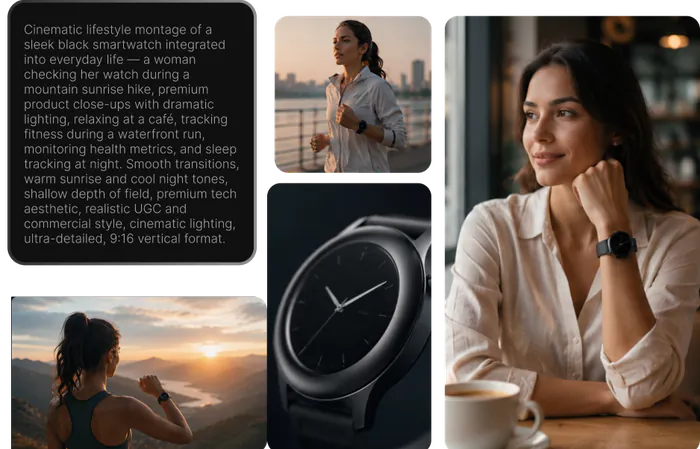
Eén opdracht. Een complete set consistente afbeeldingen.

Genereer het, bewerk het vervolgens: hetzelfde model, geen overdracht.
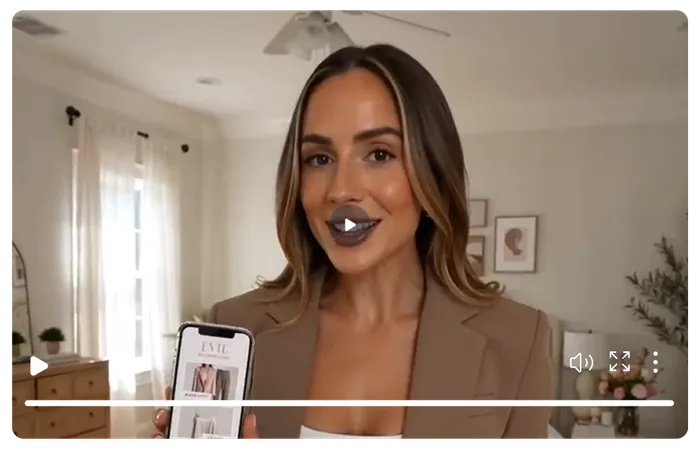
Tekst en fotorealisme die de grenzen van de markt overstijgen
Vier manieren om te genereren en te bewerken met Seedream 5.0 Pro
Genereer losse afbeeldingen, consistente sets of bewerk een bestaande foto: Seedream 5.0 Pro begint vanuit elk van deze opties.
Tekst naar afbeelding
Beschrijf uw scène, product of onderwerp gedetailleerd. Seedream 5.0 Pro genereert een fotorealistisch beeld dat aansluit op uw briefing. Ideaal voor productfoto's en campagneconcepten.
Tekst-naar-afbeelding-conversie (consistentie tussen meerdere afbeeldingen)
Beschrijf een product of personage één keer, en Seedream 5.0 Pro genereert meerdere consistente afbeeldingen (vanuit verschillende hoeken, in verschillende scènes of varianten) op basis van dezelfde prompt. Ideaal voor productcatalogi, campagnes met meerdere scènes en elke briefing waarbij meer dan één afbeelding nodig is die bij het merk past.
Afbeeldingsreferentie naar uitvoer
Upload een bestaande productfoto of referentieafbeelding. Seedream 5.0 Pro gebruikt deze als ankerpunt voor de generatie, waardoor het product of personage accuraat blijft in nieuwe scènes.
Instructiesgestuurd bewerken
Upload een bestaande afbeelding en beschrijf de gewenste wijziging (een nieuwe achtergrond, andere belichting, een object toevoegen of verwijderen). Seedream 5.0 Pro bewerkt de afbeelding direct in plaats van deze volledig opnieuw te genereren.
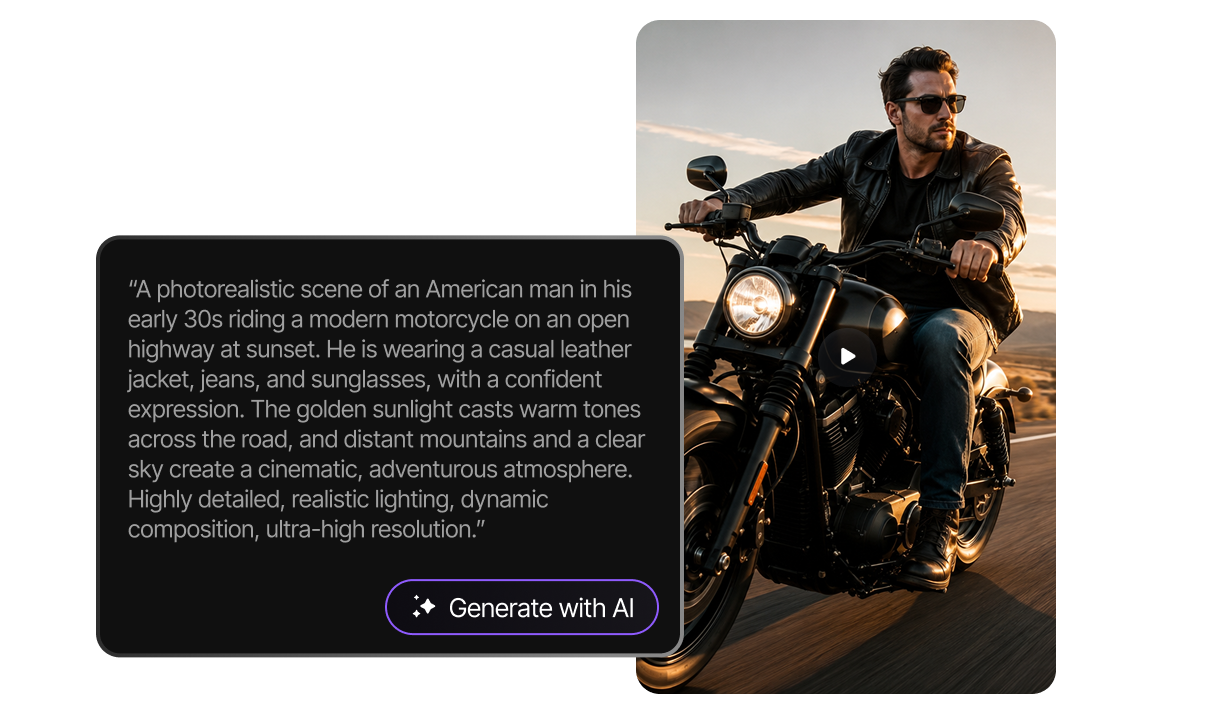
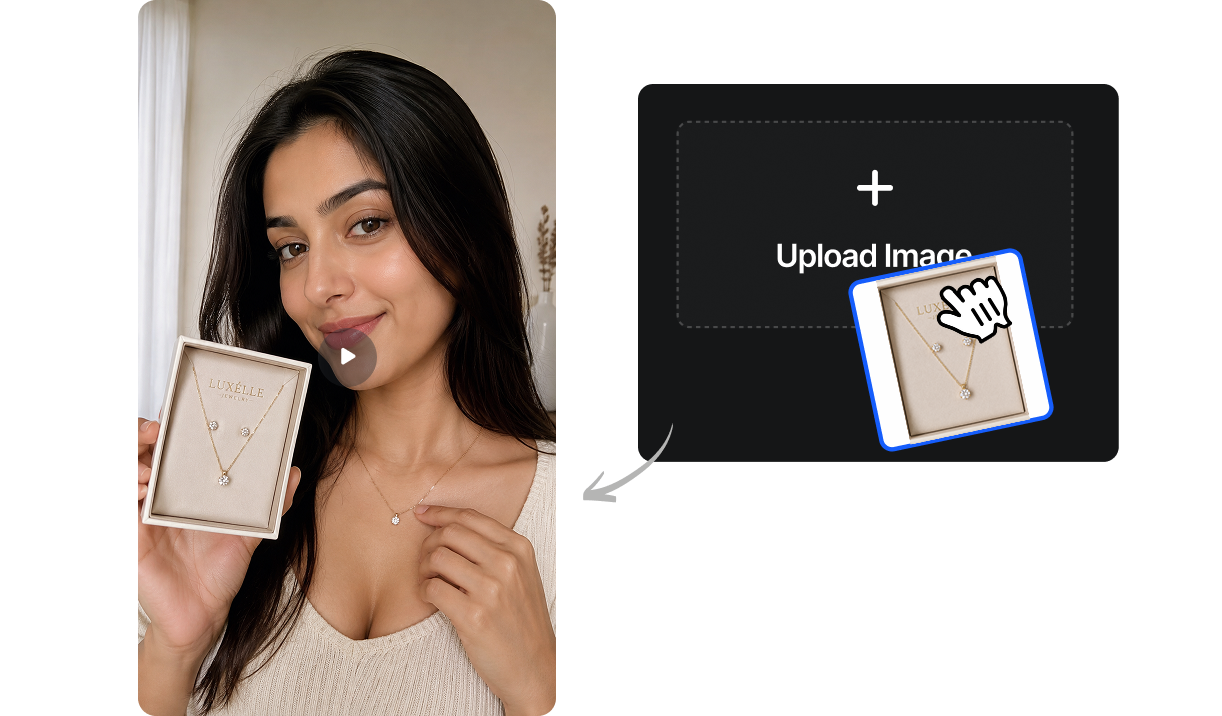
Kant-en-klare prompts voor Seedream 5.0 Pro
Kopieer elke prompt direct naar Tagshop AI, beschrijf een scène, een set of een bewerking, en Seedream 5.0 Pro doet de rest.
Prompt: "Een minimalistische keramische mok op een witte achtergrond, studioverlichting, productfotografie, genereert dezelfde mok vanuit drie consistente hoeken: vooraanzicht, driekwartaanzicht en bovenaanzicht."
Prompt: "Bewerk deze afbeelding: verander de achtergrond van een witte studio naar een warme houten cafétafel, laat het product, de belichting en de schaduwen ongewijzigd."
Prompt: "Een theeverpakking met de merknaam '茶园 TEAGARDEN' in zowel Chinese als Engelse letters, kraftpapiertextuur, minimalistische botanische illustratie, studioverlichting, productfotografie"
Prompt: "Een paar hardloopschoenen, genereer drie consistente scènes: op een atletiekbaan bij zonsopgang, op een stadsstraat rond het middaguur en tegen een witte studioachtergrond, met steeds hetzelfde schoenontwerp en dezelfde kleurstelling."
Prompt: "Een flat lay van een huidverzorgingsroutine met drie producten, gerangschikt op een licht marmeren oppervlak, zacht natuurlijk licht van bovenaf, minimalistische esthetiek van een beautymerk, bovenaanzicht."
Prompt: "Een vriendelijk cartoonfiguurtje met een koffiekopje. Genereer hetzelfde figuurtje in drie poses: zwaaiend, zittend aan een cafétafel en lopend. Zorg voor een consistent ontwerp en dezelfde kleuren in alle drie de poses."
Prompt: "Bewerk deze afbeelding: verwijder het prijskaartje dat op het product zichtbaar is, laat al het andere in de foto hetzelfde."
Prompt: "Een geurkaars op een met linnen bedekt bijzettafeltje, het gouden licht van het avonduur door een raam, een gezellig herfstinterieur, geringe scherptediepte, lifestyle productfotografie"
Hoe je afbeeldingen maakt en bewerkt met Seedream 5.0 Pro op Tagshop AI
Van een tekstuele prompt naar een consistente set, of van een bestaande afbeelding naar een bewerkte afbeelding.
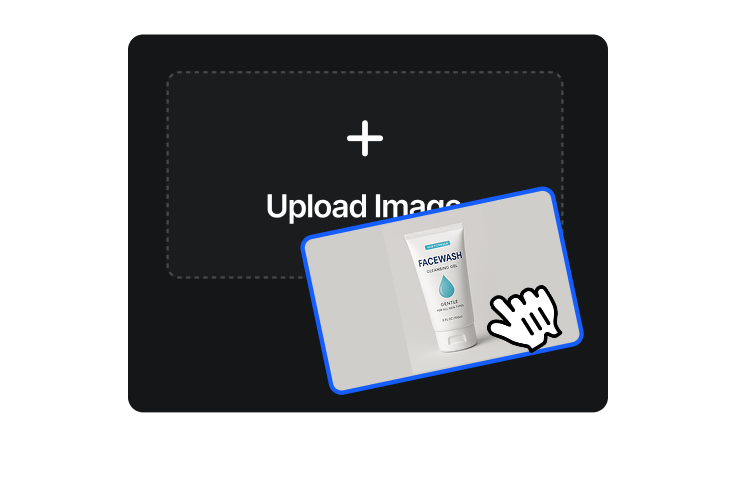
Open Tagshop AI
Ga naar tagshop.ai → Asset Generator → Kies model. Selecteer Seedream 5.0 Pro uit de lijst met modellen.
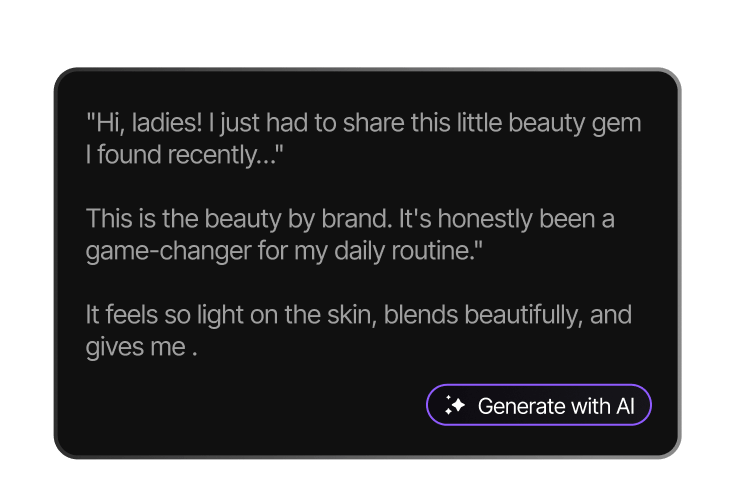
Beschrijf je afbeelding, set of bewerking.
Schrijf een beschrijving van je onderwerp, scène en stijl, of vraag om een samenhangende reeks afbeeldingen op basis van één beschrijving. Om een bestaande afbeelding te bewerken, upload je deze en beschrijf je de gewenste wijziging.

Genereren en downloaden
Genereer je afbeelding of afbeeldingenset in minder dan 60 seconden. Download zonder watermerk en met volledige commerciële licentie.
Wat je kunt maken met Seedream 5.0 Pro
Consistente beeldsets en nauwkeurige bewerking voor teams die meer dan één afbeelding per opdracht nodig hebben.

E-commerce productcatalogi
Genereer een complete set consistente productafbeeldingen (meerdere hoeken, kleurstellingen of scènes) op basis van één enkele beschrijving, in plaats van voor elke variant een aparte set te genereren.

Advertentiecampagnes met meerdere scènes
Creëer een campagne met visueel consistente beelden in verschillende omgevingen en contexten, waarbij het product of personage overal hetzelfde blijft.

Fotobewerking met behulp van AI
Verbeter bestaande product- of campagneafbeeldingen met eenvoudige instructies (achtergrond wijzigen, belichting aanpassen, objecten verwijderen) zonder een apart bewerkingsprogramma.

Wereldwijde en tweetalige merken
Genereer campagnebeelden met nauwkeurige tekst in de afbeelding voor Engels- en Chineessprekende markten, met behulp van hetzelfde model en dezelfde prompt.

Contentpipelines voor sociale media
Produceer batches van merkconforme, consistente visuals voor doorlopende contentkalenders zonder bij elke prompt de productnauwkeurigheid opnieuw te hoeven vaststellen.

Verpakking en variantvisualisatie
Ontwikkel consistente verpakkingsmockups voor alle kleur-, formaat- en smaakvarianten voordat u overgaat tot het maken van fysieke samples.
Seedream 5.0 Pro versus andere AI-beeldmodellen op Tagshop AI
Vergelijk de Seedream 5.0 Pro met de Nano Banana Pro en de GPT Image 2 en kies het juiste model voor jouw creatieve behoeften.
 Seedream 5.0 Pro
  Nano Banana Pro
 Meer AI-beeldmodellen op Tagshop AI
Alle grensverleggende AI-beeldmodellen op één platform.
Nano Banana Pro
Productfotografie in 4K van topkwaliteit: 94% tekstnauwkeurigheid en consistentie van scènes met maximaal 5 personen dankzij Google Gemini.
GPT-afbeelding 2
4K-beelden in alle visuele stijlen: meer dan 40 talen, transparante achtergronden, elk formaat.
Seedream 5.0
Het basisbeeldmodel van ByteDance: zeer nauwkeurige 2K-beelden in combinatie met SeeDance 2.0 voor beeld-naar-video-conversie. Upgrade naar SeeDream 5.0 Pro voor consistente beeldsets en bewerkingsmogelijkheden.


Wat marketingteams en merken zeggen over Seedream 5.0 Pro op Tagshop AI



De video die je voor ons hebt gemaakt, heeft onze verwachtingen echt overtroffen - hij is fantastisch!
"Elk frame was niet alleen boeiend, maar ook prachtig vormgegeven, wat duidelijk de hoge mate van creativiteit en inspanning toonde die in de productie ervan was gestoken. We behaalden een CTR van meer dan 2%, en met een kosten per klik van slechts $0,20 is de effectiviteit van uw werk onmiskenbaar."
Esma E.
Influencer marketing


Naadloze tool voor het genereren van UGC-video's en -afbeeldingen met behulp van AI.
"Ik werk in de API-beveiliging, maar ik ben altijd al nieuwsgierig geweest naar verschillende AI-tools, of het nu gaat om het genereren van afbeeldingen, video's of creatieve content. UGC (User Generated Content) is tegenwoordig essentieel voor elk merk, en ik heb al veel AI-videotools uitgeprobeerd. Wat ik zo fijn vind aan Tagshop AI is de eenvoud. Het is gebruiksvriendelijk, niet ingewikkeld, en zelfs iemand zonder AI-achtergrond kan er snel mee aan de slag. Dat maakt het een zeer gebruiksvriendelijke AI-tool voor UGC-video's."
Sivan Michaeli-Roimi
VP Marketing @Pynt | Oprichter van Heyou.io


Beste afbeelding voor productvideogenerator voor mij
"Ik heb Tagshop AI twee dagen geleden gebruikt. Ik heb er een AI UGC-productvideo mee gemaakt waarin iemand een product vasthoudt. Ik vond de tool erg gebruiksvriendelijk, zonder ingewikkelde functies. Ze hebben een eigen model voor het genereren van afbeeldingen, waarmee je eerst een productafbeelding kunt genereren of uploaden, en vervolgens een video voor hetzelfde product kunt maken. Dat klinkt goed, best slim, maar ik ga kijken hoe ik hun abonnement kan implementeren."
Alon Michaeli
Hoofd Revenue AI bij DealHub


Avatar ziet er realistisch uit. Handig voor het genereren van hoogwaardige AI-video's.
"Ik gebruik Tagshop AI nu een maand als tool voor het genereren van AI-gestuurde video's en het bevalt me prima. Ik ben erg blij met de grote verscheidenheid aan avatars in hun avatarbibliotheek. Het beste aan deze tool vind ik de editor: simpel, overzichtelijk en gebruiksvriendelijk. Ik hoef nu niet meer tussen tabbladen te wisselen om de video te bewerken."
Yuliia Kolomiiets
Vicepresident Marketing


De meertalige functies van de tool zijn echt geweldig.
"Omdat mijn doelgroep uit de VS, Duitsland en Italië komt, is de meertalige functie in deze situatie erg handig. Ik kan meerdere avatarvideo's in verschillende talen maken. Dat is dus een voordeel als je een breed publiek wilt bereiken."
Anirudh
Hoofd Digitale Marketing


Tijdbesparend en betaalbaar gereedschap
"De tool is supersnel bij het maken van AI UGC-video's. Ik vind de editor in de tool erg prettig, je hoeft niet naar een ander tabblad te schakelen."
Stephen Mathew
Marketingmanager


Met Tagshop AI creëer je eenvoudig AI-influencers.
"Met Tagshop AI heb ik een reeks AI-avatarvideo's gemaakt die nu voor mijn klanten werken. Ik ben blij dat ik de snelste manier heb gevonden om AI-avatars te maken. De tool is snel en gemakkelijk te gebruiken. Ik bedoel, beginnersvriendelijk, zelfs iemand zonder AI-achtergrond kan ermee overweg."
Kazi Mainuddin
Contentmarketeer


We hebben onze opnametijd aanzienlijk kunnen verkorten dankzij Tagshop AI.
"Tagshop AI heeft ons enorm geholpen de tijd die we besteden aan productfotografie te verkorten. Met de Digital Twin / AI Twin-functie kunnen we strakke productafbeeldingen maken zonder telkens opnieuw belichting, camera's of achtergronden te hoeven instellen. We uploaden simpelweg een paar afbeeldingen en de tool genereert hoogwaardige resultaten die direct geschikt zijn voor advertenties of sociale media. Voor een klein marketingteam zoals het onze bespaart dit wekelijks uren en maakt het contentcreatie een stuk eenvoudiger."
Arpan Shah
Directeur


Het dashboard van Tagshop AI is heel overzichtelijk opgezet, zelfs voor een beginner in videoproductie zoals ik.
"Tagshop AI heeft het maken van video's voor mij veel eenvoudiger gemaakt, vooral omdat ik geen sterke montage-achtergrond heb. Het dashboard is overzichtelijk en zeer goed georganiseerd, waardoor ik snel begreep hoe de workflow werkt. Ik vond het erg fijn hoe eenvoudig het is om content te genereren, video's te bewerken en tussen verschillende functies te navigeren zonder in de war te raken. Het platform bespaart tijd en zorgt voor een soepel en efficiënt proces. Al met al is het een gebruiksvriendelijke tool die met minimale inspanning professioneel ogende resultaten oplevert."
Aygul M.
Digital PR Strateeg


Voor ons is Tagshop AI de snelste manier om goed converterende UGC-videoadvertenties te maken
"Tagshop AI helpt ons momenteel om snel UGC-stijl videoadvertenties te produceren. Het uploaden van een productlink en de AI scripts, avatars en volledige video's laten genereren, bespaart een enorme hoeveelheid tijd. De realistische avatars en stemkloning voelen natuurlijk aan, en dankzij de meertalige functies zijn internationale campagnes voor ons een fluitje van een cent. We produceren momenteel dagelijks meer dan 90 video's met variaties voor A/B-testen, zonder filmen, creators of montage."
Arina K.
Chief Marketing Officer


UGC-stijl videoadvertenties worden eenvoudig dankzij de AI-video-agent workflow.
"Met de tijd hebben we ook een aanpak ontwikkeld om AI-UGC-video's te genereren voor onze advertentieplatforms. We hebben onlangs de nieuwe functie verkend om video's te genereren via de AI-video-agent, en de slimme AI-agent genereert binnen enkele minuten scripts, visuals en video's voor ons. Dus ja, we kunnen zeggen dat we veel tijd besparen op videoproductie en -generatie, gewoon door met de agent te chatten. Ik denk dat we met de agent al veel van het typische proces elimineren."
Bhavik B.
Medeoprichter
Veelgestelde vragen over Seedream 5.0 Pro
Alles wat je moet weten over Seedream 5.0 Pro op Tagshop AI.
Wat is Seedream 5.0 Pro en wie heeft het gemaakt?
Wat is het verschil tussen Seedream 5.0 Pro, Nano Banana Pro en GPT Image 2?
Kan Seedream 5.0 Pro afbeeldingen bewerken die ik al heb gemaakt of geüpload?
Hoe zorgt Seedream 5.0 Pro ervoor dat meerdere afbeeldingen consistent blijven?
Welke resolutie levert Seedream 5.0 Pro?
Ondersteunt Seedream 5.0 Pro naast Engels ook andere talen?
Heb ik een abonnement nodig om Seedream 5.0 Pro te gebruiken op Tagshop AI?
Kan ik de output van Seedream 5.0 Pro gebruiken voor betaalde advertenties?

Consistent image sets. Instruction-based editing. One model. From $19/month · Full commercial license · Watermark-free