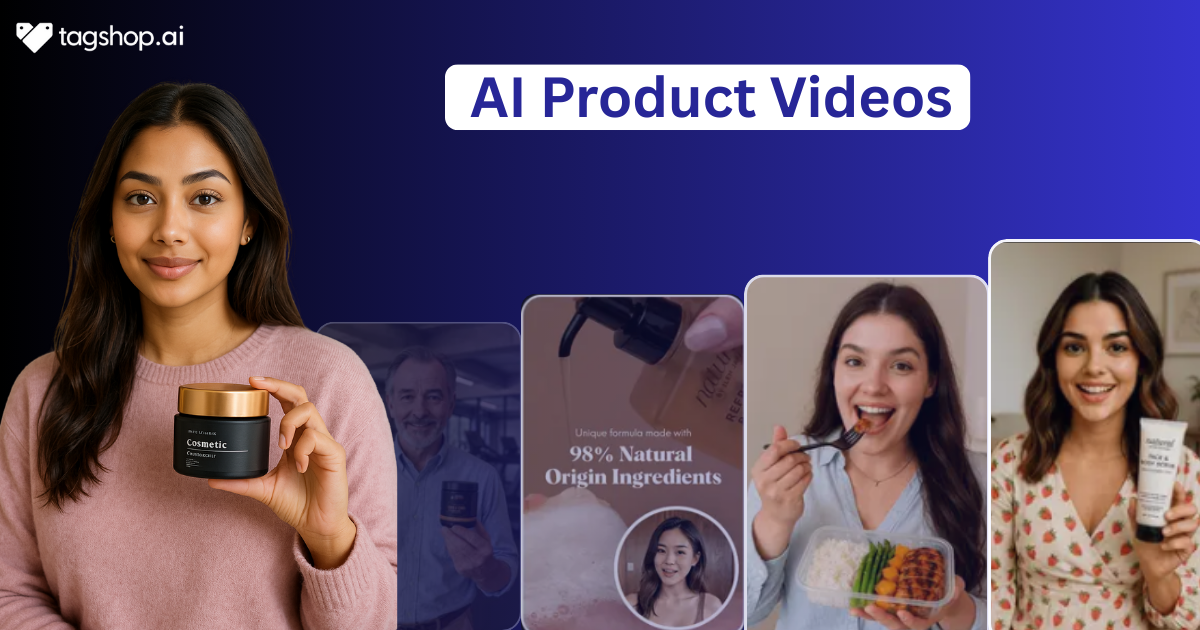
How to Make Beauty Product Photos into Videos: Step-by-Step
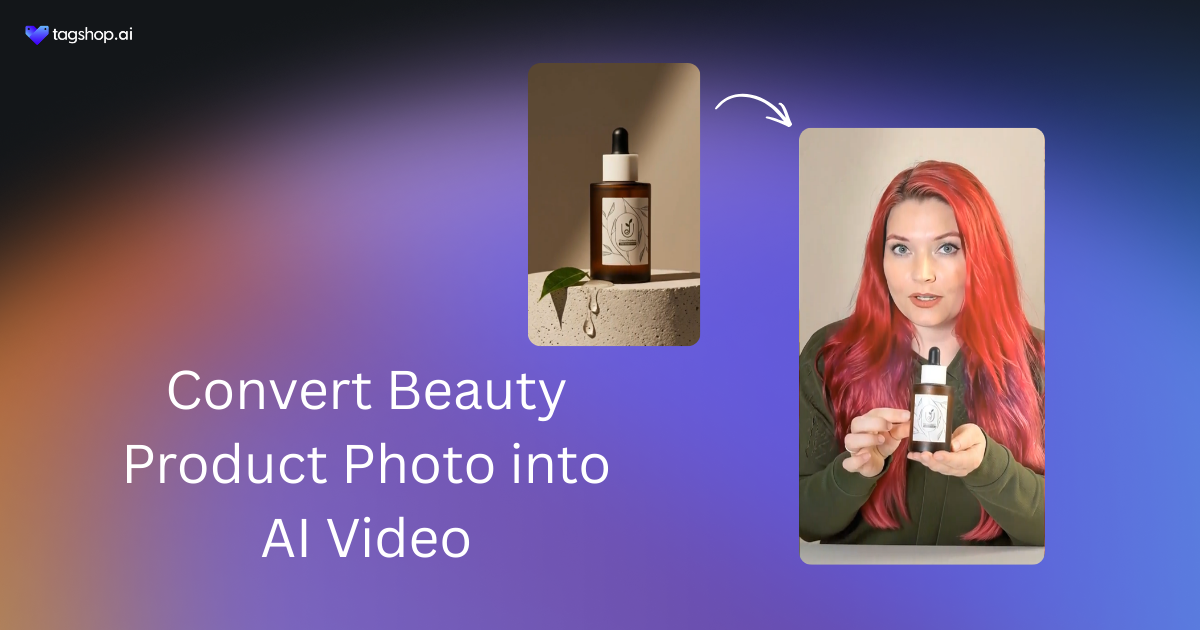
In this fast-scrolling world of Instagram, TikTok, and online stores, plain old photos of beauty products just don’t cut it anymore. People zoom right past. But flip those product photos into videos?
Suddenly, that lipstick glides on smoothly, the serum sinks in with a real dewy shine, and highlighter pops under light like magic. It grabs attention in seconds. Videos show the real deal, like texture, how it applies, the glow-ups, that static shots can’t touch. Shoppers trust it more since they can’t watch it in person. And now with an easy AI trick, you can turn your product photos into videos, no big budget shoots or models needed. Perfect for reels, ads, listings, whatever gets eyes and clicks.
Why Turn Beauty Product Photos into Videos?
Static shots look nice, sure, but they sit there flat. Videos wake them up, show the lipstick sliding on creamy, serum dropping and soaking in fast, highlighter flashing that perfect catch-light glow. Shoppers stop scrolling the second the motion hits.
- Videos reveal what photos hide: real texture feels, how foundation blends without streaks, the juicy pop of gloss catching light. People can’t touch products online, so seeing applications live builds instant trust, no more guessing if it’ll feel greasy or dry. Beauty buyers hesitate without that proof, and a quick clip kills doubts fast, pushing add-to-cart clicks way up.
- Conversion jumps hard with motion: Tests keep showing videos lift sales 70-100% over plain photos, especially for makeup and skincare, where results matter. Turn product photos into videos, drop them on ads or listings, and watch time-on-page explodeas people linger, watch the glow-up, then buy.
- Social feeds crave movement: Instagram Reels, Facebook, TikTok ads, everything scrolls crazy fast. A still beauty product photo vanishes in half a second. But images into videos? That spin, zoom, or swipe stops thumbs dead. Engagement spikes, shares happen, and reach grows organically for beauty brands fighting noise.
- Trust comes quicker with demos: Shoppers worry about shade mismatches, weird textures, or hype that flops. Seeing the product in action, brush swirling powder, dropper gliding serum feels honest. No models needed; even simple turn product photos into videos with subtle moves make it look legit and premium.
- It’s cheap and fast now: Forget big shoots, lighting rigs, hiring people. Grab existing beauty product photos, run them through easy tools, and boom, dynamic clips ready in minutes. Perfect for small brands or dropshippers wanting product videos that compete with big names without the budget headache.
Step-by-Step: How to Make Beauty Product Photos into Videos
Here is the straightforward way to go from a single beauty product photo to a full moving video. Tagshop AI handles most of the heavy lifting for beauty items like serums, lipsticks, or creams. The process stays simple and quick once you get the hang of it.
Step 1: Create an Account
Visit Tagshop AI and register for an account. You may sign up quickly using your Google account or by providing an email address and password.

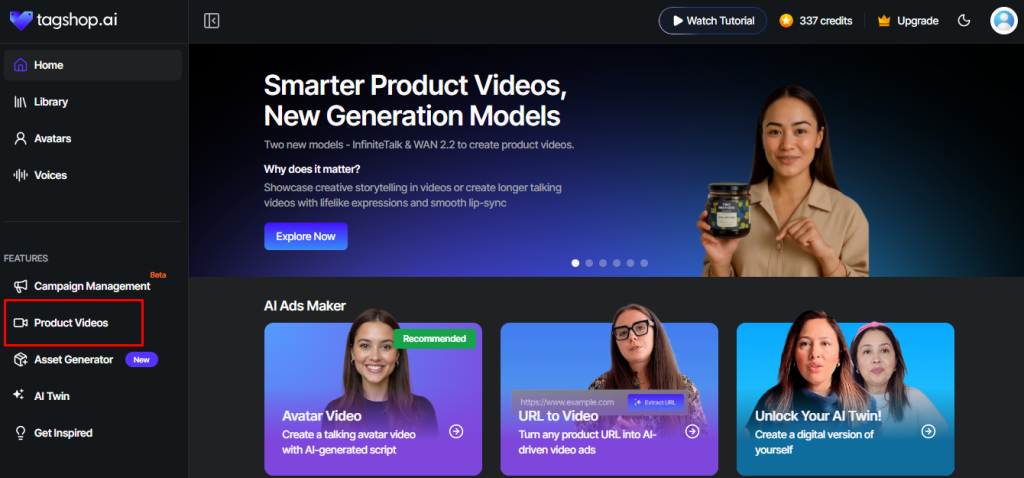
Step 2: Access the Product Video Creation Area
After logging in, navigate to the dashboard. Locate and select the “Product Video” option present on the left panel.
Step 3: Select the Desired Video Style
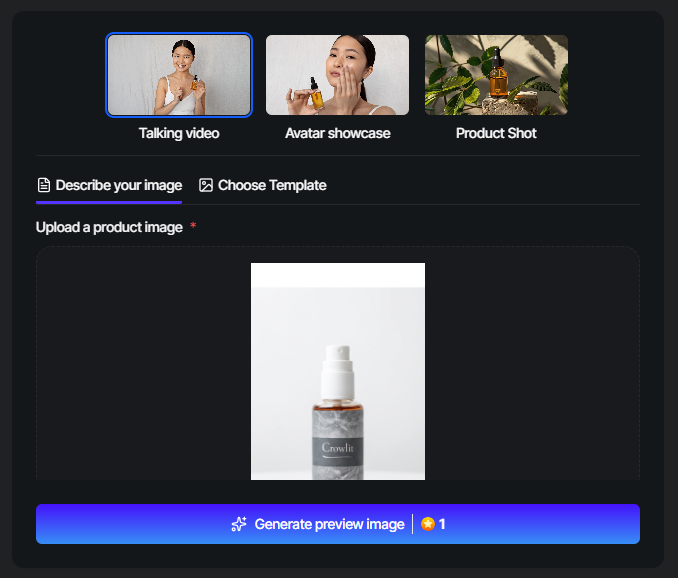
The platform presents several format options, including:
- Talking avatar: an AI-generated presenter describes the product
- Avatar showcase: lifestyle-oriented clips featuring the product in use
- Product shot: clean, dynamic close-ups, zooms, or 360° views
For most e-commerce and marketing purposes, choose the talking avatar, as these deliver high engagement on social media platforms.
Step 4: Input Your Product Details
Provide product information in one of two convenient ways:
- Paste the product page URL (from Shopify, Amazon, or similar platforms). Tagshop AI automatically extracts key details such as images, title, description, features, and pricing.
- Alternatively, manually upload high-quality product images.
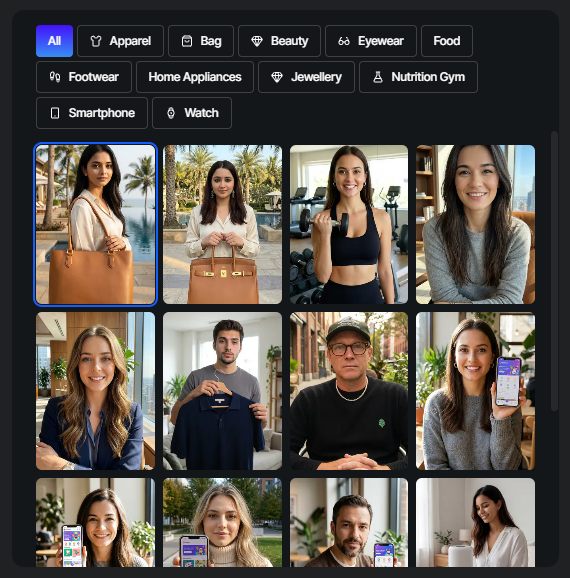
Next, select an AI avatar from the available library. You may also add a brief description or prompt to guide the content focus (e.g., “Emphasize comfort and durability for everyday use”).
Step 5: Choose a Template and Customize
Proceed to the template selection area, where Tagshop AI offers a variety of pre-designed layouts (e.g., UGC-style handheld shots, unboxing sequences, carousel effects, or social media-optimized hooks). Select the template that best aligns with your campaign goals.
Step 6: Generate, Preview, and Export the Video
Click the “Generate” button to process the video (this typically takes 1–3 minutes depending on length and complexity). Review the preview carefully. If adjustments are needed, modify the script, avatar, voice, or other elements and regenerate.
Tips to Make Beauty Product Videos Look Premium
Want those beauty product videos to scream high-end instead of basic? Focus on the little things that big brands obsess over. Subtle choices in motion, lighting feel, and polish turn average clips into something that looks expensive. Here are some real tricks that work whether using AI ad tools like Tagshop or editing yourself.
- Start with killer input photos
Use high-resolution shots where colors pop true, textures show clearly, like creamy lipstick or dewy serum shine. Clean backgrounds help a ton. AI picks up better details from sharp images, so the final video avoids blurry edges or weird artifacts. A good source equals premium output every time. - Keep movements slow and smooth
Forget fast spins or jumps. Go for gentle pans across the product, soft zooms on application spots, or subtle rotations that highlight shimmer and glow. In beauty, this feels luxurious like a slow-motion ad. Quick cuts kill the classy vibe fast. - Choose a clean, minimalist background
Think soft marble counters, blurred natural light windows, or plain white with gentle shadows. Avoid busy clutter or loud patterns. For skincare and makeup, this spacious look gives breathing room and makes the product feel exclusive. AI scenes work best when simple. - Nail lighting and color vibes
Warm golden tones suit glowy skincare for that expensive spa feel. Cooler soft lights work for bold makeup. Add subtle sparkle effects on highlighters without overdoing it. Post-edit with slight grading for cinematic depth. Looks way more pro than flat phone lighting. - Use elegant text and sound choices
Pick clean sans-serif fonts in white or gold for overlays like “Hydrate Deeply” or “Instant Glow.” Pair with soft piano, lo-fi beats, or ambient tracks that feel refined. Naturavoice-overs beat robotic ones. Keep everything understated so the beauty product stays the star.
Use Cases: Where These Videos Work Best
Once you turn product photos into videos or create solid beauty product videos, they fit almost everywhere shoppers hang out. These short clips shine brightest in spots that need quick attention, trust, and action. Here is where they deliver the biggest wins for beauty brands, small sellers, or anyone pushing makeup and skincare.
1. Social media ads and organic posts
Instagram Reels, TikTok, and Facebook ads eat up motion content. A quick beauty product video showing serum application or lipstick swipe stops endless scrolling. Engagement jumps, clicks rise, and ad costs drop because people watch longer. Perfect for turning photos into videos that feel native and drive real traffic.
2. E-commerce product pages
On Shopify, Amazon, or your own store, place beauty product videos right above the fold. Shoppers see the texture, glow, and how it applies instead of guessing from stills. Time on page increases, bounce rates fall, and conversions climb 50-80% in many tests. Videos build confidence for online beauty buys.
3. Email marketing sequences
Drop these in welcome emails, abandoned cart reminders, or promo blasts. A short clip of highlighter catching light or foundation blending seamlessly re-hooks the reader. Open rates stay steady, but click-through and recovery sales go up noticeably. Keeps the beauty product top of mind without being pushy.
4. UGC-style social content and stories
Post as “customer favorites” or daily routines, even if AI-generated. Beauty product videos that look real get shares, saves, and comments fast. Use them in Stories highlights or feed posts to grow followers organically. Feels authentic, builds community, and turns viewers into buyers over time.
5. Influencer outreach and pitch decks
Send quick beauty product videos to potential collaborators instead of flat photos. Shows the item in action, highlights features, and gives a pro vibe right away. Makes your pitch stand out in crowded inboxes. Also great for quick mockups before real shoots or collabs.
Conclusion
Turning beauty product photos into videos has become a game-changer for anyone selling makeup, skincare, or hair products online. What used to need expensive shoots, lighting setups, and models now happens in minutes with tools that handle the hard parts.
You start with simple photos and end up with dynamic beauty product videos that show real texture, glow, and application in a way that stops people mid-scroll. Now go make those photos move and watch the difference. Your products deserve to shine in motion.
Written by:

Rohan Singh is an AI-forward content specialist with 5+ years of experience creating creative, trend-led content for digital-first brands. He blends industry insights, AI-powered research, and content intelligence to produce engaging, relevant narratives aligned with evolving marketing trends. Constantly exploring new AI tools, he ensures his work stays innovative, impactful, and built for how audiences consume content today.