
20+ Ready-to-Use AI Video Prompts (All Industries Covered)
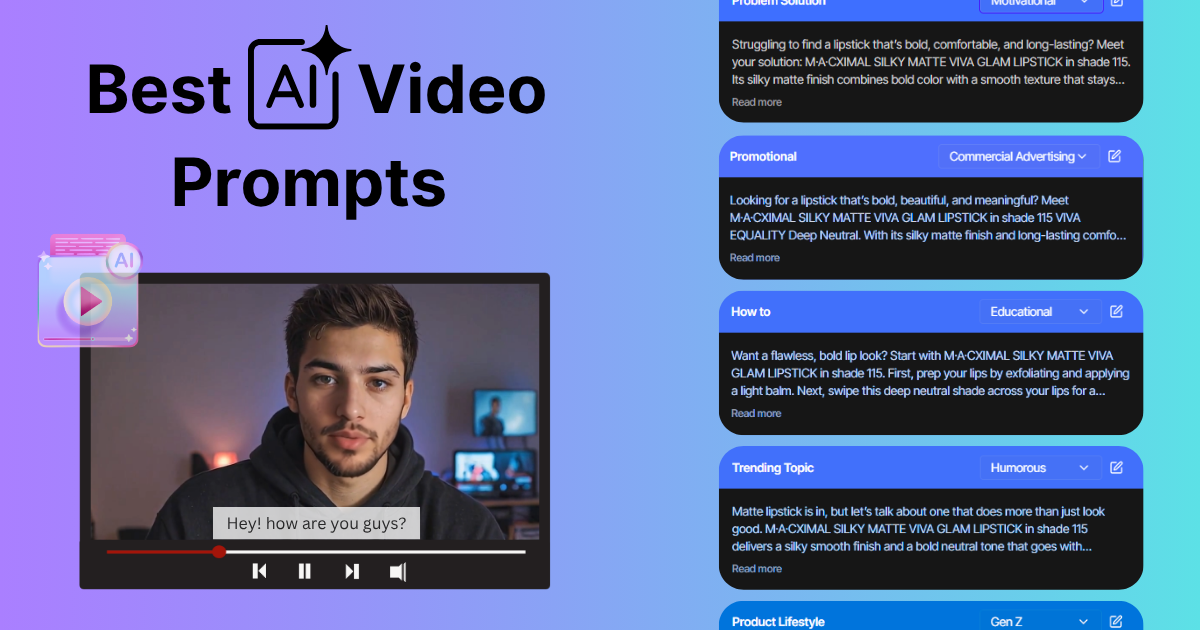







Type “make a cool video for my product” into any AI video generator and you’ll get exactly that: something cool-ish, generic, and impossible to run. The tool cannot read your mind, but the prompt you give surely can.
AI video generators work on a give-and-take. The more useful detail you feed them, the closer the output lands to what you pictured. This guide covers how to write prompts that get there, plus 20 ready-to-use ones you can copy, tweak, and run across any industry.
What Makes an AI Video Prompt Actually Work?
A good AI video prompt names six things: the objective, the format, the audience, the tone, the key features, and the call-to-action. The more specific each one is, the closer the output matches your intent.
A vague prompt like “make a video for my product” gives a generic result. A specific one, “create a 15-second testimonial-style video for our vegan skincare serum, upbeat female voice, soft background music”, is where a usable video starts. Your prompt isn’t a command; it’s the blueprint the AI video generator follows.
Why Do AI Video Prompts Matter?
There’s one rule to keep in mind: your output is only as good as your input. AI video generators run on “garbage in, garbage out”: a vague prompt gives you a generic video, and a specific one gives you something you can actually publish.
The difference is detail. “Can you create a product demo video for my product?” leaves every decision to the tool. “Create a 15-second testimonial-style video for our vegan skincare serum, using an upbeat female voice and soft background music” makes those decisions for it. Same tool, completely different result.
What are the Best Practices for Writing an AI Video Prompt?
Writing effective prompts is part art, part science. These four habits do most of the work, whether you’re using Tagshop, Synthesia, HeyGen, or any other AI video generator.
Keep your prompt clear and concise
AI performs best with straightforward instructions. Avoid tangled sentences and unclear ideas. A good prompt says what the video should include in one or two sentences.
❎ “Make a cool video for my product.”
✅ “Create a 15-second video ad for a skincare serum with upbeat music and a casual testimonial tone.”
Name your tone, style, audience, and CTA
A strong prompt includes the four elements that shape the output:
Tone: friendly, professional, casual, energetic. Style: testimonial, tutorial, product showcase, explainer. Audience: Gen Z, working professionals, new parents, tech-savvy users. CTA: shop now, learn more, sign up today.
These details guide the AI’s scripting, visual choices, voice, and pacing.
Match the prompt to the platform
Each platform has its own format and attention span, so tell the AI where the video is going:
TikTok: short, trending, fast-paced, casual. Instagram Reels: visually bold, text overlays, punchy audio. YouTube Shorts: more informative, storytelling-friendly. LinkedIn: professional, polished, goal-oriented.
Adjusting for the platform helps the AI generate content that feels native and performs better.
What’s the Formula for a Ready-to-use AI Video Prompt?
Use this structure and the tool knows what to create, how to say it, what to include, and what to leave out:
[Objective] + [Format] + [Audience or Style] + [Key Elements] + [Platform or Output] + [CTA]
Every prompt below follows it. Swap in your own product and you’ve got a working brief.
How does Tagshop’s AI Video Agent change the way you prompt?
Every prompt in this guide tells the tool exactly what to do, step by step. Tagshop’s AI Video Agent flips that. Instead of specifying the script, avatar, format, and edits yourself, you hand it a goal and a product link, and it runs the chain for you.
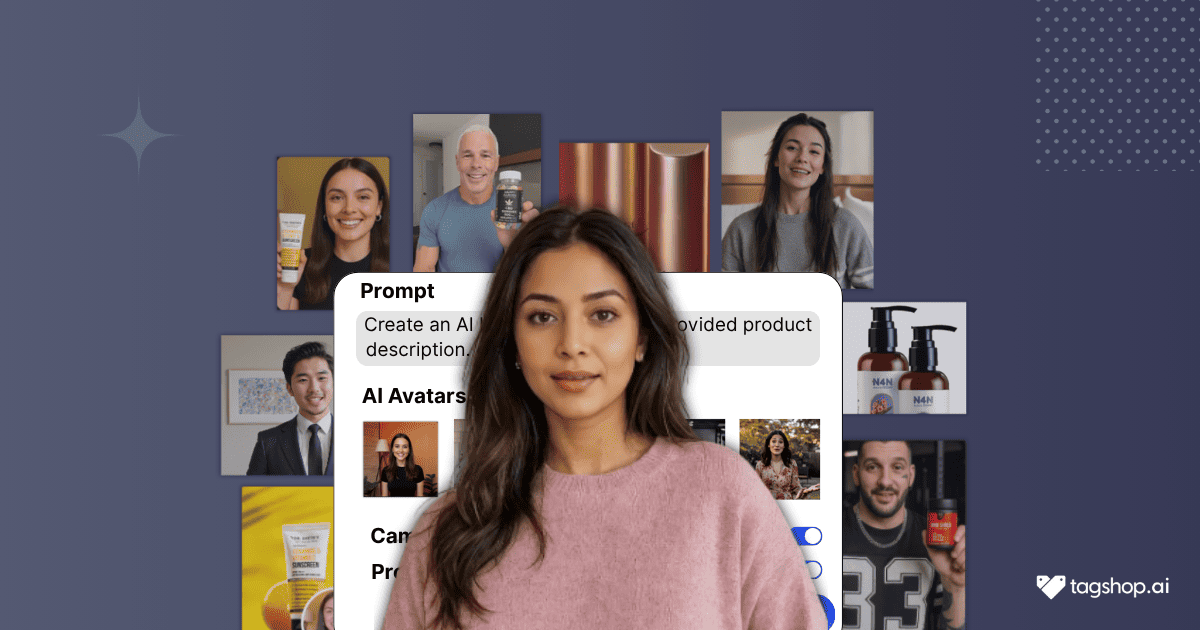
Here’s the flow: type your idea and drop in a product image. The Agent pulls your product’s images and details, asks a few quick questions about your audience and tone, then builds a full scene-by-scene storyboard you can edit line by line. Once you’re happy with it, it renders a finished UGC-style ad up to 60 seconds long. Rough idea in, publishable video ad out, no manual work in between.
Type an idea in the AI video agent and let it generate a ready-to-use video in minutes.
When to prompt manually versus use the agent:
Manual prompts give you tight control over a single video, best when you know the exact shot, tone, and line you want.
The AI Video Agent is faster for volume, best when you want several variants to test and would rather describe the outcome than direct every step.
Both run on the same principle: the clearer the instruction, the better the output. The agent just lets you give that instruction at a higher level.
20 AI Video Prompts (Just Copy and Paste)
Copy any prompt, replace the bracketed details with your own, and run it.
1. Product promo prompts
Prompt 1:
I own a brand named {Brand Name}. Help me create a 15-second testimonial-style video for the skincare serum {Brand Name}, featuring a female avatar sharing real results, soft pastel visuals, and upbeat background music. Use these pain points as the hooks: they’ve tried multiple skincare products that didn’t deliver visible results; they’re skeptical of over-polished brand ads; they want real proof from real people; they’re looking for gentle, effective skincare they can trust. End with a CTA: “Shop now for glowing skin.”
Prompt 2:
I own a reusable water bottle brand. Design a TikTok-style ad focusing on eco-friendliness and compact design, highlighting how it fits in any bag. Use lifestyle footage, a playful voiceover, and bold on-screen text for features like BPA-free, leakproof, and temperature retention. Speak to these pain points: they want sustainable choices but find eco-products bulky; they’re tired of leaky bottles that don’t fit in bags; they want stylish, space-saving options; they’re wary of greenwashing and want authentic products. End with “Carry your planet with you, Shop now.”
2. Explainer prompts
Prompt 3:
I’ve built an AI-powered tool and want to market it with a video. Help me create a video explaining how our tool helps marketers make high-converting video ads. Use a friendly avatar to walk viewers through each step, from login to final export. Keep the language simple, use animated visuals, and include screen mockups for clarity. Address these pain points: no video editing skills, tight timelines, low-performing ads. Finish with: “Try it today, no editing experience needed.”
Prompt 4:
Act as a marketer for an FMCG subscription box. Create a 60-second animated explainer on how to subscribe to our monthly box. Walk through account creation, selection, payment, and delivery time. Use simple animations, a conversational tone, and icon transitions for clarity. Speak to these pain points: no time to reorder essentials, price sensitivity, and value confusion. Conclude with: “Join thousands enjoying monthly surprises. Subscribe now.”
Start Generating AI Videos, Copy any Prompt and Paste here:
3. E-commerce prompts
Prompt 5:
I’m a social media manager for a haircare brand. Help me create a before-and-after style video ad showing the transformation from our anti-frizz hair serum. Open with a user complaining about frizz, then show her hair post-application. Use a friendly tone, minimal text overlays, close-ups for impact, and upbeat music. End with a CTA: “Get frizz-free confidence. Shop now.”
Prompt 6:
Act as a social media manager for a consumer electronics brand. Create a product unboxing and review video for a wireless charging dock. Use a male avatar who opens the box, examines each item, and demonstrates the dock in use. Overlay clean text for key features like fast charging, device compatibility, and compact design. Finish with a CTA: “Power up faster, Buy today.”
4. Social media ad prompts
Prompt 7:
I’m a social media manager for a clothing brand, creating a video for their summer sale. Help me make a 30-second Instagram Reel for the sale. Highlight vibrant clothing with fast cuts, upbeat music, and bold text like “Up to 50% Off.” Use a confident voiceover: “From beachwear to brunch fits, we’ve got it all.” Speak to these pain points: overwhelmed by choices, hard to visualize a full look, want a simple buying process. End with a CTA sticker: “Tap to Shop Now.”
Prompt 8:
Create a scroll-stopping Facebook ad for our clothing brand. Use vibrant colors, bold fonts, and fast cuts across the collection. Have a confident female avatar style three looks from the range, with on-screen text calling out fabric, fit, and price. Keep the energy high and the branding light. Finish with a CTA: “Refresh your wardrobe, Shop today.”
5. Multilingual video prompts
Prompt 9:
Convert our 45-second product demo into a Spanish version with synced lip movement, keeping the original voice tone, pacing, visual style, and emotional resonance. Use a moderate register of Spanish for broad appeal and accurate subtitles. Keep the background music intact and end with: “Compra ahora” (Buy now).
Prompt 10:
Create a French-language version of our YouTube how-to video. Use an AI voice with a natural Parisian accent and match lip movement using a male avatar. Keep the visual timeline and background music, and translate CTAs like “Start your trial” to “Commencez votre essai.”
Prompt 11:
I work at a global brand that sells sanitizer, creating a video for a Korean audience. Use a Korean-speaking female avatar. Show everyday scenarios (schools, restaurants, subways) and focus on the fast-drying, non-sticky formula and dermatologist-approved safety. Keep soft, calming background music, overlay key phrases in Korean, and ensure lip-sync accuracy and culturally relevant visuals. End with a clear Korean CTA: “지금 구매하세요” (Buy now).
Read more: How to create multilingual AI videos to reach a global audience
6. Educational and tutorial prompts
Prompt 12:
Act as a SaaS product educator. Help me create a 2-minute tutorial showing how Shopify integrates with our plugin. Use screen recordings, cursor highlights, and a voiceover to walk through installation, syncing products, and publishing to the store. Use an avatar for the intro and conclusion, add callouts, and end with: “Try it risk-free, Install today.”
Prompt 13:
Act as a marketing coach for solopreneurs. Create a step-by-step video on how to use ChatGPT with simple animation. Open with a solopreneur pain point in the first three seconds as the hook. Use vibrant colors, show typing prompts and responses with animated overlays, and keep it beginner-friendly. Add captions and highlight key actions like refining tone or creating outlines. End with: “Unlock your productivity, Try ChatGPT.”
Start Generating AI Videos, Copy any Prompt and Paste here:
7. Customer testimonial prompts
Prompt 14:
I’m an ecommerce marketer creatingAI UGC videos for my brand. Help me make a 30-second testimonial featuring a young customer sharing how fast delivery and product quality exceeded their expectations. Use a casual setting, an excited tone, and minimal branding. Insert 5-star graphics and a friendly CTA: “You’ll love it too, Order today.” Use hooks like “If you’re struggling with [problem], try…” or “You won’t believe what just happened…”
Prompt 15:
Create a review-style video with a female avatar in a casual, friendly tone. Open with a warm greeting and a one-line intro to the product, then explain why the review is relevant to the viewer. Give a short rundown of what the product does and its key features. Have the avatar share a personal experience, what worked, what didn’t, in relatable, everyday language. Close with an honest recommendation and a CTA: “Check it out for yourself.”
8. Corporate and internal comms prompts
Prompt 16:
I’m the CEO of a multinational company. Generate a CEO-style announcement video summarizing quarterly growth and future goals. Use a professional avatar in formal attire in an office setting, with animated charts for KPIs. Keep the tone confident and inspiring. End with: “Let’s keep growing, thank you for your efforts.”
Prompt 17:
I’m an HR lead at an MNC. Create an onboarding welcome video for new remote hires. Use a warm, friendly avatar to explain company values, key contacts, and remote tools. Keep visuals engaging with branded animations. End with: “Welcome aboard, we’re glad to have you.”
9. Real estate and property prompts
Prompt 18:
I’m a realtor listing a two-bedroom apartment. Create a 45-second property tour walking viewers through the living room, kitchen, and balcony. Use a warm, confident female avatar as host, natural-daylight visuals, and soft background music. Overlay key details as text: square footage, monthly rent, and neighborhood highlights. Address these buyer pain points: they can’t read layout from static photos, they’re unsure about natural light, and they want a feel for the space before booking a viewing. End with a CTA: “Book a viewing today.”
10. Food and hospitality prompts
Prompt 19:
I run a neighborhood coffee shop launching a seasonal menu. Create a 20-second Instagram Reel showcasing three signature drinks with close-up pour shots, steam, and a playful voiceover. Use warm tones, bold text for each drink name and price, and upbeat music. Speak to these motivations: they’re hunting for a new spot to try, they scroll Reels for food inspiration, and they respond to limited-time offers. End with a CTA: “Try them this week, swipe up.”
11. Hands-off prompts for the AI Video Agent
Prompt 20:
Instead of scripting each step, hand the whole job to the AI Video Agent. Type your idea and drop in a product URL, for example: “A punchy UGC ad for this skincare serum, aimed at Gen Z, casual and upbeat.” The Agent pulls the product’s images and details, asks a few quick questions about your audience and tone, builds a scene-by-scene storyboard you can edit line by line, and renders a finished UGC-style ad up to 60 seconds. No step-by-step prompting.
How to Customize and Scale These Prompts
Here are some of the ways you can customize and scale these prompts.
1. Modify for tone, avatar type, and language.
One of the first ways to scale and customize these videos is to modify the tones, avatar types, and language for each video. Adjust each prompt tone to match your brand voice. You can switch between male and female avatars at any time. This will enable you to cater to a diverse set of audiences. You can also translate your content into multiple languages to capture a global audience.
2. Use AI Tools With Batch or URL-to-Video Features
Use tools like Tagshop or Pictory to batch your content. Tagshop also allows you to generate videos with its URL-to-video creation feature. This means, as a user, you just have to provide the product URL, and Tagshop will create a video for you.
3. Repurpose One Prompt Across Multiple Platforms
A single prompt can fuel different formats:
Break a 60-second tutorial into Instagram Stories. Reuse testimonial videos on your website, landing pages, and Facebook ads. Convert explainer videos into Pinterest Pins, YouTube Shorts, or LinkedIn posts.
Final Thoughts
Everyone has access to an AI video generator now. The only edge left is how well you brief it. These prompts give you the brief; the specificity is on you.
With Tagshop AI, paste a prompt or a product link and get a UGC-style video in minutes, or hand the whole job to the AI Video Agent and let it build the variants for you. Pick a prompt, swap in your product, and run it.
Frequently Asked Questions
Write a clear, specific instruction detailing the video’s goal, style, content, tone, and length. Try to add a pain point to your prompt. This will help the AI to understand how to address the target audience and engage them. Most AI video tools turn prompts into scripts, scenes, and visuals based on your input.
Good prompts have three things in common: Clarity, Context, and a strong call to action.
There are multiple AI tools for video marketing. Tagshop lets you create videos using text prompts, product links, or scripts. No editing or filming skills needed to create videos.
In an AI video generator, a prompt is a text-based instruction or description that guides the AI in creating a video. It instructs the AI on the type of video to generate, including elements such as the subject, style, and camera movements. Think of it as the “script” for the AI, where you specify your desired video content.
AI video prompts are text-based instructions or descriptions that guide AI models to generate specific video content. Additionally, they serve as a blueprint for the AI, instructing it on what to create in terms of subject, action, style, and other visual elements. The more detailed and specific the prompt, the more likely the AI is to produce a video that aligns with the user’s vision.
Here is a step-by-step guide on how to use AI prompts to generate marketing videos.
- Be Clear About the Goal.
- Specify the Audience.
- Define the Format or Constraints.
- Give Context or Inputs.
- Ask for a Call to Action.
- Use Prompt Templates.
- Add a Brand Voice Description to Your Prompt.
- Include Brand Language or Phrasing.
Yes. AI-generated video prompts help create product demos or explainer videos. Type a prompt to generate product demos and an explainer video. Tools like Tagshop allow users to create a video via a product URL.
Tagshop.ai helps users create fast and easy videos by using prompts. This tool allows the user to generate 1000+ high-converting ad videos per day.
For optimal results with AI video generation, your prompts should be detailed and specific, but also concise and focused. Avoid using overly complex or abstract language; instead, provide clear instructions that the AI can easily understand.
The pre-built templates allow users to choose the best fit for their use case and modify it to create new, reusable prompt templates for personalized automation.
Beyond simple explanation, some of the most effective videos always follow a story arc. Whether you’re showcasing a customer success story, highlighting an employee’s journey, or breaking down a problem and solution, using story-based prompts can create scripts that are far more engaging and memorable
Written by:

Wagisha Adishree is an AI-driven SEO content writer who transforms data, algorithms, and marketing insights into high-impact narratives. She combines human creativity with AI-powered strategies to create content that ranks, converts, and connects. Naturally curious and sharp-witted, she enjoys exploring AI newsletters, decoding Pinterest trend signals, and drawing inspiration from football culture.
 Add Tagshop.ai as a preferred source in Google Search






 Introducing

 Wan 3.0 is now live on Tagshop AI
