Gemini Omni Flash Video Generator
Create, edit, and transform AI video ads and AI UGC content using Gemini Omni Flash, Google's multimodal video model that generates from prompts, edits existing clips with plain language, and transforms style or background without rebuilding. Launched at Google I/O 2026.
This Is What Gemini Omni Can Do
Every video below was generated on Tagshop AI using Gemini Omni - no filming, no crew, no editing.
What is Gemini Omni Flash?
Gemini Omni Flash is Google's multimodal AI video model, launched at Google I/O 2026 on May 19. Unlike any other AI video model, it handles three workflows in one: generating new videos from text, image, audio, or reference inputs; editing existing videos using natural language instructions; and transforming video style, background, or characters without rebuilding from scratch. It produces videos up to 10 seconds with synchronized audio in 16:9, 9:16, and 1:1 formats. Live on Tagshop AI, where brands use it to create AI video ads, AI UGC content, and ecommerce ad creative with full commercial licensing from $19/month.
Gemini Omni Flash: Technical Specifications
Confirmed specs from Google I/O 2026: Gemini Omni Flash on Tagshop AI

Model developer
Google (Gemini team)
Launch date
Google I/O 2026, May 19, 2026
Input types
Text · Image · Audio · Video reference
Max video length
Up to 10 seconds (extending soon)
Aspect ratios
16:9 · 9:16 · 1:1 (platform-adaptive)
Native audio
Yes, synchronized audio
Lip-sync
Yes, audio-guided generation
Natural language editing
Yes, 6 edit types: iterative, watermark removal, reframing, background replacement, object replacement, style transfer
Status on Tagshop AI
Live
Commercial license
Full commercial use on all paid plans
Watermark
Watermark-free on all paid plans
One Model. Three Workflows.
No other AI model on Tagshop AI does all three: generate, edit, and transform video
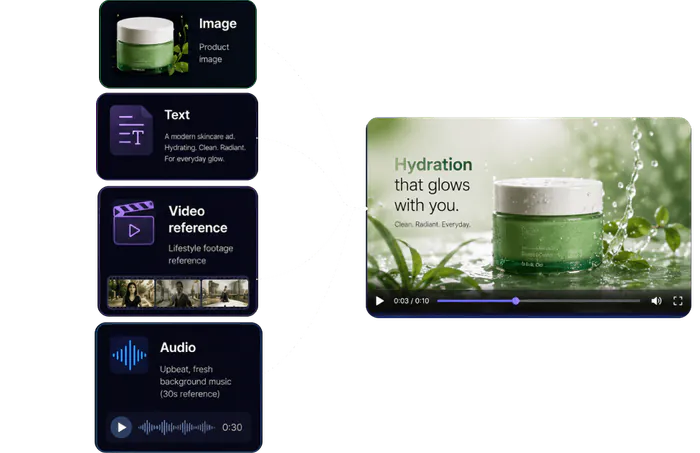
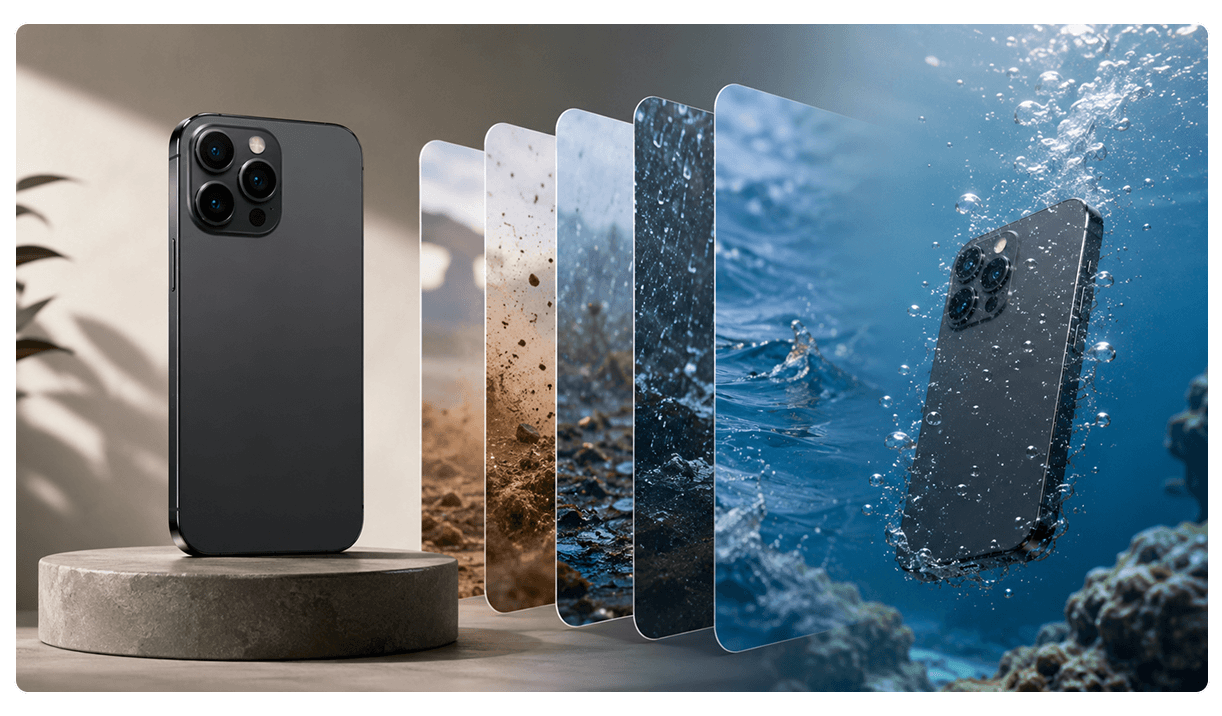
Create New Videos from Any Input
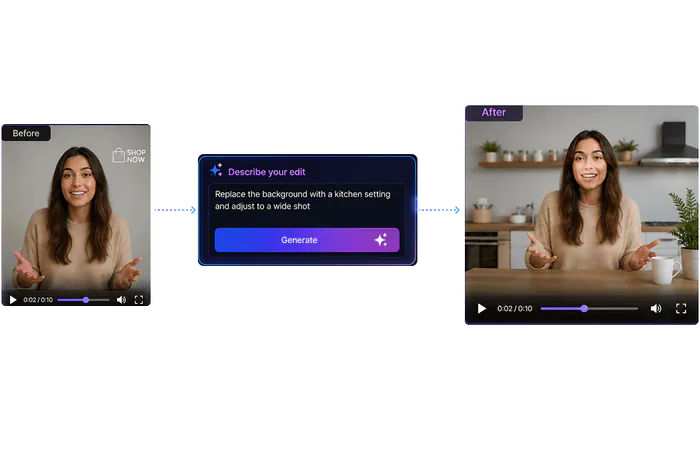
Edit Any Video with Plain English
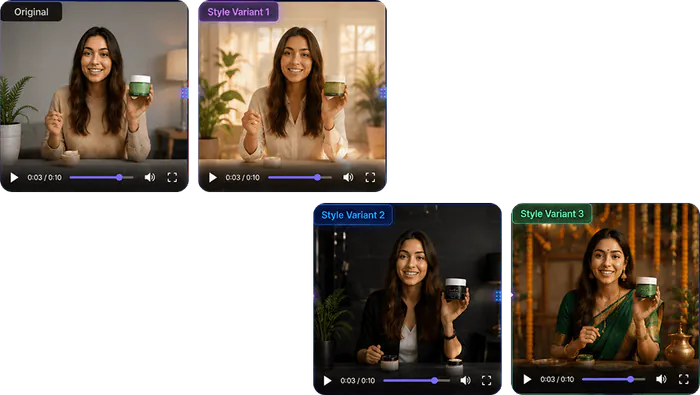
Transform Style, Characters, and Context
Four Ways to Generate with Gemini Omni Flash
Text, image, audio, or reference video: Gemini Omni Flash accepts all four
Text to Video
Describe your scene in detail. Gemini Omni Flash generates up to 10 seconds with synchronized audio. Use the 6-element prompt framework.
Image to Video
Upload a product image or reference photo. Gemini Omni Flash animates it with natural motion and scene-aware audio.
Audio-Guided and Lip-Synced Video
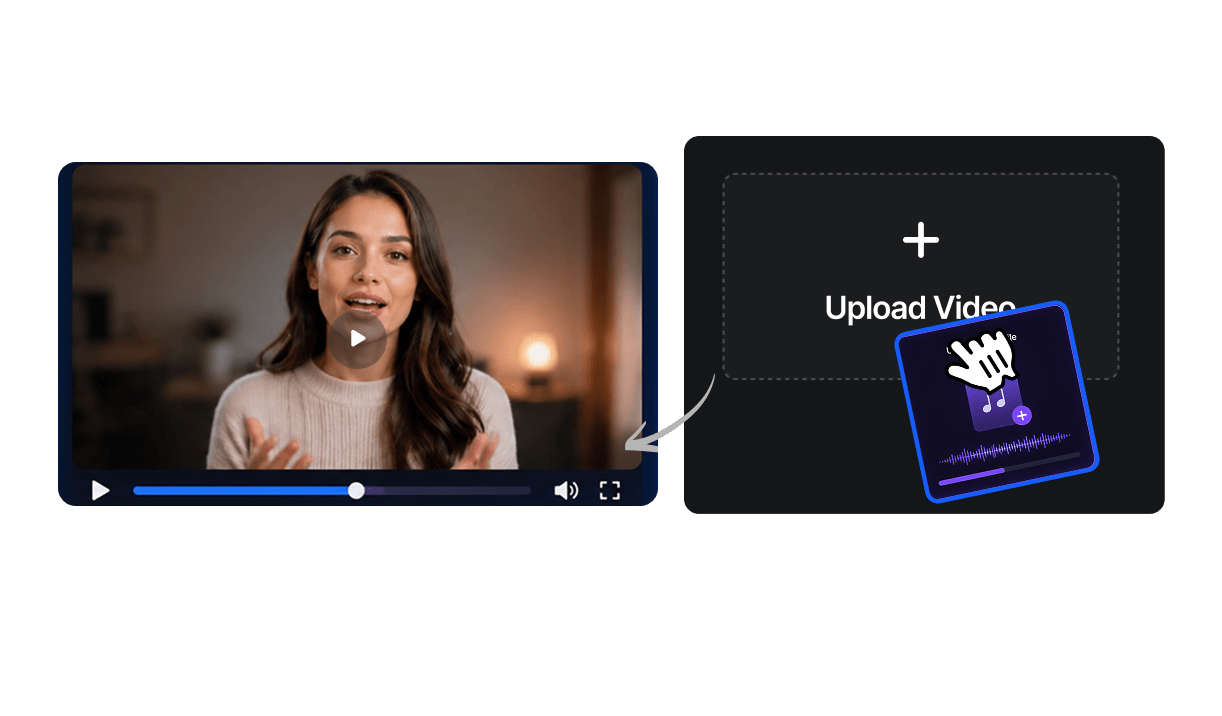
Upload an audio file. Gemini Omni Flash generates visuals synced to the audio with accurate lip-sync for speaking characters.
Reference-Based Product and Avatar Video
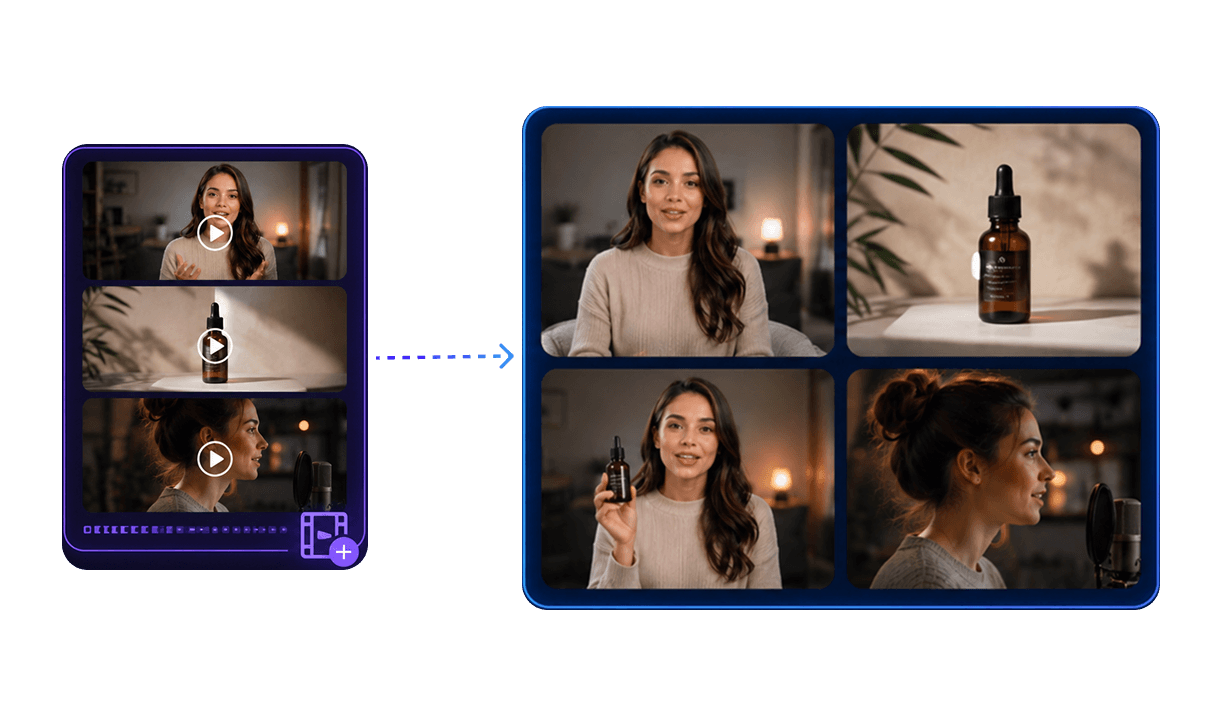
Upload video references to guide style, movement, or character appearance. Produces consistent outputs that match your brand visual language.
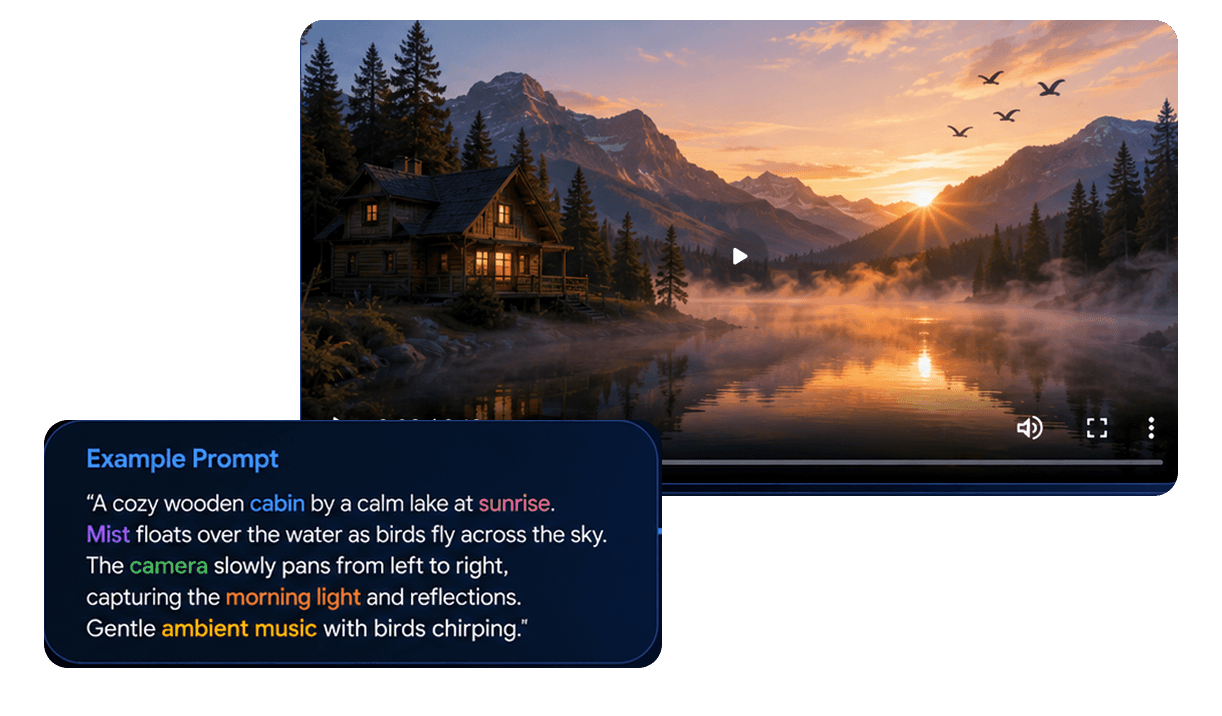
The Gemini Omni Prompt Framework
Six elements to include in every prompt: the more detail, the higher the output quality
Prompt: Describe the main subject, what they do, wear, hold, and how they move
Prompt: Camera framing: close-up, wide angle, tracking shot, static, dolly-in
Prompt: Visual aesthetic: cinematic, soft studio, golden hour, graphic design, illustration
Prompt: Scene setting, time of day, and atmospheric detail
Prompt: Use image, video, or audio references to anchor visual style and character appearance
Prompt: Add edit commands: 'then reframe to a wide shot' or 'remove the watermark after generation'
Prompt: "A luxury skincare serum on white marble, camera pans close to reveal label, soft golden light, then background transforms to outdoor garden scene, 9:16"
Prompt: "A woman speaking to camera about a beauty product, warm studio setting, reframe to wide shot, then replace background with minimalist kitchen"
How to Create AI Ads with Gemini Omni Flash on Tagshop AI
Generate, edit, or transform: three workflows, one platform
Open Tagshop AI
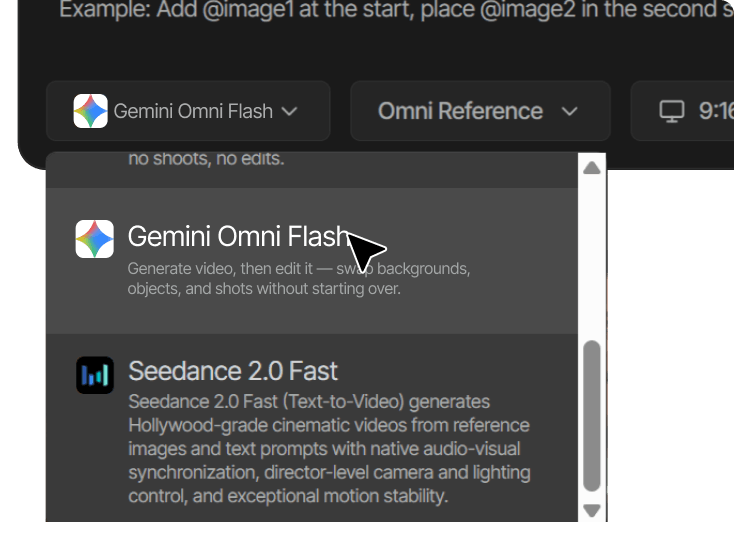
Go to tagshop.ai → Asset Generator → Choose Model. Select Gemini Omni Flash (available once launched).
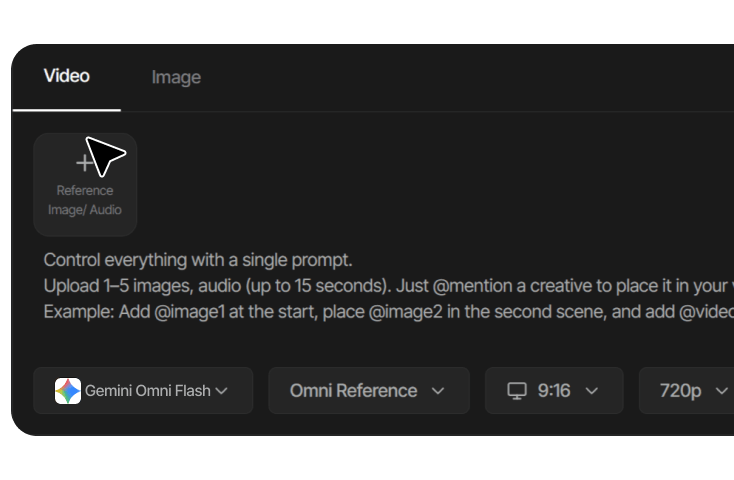
Choose Your Workflow
Select Generate (new video), Edit (modify existing video), or Transform (change style/background/characters). Provide your input: text, image, audio, or existing video.

Generate, Edit, and Export
For generation: receive your video with synchronized audio in your chosen format. For editing: type your instruction and receive the revised clip. Download watermark-free in 9:16, 16:9, or 1:1.
What You Can Create with Gemini Omni Flash
Generate, edit, and transform: three creative workflows no other model offers

Product Videos and Social Ads
Generate or edit campaign-quality videos for beauty, fashion, and ecommerce. Create product variants and market localisations without reshooting using background replacement and style transfer.

Natural Language Video Editing
Edit any existing video by typing what you want changed. Unique to Gemini Omni Flash.

Multi-Format Campaign Variants
Generate once, transform to 9:16/16:9/1:1 with adapted composition

Audio-Synced Visual Effects
Generate videos where visuals are designed around your audio from the start

Style and Motion Transfer
Apply a new aesthetic to any existing video without rebuilding the scene

Reference-Based Brand Content
Anchor new generations to existing brand video style for campaign consistency

Educational Infographics and Explainers
Generate animated explainer videos and infographics from text descriptions or storyboard references

Storyboard to Animation
Upload a sketch or storyboard layout and generate the animated video output
Gemini Omni Flash vs Other AI Video Models on Tagshop AI
How Gemini Omni Flash compares to Seedance 2.5 and Kling AI 3.0
 Gemini Omni Flash
  Seedance 2.0
  Kling AI 3.0
 Available on Tagshop AI Right Now
While you wait for Gemini Omni Flash, explore the models available today
Veo 3
Google DeepMind's cinematic AI model. Native dialogue, crystal-clear audio, premium visual quality.
Seedance 2.0
Multi-shot ecommerce ads with native audio, ByteDance's fastest video model.
Kling AI 3.0
Wan 2.7
Alibaba's most input-flexible video model, 4 input modes with native synced audio.
Explore Related Tools


What Brands Say About Tagshop AI Models



The video you created for us truly exceeded our expectations - it's fantastic!
"Every frame was not only engaging but also beautifully crafted, clearly showing the high level of creativity and effort that went into its production. We achieved CTR of over 2%, and with a cost per click of just $0.20, the effectiveness of your work is undeniable."
Esma E.
Influencer Marketing


Seamless AI UGC video and image generation tool
"I work in the API security space, but I have always been curious about exploring different AI tools whether for generating images, videos, or creative content. UGC is something every brand needs nowadays, and I have tried many AI video tools. What I like about Tagshop AI is its simplicity. It’s easy to use, not complicated, and even someone without an AI background can get started quickly. That makes it a very user-friendly AI UGC video tool."
Sivan Michaeli-Roimi
VP Marketing @Pynt | Founder of Heyou.io


Best image to Product holding video generator for me
"I used Tagshop AI 2 days ago. Create an ai ugc product holding video with the tool. I have literally found the tool easy to use, with no complex functionality inside it. They have their own image generation model, where you can first generate a product image or upload one, and then you can also create a video for the same product. I like this idea, pretty cool, but let’s see how I can move to their plan."
Alon Michaeli
Head of Revenue AI at DealHub


Avatar looks realistic. Helpful to generate high-quality ai ugc videos.
"I've been using Tagshop AI as an AI ugc video generation tool for 1 month, and it's working well for me. I love the variety of avatars in their avatar library. The best part I have got in this tool is their editor, simple and clean look, and easy to use. Now, I don't need to switch tabs to edit the video."
Yuliia Kolomiiets
VP of Marketing


Multi-lingual features in the tool are pretty amazing.
"As my targeted audience is from the USA, Germany and Italy, their multilingual feature is helpful in this situation. I can create multiple avatar videos in different languages. So this is the benefit when you are targeting a wide audience."
Anirudh
Head of Digital Marketing


Time Saving and Affordable Tool
"The tool is super quick while creating the ai ugc videos. I like the editor within the tool, you don't have to switch to another tab."
Stephen Mathew
Marketing Manager


AI influencer becomes easy to create with Tagshop AI
"With the Tagshop AI, I have created a set of AI avatar videos that are now working for my clients. I am happy that I have found the fastest way to create AI avatars. The tool is quick and easy to use. I mean beginner-friendly, even a non-ai person can also operate this."
Kazi Mainuddin
Content Marketer


We have successfully reduced our shooting time after using Tagshop AI.
"Tagshop AI has helped us cut down our product shooting time by a huge margin. The Digital Twin / AI Twin feature lets us create clean product visuals without setting up lights, cameras, or backgrounds every time. We simply upload a few images, and the tool generates high-quality results that look ready for ads or social media. For a small marketing team like ours, this saves hours every week and makes content creation much easier."
Arpan Shah
Managing Director


Tagshop AI dashboard is very well organized, even for a beginner in video creation like me.
"Tagshop AI has made the whole video creation much easier for me, especially as someone without a strong editing background. The dashboard is clean and very well organized, which helped me quickly understand the workflow. I really liked how simple it is to generate content, edit videos, and navigate different features without feeling confused. The platform saves time and makes the entire process smooth and efficient. Overall, it’s a beginner-friendly tool that delivers professional-looking results with minimal effort."
Aygul M.
Digital PR Strategist


For us, Tagshop AI is the fastest way to create high-converting ugc video ads
"Tagshop AI is currently helping us to produce UGC-style video ads quickly. Uploading a product link and letting the AI auto-generate scripts, avatars, and full videos saves an incredible amount of time. The realistic avatars and voice cloning feel natural, and the multilingual features make international campaigns easy for us. We are currently producing 90+ videos daily with variations for A/B testing without any filming, creators, or editing."
Arina K.
Chief Marketing Officer


UGC style video ads become easy through the AI video agent workflow.
"So, with the time we have also developed the approach to generate ai ugc videos for our ad platforms. We have recently explored the new feature of generating videos through the ai video agent, and the smart ai agent is generating scripts, visuals, and videos for us within a few minutes. So yes, we can say we are saving a lot of video production time, video generation, just by chatting through the agent. So, what I think we are already eliminating lots of typical process already with the agent."
Bhavik B.
Co-Founder
Frequently Asked Questions About Gemini Omni Flash
Everything you need to know about Gemini Omni Flash on Tagshop AI.
What is Gemini Omni Flash?
When will Gemini Omni Flash be available on Tagshop AI?
What makes Gemini Omni Flash different from every other model on Tagshop AI?
What kinds of video edits can Gemini Omni Flash make?
What inputs does Gemini Omni Flash accept?
Does Gemini Omni Flash generate audio with the video?
How much will Gemini Omni Flash cost on Tagshop AI?
How does Gemini Omni Flash compare to Veo 3?
Can Gemini Omni Flash generate videos longer than 10 seconds?

The only AI model that generates, edits, and transforms AI video ads and UGC content, using plain language. Signup now.