
FLUX 2 Pro Review & Guide: Features, Use Cases & How It Works
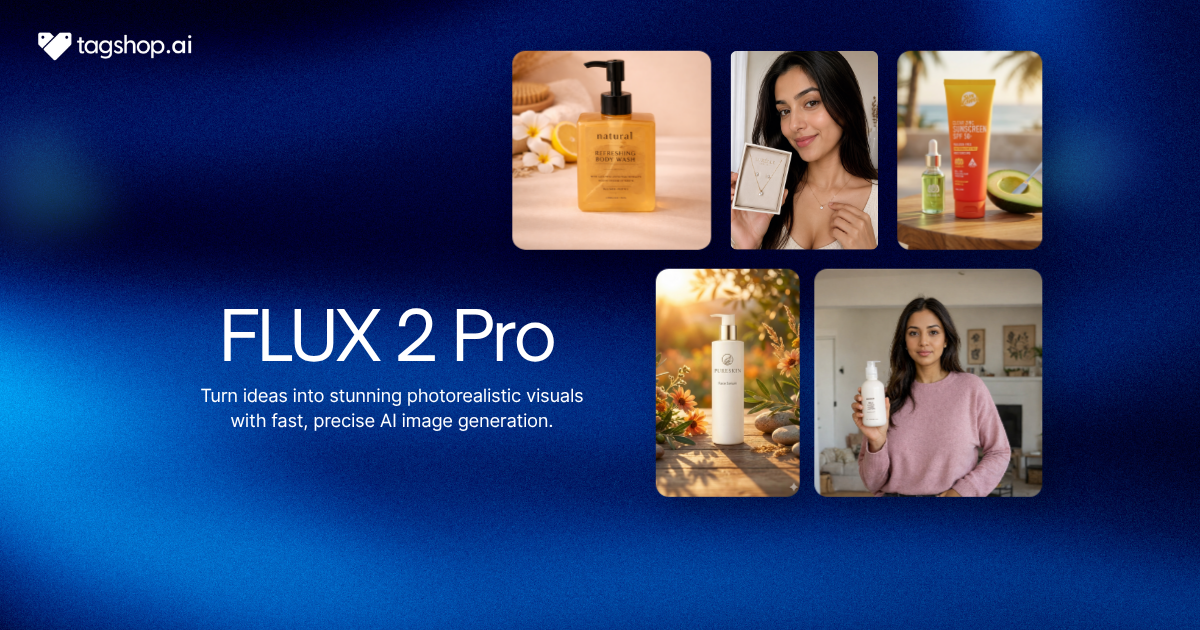







Flux 2 Pro understands f-stops.
Tell it 50mm, f/1.8, soft light from the left, and it renders exactly that, depth of field and all. Most image models treat photography terms as decoration. Flux 2 Pro reads them as instructions, which is why its product shots look more like shots than generated, and why the brief you write is closer to the image you get back.
It’s the production tier of the FLUX.2 family, released by Black Forest Labs in November 2025, tuned for photorealism, readable text, and multi-reference consistency. It runs inside the Tagshop AI’s Asset Generator. This review covers what it does well, and where it doesn’t.
What is Flux 2 Pro, and who made it?
Flux 2 Pro is a commercial AI image generation and editing model from Black Forest Labs, the studio founded by the original Stable Diffusion researchers. It takes text and images as input and produces images, and it’s aimed squarely at professional and enterprise creative work rather than casual use.

It sits in the middle of a four-model family. FLUX.2 ships as klein, pro, flex, and max, and Pro is the tier tuned for production-scale output: high-quality, predictable, and fast enough to run at volume. Under the hood, it pairs a 32-billion-parameter image model with a separate Mistral-3 24B vision-language model that reads your prompt. Splitting the “understanding” from the “drawing” is why it follows instructions so closely.
Flux 2 Pro at a Glance
| AI Model | Flux 2 Pro |
| Developer | Black Forest Labs |
| Released | November 2025 |
| Model family | FLUX.2 (klein, pro, flex, max), Pro is the production tier |
| Type | Image generation and editing, text and image input |
| Max resolution | Up to 4 MP |
| Reference images | Up to 8 via API, 10 in Playground |
| Pricing | From $0.03/MP to generate, $0.045/MP to edit |
| Endpoints | flux-2-pro (stable), flux-2-pro-preview |
| Video or audio | No, images only |
| Available on | Tagshop AI |
Where Flux 2 Pro Earns its Price
It Builds What you Described, Not What it Felt Like
Prompt adherence is the thing Flux 2 Pro does better than almost anything else in its class. Write a long, specific brief: a low camera angle, soft window light from the left, a product centered with copy space above, and ensure it respects each instruction rather than picking two and inventing the rest.

It reads photography language, spatial redescribedlationships, and multiple simultaneous requirements, so you spend less time fighting the prompt and more time refining the result.
The limit: this rewards detail and punishes shorthand. A three-word prompt wastes what the model is good at, so you have to actually write the brief.
Why it matters: for commercial work, “close to the brief” is a revision round. A model that lands the brief the first time saves the expensive part, the back-and-forth.
Must Read: 20+ AI Image Prompts for Effortless Image Creation
Exact Brand Colors from a Hex Code
This is the feature that sets it apart. Flux 2 Pro matches precise HEX values and reference palettes, so your brand blue stays your brand blue across an entire campaign, not a near-miss that a brand manager will flag.
The limit: color fidelity is only as disciplined as your inputs. Give it vague color language and you get vague color back.
Why it matters: packaging, catalogs, and brand campaigns live and die on color consistency. Being able to specify #1A4FB8 and get it is the difference between usable and back to the drawing board.
Readable Text for Packaging, Posters, and Ads
Text rendering, historically the thing AI images got laughably wrong, is production-usable here. Flux 2 Pro generates legible type for posters, packaging, UI mockups, advertisements, and infographics with far fewer spelling and layout errors than FLUX 1.

The limit: very dense or intricate layouts can still need a manual fix, so proof anything text-heavy.
Why it matters: correct, readable text is what lets you ship a real marketing asset instead of a pretty draft that a designer has to rebuild.
Product-Photography Realism at Up to 4 MP
At up to 4 megapixels, Flux 2 Pro renders skin, fabric, reflections, materials, and lighting convincingly enough for product photography, lifestyle imagery, architecture, and advertising. A March 2026 update made generation and editing roughly twice as fast on the same endpoints, with no drop in quality and no price increase.
The limit: it caps at 4 MP, which covers most digital and social use but falls short of a dedicated high-resolution pipeline for large print.
Why it matters: commercial-grade realism at production speed is the baseline for using AI images in paid campaigns rather than mood boards.
Editing that Changes One Thing and Leaves the Rest Alone
Flux 2 Pro handles inpainting, outpainting, background replacement, object add and removal, style transfer, and multi-image composition while preserving the surrounding composition. You can swap a background or fix a label without regenerating the whole frame.
The limit: dramatic, whole-image transformations are less reliable than small, targeted edits.
Why it matters: precise editing turns a good generation into a finished asset and keeps the version you already approved intact.
How much does Flux 2 Pro cost?
Flux 2 Pro is priced per megapixel: $0.03 to generate an image and $0.045 to edit one, so cost scales with resolution rather than a flat per-image fee. There’s no separate subscription to the model; you pay for what you render.
That’s more than an open-weight model you could run yourself, and a rounding error next to a photoshoot. For a brand producing hundreds of on-spec creatives a month, the appeal is predictability: the cost per asset is fixed, and it scales cleanly. Inside Tagshop AI, Flux 2 Pro is one of the models in the Asset Generator, so it’s covered by your Tagshop plan; see Tagshop pricing for current details.
How to use Flux 2 Pro on Tagshop AI
Step 1: Load your references and brand details.
Paste your product URL or upload assets, up to several reference images, and note your exact brand HEX codes so you can specify them in the prompt.
Step 2: Pick Flux 2 Pro and Write a Full Brief
Choose Flux 2 Pro, then describe the subject, scene, lighting, composition, and any text or exact colors. It also accepts structured, near-JSON prompts if you prefer to spell out fields explicitly.
Step 3: Generate, Edit Precisely, and Export
Review the result, refine specific regions with inpainting or background edits, and export at up to 4 MP. From there you can animate the still with Tagshop’s image-to-video models.
Flux 2 Pro Prompts that Actually Work
Flux 2 Pro rewards specificity and exact values. Copy these, swap the brackets, and keep your brand hex codes handy.
Brand-exact ad
A minimalist ad for [product] on a seamless background in exactly #[hex]. Product centred, soft top-left key light, subtle shadow, generous copy space above. Headline reads “[exact copy]”. Photoreal, premium, 4:5.
Product photography
Studio product shot of [product] on brushed concrete. 45-degree camera angle, single soft key light from the right, shallow depth of field, crisp reflections. Match the product’s shape, color, and finish to the reference exactly.
Multi-reference brand set
Using the uploaded references (product, model, and brand style board), generate a lifestyle image of the model using [product] in a sunlit interior. Keep the product identity, the model’s appearance, and the brand palette consistent across the scene.
Packaging with exact color
Packaging design for [product]. Front panel in [hex] with the logo, product name “[name]”, and a short benefit line “[copy]”. Clean, premium, accurate and readable text, correct spelling throughout.
Structured prompt
subject: [subject]; scene: [setting]; lighting: [setup]; camera: [angle and lens]; palette: [hex values]; composition: [layout]; text: “[exact copy]”; style: photoreal, editorial.
Who Flux 2 Pro is for
Brand and enterprise teams who work to a guideline. Exact color and strict prompt adherence mean creatives come back on spec, not “close.” This is the clearest reason to choose it over a looser, more artistic model.
Ecommerce. Consistent, catalog-ready product imagery at a few cents per image, with the same product holding its identity across every scene.
Advertising and marketing. On-brand ad creatives with readable text and predictable colors, produced fast enough to test many variations.
Packaging and print-adjacent design. Where color accuracy is non-negotiable, Flux 2 Pro’s HEX matching is the feature that makes it viable.
Agencies and production teams run volume across clients who need per-image predictability and reference consistency more than they need novelty. Try AI video Templates to speed up repeat jobs.
Flux 2 Pro vs Nano Banana Pro vs GPT Image 2
All three are strong commercial image models. They win at different things.
| Model | Developer | Strongest at | Text rendering | Exact color control | Best pick when |
| Flux 2 Pro | Black Forest Labs | Prompt adherence and exact HEX color | Reliable | Yes, HEX matching | Brand color and spec precision matter most |
| Nano Banana Pro | Google DeepMind | All-round commercial quality, multi-reference | Excellent | Strong | You want top overall quality and search-grounded accuracy |
| GPT Image 2 | OpenAI | Text-heavy design and multilingual layouts | Excellent (~99%) | Good | The job is dense typography or multiple languages |
How to choose: reach for Flux 2 Pro when the brief is precise and the brand color has to be exact. Choose Nano Banana Pro when you want the highest all-round quality and factual grounding, and GPT Image 2 when the design is carried by text. All three live in the Asset Generator, so you can run the same brief through each and keep the winner.
What Flux 2 Pro can’t do
Worth knowing before you commit:
- No video and no audio. It’s an image model, full stop. For motion you’d move to a video model.
- Grounding Search is Max-only. The web-grounded factual accuracy in the FLUX.2 line belongs to the Max tier, not Pro, so Pro leans on its training for factual detail.
- Closed and API-only. No public weights and no self-hosting on the Pro tier, which makes some enterprise setups harder and costs more than open-weight options.
- Dense typography still slips. Text is strong, but intricate, packed layouts can need a manual pass.
None of these matter for most on-brand image work. They matter if you need video, self-hosting, or web-grounded facts.
The Bottom Line: Is Flux 2 Pro Worth It?
If your work has to match a brand guideline, Flux 2 Pro is one of the few AI image models that treats “exact” as a requirement rather than a suggestion. Precise prompt adherence, HEX colour matching, reliable text, and up to 10 references make it a genuine production tool for ecommerce, packaging, and advertising, and its per-megapixel pricing scales without a photoshoot budget.
It won’t do video; its best factual grounding is reserved for the Max tier, and dense layouts still need a human eye. But for on-brand commercial imagery where close isn’t good enough, it’s one of the strongest choices available.
Flux 2 Pro is now available in the Tagshop AI’s Asset Generator, alongside other leading image and video models. Try Flux 2 Pro on Tagshop AI →
Frequently Asked Questions
Flux 2 Pro is Black Forest Labs’ production-tier AI image model, released in November 2025. It generates and edits images from text and reference images, and it’s known for accurate prompt following, exact HEX color matching, and up to 4 MP commercial-quality output. It’s available on Tagshop AI.
Flux 2 Pro is priced per megapixel: $0.03 to generate an image and $0.045 to edit one, so the cost scales with resolution rather than a flat fee. On Tagshop AI it’s included in the Asset Generator under your plan.
They win at different jobs. Choose Flux 2 Pro when exact brand color and precise prompt adherence are the priority. Choose Nano Banana Pro for the highest all-round quality and search-grounded accuracy. Both are on Tagshop, so you can compare on your own brief.
No. Flux 2 Pro produces images only, with no video or audio generation. To turn a still into motion, pair it with a video model, which you can do inside the same Tagshop Asset Generator.
Yes. It supports precise HEX colour matching and reference palettes, holding a specified brand colour consistently across creatives, one of the main reasons enterprise branding teams choose it.
It reliably renders readable text for posters, packaging, ads, and UI mockups, a big improvement over FLUX.1. Very dense or intricate layouts can still need a manual touch-up before publishing.
Written by:

Kashish Vaswani is a Content Strategist at Tagshop AI, specializing in AI-powered marketing, UGC advertising, and eCommerce content. She creates actionable guides, industry insights, and product-focused resources that help brands, marketers, and creators leverage AI to produce high-converting video ads and scale their content strategy with confidence.
 Add Tagshop.ai as a preferred source in Google Search







 Introducing

 Wan 3.0 is now live on Tagshop AI
