
What is Wan 2.7: Specs, Features & How to Use It
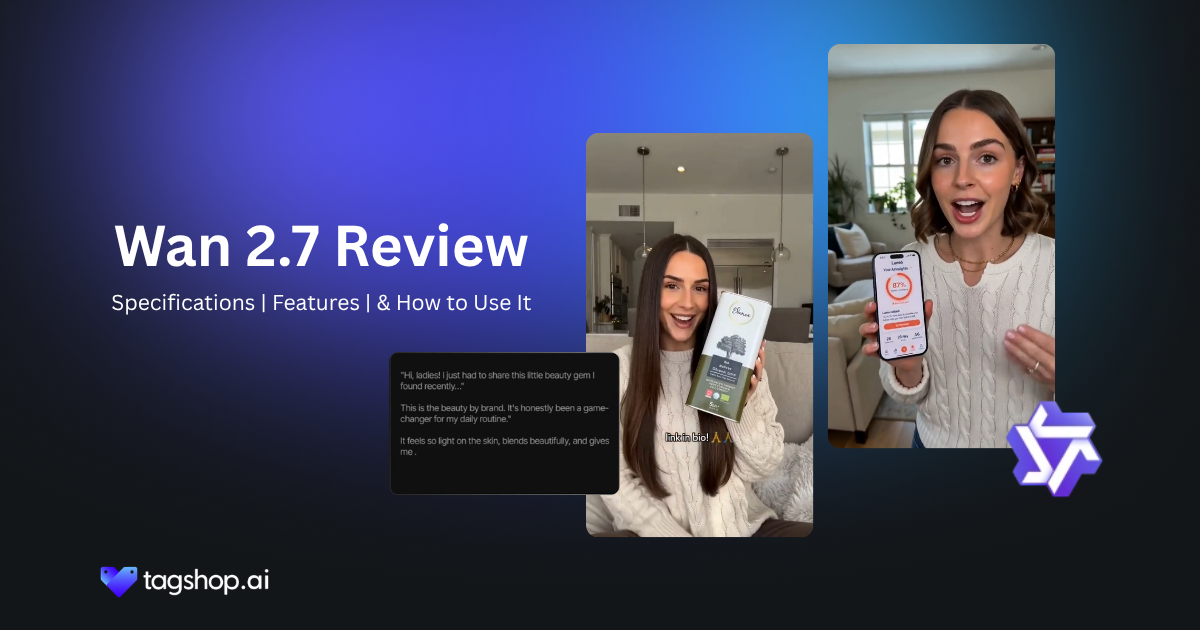







Almost every good AI video model is a black box. You send a prompt through an API, something comes back, and if it’s wrong, you reword and roll again. Wan 2.7 works differently, and the reason is simple: it’s open source. Because it’s open, it hands you control over the closed models that mostly skip. You can set the exact first and last frames and let it work out the middle. You can guide it with a grid of reference images. You can hand it finished footage and edit it by describing the change in plain language.
That’s the shift worth your attention. Wan 2.7 moves AI video away from prompt-and-pray toward something you steer. It’s built by Alibaba; it supports both text-to-video and image-to-video; it generates its own audio; and it’s available in Tagshop AI. In this review, I’ll cover what that control actually buys you, where it still asks for patience, and how to run it on Tagshop.
What is Wan 2.7?
Wan 2.7 is Alibaba’s latest open-source AI video model. You give it text, an image, or a set of references, and it generates video with sound. What sets it apart from the pack is less about one flashy trick and more about how much of the process it lets you direct.
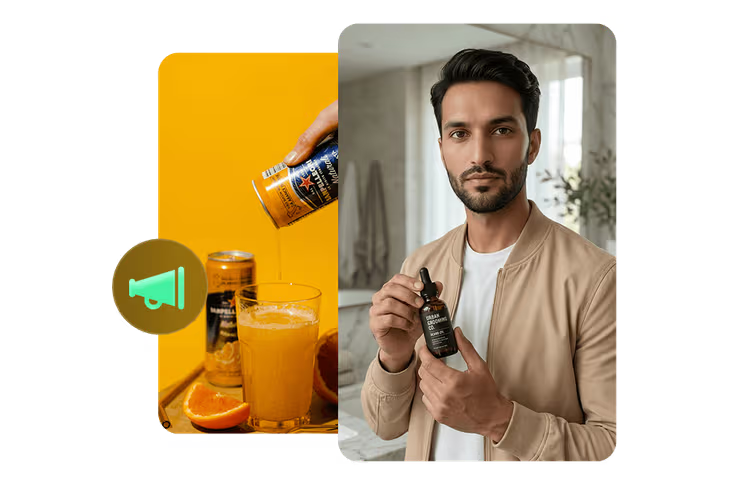
Being open source is the foundation. It means the model is accessible, adaptable, and not locked behind a single vendor’s rules, which is exactly why a community of tools and integrations has grown around it. For most marketers, that openness matters less for ideology and more for the result: more control, more places to run it, fewer walls.
Compared to earlier versions like Wan 2.2 and 2.5, the 2.7 story is about control and polish. Better audio sync, more reliable frame control, and editing tools that let you fix and restyle footage rather than only generating it from scratch. It behaves less like a generator you feed and more like a workspace you operate.
Core Specifications of Wan 2.7
| Spec | Wan 2.7 |
| Developer | Alibaba |
| License | Open source |
| Type | Text-to-video, image-to-video, video-to-video |
| Native audio | Yes, with sync |
| Frame control | First-and-last frame |
| Reference guidance | 9-grid reference input |
| Editing | Instruction-based, video-to-video |
| Max clip length | 15s |
| Resolution | 1080p |
| Available on | Tagshop AI Asset Generator |
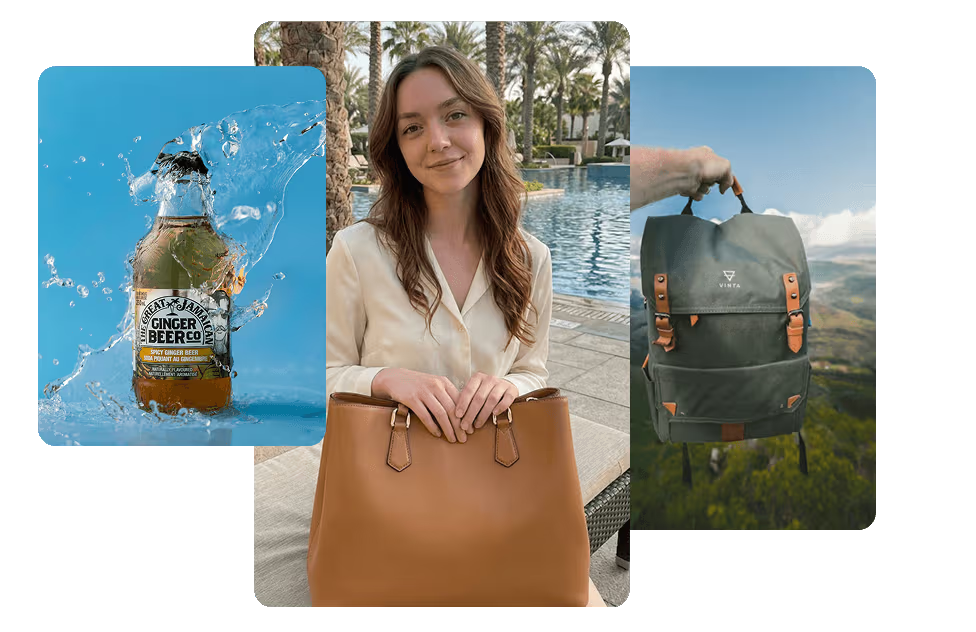
What Makes Wan 2.7 Stand Out
1. Open-source accessibility
Wan 2.7 is open, and that changes what you can do with it. It’s more adaptable than a closed API, it runs in more places, and it tends to attract tooling and community fixes faster than a locked model does. On Tagshop AI you get that flexibility without having to set anything up yourself.
Where it falls short: open source usually means the polish lags the marketing of the big closed players, and you sometimes feel it in rough edges. It’s powerful, not always pretty.
Why it matters: accessibility is leverage. A capable model you can actually bend to your workflow beats a slightly shinier one you can only use one way.
2. First-and-last frame control
This is the feature I’d sell people on first. You give Wan 2.7 the exact frame you want a shot to open on and the exact frame you want it to end on, and it generates the motion between them. Instead of describing a movement and hoping, you bookend it.
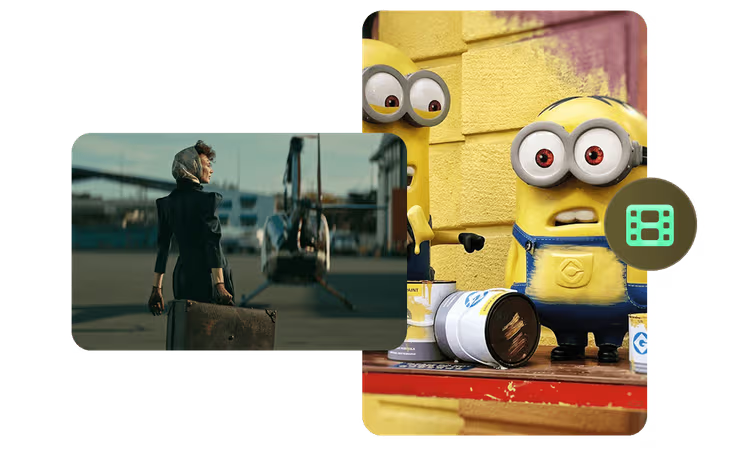
Where it falls short: the middle is still the model’s call, so a complicated transition can take a couple of tries to land the way you pictured.
Why it matters: this is real directorial control. For product reveals, transformations, and any shot with a clear before and after, setting both ends removes most of the guesswork that makes AI video frustrating.
3. 9-grid reference guidance
Wan 2.7 lets you steer a generation with a grid of reference images rather than a single one. Think of it as showing the model a small board of what you want: the subject, the style, the palette, the mood, all at once.
Where it falls short: like every reference system, it rewards clean, consistent inputs. A messy grid gives you a muddled result.
Why it matters: more references mean tighter control over the look. For brand work, where staying on-style is the whole point, guiding with a grid gets you closer to on-brand output on the first pass.
4. Video-to-video and instruction-based editing
Here’s where Wan 2.7 stops feeling like a generator. You can feed it existing footage and restyle it (video-to-video), or you can edit a clip by simply telling it what to change (instruction-based editing). Recolor a jacket, swap a background, change the time of day, in words.
Where it falls short: instruction editing is still literal-minded. Vague requests get vague edits, and complex changes may need to be broken into steps.
Why it matters: editing, not just generating, is what turns a toy into a tool. Being able to fix and adapt footage you already have saves the regenerate-from-scratch gamble that wastes so much time.
5. Native audio and sync
Wan 2.7 generates audio for the video and keeps it in sync. It’s a genuine convenience, and it puts Wan in the same conversation as the audio-forward models.
Where it falls short: this isn’t the reason to pick Wan over an audio specialist. If dialogue realism is your whole game, other models push harder on it. Here, audio is a strong bonus rather than the headline.
Why it matters: even as a secondary strength, generating sound in the same pass removes a post-production step, and combined with Wan’s editing tools, it means more of the job stays in one place.
How to use Wan 2.7 on Tagshop AI
One tip up front: Wan rewards specific inputs. The more you use its controls, frames, references, and clear edit instructions, the better it behaves, so lean on them rather than a single long prompt.
Step 1. Paste your product URL or upload an image.
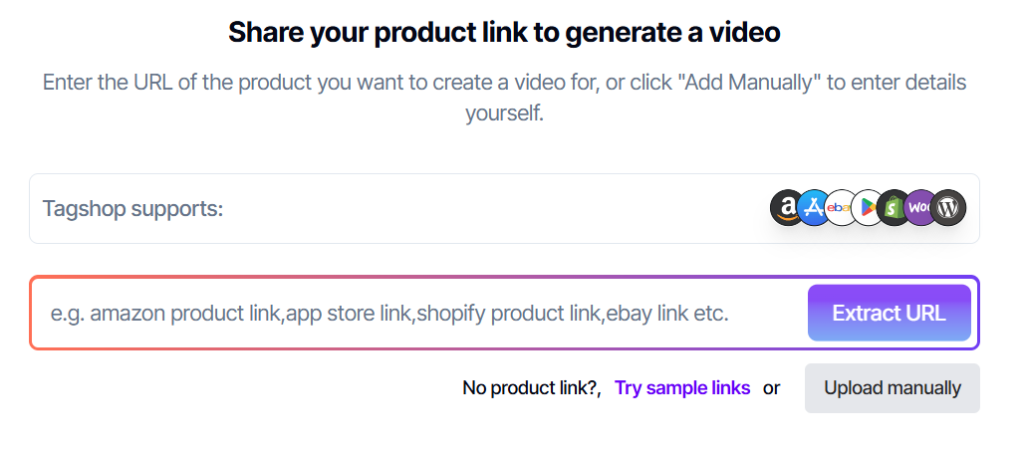
Paste your product URL, and Tagshop AI pulls the images and details for you. Or upload up to 50 files, including images and videos. If you plan to use frame control or a reference grid, this is where those images go, so pick clean ones.
Step 2. Choose Wan 2.7 and set your controls.
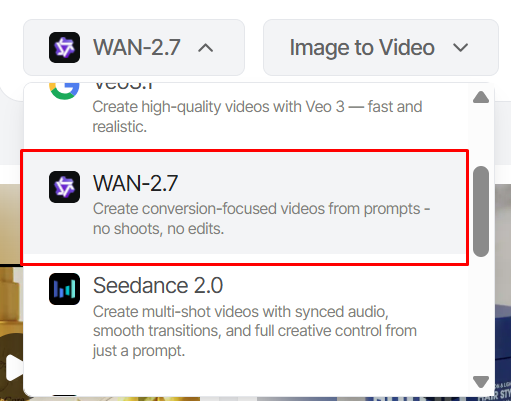
Select Wan 2.7 from the AI Models menu. Write your prompt, then use the controls that fit the shot: set a first and last frame, add a reference grid, or point it at existing footage to restyle or edit.
Step 3. Generate, refine, and publish.
Wan 2.7 produces the video with audio. Not right? Use instruction-based editing to change specific details in the text rather than regenerating the whole thing. When it’s ready, publish straight to Meta or TikTok from the Tagshop AI dashboard.
Top Wan 2.7 Prompts to Try
These lean on Wan’s controls, since that’s where it’s strongest. Swap the bracketed parts and load your frames or references first.
1. First-and-last frame product reveal
First frame: [product] wrapped in shadow, barely visible. Last frame: the same product fully lit, centered, logo sharp. Generate a smooth reveal between the two, single-source light growing across the shot. Keep the product’s shape and color exact.
2. Image-to-video product spin
Take the uploaded product image and animate a slow 360-degree turn on a reflective surface. Studio lighting, soft reflections, subtle ambient sound. Hold the product’s proportions and finish identical to the source image.
3. 9-grid reference brand video
Using the reference grid, generate a 10-second brand clip for [brand] that matches the palette, mood, and style shown. Feature [product] in a clean, editorial setting. Stay on-brand to the references throughout.
4. Video-to-video restyle
Restyle the uploaded clip into a warm, filmic look: golden tones, soft grain, gentle contrast. Keep the motion and framing of the original, change only the color and mood.
5. Instruction-based edit
From the last clip, change the background to a bright studio white and recolor the [item] to deep navy. Leave everything else exactly as it is. Match the lighting to the new background.
6. Cinematic product launch (text-to-video)
Cinematic 8-second launch clip for [product]. Slow push-in from darkness into light, dramatic single source, particles in the air. Confident, premium mood, low ambient sound bed. Photoreal materials.
7. Premium social reel
Vertical social reel for [brand]. Three quick, stylish shots of [product] in different settings, upbeat pacing, light music and punchy sound on each cut. End on the logo. Keep the product consistent across all three.
8. Continuity via reference grid
Using the reference grid of [character/product], generate a clip that keeps its look identical across the whole shot. Neutral background, natural motion, consistent lighting. This is a continuity check, prioritize matching the references over adding flourishes.
Top Use Cases for Wan 2.7
For Creators: The pain is doing everything solo with no budget. Wan 2.7 being open and on Tagshop means real control without a production team, and the editing tools let you fix a clip instead of burning a day regenerating it.
For Performance marketers: The pain is testing enough creative. Frame control and instruction edits let you spin variations of an ad fast, change a background, a color, an ending, without starting each one from zero.
For D2C Brands: The pain is video for every product. Image-to-video turns your existing product shots into motion, and the reference grid keeps each one looking like your actual catalog.
For Agencies: The pain is client revisions. Instruction-based editing means you can action “make the jacket red, brighten the room” in minutes rather than re-shooting or re-prompting from scratch.
For In-house Brand Teams: The pain is staying on-brand without a vendor for every asset. The 9-grid reference guidance is built for exactly this: feed it your brand board and hold the look.
For Post and Edit Teams: The pain is adapting footage you already have. Video-to-video restyling lets you repurpose and refresh existing clips instead of commissioning new ones.
How Wan 2.7 Compares to Other AI Video Models
Honest comparison across the models you’re most likely weighing. Where I can’t confirm a current detail, I’ve flagged it rather than guessed.
| Model | Developer | Strength | Native audio | Editing control | Best use case | Output style | On Tagshop AI |
| Wan 2.7 | Alibaba | Open-source, highly controllable video generation | Yes (native audio generation with dialogue, music & effects) | Excellent (frame control, Video-to-Video, image references, instruction editing) | Editable commercial videos, product ads, controlled productions | Natural, flexible | Yes |
| Kling 3.0 | Kuaishou | Cinematic storytelling and long-shot generation | Yes (native dialogue and sound effects) | Good (camera motion and shot-level controls) | Short films, cinematic ads, storytelling | Cinematic | Yes |
| Veo 3 | Highest realism with synchronized audio | Yes (native dialogue, ambience, sound effects) | Good (prompt-driven editing and scene modifications) | Realistic commercials, talking characters, premium brand videos | Photorealistic | Yes | |
| Seedance 2.5 | ByteDance | Long, coherent scenes with strong prompt following | Yes (native synchronized audio) | Excellent (localized edits, multi-shot consistency, instruction-based editing) | Long-form ads, UGC videos, narrative marketing | Cinematic | Yes |
| Runway Gen-4 | Runway | Professional AI video editing and character consistency | No (audio added separately) | Excellent (reference images, masking, motion brushes, scene edits) | AI filmmaking, post-production, visual effects | Photorealistic / Cinematic | Yes |
My recommendation: if you want the most control over the actual output, and especially if you want to edit and restyle footage rather than only generate it, Wan 2.7 is the pick, and its open-source base makes it the most flexible option here. If your priority is dialogue and multi-shot stories, go Kling 3.0. If it’s one long continuous take, Seedance 2, Veo 3, and Runway’s current specs and Tagshop availability yourself before a client-facing call, since these move fast.
Strengths and Drawbacks of Wan 2.7
What’s genuinely good
- Real control: first-and-last frame, a reference grid, and edits you can make in plain language.
- Video-to-video and instruction editing, so you can fix and restyle, not just generate.
- Open source, which means flexibility and broad access rather than one vendor’s walls.
- Native audio in the same pass, a solid bonus on top of the control.
What still needs you
- Polish can trail the big closed models. It’s capable, not always the prettiest out of the box.
- It’s input-sensitive. Frame control and reference grids reward care and punish sloppy inputs.
- Instruction editing is literal, so complex changes may need to be broken into steps.
- Audio is a bonus, not a specialty. For dialogue-heavy work, a dedicated model may serve you better.
The takeaway
Wan 2.7 is for people who are tired of gambling with a prompt box. Open source at its core, it gives you the controls the closed models leave out: set your frames, guide it with references, and edit finished footage by describing the change.
It won’t always be the most polished result on screen, and it rewards care with its inputs. But if control and flexibility matter more to you than a marketing logo, it’s the most steerable AI video model you can run right now.
Frequently Asked Questions
Wan 2.7 is Alibaba’s latest open-source AI video model. It generates video with audio from text, images, or existing footage, and it stands out for its control: first- and last-frame settings, a 9-grid reference input, and editing you can do by instruction. It’s available on Tagshop AI.
The 2.7 update is about control and polish rather than a new gimmick. Expect better audio sync, more reliable frame control, and stronger editing tools like video-to-video and instruction-based edits, which make it feel more like a production workspace than a plain generator.
Yes. Wan is Alibaba’s open-source video model, which is a major reason it’s so flexible and widely accessible. On Tagshop AI you get that flexibility inside the Asset Generator, with nothing to install or configure yourself.
Wan 2.7 is available on Tagshop AI in the Asset Generator. Paste a product URL or upload your assets, choose Wan 2.7, use its frame and reference controls to generate, then publish to Meta or TikTok from the dashboard.
Yes, Wan 2.7 generates audio alongside the video and keeps it in sync. It’s a real convenience, though for dialogue-first work a dedicated audio model may still push harder.
Yes, and it’s one of its best features. Video-to-video lets you restyle footage you already have, and instruction-based editing lets you change specific details, a color, a background, in plain language, without regenerating the whole clip.
Use Wan 2.7 when you want hands-on control and the ability to edit and restyle footage. Use Kling 3.0 when you want dialogue and multi-shot storytelling. Both are inside Tagshop AI, so you can test each on the same brief.
Written by:

Kashish Vaswani is a Content Strategist at Tagshop AI, specializing in AI-powered marketing, UGC advertising, and eCommerce content. She creates actionable guides, industry insights, and product-focused resources that help brands, marketers, and creators leverage AI to produce high-converting video ads and scale their content strategy with confidence.
 Add Tagshop.ai as a preferred source in Google Search







 Introducing

 Wan 3.0 is now live on Tagshop AI
