
What is GPT Image 2: Features, Use Cases, and How It Works
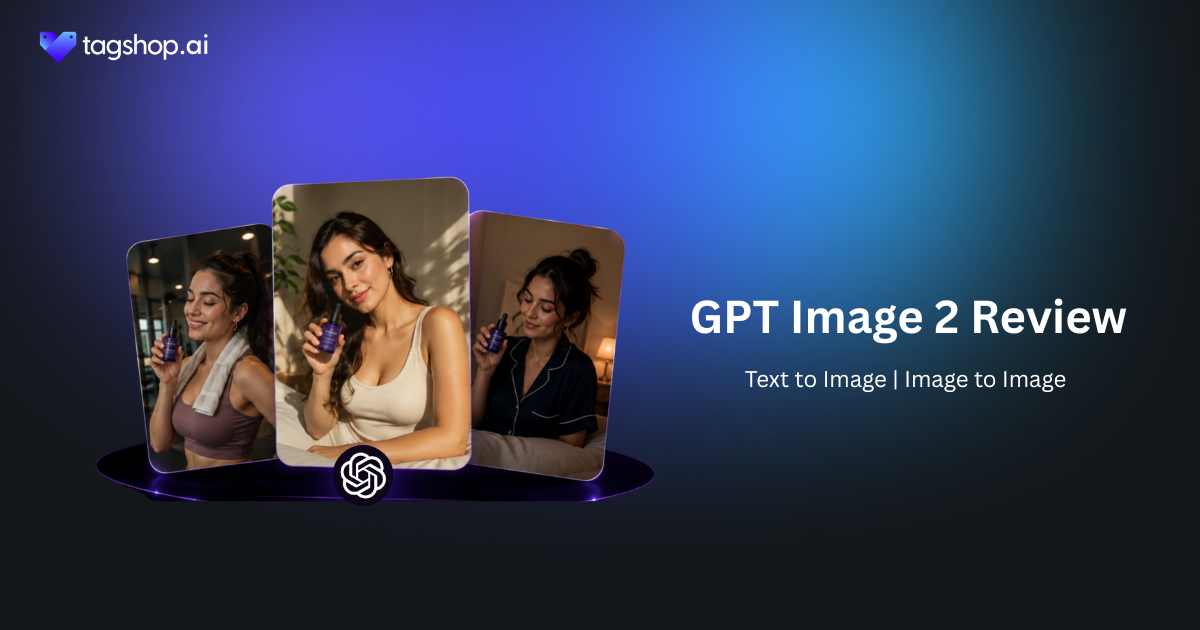







Ask an AI image model to make a poster. A headline, two subheads, a paragraph of body copy, a price at the bottom. Until recently, you would get something that looked like a poster from across the room and fell apart the moment you read it – invented letters. Words that were not words. Text shoved wherever there happened to be space. That single flaw is what kept AI images out of real design work.
GPT Image 2 is the first flagship model I would actually trust with that poster. OpenAI reports it hits around 99% text accuracy, up from the 60 to 70 percent that made older models a non-starter for anything with words in it. It lays type out in a real hierarchy, renders non-Latin scripts properly, reasons about space and light, and runs roughly twice as fast as the version before it. If your work involves making things with words on them – ads, labels, menus, covers – that combination is the whole story.
GPT Image 2 is available inside the Tagshop AI. In this review, I’ll go through what genuinely got better, where it still slips (its lighting logic and a couple of textures will catch you out), and how to put it to work on Tagshop AI.
So What Exactly Changed With GPT Image 2?
GPT Image 2 is OpenAI’s newest flagship image model. It generates and edits images from text prompts and reference images, and it’s the engine behind ChatGPT’s image generation, so if you’ve made a picture in ChatGPT lately, you’ve used its lineage.
The short version: it’s a step up across the board from GPT Image 1.5. Better text, better layouts, more convincing photorealism, proper multilingual support, sharper instruction following, and flexible aspect ratios. Individually, those sound like small patches. Together, they move the model from “fun for concepts” to “usable for finished marketing assets,” which is a different category of tool.
What sets it apart from most image models is its comfort with words and structure. Plenty of models make a pretty picture. Far fewer can make a clean, readable, well-composed layout with text you don’t have to fix in Photoshop afterward. That’s GPT Image 2’s real edge.
GPT Image 2 at a Glance
| Spec | GPT Image 2 |
|---|---|
| Developer | OpenAI |
| Type | AI image generation and editing |
| Powers | ChatGPT’s image generation |
| Text accuracy | Around 99% (up from ~60–70%) |
| Layout | Strong typographic hierarchy, dense layouts |
| Multilingual | Non-Latin scripts integrated into the design |
| Spatial reasoning | Objects, placement, lighting, materials |
| Aspect ratios | 3:1 wide to 1:3 tall |
| Resolution | Up to 4K |
| Speed | ~2x faster than GPT Image 1.5 |
| Available on | Tagshop AI Asset Generator |
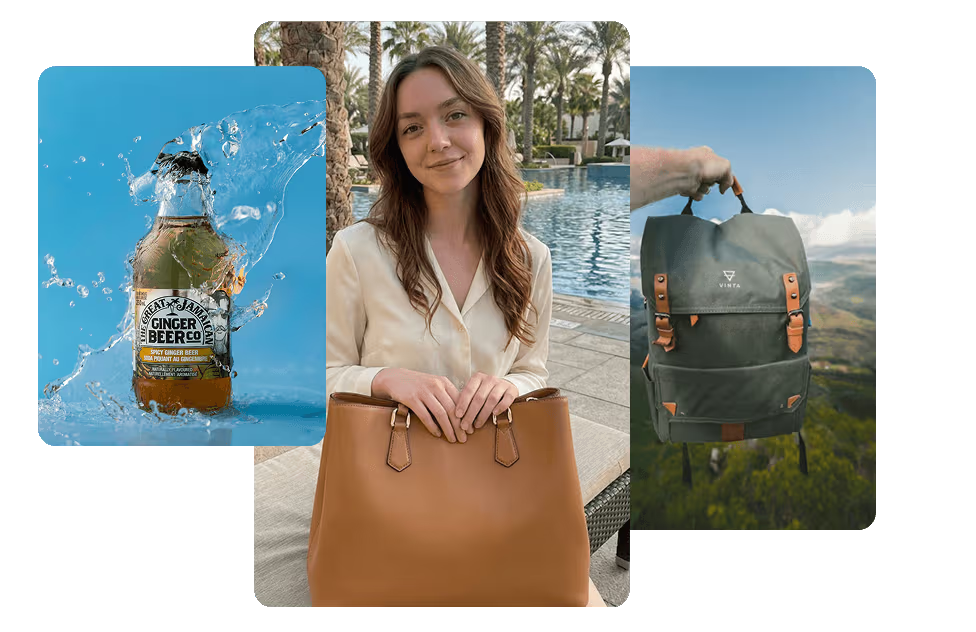
The Features That Actually Matter
1. Text That Finally Doesn’t Fall Apart
This is the headline, and it deserves to be. At roughly 99 percent accuracy, GPT Image 2 renders menus, product labels, magazine covers, UI mockups, and ad copy that come out usable on the first generation. No more squinting at a beautiful image ruined by one nonsense word.
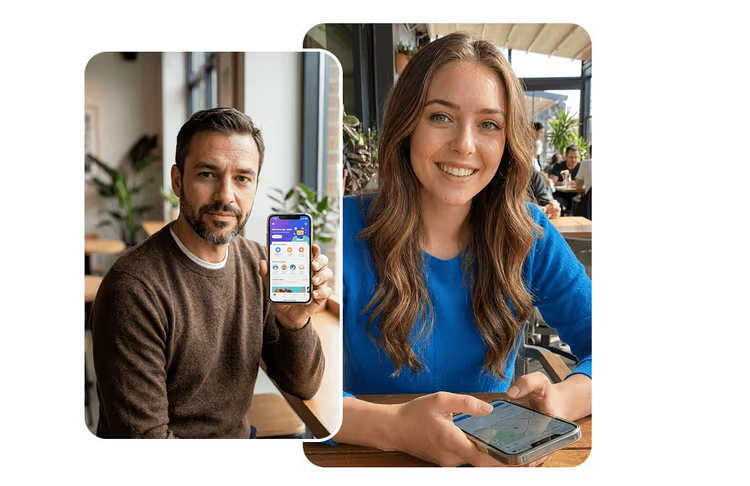
Where it falls short: dense blocks of small text can still slip, so proof anything long before you ship it.
Why it matters: text was the single biggest reason AI images couldn’t be used for real marketing. Fixing it is what turns this from a toy into a tool you can build campaigns on.
2. It Actually Understands Hierarchy
Beyond spelling words correctly, GPT Image 2 understands where they go. Headlines read as headlines, subheads sit below them, body copy and captions and quotes land in sensible places. It has a feel for hierarchy, which is the thing that separates a design from a pile of text.
Where it falls short: it’s a strong first draft, not an art director. Complex editorial layouts still benefit from a human eye on balance and spacing.
Why it matters: a model that composes text properly gets you to a near-finished asset, not just raw material you have to rebuild.
3. Photorealism You Can Direct Like a DP
GPT Image 2’s photoreal output genuinely looks like photography. The clever part: include camera and film references in your prompt, a specific lens, film stock, depth of field, and it encodes the color science and grain to match. You get aesthetic control most models don’t offer.
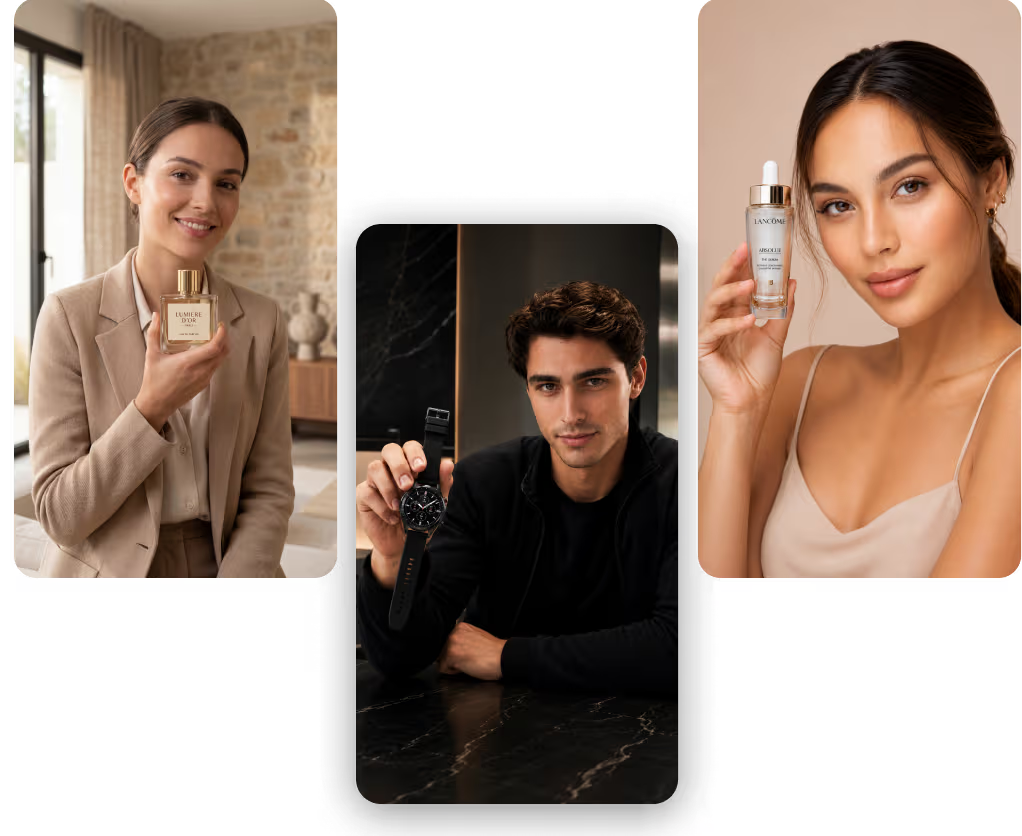
Where it falls short: it has a mild habit of rendering darker than models like Nano Banana 2. That’s a stylistic lean more than a fault, but worth knowing if you want bright and airy.
Why it matters: real photographic control means product and lifestyle shots that sit next to actual photography without looking off.
4. Text in Your Language, Not Pasted On Top
GPT Image 2 renders non-Latin scripts, Japanese, Korean, Chinese, Hindi, Bengali, properly, and it integrates the text into the design rather than pasting a translation on top. You can produce an AI poster, menu, or ad in several languages and have each one still look intentional.
Where it falls short: it struggles when you ask for multiple different languages inside a single image. One language per generation is where it’s strongest.
Why it matters: for anyone marketing across regions, generating localized assets that actually look native is a real time and cost saver.
5. It Gets the Physics Right (Mostly)
Ask for a red cube on a blue sphere inside a pyramid, lit from the left, casting a matching shadow, and GPT Image 2 gets the relationships right. It treats multiple objects, placements, lighting directions, and material properties as instructions to satisfy, not vibes to approximate, including how light behaves on metal and glass.
Where it falls short: it isn’t infallible. In testing, one generation kept the sun behind a car yet lit the wrong side of it. Physics mostly holds, but check lighting logic on complex scenes.
Why it matters: reliable spatial reasoning lets you compose specific scenes on purpose instead of rerolling until the objects happen to land right.
6. Every Format You Actually Need, and Fast
GPT Image 2 finally offers flexible aspect ratios from 3:1 wide to 1:3 tall, so banners, vertical stories, and wide backdrops are all on the table. Resolution goes up to 4K, and it runs about twice as fast as GPT Image 1.5.
Where it falls short: dense, repetitive textures like sand or gravel can go a little mushy and lose detail at scale.
Why it matters: the right formats at high resolution, generated fast, is what makes it practical to actually use across a real content workflow rather than as a one-off.
Putting GPT Image 2 to Work on Tagshop AI
It lives in the Tagshop AI Asset Generator alongside the other models, so the flow is familiar. One tip up front: GPT Image 2 rewards precise prompts, especially the exact text you want rendered, so write that out word for word.
Step 1. Upload your assets or paste a product URL.
Log in to Tagshop AI & paste your product URL to pull images automatically, or upload your references, logos, product shots, and brand assets.
Step 2. Choose GPT Image 2 and write your prompt.
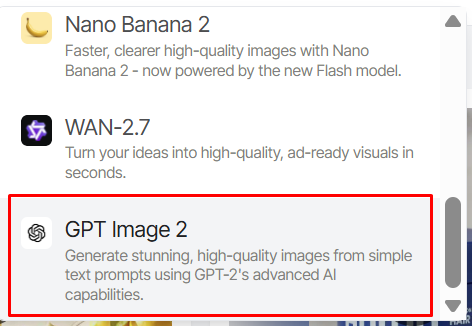
Select GPT Image 2 from the models menu. Spell out the scene, the layout, and the exact copy you want on the image. If you need a specific look, add camera or film references. For multilingual assets, stick to one language per generation.
Step 3. Generate, refine, and export.
GPT Image 2 produces the image. Proof any text, check the lighting on complex scenes, then export in the aspect ratio and resolution you need. From here you can also turn a still into motion with Tagshop AI’s video models.
8 GPT Image 2 Prompts Worth Stealing
These play to its strengths: text, layout, and composed scenes. Swap the bracketed parts and write your copy out exactly as you want it to appear — or start from a template in the Inspiration Gallery if you want a running start.
1. Poster with real hierarchy
A promotional poster for [event/product]. Headline: “[exact headline]”. Subhead: “[exact subhead]”. Three short feature lines below, and a date and price at the bottom. Clean modern layout, clear typographic hierarchy, [brand] color palette. Make all text sharp and correctly spelled.
2. Product label and packaging
A product label mockup for [product]. Brand name “[exact name]” as the main text, “[tagline]” below, ingredient or spec list in small readable type, a barcode area at the bottom. Premium minimalist design, accurate text throughout.
3. Localized ad
A social ad for [product] with the headline “[exact copy]” written in [language], integrated naturally into the layout. Bright, modern, on-brand to [brand]. Keep the text native and correctly rendered, one language only.
4. Restaurant menu
A single-page restaurant menu for [name]. Sections for starters, mains, and drinks, each with three items, short descriptions, and prices. Elegant serif headings, clean body text, generous spacing. All text accurate and readable.
5. Magazine cover
A magazine cover for “[title]”. Main cover line “[exact headline]”, three smaller cover lines around the edges, issue date and price. Bold editorial layout, striking central photo of [subject], strong typographic hierarchy.
6. Photoreal product shot with camera reference
[Product] on a concrete surface, shot on a 50mm lens at f/1.8, shallow depth of field, soft window light from the left, subtle film grain. Photoreal materials, neutral color grade. Match the product exactly to the reference.
7. Composed scene with lighting
A still life: [object A] on top of [object B], [object C] to the left, lit by a warm light source from the right casting soft shadows to the left. Reflective and matte surfaces rendered accurately. Realistic, editorial.
8. Banner and story reframes
Create this as a 3:1 wide web banner with the headline “[exact copy]” on the left and the product on the right, leaving clean space for a button. Then a 9:16 vertical story version of the same design.
Where This Actually Earns Its Keep
Performance marketers:
The pain is producing ad creative fast enough to test. GPT Image 2 makes finished-looking Instagram, Facebook, and TikTok ad assets, text and all, in minutes so that you can put more variations in front of an audience.
Ecommerce and packaging:
The pain is mockups that need a designer for every tweak. Accurate labels, packaging, and product visuals with readable text let you prototype and iterate without a full design cycle.
Social and multilingual content:
The pain is localizing assets for different markets. Native-looking text in multiple languages means one design can ship across regions without looking machine-translated.
Designers:
The pain is the blank canvas and the grind of first drafts. GPT Image 2’s grasp of hierarchy and layout gets you to a strong starting point fast, so you spend your time refining instead of building from zero.
Agencies:
The pain is variable across clients. Generate on-brand posters, ads, and covers quickly, then animate the winners into video with Seedance 2 or Kling 3.0 inside the same platform.
Content and editorial teams:
The pain is dull stock imagery. Composed, photoreal scenes with real text let you make original graphics, covers, and infographics that don’t read as generic AI.
GPT Image 2 vs Nano Banana 2 vs Midjourney: The Honest Read
The comparison most people want is GPT Image 2 against Nano Banana 2, because they’re strong at different things.
| Model | Developer | Strength | Text rendering | Consistency | Best use | On Tagshop AI |
|---|---|---|---|---|---|---|
| GPT Image 2 | OpenAI | Text, layout, multilingual design | Excellent (~99%) | Good | Marketing assets with text | Yes |
| Nano Banana 2 | Subject consistency across scenes | Strong | Excellent | Consistent product and brand imagery | Yes | |
| Midjourney | Midjourney | Most tasteful, artistic look | Weaker | Limited | Stylized, artistic work | Yes |
| GPT Image 1.5 | OpenAI | Previous generation | Moderate | Moderate | Superseded by GPT Image 2 | Yes |
My recommendation: if your work is text-heavy, posters, ads, packaging, menus, multilingual assets, GPT Image 2 is the clear pick, and it’s the more rankable, more design-literate model of the pair. If your priority is keeping the same product or character consistent across many scenes, use Nano Banana 2 instead. The good news is both live in the Tagshop Asset Generator, so you can use each for what it’s best at rather than forcing one to do everything. For artistic, stylized visuals, Midjourney still has a taste advantage.
The Real Pros and Cons
What’s genuinely good
- Text rendering around 99 percent, which makes real marketing assets possible.
- A genuine sense of typographic hierarchy and dense layout.
- Photorealism with camera and film reference control.
- Proper multilingual text, integrated into the design.
- Flexible aspect ratios up to 4K, at roughly double the previous speed.
What still needs you
- Lighting logic can misfire on complex scenes, so check where the shadows fall.
- Dense, repetitive textures like sand can go mushy and lose detail.
- It tends to render a little dark, which is a style lean you may need to correct.
- Multiple languages in one image still trip it up. Stick to one language per generation.
The Takeaway: Finally, an Image Model You Can Trust With Words
GPT Image 2 is for anyone who makes things with words on them. Ads, packaging, posters, menus, covers, in one language or several. Text rendering at around 99 percent, a real sense of layout, photoreal control, and 4K output at speed add up to the first image model I’d trust with finished marketing design rather than just concepts. It leans dark, its lighting logic slips on tricky scenes, and you’ll still proof the copy. But for design-driven image work, it’s the strongest option to reach for right now.
GPT Image 2 is available now in the Tagshop AI Asset Generator. Pair it with Nano Banana 2 for consistent product shots, then bring your best assets to life with AI video.
Frequently Asked Questions
GPT Image 2 is OpenAI’s latest flagship AI image model. It generates and edits images from text and references, and it’s a big step up in text rendering, layout, photorealism, multilingual support, and speed. It’s available on Tagshop AI.
Yes. GPT Image 2 is the model family that powers image generation in ChatGPT. On Tagshop AI, you can use it directly inside the Asset Generator, alongside other image and video models.
It’s better across the board: text accuracy jumps to around 99 percent, layouts and typographic hierarchy improve, photorealism and spatial reasoning get sharper, multilingual rendering is stronger, and it runs about twice as fast with flexible aspect ratios up to 4K.
Yes. It outputs up to 4K and offers flexible aspect ratios from 3:1 wide to 1:3 tall, so you can make banners, vertical stories, and wide backdrops without cropping.
Very good at text, around 99 percent accuracy, and strong with non-Latin scripts integrated into the design. It’s weakest when you ask for multiple languages in a single image, so keep it to one language per generation for the cleanest result.
Use GPT Image 2 for anything text-heavy: ads, posters, packaging, multilingual assets. Use Nano Banana 2 when you need the same product or character to stay consistent across many scenes. Both are in the Tagshop Asset Generator, so you can pick per project.
GPT Image 2 is available inside the Tagshop AI Asset Generator; see Tagshop pricing for current plans. Paste a product URL or upload assets, choose GPT Image 2, write your prompt with the exact text you want, and generate.
Written by:

Rohan Singh is an AI-forward content specialist with 5+ years of experience creating creative, trend-led content for digital-first brands. He blends industry insights, AI-powered research, and content intelligence to produce engaging, relevant narratives aligned with evolving marketing trends. Constantly exploring new AI tools, he ensures his work stays innovative, impactful, and built for how audiences consume content today.
 Add Tagshop.ai as a preferred source in Google Search






 Introducing

 Wan 3.0 is now live on Tagshop AI
