
What Is Veo 3 by Google DeepMind? Full Guide with Pros & Cons
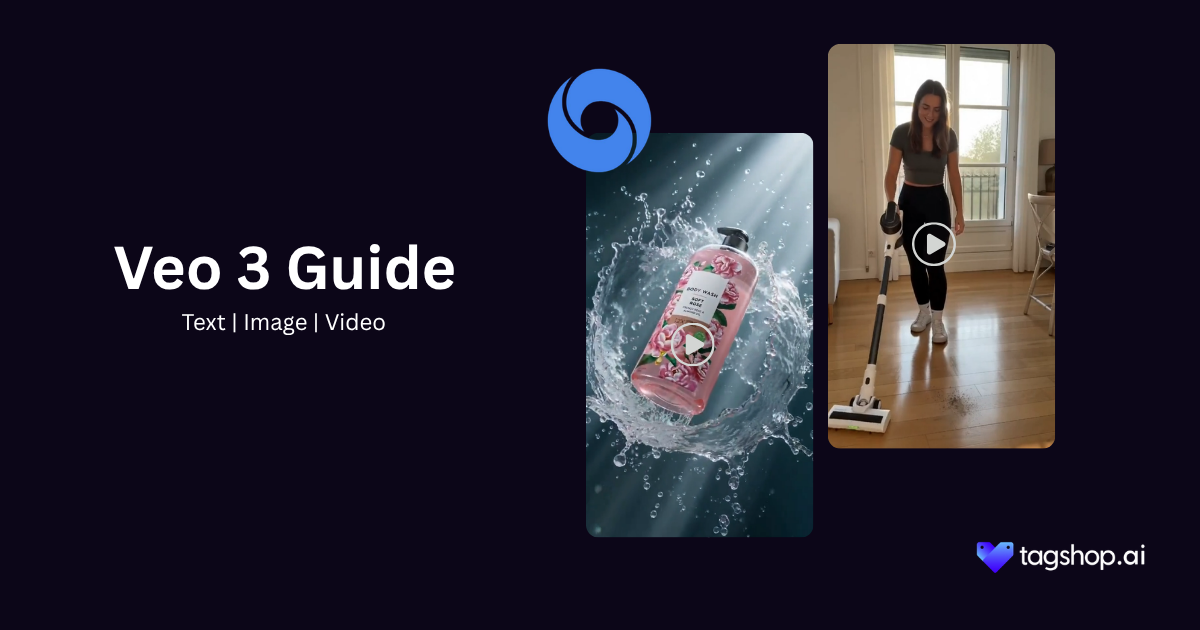







The first time a Veo 3 clip caught me off guard, it wasn’t the visuals.
It was a perfume bottle. A hand picked it up and set it back down on the glass, and you could hear the soft clink, generated with the picture, no sound design, no second app. Small thing. But that clink is exactly what a year of gorgeous, silent AI video could never hand me.
Everyone wants to talk about how Veo 3 looks. The real shift is that you can hear it. AI video crossed the “looks real enough” line a while back. The frames were fine. The motion was fine. What sank every clip was the silence, or worse, the voiceover you stapled on afterward that never sat right in the room.
Veo 3 generates dialogue, ambiance, and effects alongside the footage. A line lands when the mouth moves. A street sounds like a street. For an ad, that isn’t a bonus feature. It’s the line between a mood board and a spot you’d actually run.
So I reviewed it with the volume up, which is more than most coverage attempts.
Below: what the Veo 3 AI video generator does, why native dialogue reshapes an ad workflow more than any resolution bump ever did, the prompts worth saving, where it still trips, and how it holds up against Kling 3.0, Runway, and Pika. Veo 3 is available on Tagshop AI, so you can test any prompt here on a real product before you reach the end.
So, What Is Veo 3 Really?
Veo 3 is Google DeepMind’s video generation model, introduced at Google I/O in May 2025. You give it a text prompt or a reference image, and it returns a short cinematic clip with synchronized audio baked in.
The thing that sets it apart from earlier AI video tools, including Google’s own Veo 2, is that audio. Veo 2 produced a silent video. You generated a scene, then went hunting for music, sound effects, and voice in a second app. Veo 3 generates the soundtrack with the footage: ambient noise, sound effects, music, and spoken dialogue that lines up with the speaker’s mouth.
That single change moves AI video from “B-roll generator” to something closer to a one-pass ad scene. When mood, motion, and sound come from the same generation, the result feels authored rather than assembled.
Here’s where it sits today.
| Spec | Detail |
| Developer | Google DeepMind |
| Type | Text-to-video and image-to-video with native audio |
| Key strength | Dialogue and sound generated in sync with the picture |
| Output length | Eight seconds per generation, extendable in scene-building flows |
| Audio support | Yes. Dialogue, sound effects, ambient sound, and music |
| Resolution | Up to 1080p |
| Availability on Tagshop AI | Yes, through the Asset Generator |
One honest caveat before we go further: Google ships fast, and exact limits on length, resolution tiers, and pricing shift between releases. Treat the numbers above as the tool’s shape, and check the current docs before you build a campaign budget around a hard spec.
The Features That Actually Move the Needle
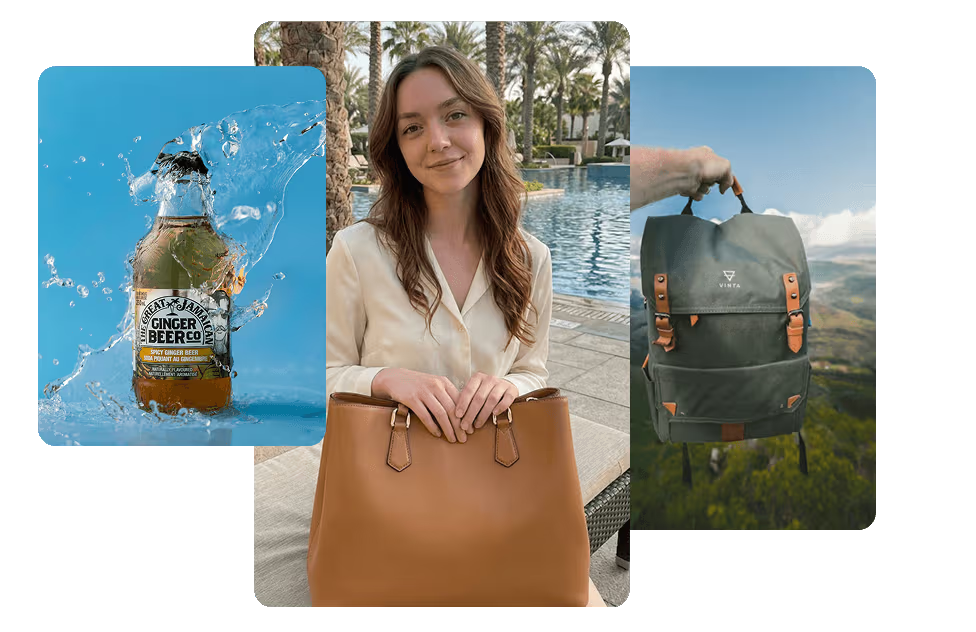
Plenty of models have a feature list. Fewer have features you’d stake a client deliverable on. These are the ones that earn their place.
Native dialogue and audio
This is the headline, and it deserves to be. Veo 3 can generate a character speaking a line you wrote, with lip movement that matches and a delivery that mostly lands. It also fills the world around the line: a coffee shop hums, a street has traffic, a product clicks when it’s set down.
What it means for you: a talking-head ad concept, a founder VO, a quick testimonial-style spot, all without booking a shoot or a voice actor for the first draft. You can prototype a script idea in minutes and hear whether it works.
What still bites: the more specific your line, the harder it is to nail in one go. Short, natural dialogue holds up. Long monologues and tricky names get wobbly. More on that in the limitations.
Cinematic realism
Veo 3 has a look. Depth of field that feels intentional, lighting that behaves like lighting, motion with real weight to it. Hair moves right. Liquid pours like liquid. The uncanny stiffness that gave older models away has mostly thinned out.
Why it matters for ads: premium brands live or die on production value. A clip that reads as cheap kills trust in half a second. Veo 3 clears that bar more often than not, which is rare.
Prompt understanding
It reads intent well. You can write in plain creative direction, “handheld, golden hour, intimate,” and it interprets the mood rather than just keyword-matching. Camera language works too: dolly in, slow push, rack focus. It mostly listens.
What you can do with it: art-direct without learning a new syntax. If you can brief a director, you can brief Veo 3.
Camera and motion control
You get meaningful control over how the camera moves and how subjects move through frame. Pans, tracking shots, and slow reveals come out cleaner than the random drift that plagued earlier tools. Motion has direction and purpose.
The catch: it’s directable, not deterministic. You’re guiding, not keyframing. For shots that need exact, repeatable camera moves, a traditional pipeline still wins.
Scene coherence
Objects mostly stay objects. A product held in the first second is still the same product in the last. Faces hold their identity across the clip. This consistency is what makes the eight seconds usable as a single take rather than a flickering mess.
From Prompt to Finished Clip: The Tagshop AI Workflow
The fastest way to go from idea to a real clip is through the Tagshop AI Asset Generator. Here’s the workflow, start to finish.
Step 1. Upload your product link or reference image.

Log in to Tagshop AI, paste your product URL to automatically pull images, or upload the asset you want kept consistent. This is the thing Veo 3 will carry across scenes, so use a clean, clear image.
Step 2. Choose Veo 3 and write your prompt.
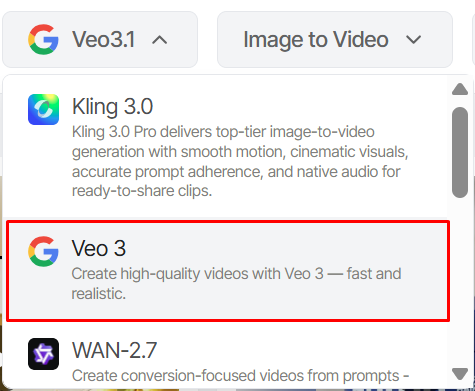
Select Veo 3 from the models menu. Describe the scene in detail: setting, style, any text you want rendered, and exactly how your asset should appear. Precision pays off here.
Step 3. Generate, refine, and export.
Veo 3 produces the image. From there, place your asset in new scenes, reframe it for a different format, such as an Instagram story, or edit specific details as instructed. Export the versions you want, or use them as references to feed Tagshop’s video models.
A friction note, because I’d rather you know going in: your first generation is a draft, not a final. Expect to iterate on the prompt two or three times before a clip is shippable, especially when dialogue is involved. Budget for that. It’s still faster than a shot by an order of magnitude.
8 Veo 3 Prompts Worth Stealing
This is the part to bookmark. These are copy-paste starting points, each tuned for a real ad job. Swap in your product, your brand, your line, then iterate.
1. Cinematic product ad
Use case: A hero shot for a premium product launch.
Prompt:
Slow dolly-in on a matte black wireless headphone resting on brushed concrete, single soft key light from the left, shallow depth of field, dust motes drifting in the beam, faint ambient hum, the soft click of the earcup adjusting. Cinematic, moody, high-end commercial look.
Why it works: It pairs precise camera language with one small diegetic sound (the click) that sells realism instantly.
Expect: A polished, gallery-grade product moment that holds up as an opening shot.
2. Social ad
Use case: A scroll-stopping vertical clip for Reels or TikTok.
Prompt:
Handheld vertical shot, young woman in a sunlit kitchen lifting a glass bottle of cold brew, natural morning light, quick energetic motion, ambient street sound through an open window, she smiles and says “okay this is actually good.” Authentic, unpolished, UGC feel.
Why it works: The deliberately rough handheld framing plus one honest line reads as a real person, not an ad.
Expect: Something that blends into a social feed instead of announcing itself.
3. Launch teaser
Use case: A short, mysterious tease before reveal.
Prompt:
Extreme close-up of a sleek device half in shadow, slow rack focus from the logo to the edge, low ambient drone building, a single deep bass hit on the focus pull. Dark, premium, anticipatory. No product fully revealed.
Why it works: Restraint. Showing less and timing the bass hit to the focus creates tension.
Expect: A teaser you can run before the full spot drops.
4. Founder-led brand film
Use case: A trust-building founder moment.
Prompt:
Medium shot of a founder in a quiet workshop, warm practical lighting, soft focus background of tools and prototypes, she looks at camera and says “we built this because nothing else worked.” Intimate, documentary tone, faint room ambience.
Why it works: This is where native dialogue earns its keep. The line plus the setting does the work a voiceover never could.
Expect: A grounded, human clip. Keep the line short, it’ll deliver better.
5. Fashion or beauty ad
Use case: A textural, sensory beauty spot.
Prompt:
Slow-motion close-up of serum dripping onto skin, soft diffused light, golden tones, gentle motion, quiet ASMR-level sound of the drop landing. Luxurious, tactile, editorial.
Why it works: Beauty sells on texture and sound. Veo 3’s native audio adds the sensory layer most AI video misses.
Expect: A clip that feels expensive.
6. DTC product demo
Use case: Show the product working in one clean take.
Prompt:
Top-down shot of hands using a compact espresso maker on a marble counter, natural daylight, real sounds of the machine pressing and coffee pouring, steam rising. Clear, crisp, satisfying demo.
Why it works: Function plus genuine product sound is more persuasive than any claim.
Expect: A usable demo beat. Watch the hands across frames for small consistency slips.
7. Premium lifestyle clip
Use case: Aspirational brand atmosphere.
Prompt:
Wide cinematic shot of a couple on a rooftop at golden hour, city skyline behind, gentle breeze moving fabric, soft warm light, distant city ambience and faint music. Aspirational, calm, high production value.
Why it works: It leans on mood over message, which is exactly what lifestyle branding needs.
Expect: Atmospheric footage strong enough to anchor a brand reel.
8. Native dialogue scene
Use case: A two-line exchange that shows off the model’s signature ability.
Prompt:
Two friends at a cafe table, natural afternoon light, one leans in and asks “did you try the new one?” the other grins and says “yeah, I’m not going back.” Warm ambient cafe sound, handheld, candid framing.
Why it works: Short, natural dialogue is Veo 3’s sweet spot. Two quick lines beat one long speech every time.
Expect: A believable little scene. If a line lands oddly, shorten it and regenerate.
Where Veo 3 Actually Earns Its Keep
Veo 3 is strong, but it isn’t the right call for everything. Here’s where it genuinely fits, and where I’d point you elsewhere.
Ecommerce video ads. Hero shots, product-in-use moments, and texture-rich beauty spots are where it shines. The native sound makes a product feel real. If you need a 30-second narrative with five scene changes, you’ll be stitching clips, and another approach may move faster.
Launch campaigns. Teasers and reveal moments suit the eight-second format perfectly. Short, high-impact, repeatable. Less ideal for long explainer-style launch films.
Brand teasers. Mood-first, dialogue-light, atmosphere-heavy. Veo 3 nails this. It’s one of the best tools available for a premium teaser.
Social reels. Vertical, fast, UGC-style clips work well, especially with a short spoken line. For pure speed and volume across dozens of variations, a lighter, faster model like Pika may be the more practical workhorse.
Founder-style dialogue ads. This is the standout use case. No other widely available model lets you prototype a founder saying a real line, in a real setting, this convincingly. If your brand leans on a human voice, start here.
Narrative ad concepts. Great for the beat, the single scene, the emotional moment. Less great for a full story arc, where clip-length limits force you into editing several generations together.
Veo 3 vs alternatives
I’ve tested these against each other on real briefs. Here’s the honest read, dimension by dimension.
| Criteria | Veo 3 | Kling | Runway | Pika |
| Native audio | Yes, full | Limited | Limited | Partial |
| Dialogue | Best in class | Weak | Weak | Basic |
| Realism | Excellent | Excellent | Strong | Good |
| Ad suitability | Excellent | Strong | Strong | Good |
| Prompt fidelity | Strong | Strong | Strong | Variable |
| Creative control | Good | Good | Best in class | Good |
| Consistency | Strong | Strong | Strong | Variable |
| Speed | Moderate | Moderate | Fast | Fast |
Veo 3 vs Kling. Kling is a genuine rival on raw realism and physical motion, and it often handles longer, more complex movement beautifully. Where Veo 3 pulls ahead is sound and dialogue. If your ad needs a spoken line or rich diegetic audio, Veo 3 wins clearly. If you want long, fluid, sound-optional motion, Kling is a fair fight and sometimes the better pick.
Veo 3 vs Runway. This isn’t quite apples to apples, and I’ll say so. Runway is less a single model and more a creative suite, with editing tools, motion control, and director-style features that give you finer hands-on control. If you want to sculpt a shot precisely, Runway gives you more levers. Veo 3 gives you a better one-pass result with audio.
Veo 3 vs Pika. Pika is fast, fun, and cheap to iterate. For volume, quick social experiments, and effect-driven clips, it’s excellent. For premium, audio-rich, ship-it-to-a-client work, Veo 3 is on another tier of fidelity. Choose Pika for speed and play, Veo 3 for polish.
The recommendation, plainly: choose Veo 3 when you need cinematic output with native audio and dialogue in one generation. Choose another tool when you need faster iteration, longer or more complex motion, a specific creative-control workflow, or a lower cost per clip.
Pros and Cons of Veo 3
No fake balance here. The pros genuinely outweigh the cons, and I’ll say which cons would actually stop me.
Pros
- Native audio is a real advantage, not a checkbox. Generating dialogue, SFX, and ambience with the picture changes how fast you can prototype a spot.
- The cinematic look clears the premium-brand bar that most AI video fails.
- It’s a strong fit for ad concepts, especially anything with a human voice.
- Story-driven, mood-led prompts come out coherent and authored.
Cons
- It still needs iteration. Expect two or three passes per shippable clip, more when dialogue is involved.
- Not every prompt lands cleanly. Long lines, unusual names, and busy multi-action scenes can break.
- The short-form clip length forces editing for anything longer than a single beat.
- Native audio is useful, but it’s a starting point, not a substitute for proper post-production on a flagship spot.
The Bottom Line: The Picture Caught Up, the Sound Just Changed
Veo 3 is the first AI video model I’d hand to a marketer without a disclaimer. It’s not perfect. It needs iteration. The eight-second limit will frustrate you on long-form work. But the reason it stands out has almost nothing to do with the picture, and that’s the part most reviews miss. The picture caught up a while ago. The sound is what just changed.
Who’s it best for? Performance marketers and brand teams who need premium, audio-rich clips fast. Founders who want their own voice in the ad without a shoot. Creators making DTC and lifestyle content that has to sound as expensive as it looks.
Why it matters: an ad you can’t hear was always going to be a draft. Veo 3 is the first model that hands you something closer to finished.
Ready to test Veo 3 on real ad ideas? Generate your first cinematic AI video on Tagshop AI, paste in one of the prompts above, and play it with the sound on.
Frequently Asked Questions
Veo 3 is Google DeepMind’s AI video generation model. It turns text prompts or reference images into short cinematic clips with synchronized native audio, including dialogue, sound effects, and music.
The biggest difference is sound. Veo 2 generated silent video. Veo 3 generates audio in the same pass as the picture, including spoken dialogue that syncs to the speaker’s mouth. Realism and motion also improved.
Yes. Veo 3 generates dialogue, ambient sound, sound effects, and music together with the video, rather than requiring you to add them separately afterward.
Yes. It’s well suited to product ads, teasers, social reels, and founder-led spots. Check Google’s current usage and licensing terms for your specific commercial case before publishing.
Around eight seconds per generation, with scene-building flows that let you extend or combine clips. For longer ads, you stitch multiple generations together in edit.
Yes. You can generate Veo 3 clips directly through the Tagshop AI Asset Generator, including duration, style, camera, and audio controls.
Veo 3 leads on native audio and dialogue. Kling competes hard on realism and complex motion. Runway offers finer creative control as a full editing suite. Pick based on whether you need sound, motion length, or hands-on control.
Written by:

Neeraj is passionate about reshaping brand storytelling through AI-powered UGC videos. As the Founder he helps brands unlock authentic, creator-style video content that drives results - without the traditional time, cost, or complexity. His approach blends AI innovation with marketing performance to scale engagement efficiently.
 Add Tagshop.ai as a preferred source in Google Search







 Introducing

 Wan 3.0 is now live on Tagshop AI
