Gemini Omni Flash: What, How & All the Possibilities







Here’s the annoying truth about AI video that nobody likes admitting: generating a clip has never been the hard part. Fixing it is.
You get 90% of the way to a great video, then the background’s wrong, or the lighting’s off, or the product’s facing the wrong way, and every tool on the market makes you do the same thing: rewrite the prompt and roll the dice again.
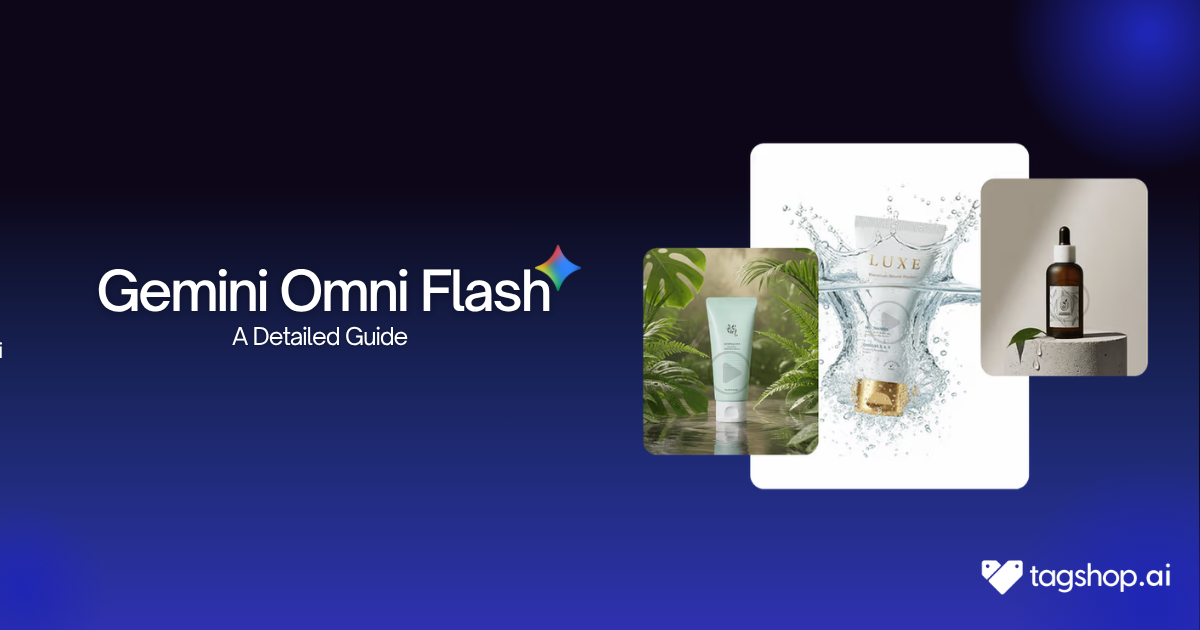
Gemini Omni Flash is Google’s answer to that problem. It’s the first model in Google’s new “Omni” family, built to take text prompts and images as input and generate video as output up to 10 seconds, with synced audio, and with one feature that actually changes the workflow: you can talk to your video after it’s generated. Ask it to change the lighting. Then ask it to add snowfall. Then swap the background. No restarting, no re-rolling, just refining.
In this guide, you’ll learn what Gemini Omni Flash actually does, how it stacks up against Seedance and Veo, and how to generate your first video with it on Tagshop AI in under 5 minutes, no API setup, no separate account.
And yes, Gemini Omni Flash is available on Tagshop AI right now.
What is a Gemini Omni Flash?
Gemini Omni Flash is built by Google DeepMind, announced at I/O 2026 as the first model in a new “Omni” family sitting alongside Nano Banana (image) and Gemini Audio inside the core Gemini lineup not as a separate, specialized video tool like Veo.
What it actually produces: video, up to 10 seconds, with native synchronized audio generated from any mix of text, images, existing video clips, and voice references you feed it. It doesn’t treat those inputs as separate lanes. It reasons across all of them at once, the same way Gemini reasons across text and images in a normal conversation.
Three things define this model specifically:
- Conversational, multi-turn editing- Every instruction builds on the last one. Change the sky, then add snow, then swap the building, and the model maintains character, physics, and scene consistency throughout.
- World-knowledge grounding- because it’s built on Gemini, it understands what things actually look like protein folding, historical settings, physics, instead of guessing from visual patterns alone.
- Reference-anything input- pose from text prompts, style from an image- combined into one coherent generation.
Compared to earlier Flash-tier Gemini models, which were fast, cost-efficient language and reasoning models, Omni Flash is the first to extend that “fast and cheap” positioning into actual video generation and editing territory that used to belong exclusively to Veo.
Specifications of Gemini Omni Flash:
| Spec | Value |
| Developer | Google DeepMind |
| Type | Multimodal (text, image, video, audio input → video output) |
| Key strength | Conversational, multi-turn video editing |
| Output duration | Up to 10 seconds, with native synced audio |
| Resolution | Not officially confirmed by Google (unverified reports suggest up to 720p) |
| Available on Tagshop AI | Yes |
Key Features of Gemini Omni Flash
1. Conversational Video Editing
This is the headline feature, and it’s the reason Omni Flash doesn’t behave like every other video model you have tried. Instead of rewriting your whole prompt to fix one detail, you just say what should change next: “make the sky darker,” then “now add snowfall,” and the model applies it while keeping everything else exactly where it was.
2. Reference – Anything Multimodal Input
You’re not stuck typing a text prompt and hoping for the best. Drop in a reference image for style, a video clip for motion, and a voice sample for narration, all in the same generation, and Omni Flash blends them into one consistent scene instead of forcing you to pick a single input type.
3. Built-In World Knowledge
Because it’s a Gemini model at its core, it doesn’t just render pixels it understands context. Ask for a claymation explainer of protein folding, and it renders alpha helices correctly with a synced voiceover, because it knows what that actually looks like, not just what the words statistically pattern-match to.
4. Fast, Deployment Generation
Omni Flash is built for volume quick iterations, quick edits, and quick turnarounds rather than single, expensive hero-shot renders. For teams generating dozens of variations a week, that pricing model is the difference between testing freely and rationing every generation.

How to Use Gemini Omni Flash on Tagshop AI
You don’t need a Google Cloud account, an API key, or any technical setup to use Gemini Omni Flash. Here’s the full flow on Tagshop AI:
Step 1: Signup for Tagshop AI
Go to tagshop.ai → Asset Generator → Choose Model → select Gemini Omni Flash.
Unlike single-mode models, there’s no version to pick here. Omni Flash is the one model that handles multiple inputs together.
Step 2: Add Your Input
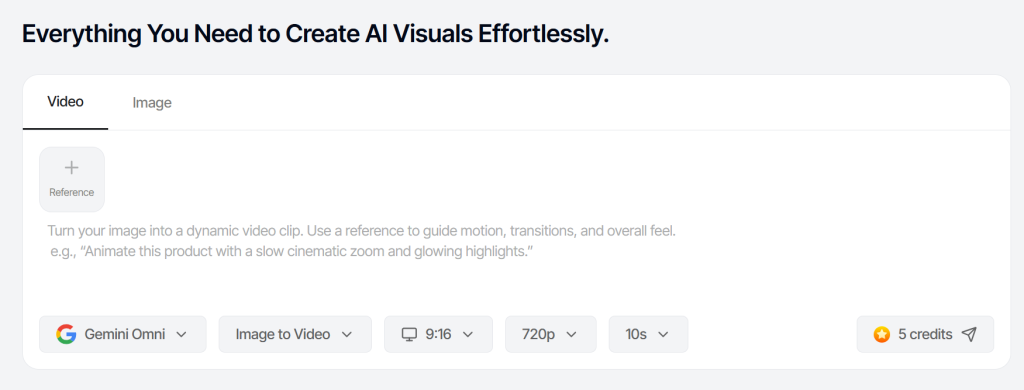
Step 3: Set Your Output:
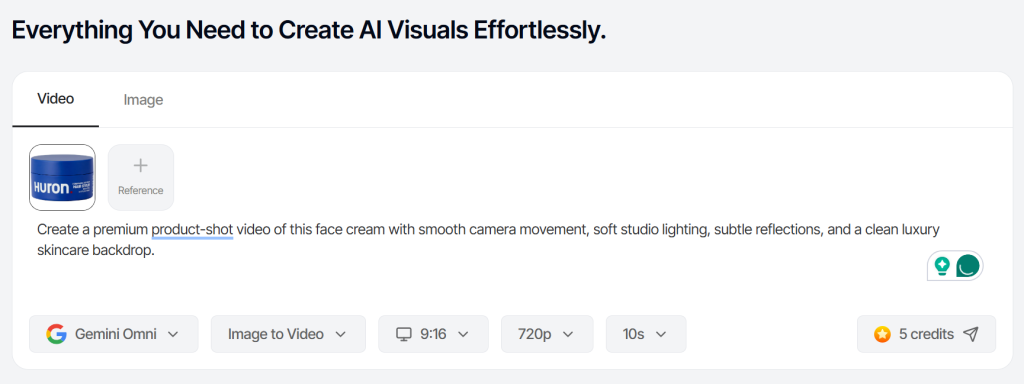
Choose your aspect ratio – 9:16 for TikTok and Reels, 1:1 for Meta feed, 16:9 for YouTube. Clips run up to 10 seconds per generation.
Step 4: Generate, Refine, and Export.
Hit generate. Your first cut is ready in 5-10 minutes. Once it’s right, download it or publish it straight to Meta or TikTok.
Ready-to-Use Prompts for Gemini Omni
Copy, paste, adjust the details, and generate:
- Product ad prompt
“A [product name] rotating slowly on a minimalist white pedestal, soft studio lighting, subtle reflection on the surface below, camera slowly pushing in. Clean, premium, e-commerce ad style.” - Social reel prompt
“A person unboxing [product] in natural daylight, handheld camera feel, genuine reaction, quick
cuts implied by pacing. Casual, UGC-style energy, not overly polished.” - Brand film prompt
“A [brand mood e.g. calm morning routine] scene featuring [product], shot like a Wes Anderson frame symmetrical composition, warm pastel tones, deliberate pacing.” - Multimodal reference prompt
“Use this uploaded product image as the subject, this reference video for the camera motion, and generate a 10-second clip that matches the color grade of the reference image.”
- Explainer prompt
“A simple animated explainer showing how [product/feature] works, claymation style, with a friendly synced voiceover explaining the process in one sentence per shot.” - Before/after prompt
“Split-scene transformation showing [before state] shifting into [after state] using [product], smooth transition, satisfying visual payoff, upbeat pacing.” - Avatar-style testimonial prompt
“A person speaking directly to camera, warm lighting, casual setting, giving a genuine one-line testimonial about [product] natural tone, not scripted-sounding.” - Iterative refinement prompt (use after your first generation)
“Keep everything the same, but change the background to [new setting] and make the lighting feel like a golden hour.”
Best Use Cases of Gemini Omni Flash
- E-commerce product ads –Turn a single product photo into a polished, rotating hero shot or an unboxing-style clip without booking a studio or a shoot day.
- Social media content at volume- Marketing teams juggling five platforms and a dozen weekly posts can generate and refine variations fast enough to actually keep up with the calendar.
- Concept testing before production- Not sure if a creative direction works? Generate it, talk it into shape, and know whether it’s worth a real shoot before spending the budget.
- Explainer and how-to content- Because the model understands what it’s rendering, it’s genuinely useful for product-education content where accuracy matters, not just visuals.
- Personalized or avatar-based content– testimonial-style or presenter-style clips that would normally require filming yourself can be generated and iterated on instead.
Gemini Omni Flash vs Seedance 2.0 vs Veo 3.1
| Feature | Gemini Omni Flash | Seedance 2.0 | Veo 3.1 |
| Primary focus | Multimodal creation + conversational editing | Cinematic-quality video generation | High-fidelity text-to-video |
| Multi-turn editing | Yes the headline feature | Limited | No |
| Prompting style | Loose, direction-based | Precise, specification-heavy | Precise, specification-heavy |
| Raw generation quality | Reportedly trails on first-shot cinematic quality | Leads on cinematic quality | Strong, industry benchmark |
| Native audio | Yes, synced | No native support | Yes |
| Max clip length | 10 seconds | Varies by tier | Similar consumer cap |
| API availability | Rolling out (limited at launch) | Available | Available (GA) |
Choose Gemini Omni Flash if your bottleneck is the fifth generation: you need to refine, iterate, and fine-tune a clip through conversation rather than rewriting prompts from scratch.
Choose Seedance 2.0 or Veo 3 if your bottleneck is the first generation; you need the cleanest possible cinematic output in a single shot, with no edit pass planned afterward.
Pros and Cons of Gemini Omni Flash
Pros:
- Conversational, multi-turn editing that no direct competitor currently offers
- Genuinely useful world-knowledge grounding for accuracy-dependent content
- Combines text and image references in a single generation
- Aggressive, predictable per-second pricing
- No API setup is needed when accessed through Tagshop AI
Cons:
- 10-second clip cap means longer-form content requires stitching multiple generations together
- Raw first-generation cinematic quality reportedly trails Seedance 2.0 and Kling 3.0
- Voice-editing on existing footage isn’t available, yet you can use your own avatar’s voice, but you can’t rewrite someone else’s
Conclusion
If your video workflow lives or dies on the fifth generation, the one where you’re fixing lighting, swapping backgrounds, and nudging details until it’s actually right Gemini Omni Flash is built for exactly that moment. It’s not trying to win the single-shot cinematic-quality contest; it’s trying to make the editing conversation the whole point. For marketers, e-commerce brands, and content teams who need to move fast without starting over every time something’s slightly off, that’s the model worth having in your stack.
Frequently Asked Questions
It’s Google DeepMind’s first “Omni” model, a multimodal AI that takes text, image, video, and audio input and generates video output, with conversational multi-turn editing as its defining feature.
Seedance 2.0 is built for the cleanest possible single-shot cinematic generation. Omni Flash is built for iteration, refining a clip through conversation instead of regenerating it from scratch each time.
Access details and usage limits are set by your Tagshop AI plan check your account’s plan page for current generation allowances.
Up to 10 seconds per generation, with native synchronized audio. This is a deployment decision by Google, not a hard model limit, so longer durations may roll out over time.
Generated content is watermarked with SynthID and subject to Google’s usage policies. For most standard product and marketing content, commercial use is permitted to check current terms for anything involving real people’s likeness or third-party IP.
No, when you use Gemini Omni Flash through Tagshop AI’s Asset Generator, there’s no separate Google account, API key, or technical setup required.
Written by:

Kashish Vaswani is a Content Strategist at Tagshop AI, specializing in AI-powered marketing, UGC advertising, and eCommerce content. She creates actionable guides, industry insights, and product-focused resources that help brands, marketers, and creators leverage AI to produce high-converting video ads and scale their content strategy with confidence.
 Add Tagshop.ai as a preferred source in Google Search





 Introducing

 Wan 3.0 is now live on Tagshop AI