
Seedance 2.5 Review 2026: 30-Second AI Video Explained
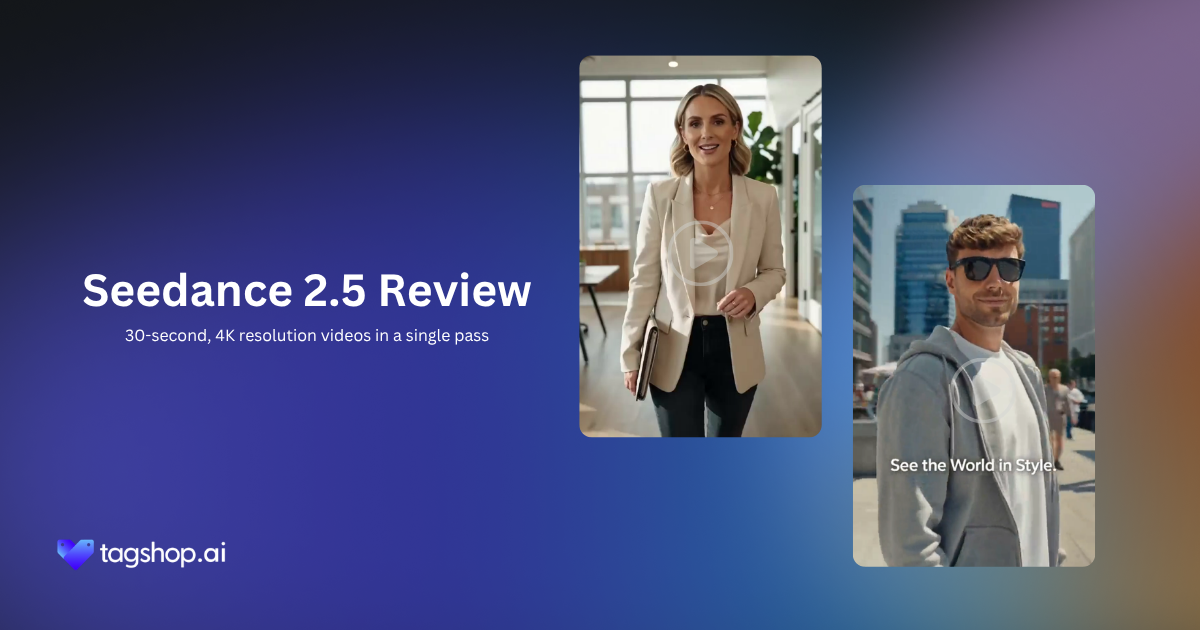







AI video just quietly crossed a line.
For a couple of years, the tools could make you a nice clip. A few seconds of something that looked real.
Seedance 2.5 is aiming higher. It’s built to make a full 30-second video that holds together the whole way through, and that you shape instead of just taking whatever comes back.
It’s ByteDance’s newest AI video model, and the easiest way to see what changed is to look at what it’s actually built to do. Older models were trying to win the clip, one impressive stretch of footage. Seedance 2.5 is trying to help you finish the video: more than one shot, a consistent look, and an ending.
That gap is bigger than it sounds. Making three seconds look real is now more or less handled. Making thirty seconds hold, the same face, the same lighting, a camera that moves like a real one, is the hard part, and it’s what decides whether AI video stays a toy or becomes something you can build real work on.
So this isn’t a review of a faster, prettier model. It’s about what these tools are turning into: less about generating clips, more about producing video.
So What Exactly Changed?
Seedance 2.5 is an AI video model from ByteDance. You feed it a prompt, some reference images, or existing footage, and it generates video. That alone doesn’t sound new. Plenty of tools already do that.
Here comes the best part. What’s new is how much it can keep track of at once. Three changes matter, and they’re easier to feel than to spec out.
It runs longer. The old limit was 15 seconds. Now it’s 30. Fifteen seconds is a moment, barely enough to show one thing. Thirty is a beginning, a middle, and an end. You can tell a small story instead of capturing a single pretty second.
It looks at more before it starts. Seedance 2.5 can take in up to 50 reference images in one go, your product from every angle, your packaging, a person’s face, a color palette, the ad you’re trying to match. Instead of describing your product and hoping, you show it. The model builds from what it sees.
It lets you fix one thing without breaking the rest. This is called localized editing, and it’s a bigger deal than it sounds. Say the clip is perfect except the label reads wrong. Old models made you regenerate the whole thing and pray the good parts came back. Now you point at the label, describe the fix, and only that part changes.
Put those together, and the job changes. You stop typing a wish and hoping. You start handing over a brief and directing the result. That’s why it feels less like a generator and more like a small production suite, closer to what shipped with the original Seedance 2.0 launch but built out much further.
Sign Up for Early Access to Seedance 2.5
Start Creating with Seedance 2.5 Before Everyone Else
Signup NowSeedance 2.5 at a Glance
| Spec | Seedance 2.5 |
|---|---|
| Developer | ByteDance |
| Type | Text-to-video, image-to-video, multimodal |
| Max clip length | 30 seconds (up from 15 in 2.0) |
| Reference images | Up to 50 |
| Editing | Localized — fix one region without regenerating |
| Consistency | Holds faces, products, and lighting across shots |
| Resolution | Up to 4K |
| Available on | Tagshop AI |
The Features That Actually Change the Job
1. Longer Clips Mean No More Ugly Seams
Thirty seconds happens to be the length of a standard ad, a full product demo, or a short three-shot story. That’s not a coincidence; it’s the point.
Here’s why it matters. The moment you have to join two AI clips together, you get a seam: the light jumps, a face shifts, the motion stutters right at the cut. That seam is the single most common way AI video gives itself away. When the whole thing generates in one pass, there’s no seam to hide. You just get a clip that flows.
2. It Builds From Your Actual Brand Kit
Fifty reference images are a lot. It means you can hand the model your actual brand kit, the real bottle, the real logo, the real spokesperson, and ask for something that stays true to all of it.
The catch, and it’s a fair one: what you feed it is what you get. Clean, sharp references produce clean results. Blurry, random ones make the model guess, and its guesses aren’t always kind. Think of it like briefing a designer. Good references, good work. Vague brief, vague video.
3. A Camera That Behaves Like a Camera
This is the part most people underrate. A video doesn’t feel real because the subject moves, it feels real because the camera does. A slow push-in, a tracking shot, a reveal: those moves carry a sense of space and direction, and your brain reads them as “someone shot this.”
When an AI camera drifts around in ways no real camera could, the clip feels fake even if every frame is sharp. Seedance 2.5 is built to keep the camera behaving over the full length of a shot, which is a big reason its output can sit next to real footage without looking out of place.
4. No More Drift Between Shots
Here’s a problem you won’t notice until it quietly ruins a video. In most AI clips, things drift. A face changes a little between shots. A logo slides half an inch. The lighting warms up for no reason. Each slip is tiny on its own, together, they’re exactly why a video “feels” fake even when you can’t point to what’s wrong.
Seedance 2.5 is built to stop that drift. Across a full 30-second clip, it works to keep the same face the same, the product the same shape and color, and the light steady. That consistency is what makes AI video usable for real storytelling and branded work, instead of only quick background footage.
5. Fix One Thing Without Regenerating Everything
We covered localized editing above, so here’s why it earns its own spot: it’s the feature that makes this feel like an editing tool, not a slot machine. You get to keep the take you loved and fix only the one thing that’s off. And because the footage stays stable, it holds up when it moves into a real edit, dropped into a timeline, layered with text, cut to music. It behaves.
Sign Up for Early Access to Seedance 2.5
Start Creating with Seedance 2.5 Before Everyone Else
Signup Now8 Seedance 2.5 Prompts Worth Stealing
A quick tip before you copy these: write prompts like a brief, not a wish. Say what you want, in what order, with what mood, and load your references first. Swap the bracketed parts for your own — or start from a template in the Inspiration Gallery if you want a running start.
1. Ecommerce ad (single product, 30s)
30-second product ad for [product]. Open on a slow push-in on the product against a soft gradient, studio lighting, shallow depth of field. Then three quick lifestyle cuts of it in use, natural daylight, handheld feel. Close on the product with the logo, clean and centered. Keep the product’s shape and color exact to the reference images in every shot.
2. Branded storytelling (mood-led)
30-second brand vignette for [brand]. Cinematic, warm, unhurried. Follow one character through a morning routine that ends with them using [product]. Golden-hour light throughout, same wardrobe and face across all shots. Emotional, not salesy, the product shows up naturally, never announced.
3. Cinematic product shot
Macro product film of [product]. Rotating hero shot on a reflective surface, dramatic single-source lighting, deep shadows, dust catching the light. Slow, deliberate camera move. Photoreal materials, match the exact finish and texture in the references, and hold that texture steady through the whole move.
4. Multi-scene commercial
Three-scene, 30-second commercial for [product/service]. Scene 1: the problem, tense and cool-toned. Scene 2: the product arrives, light warms up. Scene 3: the payoff, bright and confident. Same person across all three, keep their face and clothing consistent. Build the pacing scene to scene.
5. Character-driven ad
30-second spot built around [character/spokesperson from reference]. Talking to camera, confident and friendly, in a [setting]. Keep their face, hair, and outfit identical to the reference the whole way through. Natural expressions, real eye contact, small head movements.
6. Premium lifestyle video
Aspirational 30-second lifestyle film for [brand]. Sunlit interior, muted premium palette, slow gliding camera with a steady sense of depth. People enjoying [product] in an easy, editorial way. Film-grain texture, shallow focus. Should feel expensive and calm.
7. Product continuity test
30-second clip of [product] handled by a person across four angles, front, side, top, in-use. Shape, color, logo placement, and proportions stay identical in every angle. Neutral studio background, same lighting throughout.
8. Localized-edit follow-up
From the last clip, change only [the label text / the jacket color / the background]. Leave everything else exactly as it was. Match the lighting and grain to the rest of the footage.
Who Should Actually Use This
Ad agencies. When a client wants five concepts by Thursday, a real shoot can’t move that fast. Longer clips and consistent references let you show finished-looking directions in a day, then tweak with edits instead of reshoots.
Ecommerce brands. You need fresh video for every product, every channel, every sale. Feeding real product shots means the output looks like your actual catalog, not a generic stand-in, for a fraction of the cost of shooting each one.
Product marketers. Some features only make sense when you see them move. A photo can’t do that. A short, consistent multi-shot clip can, no studio required.
Studios. It won’t replace a real shoot for your hero work, and it shouldn’t try to. But for previz, testing a look, and pitching an idea before you spend the budget, it’s fast and genuinely useful.
Founders. No team, no budget, no problem, brief it like a director and get video you can actually run a campaign with. For an early brand, that’s real leverage.
Motion and design teams. You draw the frame; the hard part is making it move without losing what made it good. Reference input plus surgical edits let you keep control instead of handing it over the second “make it move” comes up.
Seedance 2.5 vs Seedance 2.0 vs Kling 3.0 vs Wan 2.7: The Honest Read
| Feature | Seedance 2.5 | Seedance 2.0 | Kling 3.0 | Wan 2.7 |
|---|---|---|---|---|
| Max native clip length | 30 sec ✅ | 15 sec | 15 sec native (longer via multi-shot workflows depending on platform) | 15 sec |
| Reference inputs | Up to 50 multimodal references | Up to 12 references (images + video + audio) | 1–3 image/character references (Elements) | Supports reference images, but no published hard limit |
| Localized editing (edit one region only) | ✅ Yes (local redraw / region editing) | Limited | Limited editing tools | Supports video editing & reference editing, but not dedicated region redraw |
| Character / shot consistency | Excellent — designed for long multi-shot generation | Very good within clips, weaker across separate generations | Very strong using Elements / Character Binding | Good, especially with references, but below |
| Camera control | Natural cinematic motion with prompt control | Good cinematic movement | Strongest manual camera & shot control | Good cinematic control, fewer explicit controls than Kling |
| Multi-shot generation | Native multi-shot in one generation | Basic | Excellent | Supported |
My take: if you mostly need a single great clip and 2.0 already gives you that, you don’t have to rush to switch, 2.0 is still very good. But the moment your work involves more than one shot, a recurring character, or a brand kit you can’t let slip, 2.5 is the obvious pick. That’s the job it was built for.
Kling and Wan 2.7 are worth watching too, just check their current specs yourself before you put them head-to-head for a client, because these things move fast.
The Real Pros and Cons
What’s genuinely good
- Longer clips kill the ugly seam between stitched generations.
- Fifty references make brand and product consistency realistic, not wishful.
- The camera behaves, so the footage sits fine next to real video.
- You can fix one flaw without gambling the whole take.
What still needs you
- It costs more. This isn’t the tool for spraying out throwaway clips without a thought.
- The new habit takes a minute. Briefing instead of prompting is more powerful, but your first few tries will feel awkward.
- Your eye still matters. Edits are only as smart as the person making them, the model won’t tell you a shadow’s wrong.
- Good in, good out. Weak references and a lazy brief give you weak video, no matter how strong the model is.
The Takeaway: Direct It Like a Production, Not a Prompt
Seedance 2.5 isn’t for everyone, and that’s fine. If you just need a quick clip, cheaper tools will do it. But if you want control, video that holds together, a camera that behaves, references the model actually respects, and edits you can make without starting over, this is the first AI video model that feels less like a slot machine and more like something you direct.
There’s a small learning curve, and it rewards thinking like a director instead of a prompter. For what you get back, that’s a fair trade.
Frequently Asked Questions
Seedance 2.5 is ByteDance’s newest AI video model. It makes video from text, images, or footage, runs clips up to 30 seconds, reads up to 50 references, and lets you fix one part without redoing the rest. It’s built for real videos, not just single clips, and it’s on Tagshop AI.
2.0 was great at one strong clip. 2.5 is built to hold a whole video together -double the length (30s vs 15s), far more references, the ability to edit one region, steadier camera work, and consistency from shot to shot. Clips became scenes.
Yes, It outputs high-resolution video up to 4K on Tagshop AI.
Yes -it’s one of the best fits. The 30-second length matches a standard ad slot, and reference input keeps your product and branding consistent across shots, which is exactly where most AI clips fall apart. Load your brand kit and brief it as a director would.
Yes. You’ll find it in the Tagshop AI Asset Generator -upload references, generate clips up to 30 seconds, edit specific regions, and export or publish, all in one place.
Three things together: longer clips remove stitching seams, 50 references keep your brand consistent, and stable footage survives a real edit -timeline, text, music. That’s what turns prompting into briefing. You direct the result rather than accept a guess.
Up to 50 in a single generation -product shots, brand frames, faces, style boards. Clean, high-quality references give the best results, since the model treats them as the brief. What you put in shapes what comes out.
Written by:

Neeraj is passionate about reshaping brand storytelling through AI-powered UGC videos. As the Founder he helps brands unlock authentic, creator-style video content that drives results - without the traditional time, cost, or complexity. His approach blends AI innovation with marketing performance to scale engagement efficiently.
 Add Tagshop.ai as a preferred source in Google Search






 Introducing

 Wan 3.0 is now live on Tagshop AI
