
Nano Banana 2 Review: Features, Pros, Cons & Performance
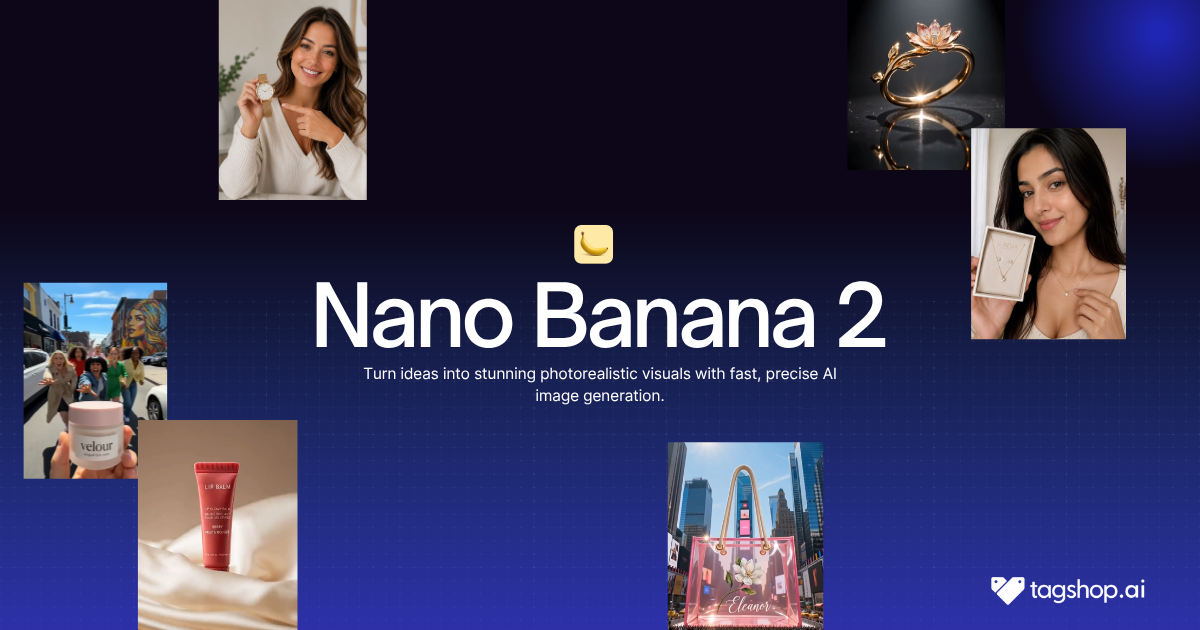







Here’s the moment AI images always broke for brand work. You generate a great shot of your product. Then you ask for the same product in a second scene, a new background, a different angle, and it comes back subtly wrong. The logo shifted. The shape changed. The color is off by a shade. Close, but not the same product, which for a real brand is the same as useless.
Nano Banana 2 is the first image model I’ve seen that mostly fixes this. You create one asset, a product, a character, a face, and drop it into scene after scene while it stays recognizably the same. Google says it can hold up to five characters and fourteen objects consistent across a workflow, and in hands-on testing that claim largely holds.
That’s the headline. Nano Banana 2 is Google’s newest image model, technically Gemini 3.1 Flash Image, and it pairs the quality people loved in Nano Banana Pro with the speed of Flash, so you stop choosing between good and fast. It’s available inside the Tagshop AI Asset Generator. In this review, I’ll cover what actually improved, where it still frustrates, and how to use it on Tagshop.
So What Exactly Makes This One Different?
Nano Banana 2 is Google’s latest AI image-generation and editing model, part of the Gemini family and sometimes referred to as Gemini 3.1 Flash Image. You give it a prompt, an image, or both, and it generates or edits pictures.
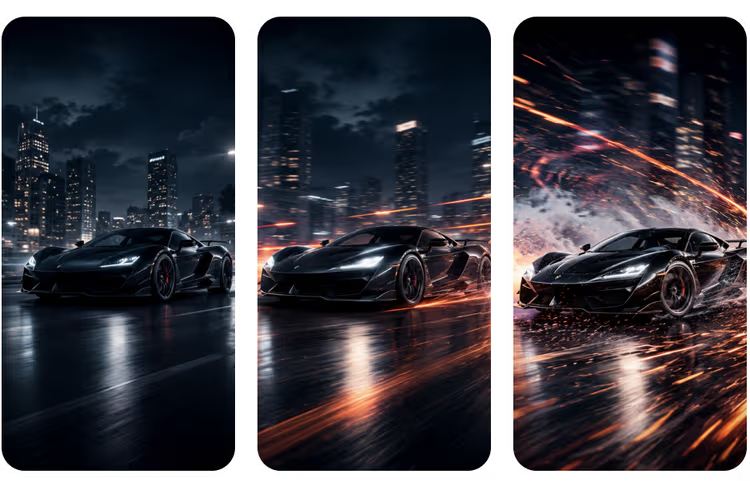
The short version of its story: the original Nano Banana went viral last year and changed how people thought about AI image editing. Nano Banana Pro followed with studio-grade quality, but it was slow. Nano Banana 2 takes Pro’s quality and world knowledge and runs it at Flash speed. The gap between the fast model and the pro model has narrowed enough that, for most work, you no longer have to pick.
What genuinely separates it from earlier versions comes down to consistency, instruction-following, and text. Those three are the difference between an image tool that makes pretty one-offs and one you can actually build a brand’s visuals on.
Nano Banana 2 at a Glance
| Spec | Nano Banana 2 |
|---|---|
| Developer | Google (Gemini 3.1 Flash Image) |
| Type | AI image generation and editing |
| Subject consistency | Up to 5 characters, 14 objects in a workflow |
| Text rendering | High accuracy, with in-image localization |
| World knowledge | Yes, via Gemini and web search |
| Resolution | Up to 4K, full aspect-ratio control |
| Speed | Flash-fast |
| Available on | Tagshop AI Asset Generator |
The Features That Actually Matter
The Same Product, Every Single Time
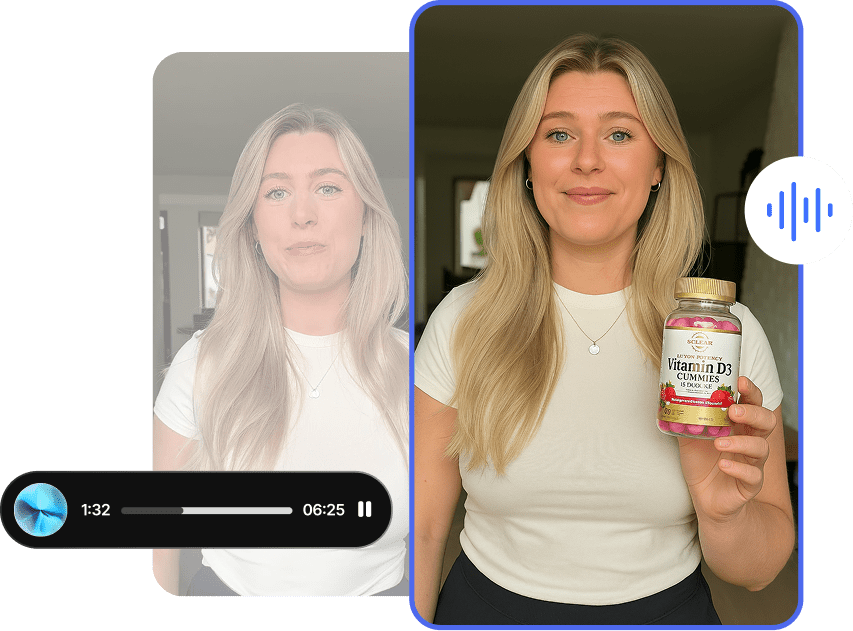
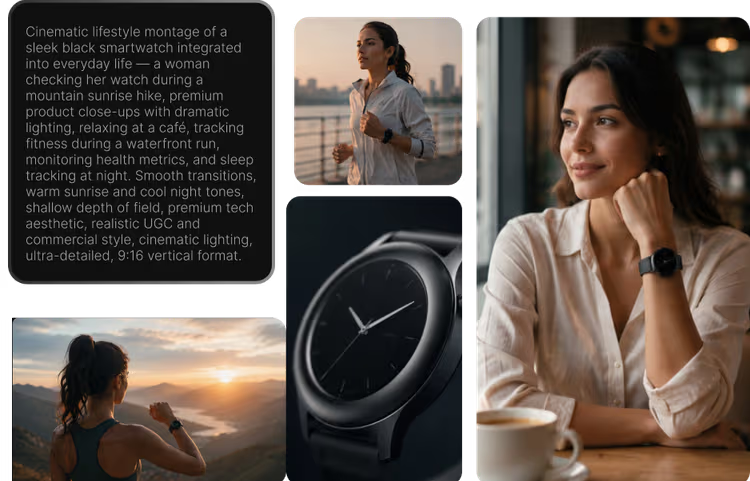
This is the reason to care, and it’s the feature I’d lead with for anyone doing commercial work. Nano Banana 2 can take one asset and keep it looking like itself across many different images. Make a product, or a character, or a mascot once, then place it on a beach, in an office, in someone’s hand, and it stays the same product. Google’s claim of five consistent characters and fourteen objects is aggressive, and in practice it mostly delivers.
Where it falls short: it isn’t flawless. On a busy multi-object scene, one element can drift, and a follow-up edit to fix that single item doesn’t always take. You’ll still eyeball the results.
Why it matters: consistency is the whole game for brands. It’s what lets you build a campaign around a recurring character or shoot a full catalog of one product in different settings without a studio. No AI image tool did this reliably until recently.
It Actually Reads the Whole Brief
Nano Banana 2 follows detailed instructions unusually well. Hand it a paragraph of specific requests, sunglasses on everyone except the penguin, a drink in the turtle’s hand, a volleyball game in the background, and it works through the checklist rather than picking two things and ignoring the rest. Other models, especially some general chat tools, quietly drop instructions. This one listens.
Where it falls short: the precision cuts both ways. Because it takes your words literally, sloppy prompts produce literal, sometimes odd results. Every word carries weight, so vague input gets interpreted in ways you didn’t intend.
Why it matters: real control means you can specify a scene and trust it lands. It also means the skill shifts to writing precise prompts, which is a learnable, worthwhile trade.
Text That Doesn’t Embarrass You
Text inside images used to be AI’s tell, a stray letter here, a garbled word there. Nano Banana 2 gets it close to right, including numbers and longer passages, and it can localize or translate text inside an image. That makes it genuinely useful for marketing mockups, signage, greeting cards, and social graphics.
Where it falls short: check long or dense text before you ship it. It’s reliable, not infallible, and it won’t replace a designer’s eye for layout.
Why it matters: readable, accurate in-image text turns this from a picture generator into a tool that can produce actual marketing assets, in more than one language.
Images Grounded in Actual Facts
Because it draws on Gemini’s knowledge and web search, Nano Banana 2 can build images grounded in real information: infographics, notes turned into diagrams, data visualizations that reflect facts rather than decoration.
Where it falls short: the polished examples in Google’s launch post are cherry-picked. Run the same prompt yourself and the first result is usually good but not blog-perfect. Specificity helps a lot.
Why it matters: images anchored in real information open up content that doesn’t read as generic AI filler, which is exactly the kind of visual that earns a second look on social or a blog.
Pro-Level Quality Without the Wait
Running at Flash speed, Nano Banana 2 still delivers more vibrant lighting, richer textures, and sharper detail than the original Nano Banana, with control over aspect ratio and resolution up to 4K. Portraits in particular look excellent, skin texture, posing, a neutral realism rather than the oversaturated look some models default to.
Where it falls short: logo design isn’t a standout, and some categories like aerial shots look much the same across every model. The much-hyped ability to perfectly match your handwriting is overblown; it’s good at handwritten-style notes, not a forgery machine.
Why it matters: quality at speed means you iterate more for less, and 4K output means the results are ready for real placements, not just thumbnails.
Putting Nano Banana 2 to Work on Tagshop AI
It lives in the Asset Generator alongside the video models, so the flow will feel familiar. One tip first: because it follows instructions literally, spend your effort on a precise prompt.
Step 1. Upload your product or reference images.
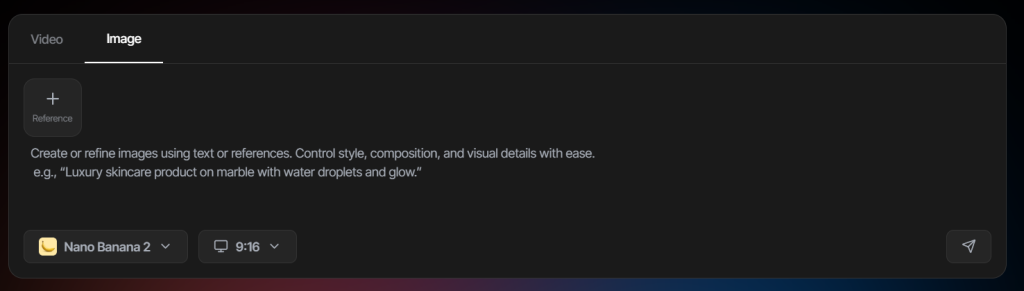
Log in to tagshop.ai, paste your product URL to pull images automatically, or upload the asset you want kept consistent. This is the thing Nano Banana 2 will carry across scenes, so use a clean, clear image.
Step 2. Choose Nano Banana 2 and write your prompt.
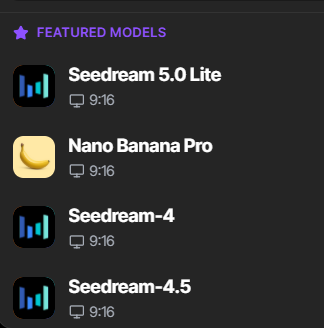
Select Nano Banana 2 from the models menu. Describe the scene in detail: setting, style, any text you want rendered, and exactly how your asset should appear. Precision pays off here.
Step 3. Generate, refine, and export.
Nano Banana 2 produces the image. From there, place your asset in new scenes, reframe it for a different format like an Instagram story, or edit specific details by instruction. Export the versions you want, or use them as references to feed Tagshop AI’s video models.
8 Nano Banana 2 Prompts Worth Stealing
These lean on what the model does best: consistency, detail, and text. Swap the bracketed parts and upload your asset first — or start from a template in the AI video templates, if you want a running start.
1. Same product, new scene
Take the uploaded product image and place it on a sunlit marble kitchen counter beside fresh coffee, morning light, and shallow depth of field. Keep the product’s shape, color, and logo identical to the reference.
2. Build a reusable brand character
Create a friendly mascot for [brand]: [describe character]. Clean studio background, soft lighting, front-facing. I’ll reuse this character, so make it distinct and simple enough to stay consistent across future scenes.
3. Detailed multi-object scene
Create a playful scene with these [N] items: [list]. [Item A] is doing [action], [item B] is [action], the rest are [detail]. Colorful, slightly cartoonish style, bright natural light. Keep every item consistent with the references.
4. 4K product hero shot
A 4K hero shot of [product] on a dark reflective surface, single dramatic light source, deep shadows, crisp reflections. Photoreal materials, neutral color grade, no oversaturation. Match the product exactly to the reference.
5. Infographic in scrapbook style
A top-down infographic explaining [topic], in a handmade collage and scrapbook style: torn paper, tape, handwritten labels, small cut-out photos. Accurate, readable text throughout. Warm, tactile, editorial feel.
6. In-image text and signage mockup
A storefront mockup for [brand] with a clear sign reading “[exact text]”. Modern, clean, daytime light. Make the text sharp and correctly spelled, and match [brand]’s color palette.
7. Edit by instruction
From the previous image, change the background to a bright studio white and recolor the [item] to deep navy. Leave everything else exactly as it is, and match the lighting to the new background.
8. Reframe for format
Reframe this image to a vertical 9:16 Instagram story, extending the background naturally at the top and bottom. Keep the main subject centered and leave clean space up top for text.
Where This Actually Earns Its Keep
Ecommerce. The pain is shooting every product in every setting. Upload one clean product image, then generate it across as many scenes and angles as you need, all looking like the same product. This is the use case Nano Banana 2 was built for.
Social content. The pain is feeding the content machine. Consistent characters, accurate in-image text, and fast 4K output mean you can produce a week of on-brand posts without a shoot, ready for Instagram or TikTok.
Marketing mockups and ads. The pain is prototyping visuals fast. Reliable text rendering makes signage, packaging, and ad mockups usable, not just decorative.
Brand characters and mascots. The pain is that AI characters never look the same twice. Make your mascot once and reuse it, which finally makes recurring-character marketing practical.
Infographics and data visuals. The pain is dull, generic graphics. Real-world knowledge lets you build infographics and data visuals grounded in actual facts, in styles people won’t clock as AI.
Video reference assets. The pain is inconsistent inputs for AI video. Generate consistent product or character images here, then feed them as references into Tagshop’s video models like Seedance 2.5 or Kling 3.0 for on-brand motion.
Nano Banana 2 vs Nano Banana Pro vs Midjourney vs GPT Image: The Honest Read
An honest comparison across the image models you’re most likely weighing. Where I can’t confirm a current detail, I’ve flagged it.
| Model | Developer | Strength | Consistency | Text Rendering | Speed | Best Use | On Tagshop AI |
|---|---|---|---|---|---|---|---|
| Nano Banana 2 | Consistency and realism at speed | Excellent (strong multi-object & product consistency) | Excellent | Fast (Flash) | Consistent product photography, branded assets, marketing creatives | Yes | |
| Nano Banana Pro | Studio-grade image quality | Excellent | Excellent | Slower | Premium hero images, advertising campaigns, high-end visuals | Yes | |
| Midjourney | Midjourney | Beautiful artistic and stylized images | Good (less reliable for exact product consistency) | Moderate | Medium | Concept art, creative campaigns, editorial visuals | Yes |
| GPT Image | OpenAI | Versatile, conversational image generation | Good | Good | Medium | General marketing assets, ideation, social creatives | Yes |
| FLUX.1 | Black Forest Labs | Open, flexible, developer-friendly | Good (depends on workflow/checkpoint) | Good | Medium | Custom workflows, fine-tuning, production pipelines | Yes |
My recommendation: for consistent product and brand imagery, especially anything where the same subject has to appear across many images, Nano Banana 2 is the one I’d reach for. If you want the most tasteful, artistic look and consistency matters less, Midjourney still has an edge there. Confirm the others’ current specs before a client-facing comparison, since image models are updating constantly.
The Real Pros and Cons
What’s genuinely good
- Subject consistency across scenes, the feature that makes AI images usable for real brand work.
- Strong prompt adherence, so detailed briefs actually land.
- Near-reliable text rendering with in-image localization.
- Pro-level quality at Flash speed, up to 4K.
What still needs you
- The content filter is strict and over-refuses, blocking harmless edits, remixes, even your own face sometimes. Re-running often clears it, but it’s a real friction.
- Prompt precision is mandatory. Vague input gets interpreted, sometimes oddly.
- It isn’t best at everything. Logo design is average, and some hyped tricks like exact handwriting matching are overstated.
- Consistency is strong, not perfect. Busy scenes still need a human check.
The Takeaway: The Same Thing, Looking the Same, Every Time
Nano Banana 2 is for anyone who needs the same thing to look the same, image after image. That sounds small. For brands, ecommerce, and anyone building a visual identity, it’s the difference between AI images being a novelty and being a real production tool.
It runs fast, handles text well, and follows a detailed brief. The content filter will annoy you, and you’ll still write careful prompts and check the results. For consistent, on-brand imagery at speed, though, it’s the strongest image model to reach for right now.
Frequently Asked Questions
Nano Banana 2 is Google’s latest AI image model, part of the Gemini family and also called Gemini 3.1 Flash Image. It generates and edits images, and it stands out for keeping subjects consistent across scenes, following detailed prompts closely, and rendering accurate in-image text. It’s available on Tagshop AI.
Pro brought studio-grade quality but ran slowly. Nano Banana 2 delivers close to that quality at Flash speed, so you no longer trade quality for speed. It also improves subject consistency, prompt adherence, and text rendering over earlier versions.
Yes, Tagshop AI free tier offers access to Nano Banana 2, comprising 5 credits.
Yes. It gives you control over aspect ratio and resolution up to 4K, so images stay crisp whether you’re making a vertical social post or a wide backdrop.
Google says up to five characters and fourteen objects can stay consistent within a single workflow. In practice, it mostly holds, though very busy scenes can still need a manual check.
Yes, and it’s one of the best fits. Upload one clean product image and generate it across different scenes and angles while it stays the same product. That consistency is exactly what ecommerce visuals need.
Its content guidelines are strict, so it sometimes blocks harmless requests, especially anything it reads as a real person, a celebrity, or copyrighted material. Re-running the prompt or rewording it usually resolves it.
Written by:

Kashish Vaswani is a Content Strategist at Tagshop AI, specializing in AI-powered marketing, UGC advertising, and eCommerce content. She creates actionable guides, industry insights, and product-focused resources that help brands, marketers, and creators leverage AI to produce high-converting video ads and scale their content strategy with confidence.
 Add Tagshop.ai as a preferred source in Google Search






 Introducing

 Wan 3.0 is now live on Tagshop AI
