
Seedream 5.0 Review: Pricing, Features & Real-World Use Cases
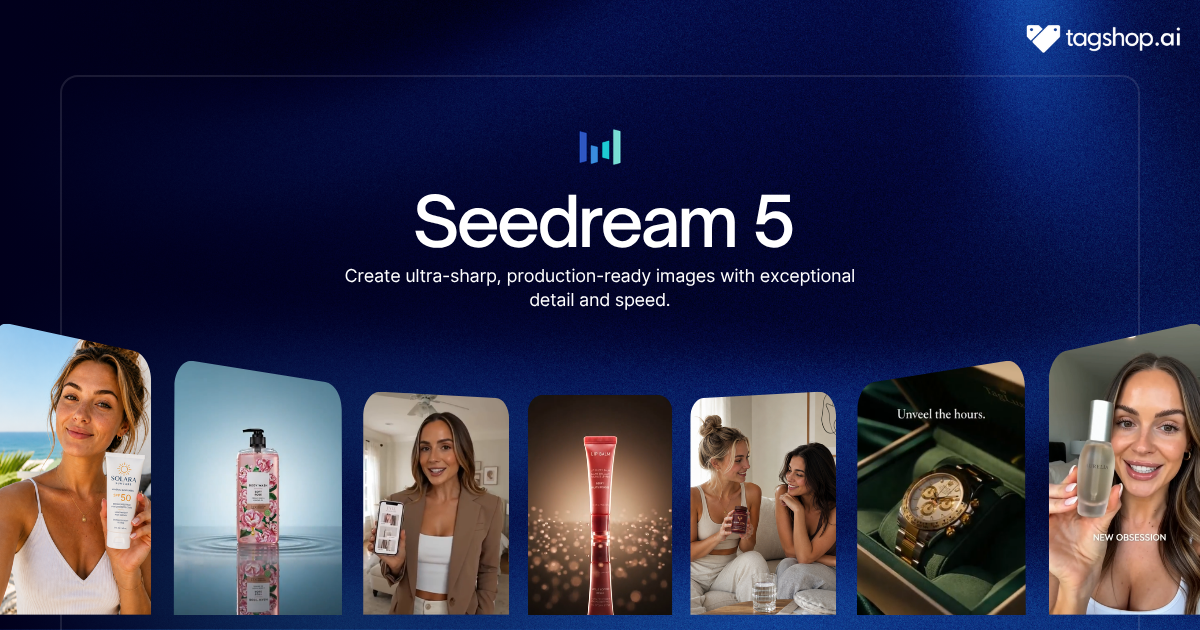







The way you fix an AI image today is by describing the change and hoping. Want the logo bigger? Retype the whole prompt, cross your fingers, and half the time you get back a different picture entirely. Seedream 5.0 does away with that. You point at the logo, tell it what to do, and it changes that. Nothing else moves.
Editing by pointing, rather than re-prompting, is the most useful feature of ByteDance’s newest image model, and it’s what makes it feel less like a slot machine and more like working with a designer. Draw an arrow, circle an object, highlight an area, and it edits exactly what you meant. It even splits an image into editable layers, so you can lift one object out and it rebuilds the background behind it.
Seedream 5.0 is the latest image model from ByteDance, the company behind TikTok, and it’s strong at the parts that usually break: accurate text in several languages at once, exact object counts, blending up to ten references into one scene, even pulling real-time information into a picture. It’s available in the Tagshop AI Asset Generator. Here’s what stands out, where it still asks for patience, and how to use it on Tagshop.
So What Exactly Makes This a Design Tool?
Seedream 5.0 is ByteDance’s newest AI image generation and editing model. You can generate images from a prompt or references, and then edit them the way you’d direct a designer, by marking up the image itself rather than rewriting instructions.

The short version of what changed: earlier Seedream versions were solid generators. Seedream 5.0 turns the model into a design workspace. Interactive editing, automatic layers, dense, readable layouts, native multilingual text, and a direct handoff into video are the upgrades that matter, and together they move it past “make me a picture” into “help me finish a piece of design.”
What separates it from most image models is precision and control. It does what you actually say, places the exact number of objects you asked for, keeps text correct across languages, and lets you fix a single detail without touching the rest. For commercial work, that reliability is the whole point.
Seedream 5.0 at a Glance
| Spec | Seedream 5.0 |
|---|---|
| Developer | ByteDance |
| Type | AI image generation and editing |
| Editing | Interactive, mark up the image directly |
| Layers | Automatic layer separation with background reconstruction |
| Text | Accurate, native multilingual with adaptive layout |
| Live data | Real-time web search into images |
| Blending | Up to 10 reference images in one scene |
| Resolution | Up to 3K |
| Video handoff | Keyframes into Seedance for video |
| Available on | Tagshop AI Asset Generator |
The Features That Actually Change the Job
Point at It, Don’t Re-Prompt It
This is the reason to care. Instead of describing a fix and regenerating, you annotate the image directly: draw an arrow to move something, circle an object to change it, highlight an area to work on. Seedream 5.0 reads those marks and edits exactly what you meant.
Where it falls short: multi-step changes still take a few passes, and very complex edits can confuse the intent. Keep each instruction focused.
Why it matters: this is the closest an AI image tool has come to how a designer actually works. It ends the reroll gamble, where fixing one thing meant risking everything you already liked.
Layers You Can Actually Edit
Seedream 5.0 can break an image into editable layers: objects, text, even individual accessories become separate pieces. Remove an object, and it intelligently rebuilds the background behind it, so you’re not left with a hole.
Where it falls short: reconstruction is strong but not flawless on busy or detailed backgrounds, so check the fill.
Why it matters: layers turn a flat, finished image back into something you can actually edit. That’s the difference between a picture and a working file.
Text That Looks Native, Not Translated
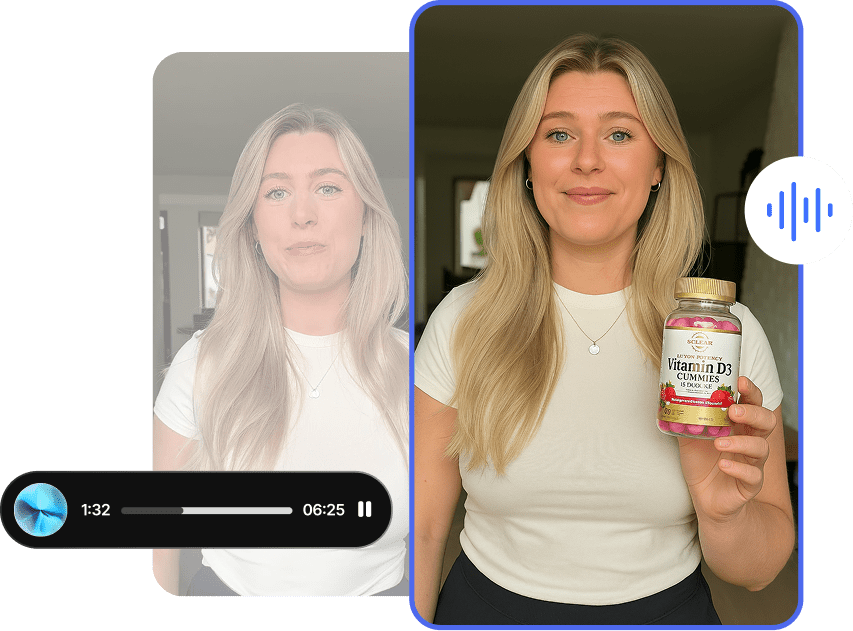
Text comes out right, menus with correct prices, posters with clean typography, and it handles several languages at once. More than translating, it adapts layout, fonts, and cultural conventions so each language looks intentional rather than pasted in.
Where it falls short: dense blocks of small text still deserve a proofread before you ship.
Why it matters: readable, correct, multilingual text is what makes an image usable as a real marketing asset across different markets, without a designer per region.
It Counts Exactly What You Asked For
Ask for three books, two plants, one lamp, and four frames, and Seedream 5.0 puts exactly that in the scene, where older models scattered objects at random. It can also blend up to ten separate references, say ten characters, into one cohesive image that still feels like a single scene.

Where it falls short: ten-way blends can get visually busy, so simpler reference sets tend to read cleaner.
Why it matters: doing exactly what you specify is the boring feature that actually makes AI images usable for briefs, where “close enough” isn’t.
Live Facts and Layouts That Stay Legible
Seedream 5.0 can pull live information from the web, weather, time, current events, and turn it into a visual. It also handles high-density layouts: infographics, diagrams, and presentation-style compositions in a single clean, readable image.
Where it falls short: it maxes out at 3K rather than the 4K some rivals hit, and you should sanity-check any live facts it pulls in.
Why it matters: images grounded in real, current information, and complex layouts that stay legible, open up business, education, and editorial content most models can’t touch.
Putting Seedream 5.0 to Work on Tagshop AI
It lives in the Tagshop AI Asset Generator alongside the other models. One tip first: Seedream 5.0 rewards specifics, exact counts, exact copy, one language at a time, so brief it precisely.
Step 1. Upload your assets or paste a product URL.
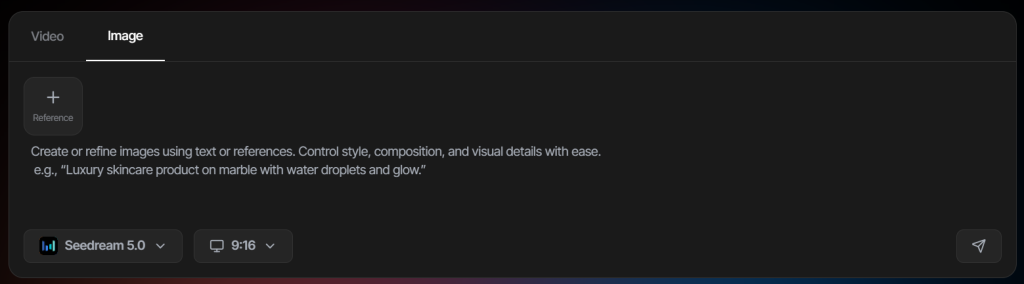
Log in to tagshop AI, paste your product URL to pull images, or upload your references automatically. You can add up to ten images to blend into one scene.
Step 2. Choose Seedream 5.0 and write your prompt
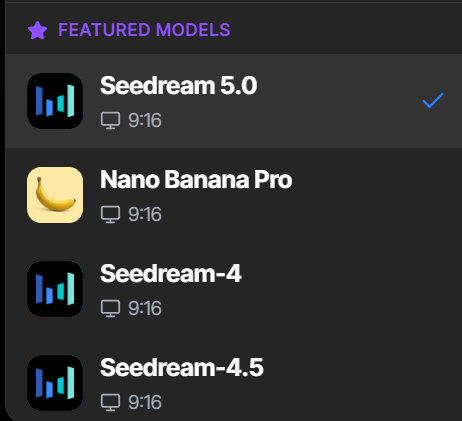
Select Seedream 5.0 from the models menu. Spell out the scene, the exact text you want, quantities, and any language. Be literal; precision is where it shines.
Step 3. Generate, edit, and export.
Once it generates, refine by marking up the image directly or by editing individual layers; no full re-prompt needed.
8 Seedream 5.0 Prompts Worth Stealing
These play to its strengths: precision, text, and editing. Swap the bracketed parts and write copy exactly as you want it to appear — or start from a template in the Inspiration Gallery if you want a running start.
1. Multilingual festival poster
A vibrant cultural festival poster with bold geometric patterns and a festive mood. Include the phrase “[exact phrase]” rendered cleanly in English, Spanish, and Chinese, each laid out naturally. Professional graphic design, correct spelling in every language.
2. Menu with exact text and prices
A modern coffee shop menu board with chalk typography on a matte black background. List: [item] $[price], [item] $[price], [item] $[price], plus a “daily specials” section. Every word and price accurate and readable.
3. Exact-count scene
A cozy reading nook. Exactly three hardcover books stacked on a side table, two potted succulents on a floating shelf, one table lamp with a beige shade, four framed photos on the wall. Warm light, editorial style. Match the counts precisely.
4. Ten-image brand blend
Using the 10 uploaded references, compile them into a single cohesive scene for [brand]. Keep each subject recognizable, unify the lighting and style, and make it read as a single, composed image rather than a collage.
5. High-density infographic
A clean infographic explaining [topic] in a presentation-style layout: a title, three labeled sections with short text, and simple icons. Organized, legible, on-brand to [brand]. All text accurate.
6. 3K product hero
A product hero shot of [product] on a dark surface at 3K resolution, with dramatic sidelight and fine detail in textures and materials. Photoreal, neutral grade. Match the product exactly to the reference.
7. Point-and-edit follow-up
In the previous image, circle the [object], enlarge it, and change the background color to [color]. Leave everything else exactly as it is.
8. Keyframe for video
Create a clean, well-composed keyframe of [scene] suitable for animating: clear subject, simple depth, room for motion. I’ll send this to Seedance to turn into a short clip.
Where This Actually Earns Its Keep
Designers. The pain is that AI images are hard to fix without starting over. Point-and-edit and editable layers let you refine as you would in a real design tool, so you keep control instead of gambling on a reroll.
Marketers. The pain is producing on-brand creative fast. Accurate text, exact layouts, and quick edits mean finished-looking posters and ads in minutes, not a full design cycle.
Ecommerce. The pain is product visuals at scale. Blend your product with scenes and references, get the counts and details right, and edit specifics without regenerating the whole shot.
Education and business content. The pain is dense information that has to stay clear. High-density layouts turn diagrams, infographics, and slides into single readable images.
Global and multilingual teams. The pain is localizing design for each market. Native multilingual rendering adapts layout and fonts per language, so one concept ships everywhere looking native.
Video teams. The pain is inconsistent in starting frames. Generate clean keyframes here, then animate them with Seedance in the same platform for a fast explainer and educational video.
Seedream 5.0 vs Nano Banana 2 vs GPT Image 2: The Honest Read
An honest comparison across the image models you’re most likely weighing.
| Model | Developer | Strength | Editing | Text and Multilingual | Resolution | On Tagshop AI |
|---|---|---|---|---|---|---|
| Seedream 5.0 | ByteDance | Interactive editing, layers, precision | Point on the image, layers | Strong, adaptive multilingual | Up to 3K | Yes |
| Nano Banana 2 | Subject consistency across scenes | Prompt and instruction | Strong | Up to 4K | Yes | |
| GPT Image 2 | OpenAI | Text and layout | Prompt and instruction | Excellent (~99%) | Up to 4K | Yes |
| Seedream 4.0 | ByteDance | Previous generation | Prompt | Good | Lower | Superseded by 5.0 |
My recommendation: if you want to edit precisely and refine by pointing, or you need reliable multilingual layouts, Seedream 5.0 is the pick, and it’s the most editing-friendly of the group. Reach for Nano Banana 2 when your priority is keeping one product or character consistent across many scenes, and GPT Image 2 when the job is text-heavy design at the highest accuracy. All three sit in the Tagshop Asset Generator, so you can match the model to the task instead of forcing one to do everything.
The Real Pros and Cons
What’s genuinely good
- Interactive editing, mark up the image, and it changes exactly that.
- Automatic layers that turn a finished image back into an editable file.
- Accurate text with genuine multilingual layout, not just translation.
- Precision on counts and blends, up to ten references in one scene.
- Real-time information pulled straight into a composition.
What still needs you
- It tops out at 3K, where some rivals reach 4K.
- Layer reconstruction can slip on busy backgrounds, so check the fill.
- Complex, multi-step edits still take a few passes.
- Dense text and any live facts deserve a proofread before you publish.
The Takeaway: An Image Model You Edit, Not Just Generate
Seedream 5.0 is for people who want to edit, not just generate. Marking up an image to change it, pulling objects onto their own layers, getting text and counts exactly right, and shipping the same design in several languages add up to an image model that behaves like a design tool. It maxes out at 3K, and complex edits take patience. But for precise, editable, on-brand image work, it’s one of the most practical models to reach for right now, and when a still is ready to move, it hands straight off to video.
Frequently Asked Questions
Seedream 5.0 is ByteDance’s latest AI image model. It generates and edits images, and it stands out for interactive editing via markup, automatically editable layers, accurate multilingual text, exact object counts, and real-time web search built into generation. It’s available on Tagshop AI.
4.0 was a strong generator. 5.0 turns it into a design workspace: you edit by pointing at the image, objects separate into layers, layouts stay dense and readable, multilingual text adapts per language, and keyframes hand off directly into Seedance for video.
Yes, and it’s the headline feature. You draw arrows, circle objects, or highlight areas on the image and it edits exactly those, and it separates the image into layers so you can change one element and have the background rebuild behind it.
Very good. It renders accurate text, correct menus, correct prices, and handles several languages at once while adapting layout, fonts, and cultural conventions so each version looks native rather than translated.
Up to 3K, with fine detail on textures and materials. That’s a step below the 4K some rivals offer, but high enough for most commercial and social work.
Use Seedream 5.0 when you want precise editing, layers, and multilingual layouts. Use Nano Banana 2 when you need the same product or character to stay consistent across many scenes. Both are in the Tagshop Asset Generator.
Seedream 5.0 is available inside the Tagshop AI Asset Generator; see Tagshop AI pricing for current plans. Paste a product URL or upload references, choose Seedream 5.0, brief it precisely, then edit by marking up the result.
Written by:

Prakash Rawat is a digital marketer at Tagshop AI with 6+ years of experience across SEO, performance marketing, and AI-powered growth tools. He specializes in applying AI-driven strategies to optimize visibility, accelerate scalable growth, and drive adoption of next-generation marketing technologies.
 Add Tagshop.ai as a preferred source in Google Search






 Introducing

 Wan 3.0 is now live on Tagshop AI
