

Storyboard to AI Video for Ads
Describe your ad, review the scene-by-scene storyboard, then turn it into a finished AI video with an avatar and voiceover. Or bring your own frames and place them where you want.
Trusted by individuals and teams at the world's boldest companies
















What Makes Tagshop AI's Storyboard to Video Different
See the full scene plan before you render a single frame, then generate a finished AI video ad with an avatar and voiceover.

See It Before You Render
Review the full scene-by-scene storyboard before anything is generated. Know exactly what your ad will look like, and change it, before spending any generation credits.

Edit One Scene, Not Everything
Change a single scene description, swap a frame or adjust the voiceover for one shot without rebuilding the whole storyboard. Fine-tune without starting over.

Bring Your Own Frames
Drop in your own images or footage and place them exactly where you want them in the storyboard. Your brand assets, your scenes, your rules, the AI fills the rest.
From Storyboard to AI Video in 3 Steps
Describe your ad, review every scene, then generate a finished video, without touching a timeline.
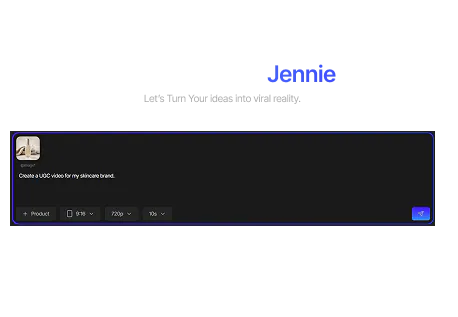
Describe Your Ad or Drop In Your Frames
Tell the AI Video Agent what your ad needs to do. Describe the product, the audience and the goal, or upload your own images and drop them into the storyboard where you want them.
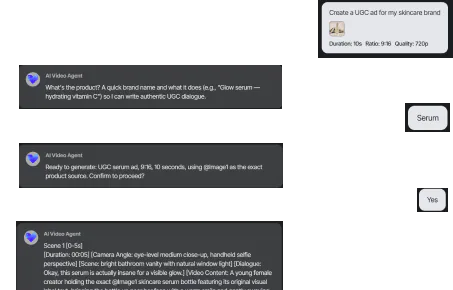
Review the Storyboard
See the full scene plan before a single frame is generated. Adjust scene descriptions, swap frames, change the voiceover or reorder shots until the storyboard is exactly right.
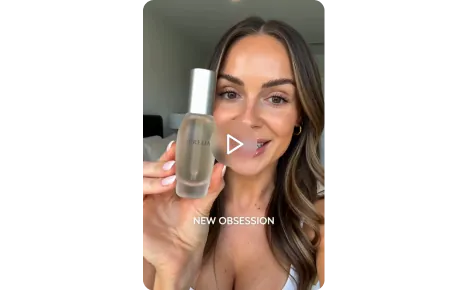
Generate Your Video
Approve the storyboard and the AI turns it into a finished video with an avatar, voiceover and scene-matched visuals, ready to export and post.
From rough idea to a reviewed storyboard to a ready-to-post video, all in one chat.
Everything You Need to Go from Storyboard to Video
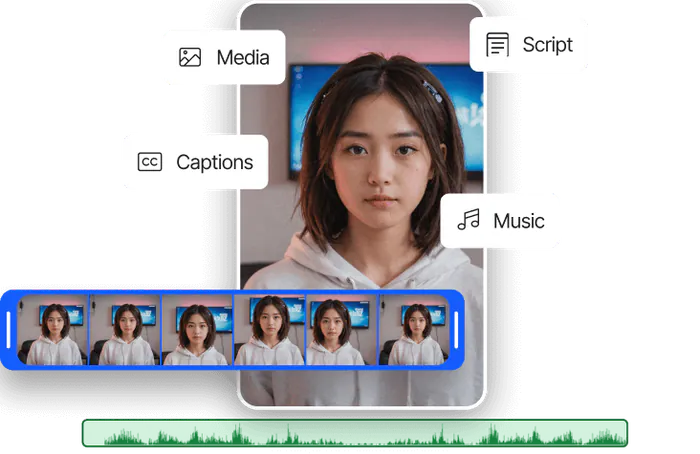
See the whole ad before it renders
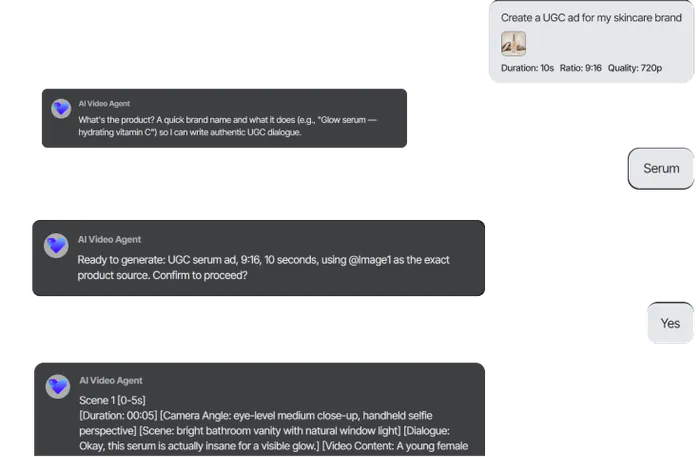
Change one line, not the whole plan
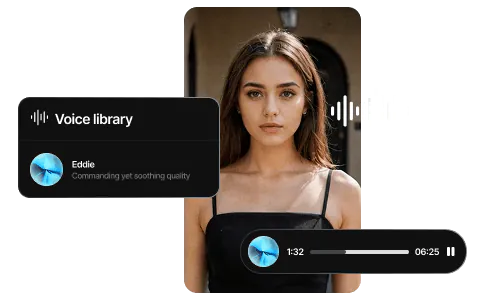
Your frames. Your scene. Your rules.

The right model for each shot
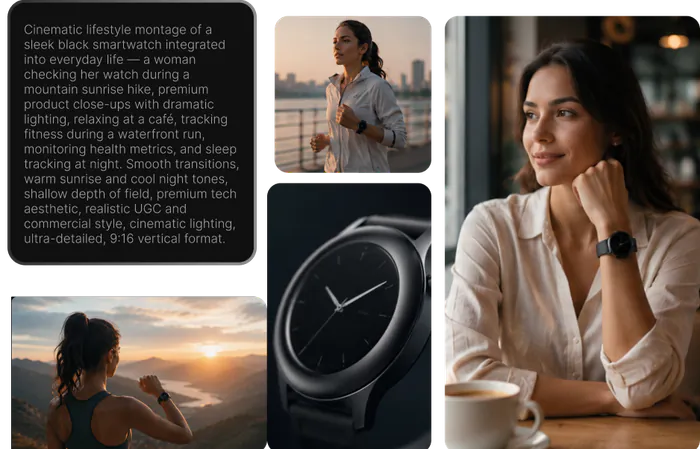
From storyboard to ad-ready export
Review every scene before you render a single frame.
Related Tools
Explore more AI video tools by Tagshop


Brands Are Building Better Ads with Storyboards



The video you created for us truly exceeded our expectations - it's fantastic!
"Every frame was not only engaging but also beautifully crafted, clearly showing the high level of creativity and effort that went into its production. We achieved CTR of over 2%, and with a cost per click of just $0.20, the effectiveness of your work is undeniable."
Esma E.
Influencer Marketing


Seamless AI UGC video and image generation tool
"I work in the API security space, but I have always been curious about exploring different AI tools whether for generating images, videos, or creative content. UGC is something every brand needs nowadays, and I have tried many AI video tools. What I like about Tagshop AI is its simplicity. It’s easy to use, not complicated, and even someone without an AI background can get started quickly. That makes it a very user-friendly AI UGC video tool."
Sivan Michaeli-Roimi
VP Marketing @Pynt | Founder of Heyou.io


Best image to Product holding video generator for me
"I used Tagshop AI 2 days ago. Create an ai ugc product holding video with the tool. I have literally found the tool easy to use, with no complex functionality inside it. They have their own image generation model, where you can first generate a product image or upload one, and then you can also create a video for the same product. I like this idea, pretty cool, but let’s see how I can move to their plan."
Alon Michaeli
Head of Revenue AI at DealHub


Avatar looks realistic. Helpful to generate high-quality ai ugc videos.
"I've been using Tagshop AI as an AI ugc video generation tool for 1 month, and it's working well for me. I love the variety of avatars in their avatar library. The best part I have got in this tool is their editor, simple and clean look, and easy to use. Now, I don't need to switch tabs to edit the video."
Yuliia Kolomiiets
VP of Marketing


Multi-lingual features in the tool are pretty amazing.
"As my targeted audience is from the USA, Germany and Italy, their multilingual feature is helpful in this situation. I can create multiple avatar videos in different languages. So this is the benefit when you are targeting a wide audience."
Anirudh
Head of Digital Marketing


Time Saving and Affordable Tool
"The tool is super quick while creating the ai ugc videos. I like the editor within the tool, you don't have to switch to another tab."
Stephen Mathew
Marketing Manager


AI influencer becomes easy to create with Tagshop AI
"With the Tagshop AI, I have created a set of AI avatar videos that are now working for my clients. I am happy that I have found the fastest way to create AI avatars. The tool is quick and easy to use. I mean beginner-friendly, even a non-ai person can also operate this."
Kazi Mainuddin
Content Marketer


We have successfully reduced our shooting time after using Tagshop AI.
"Tagshop AI has helped us cut down our product shooting time by a huge margin. The Digital Twin / AI Twin feature lets us create clean product visuals without setting up lights, cameras, or backgrounds every time. We simply upload a few images, and the tool generates high-quality results that look ready for ads or social media. For a small marketing team like ours, this saves hours every week and makes content creation much easier."
Arpan Shah
Managing Director


Tagshop AI dashboard is very well organized, even for a beginner in video creation like me.
"Tagshop AI has made the whole video creation much easier for me, especially as someone without a strong editing background. The dashboard is clean and very well organized, which helped me quickly understand the workflow. I really liked how simple it is to generate content, edit videos, and navigate different features without feeling confused. The platform saves time and makes the entire process smooth and efficient. Overall, it’s a beginner-friendly tool that delivers professional-looking results with minimal effort."
Aygul M.
Digital PR Strategist


For us, Tagshop AI is the fastest way to create high-converting ugc video ads
"Tagshop AI is currently helping us to produce UGC-style video ads quickly. Uploading a product link and letting the AI auto-generate scripts, avatars, and full videos saves an incredible amount of time. The realistic avatars and voice cloning feel natural, and the multilingual features make international campaigns easy for us. We are currently producing 90+ videos daily with variations for A/B testing without any filming, creators, or editing."
Arina K.
Chief Marketing Officer


UGC style video ads become easy through the AI video agent workflow.
"So, with the time we have also developed the approach to generate ai ugc videos for our ad platforms. We have recently explored the new feature of generating videos through the ai video agent, and the smart ai agent is generating scripts, visuals, and videos for us within a few minutes. So yes, we can say we are saving a lot of video production time, video generation, just by chatting through the agent. So, what I think we are already eliminating lots of typical process already with the agent."
Bhavik B.
Co-Founder
Frequently Asked Questions
Everything you need to know about Tagshop's Storyboard to AI Video.
What is storyboard to video?
How does storyboard to AI video work?
What is an AI-generated storyboard?
Can I edit the storyboard before generating?
Can I use my own images or video frames?
Can I control the first and last shot?
What AI models are used for video generation?
What formats can I export?
What languages does the voiceover support?
How long does storyboard to video generation take?

Plan the scenes, review the storyboard and generate a finished AI video ad in one session.