
Grok Imagine Video Review: Features, Pros, Cons & Performance
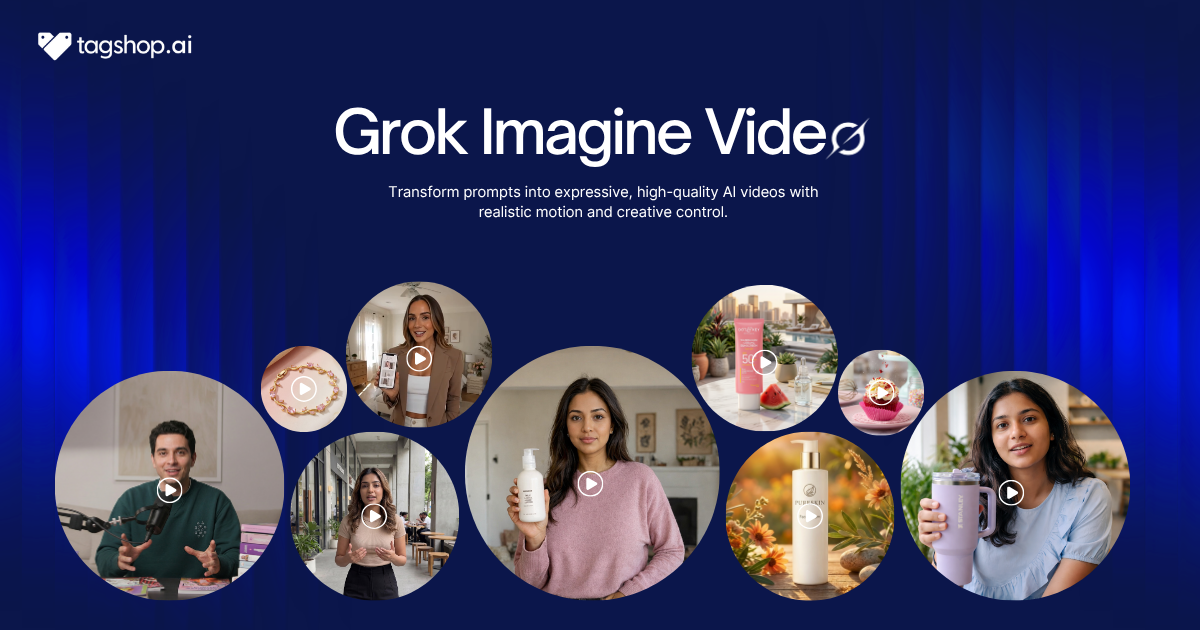







Making one good AI video clip is basically a solved problem. Making the twentieth this week, keeping all of them organised, and running five ideas at once while you wait- that’s the part nobody built for. Grok Imagine Video is built for exactly that.
X’s video model does the things you’d expect: text-to-video, image-to-video, and now audio generated in sync with the clip. But its real pitch is workflow. Run several prompts at the same time, organise everything into projects, search through past generations, and iterate quickly with a low-quality model before committing to the high-quality one. It treats video generation like a production line, not a slot machine.
Grok Imagine Video is available in the Tagshop AI Asset Generator. Here’s where it’s genuinely strong, where it still has limits, and how to run it on Tagshop.
So What Exactly Is This Built For?
Grok Imagine Video is X’s AI video model. It generates short clips from a text prompt or from an image, and it now produces synchronised audio alongside the video rather than leaving you to add sound afterwards.
The short version of what sets it apart: it’s a tool, not just a generator. Alongside solid text-to-video and image-to-video, it ships with workflow features most models skip, projects to organise your work, search to find old assets, and multiple agents to run prompts in parallel. The pitch is production efficiency: generate more, faster, and keep it all in order.
For image-to-video, it uses your uploaded image as the first frame and preserves its style and composition, so the animation stays true to what you started with. That also means input quality matters: cleaner images produce better clips.
Grok Imagine Video at a Glance
| Spec | Grok Imagine Video |
|---|---|
| Developer | xAI |
| Type | Text-to-video and image-to-video |
| Audio | Synchronised: effects, ambient, dialogue, lip sync |
| Clip length | 1 to 15 seconds |
| Resolution | 480p and 720p |
| Workflow | Projects, search, multiple agents |
| Best at | High-volume marketing and social content |
| Available on | Tagshop AI |
The Features That Actually Matter
This Is a Production Line, Not a Slot Machine
This is the real story. Grok Imagine Video gives you projects to organise generations, search to pull up past assets, and multiple agents so you can run several prompts at once instead of waiting on each. It’s designed for iterative creation: spin up variations quickly, then refine the winner.
Where it falls short: all that surface area means there’s a bit more to learn than a one-box generator, and you still need a process to make the most of it.
Why it matters: the actual job in content isn’t making one clip, it’s making many and managing them. A tool built around that saves more time than a marginally prettier single output ever would.
Cheap First, Quality Second
Grok Imagine Video is made to move. The recommended approach is to use the fast model to experiment, keep clips short while you test, then switch to the higher-quality version once your prompt is locked. You find the idea cheaply, then spend the render budget on the final.
Where it falls short: that discipline is on you. Jump straight to long, high-quality renders and you’ll burn time chasing a prompt that wasn’t ready.
Why it matters: speed of iteration decides how many ideas you can actually try, and trying more is how you land on the one that works.
Audio That Arrives Already in Sync
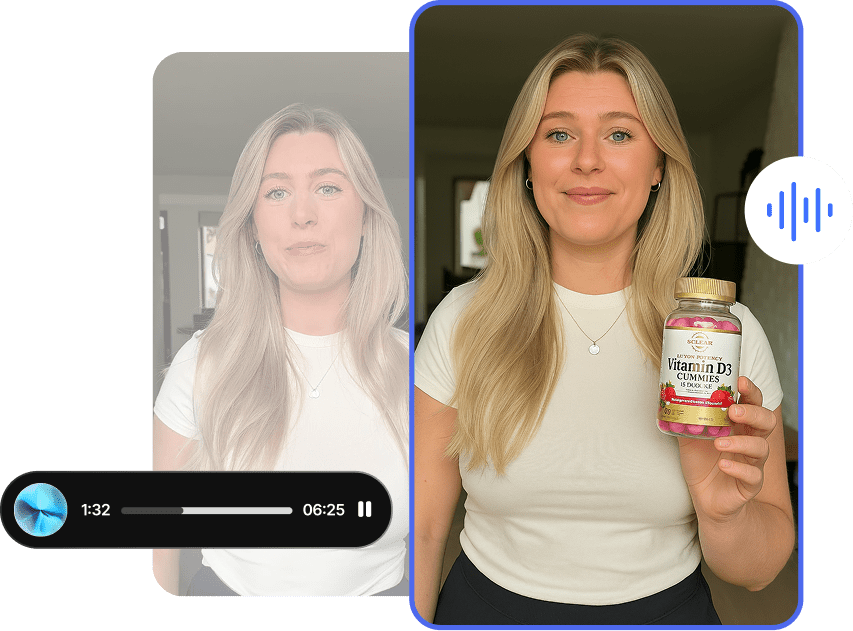
Audio is generated with the video, not bolted on after: sound effects, ambient noise, dialogue, and lip sync all arrive together, which makes the timing hold up far better than manual syncing.
Where it falls short: it’s a genuine convenience rather than a dedicated audio studio, so treat the sound as a strong starting point for anything demanding.
Why it matters: sound generated in sync removes a whole editing step, which for talking clips and social content is a real time saver.
Motion That Actually Holds Its Shape
Motion has clearly improved: fewer warping artifacts, better object consistency, and more believable physics and momentum across the clip. Things move and hold their shape instead of melting halfway through.
Where it falls short: output tops out at 720p, so even clean motion won’t give you a crisp, high-resolution master. This is the model’s clearest limitation.
Why it matters: stable, consistent motion is what makes a clip usable, and getting that right matters more day to day than chasing the last bit of realism.
It Respects the Image You Gave It
Feed it an image and Grok Imagine Video uses it as the first frame, preserving the original style and composition. Your brand look carries into the animation instead of being reinterpreted.
Where it falls short: the result is only as good as the input. A soft or messy image produces a soft or messy clip, so start clean.
Why it matters: animating your own images, on-brand and predictable, is one of the most practical ways to turn existing assets into video.
Putting Grok Imagine Video to Work on Tagshop AI
It runs in the Tagshop AI Asset Generator. The workflow that gets the best results: experiment fast and cheap first, then commit to quality once the prompt is right.
Step 1. Start from text or a strong image
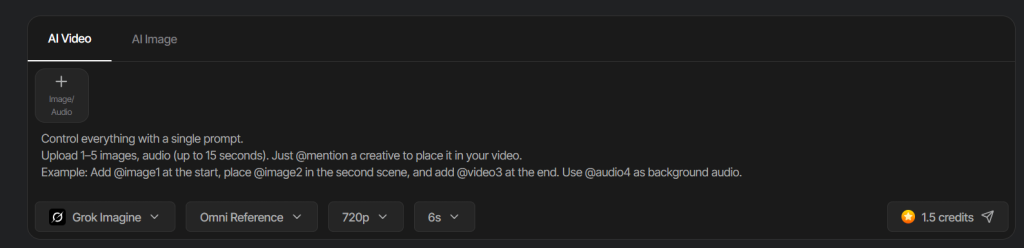
Start with a reference image, and paste your prompt.
Step 2. Choose Grok Imagine Video and prompt in detail.
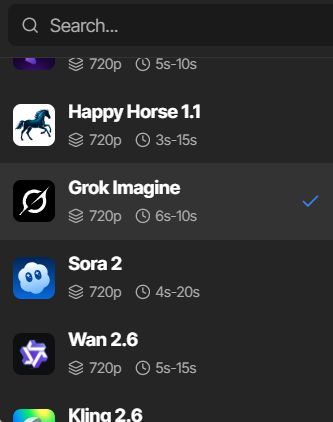
Select the model, keep test clips short, and write a detailed prompt; describe the camera movement, the action, the pacing, and the audio you want. Generic prompts get generic clips; specific ones get cinematic ones.
Step 3. Refine and export.
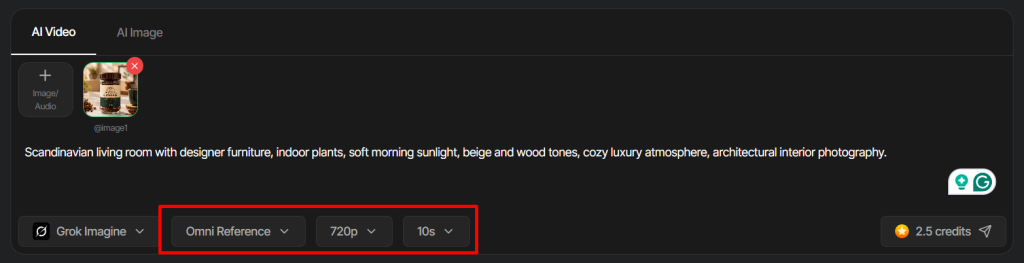
Select your output quality and duration, then hit generate.
7 Grok Imagine Video Prompts Worth Stealing
Detail is what separates a flat clip from a cinematic one. Describe the camera, the action, the pacing, and the audio. Swap the bracketed parts.
1. Detailed cinematic clip
[Subject] in [setting]. Camera: slow push-in, then a gentle tilt up. Action: [what happens], unhurried and deliberate. Pacing: calm build to a clean finish. Audio: soft ambient room tone and a low music bed. Cinematic lighting.
2. Talking spokesperson
A friendly [spokesperson] talking directly to camera in a bright [setting]. They say: “[exact line].” Natural lip sync, warm tone, subtle head movement. Camera holds steady at chest height. Clear, close audio.
3. Teaser video
A fast, punchy teaser for [product]. Three quick beats with snappy cuts, energetic pacing, a rising sound effect on each cut and an audio sting at the end. Bold, modern, vertical.
4. Animated graphic
Animate this graphic of [subject]: elements slide and settle into place, a subtle glow sweeps across, text holds crisp. Clean motion, light UI sound effects. Minimal, premium style.
5. Image-to-video product animation
From the uploaded product image, animate a slow rotation with light glinting across the surface, then settle on the logo. Preserve the exact style and composition of the image. Soft ambient audio.
6. Brand content
A short brand moment for [brand]: [scene], warm and editorial, camera drifting slowly. Ambient sound that matches the setting. Consistent with [brand]’s look and palette.
7. Social clip
[Scene and action], vertical 9:16, quick and lively for social. Camera: handheld feel. Upbeat pacing, punchy sound effects. Keep it under [X] seconds.
Where This Actually Earns Its Keep
Performance marketers. The pain is producing enough creative to test. Multiple agents and fast iteration let you generate variations in parallel, so you can put more ad concepts in front of an audience without the wait.
Social creators. The pain is a relentless posting schedule. Quick, sounded, short clips, plus projects to keep it all organized, make it realistic to feed reels and social without filming.
Ecommerce. The pain is video for every product. Image-to-video animates your existing product shots on-brand, since it preserves the original image’s style.
UGC-style content. The pain is filming a presenter. Synchronized dialogue and lip sync make talking-head spokesperson clips without a camera or a studio.
Brand and content teams. The pain is managing a growing library of assets. Projects and search turn a pile of generations into something you can actually navigate and reuse.
Agencies. The pain is volume across clients. A production-minded tool with parallel generation and organization is built for exactly that kind of throughput.
Grok Imagine Video vs Veo 3 vs Hailuo 2.3 vs Seedance 2.5 vs Kling 3.0: The Honest Read
An honest comparison across the video models in the Tagshop Asset Generator.
| Model | Developer | Biggest Strength | Native Audio | Best Use | On Tagshop AI |
|---|---|---|---|---|---|
| Grok Imagine Video | xAI | Workflow and fast iteration | Yes, synchronized | High-volume marketing and social | Yes |
| Veo 3 | Audio-led realism | Yes | Realistic sound-driven clips | Yes | |
| Hailuo 2.3 | MiniMax | Motion realism through action | Platform audio | Action, dance, dynamic ads | Yes |
| Seedance 2.5 | ByteDance | 30-second continuous take | Yes, synced | Long single-take ads | Yes |
| Kling 3.0 | Kuaishou | Multi-shot storytelling | Yes, with dialogue | Sound-driven short stories | Yes |
My recommendation: if you’re producing at volume and want speed, organization, and parallel generation, Grok Imagine Video is the pick; workflow is where it wins. If you need the highest-resolution, most cinematic single clip, other models go further, since Grok tops out at 720p. For audio-led realism, choose Veo 3; for action and motion, Hailuo 2.3; for one long take, Seedance 2.5, and for multi-shot dialogue, Kling 3.0. All sit in the Tagshop Asset Generator.
The Real Pros and Cons
What’s genuinely good
- Real workflow features: projects, search, and multiple agents for parallel generation.
- Built for fast iteration, experiment cheap, then commit to quality.
- Synchronized audio, including dialogue and lip sync, generated with the clip.
- Improved motion with fewer artifacts and better object consistency.
- Image-to-video that preserves your original style and composition.
What still needs you
- Resolution tops out at 720p, the clearest limit, so it’s not for high-resolution masters.
- Clips run 1 to 15 seconds. This is short-form only.
- Output tracks input. Weak source images produce weak clips.
- Generic prompts underperform. You need to describe camera, action, pacing, and audio.
The Takeaway: Built for People Who Make a Lot of Video
Grok Imagine Video is for people who make a lot of video and need to move fast. Projects, search, parallel agents, and a fast-then-quality workflow turn it into a production tool rather than a single-clip generator, and synchronised audio and steadier motion make the output genuinely usable. It caps at 720p and keeps clips short, so it’s not the choice for a high-resolution hero film. But for churning out organised, sounding, on-brand short content at volume, it’s one of the most practical tools available right now.
Grok Imagine Video is available now in the Tagshop AI Asset Generator. Try Grok Imagine Video on Tagshop AI →
Frequently Asked Questions
Grok Imagine Video is xAI’s AI video model. It generates short clips from text or images with synchronized audio, and it stands out for workflow features, projects, search, and multiple agents for running prompts in parallel. It’s available on Tagshop AI.
High-volume content creation. Its strength is workflow, fast iteration, parallel generation, and organization, which makes it ideal for marketing and social teams producing many assets: animated graphics, teasers, spokesperson clips, and brand content.
Yes. It produces synchronized audio alongside the video, sound effects, ambient audio, dialogue, and lip sync, all generated with the clip rather than added afterward, so the timing holds together well.
It outputs at 480p and 720p, with clips from 1 to 15 seconds. That makes it a short-form, social-first tool; if you need a high-resolution master, other models go higher.
Both. Image-to-video uses your uploaded image as the first frame and preserves its style and composition, so cleaner, higher-quality source images produce noticeably better animations.
Start from a strong image, write a detailed prompt covering camera, action, pacing, and audio, and use the fast model to experiment with short clips before switching to the higher-quality version to finalise.
Grok Imagine Video is available inside the Tagshop AI Asset Generator; see Tagshop AI pricing for current plans. Start from text or an image, prompt in detail, iterate fast, then export.
Written by:

Kashish Vaswani is a Content Strategist at Tagshop AI, specializing in AI-powered marketing, UGC advertising, and eCommerce content. She creates actionable guides, industry insights, and product-focused resources that help brands, marketers, and creators leverage AI to produce high-converting video ads and scale their content strategy with confidence.
 Add Tagshop.ai as a preferred source in Google Search






 Introducing

 Wan 3.0 is now live on Tagshop AI
