
AI UGC Video Generation for Enterprise Marketing Teams
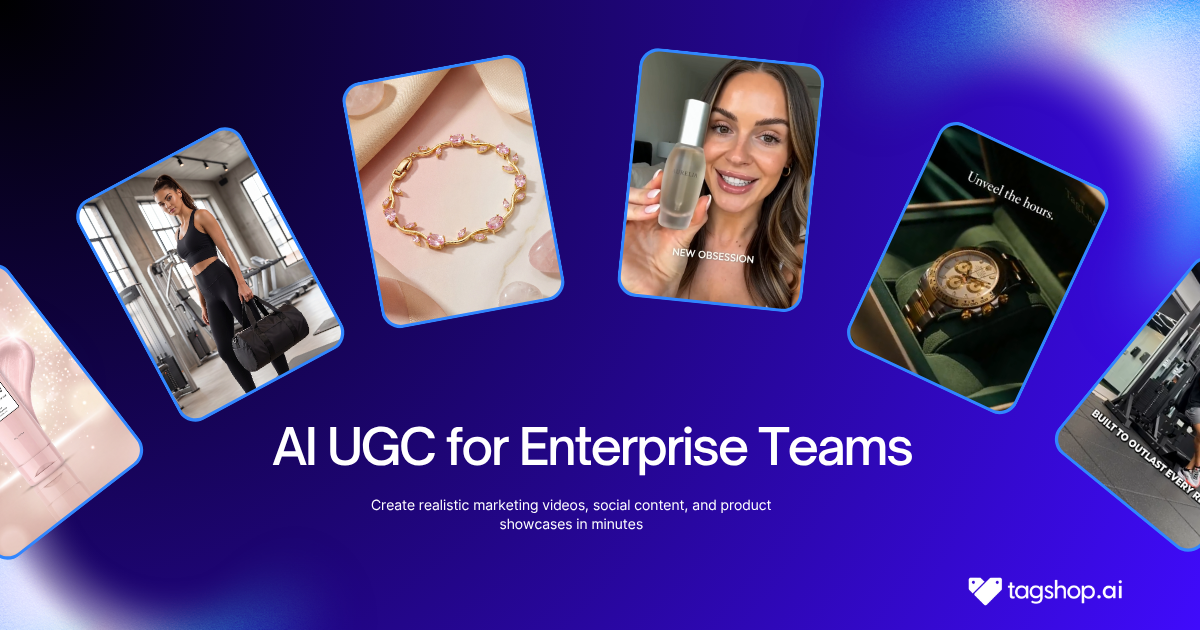







Quick answer: AI UGC video generation lets enterprise marketing teams produce creator-style video content with AI avatars instead of hired creators, at a volume and speed no traditional shoot can match. For a large team, the win is scale: hundreds of ad variations, product explainers, and localized versions across dozens of markets, produced in days. The catch is that enterprise scale raises the stakes on three things a solo marketer barely thinks about: brand consistency, security and compliance, and team workflow. The teams that succeed treat AI as a governed production line, not a magic button, keeping humans in the loop to protect the brand.
TL;DR
- What it is: AI avatars deliver your script as creator-style video, so an enterprise team can generate ads, explainers, and localized content at scale without booking creators or studios.
- Why enterprise teams adopt it: volume, speed to market, localization across many languages, and a cost per video far below human-creator rates – which finally makes real creative testing affordable.
- The real risk isn’t cost; it’s the brand. Ungoverned AI video reads as generic “AI slop,” and marketers on Reddit are blunt about it. The fix is governance: locked brand assets, approved avatars, and human direction on every hero asset.
- Security and compliance are the enterprise decider. Ask any vendor about data handling, single sign-on, likeness and consent, AI-disclosure support, and commercial usage rights before you buy – this is where cheap consumer tools quietly disqualify themselves.
- Workflow makes or breaks adoption: seats, roles, approval flows, and integrations matter as much as render quality, and per-seat pricing can blow up the budget if you ignore it.
- Tool fit: Synthesia and HeyGen own corporate talking-head and training video; Tagshop AI is built for UGC-style ad production at scale with custom enterprise plans, localization, and a dedicated account manager.
We Went From Six Markets to Twenty-Two. The Old Way Would Have Broken Us.
A few years into running video for a global brand, I hit a wall that had nothing to do with creativity and everything to do with math. Leadership wanted localized video ads for twenty-two markets, refreshed every quarter, on brand, on time. My team was four people and a freelance budget that assumed six markets, not twenty-two.

The old playbook was already creaking at six. Brief a creator per market, ship product, chase usage rights, wait two weeks, review a cut that missed the brand tone, request a reshoot, miss the launch window. Multiply that by twenty-two and it stops being a workflow and starts being a hostage situation.
That pressure is why enterprise marketing teams are moving to AI UGC video generation, and it’s also why so many of them get burned on the first try. They buy a consumer tool built for a single creator making a single ad, then try to run a twenty-two-market operation through it, with no brand controls, no approval flow, and legal finding out about it after the fact.
This article is the version I wish someone had handed me: what AI UGC video generation actually does for a big team, where it breaks, and how to run it without embarrassing your brand or your compliance team.
What AI UGC Video Generation Means at Enterprise Scale
Let me define the terms cleanly, because executives and legal experts will ask.
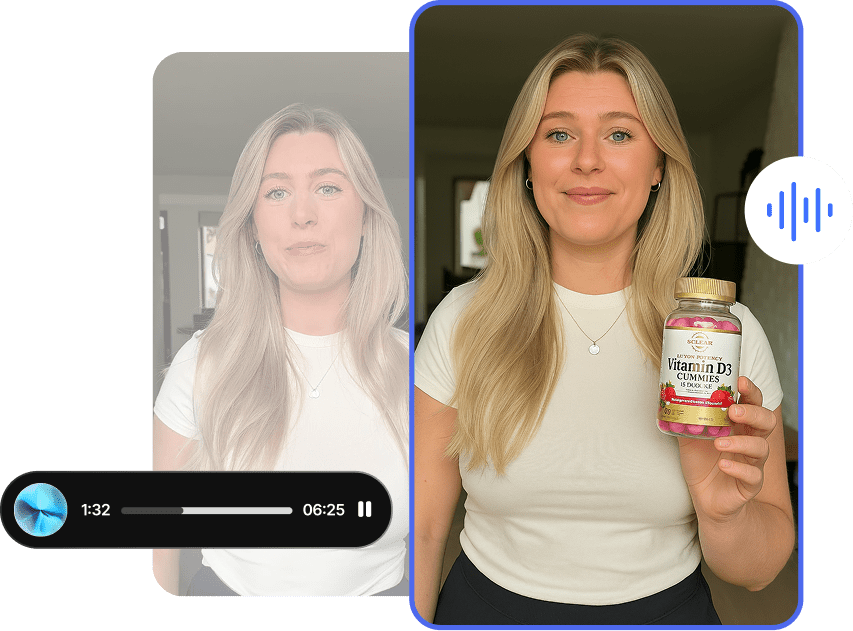
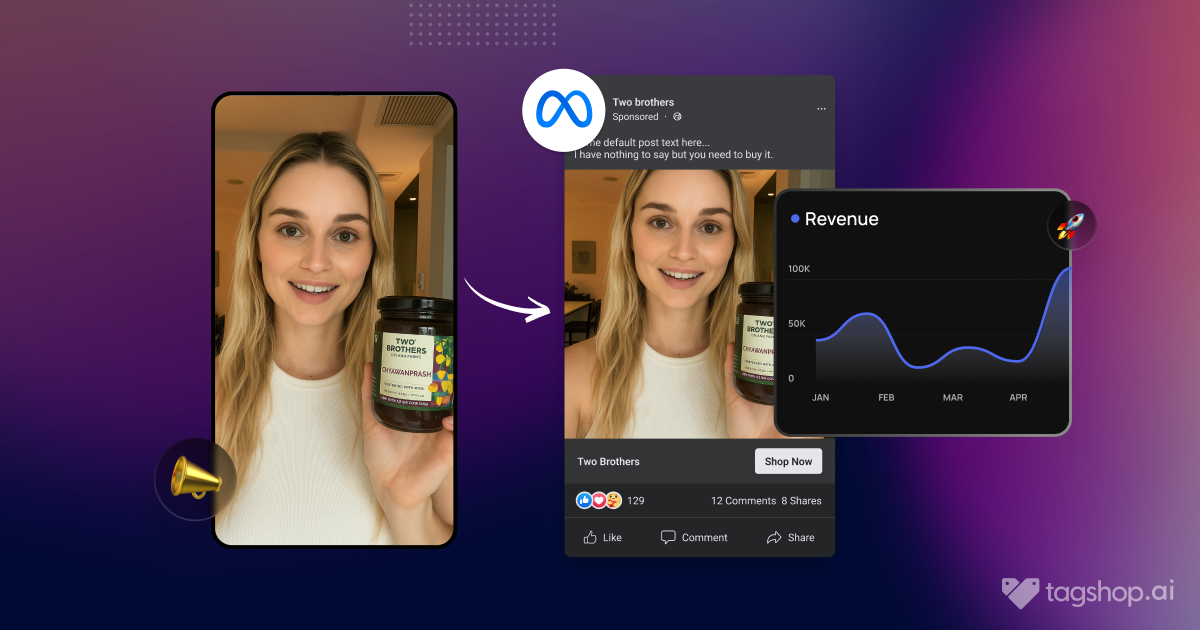
UGC is user-generated content – video made by a real customer, prized for feeling authentic rather than advertised. AI UGC video generation recreates that look using AI: a realistic digital avatar delivers your script, holds or reacts to your product, and comes out looking like the organic, trust-building content that performs on TikTok, Reels, and YouTube – without a creator, a camera, or a shoot.
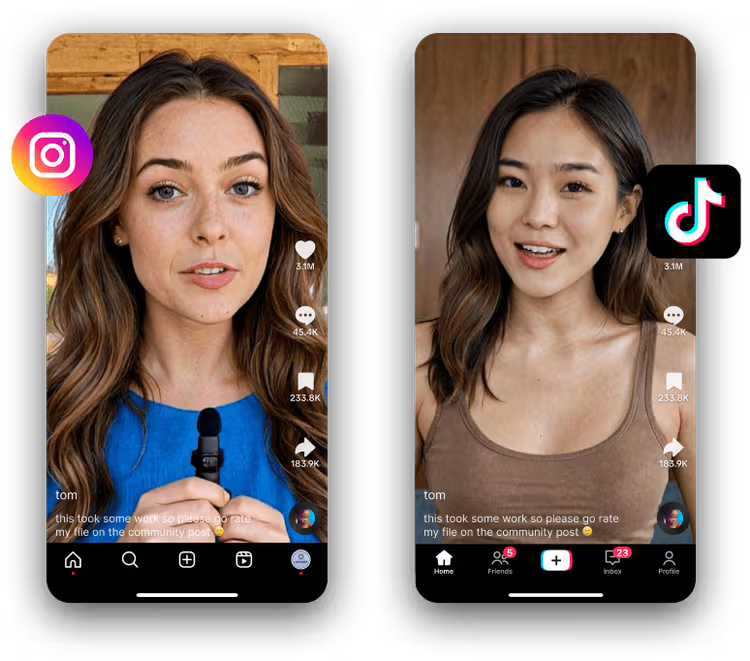
For a solo marketer, that’s a convenience. For an enterprise team, it’s a different machine entirely, because you’re not making one video. You’re making a system that produces hundreds of assets, in many languages, across many campaigns, that all have to look like they came from the same brand and satisfy the same legal standard. The technology is identical. The operating model is not.
That distinction is the whole reason “enterprise” belongs in this conversation. The question stops being “can this tool make a good video” and becomes “can this tool make ten thousand good videos that my brand, my legal team, and my regional managers all sign off on.”
Why Enterprise Marketing Teams Are Adopting It
Four forces push large teams toward AI UGC video, and none of them is “AI is exciting.”
Volume without linear cost. Traditional video cost scales with output – more videos, more shoots, more budget. AI UGC breaks that link. Once the system is set up, the hundredth video costs roughly what the tenth did, which is the first time most enterprise teams can afford to test creative properly instead of betting a quarter’s budget on three hero spots.
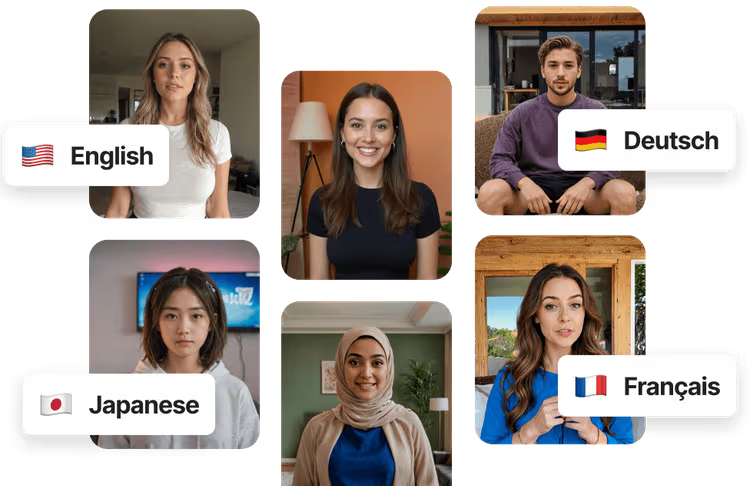
Localization at a speed that used to be impossible. This is the quiet giant. A single script can become fifty market-specific versions in different languages, with avatars and voices suited to each region, in the time it used to take to brief one creator. For global brands, localization is where AI UGC earns its budget line.
Speed to market. Performance marketing rewards teams that test this week’s idea this week. Cutting the cycle from two weeks to same-day changes what your team can even attempt.
Consistency of control. People get sick, miss deadlines, and deliver reads that miss the brief. A governed AI pipeline delivers the same quality on Tuesday that it did on Monday, which sounds boring until you’re the one explaining a missed launch to leadership.
Where It Actually Fits: Enterprise Use Cases
AI UGC video generation is not a single use case. Inside a large marketing org it shows up in several places at once:
Performance ad creative at scale. Dozens of hook variations per product, per market, refreshed constantly so creative fatigue never sets in on your paid social accounts.
Localized product explainers. One master explainer, adapted into every market’s language and cultural context without re-shooting.
Always-on social content. A steady stream of on-brand short video for organic channels, without a content team burning out.
Personalized and segmented campaigns. Different messages for different audience segments, produced affordably enough to actually be worth segmenting.
Internal and enablement video. Training, onboarding, and internal comms – the home turf of tools like Synthesia and HeyGen, and often the first place a big company tries AI video before trusting it with external ads.
The teams that get the most out of this pick two or three of these on purpose, rather than trying to boil the ocean in month one.
The Brand Consistency Problem (This Is the Real Risk)
Here’s the part the tool demos skip. The biggest threat to an enterprise AI video program isn’t cost or even quality of a single clip. It’s that ungoverned AI video makes your brand look cheap.

Marketers say this louder than I ever could. Scroll any marketing subreddit and you’ll find the same verdict: much AI video “looks like AI,” and a brand that ships it risks looking generic. One marketer working with well-known fashion and retail names put the enterprise priorities in a single line – consistency of visuals and avoiding the “AI look” are the two things that matter most. That’s the enterprise fear in plain language, and it’s correct.
The failure mode is what one thread called the “prompt lottery”: type a generic prompt, get generic, stock-like output, with faces that drift between clips and pacing that feels mechanical. At consumer scale that’s an annoyance. At brand scale it’s a liability that shows up on a billboard-sized screen in front of your customers.
The fix is governance, and it’s very learnable:
- Lock your brand assets, don’t prompt from scratch. Feed the system approved reference frames, product shots, colors, and fonts instead of hoping a text prompt captures your brand. Experienced operators lock one strong reference frame and generate everything around it.
- Curate an approved avatar and voice set. Decide which avatars and voices represent the brand, and take the rest off the table for your team. Consistency comes from constraint.
- Keep a human directing the hero assets. The sharpest advice I’ve read on this treats the avatar as a base layer, then directs pacing, gesture, and tone rather than shipping the first render. That’s the difference between cheap volume and something a founder will put their name on.
- Review where it matters. You don’t need a human eyeballing all ten thousand renders. You need one on the hooks and the hero cuts, because that’s where the brand lives.
Governance is what turns AI UGC from a brand risk into a brand asset. Skip it, and you’ve automated the production of content that makes you look worse.
Security, Privacy, and Compliance: The Enterprise Decider
This is the section consumer tools hope you won’t read, and it’s exactly where enterprise buying decisions are actually won or lost. It’s also, conveniently, the topic the top-ranking articles cover worst – so treat this as both a buying checklist and the part your legal team will actually care about.

Data handling and access control. Where does your uploaded product data, script, and footage live, and who can see it? Enterprise-grade tools offer single sign-on and role-based access so you’re not sharing one login across a department. HeyGen and Synthesia both advertise single sign-on on their higher tiers, for example. Ask every vendor – including any you already like – to put their data retention and access model in writing.
Likeness and consent. If you use a real person’s face or voice, you need documented rights to do so. Stock AI avatars from a reputable vendor come with commercial usage rights baked in, which sidesteps the consent problem entirely – one reason curated avatar libraries are safer for enterprise than cloning random faces.
AI disclosure and advertising law. Platforms increasingly require AI-generated content to be labeled, and regulators are moving the same direction on transparency for synthetic media. Separately, advertising rules in most markets prohibit deceptive endorsements – so AI UGC should be used as clearly brand-produced creative, not disguised as a genuine customer testimonial. Loop legal in early; this is a five-minute conversation now or a painful one later.
Commercial usage rights. Confirm you actually own what you generate and can run it as a paid ad across every platform. This should be explicit in the contract, not assumed.
Certifications. If your procurement process requires specific security certifications, ask each vendor directly and get the documentation. I’m deliberately not claiming certifications on anyone’s behalf here – verify them yourself, because that’s what your security review will do anyway.
Handle these five upfront and AI UGC becomes a defensible, auditable part of your stack. Ignore them and you’re one screenshot away from a very bad meeting.
Building the Workflow: Seats, Roles, and Integrations
A tool that makes great video but can’t fit your team’s workflow will quietly die on the vine. For enterprise adoption, the operating layer matters as much as the render.
Seats and roles. Real marketing teams run several people in the account at once – a strategist, an editor, a media buyer, a reviewer. Watch how vendors price this. Some include one seat and cap you low, then charge per additional seat, which turns a friendly monthly number into a serious line item. Others include generous or unlimited seats on business tiers. Model your true team size before you compare stickers.
Approval flows. Enterprise video needs a path from draft to approved to published, ideally with brand and legal checkpoints built in rather than bolted on through email. Ask how review and sign-off actually work inside the tool.
Integrations and API. The video is one step in a longer pipeline. Enterprise teams want their assets flowing into a digital asset manager, out to ad platforms, and often through an API for teams building repeatable creative pipelines. If a tool locks its API behind an opaque enterprise quote, factor that into the real cost.
The throughput trap. Several platforms advertise “unlimited” generation, then throttle your render queue until you buy speed boosters. At enterprise volume, queue speed is a real constraint. Ask about concurrency and processing speed on the tier you’d actually buy.
What to Look For When Choosing an Enterprise Tool
Here’s the buying checklist I’d hand a peer evaluating platforms for a large team. Score each vendor on all of it, not just the demo reel.
| What to evaluate | Why it matters for enterprise | The question to ask |
| Brand controls | Prevents the generic “AI look” that damages the brand | Can we lock brand kits, approved avatars, and reference assets? |
| Localization | Multi-market scale is the core enterprise payoff | How many languages, and how good is the regional voice quality? |
| Security and access | Legal and IT will block a purchase without it | Single sign-on, role-based access, data retention terms? |
| Usage rights | You must legally own and run what you generate | Are full commercial rights explicit in the contract? |
| Seats and workflow | Team-wide adoption depends on it | How many seats, and how do approvals work? |
| Integrations and API | The video is one step in a bigger pipeline | Native integrations and API access on our tier? |
| Real cost per usable video | The sticker price hides the true number | What does a finished, approved video actually cost us? |
| Support and onboarding | Enterprise rollout needs a human on the vendor side | Dedicated account manager and onboarding included? |
The tools cluster into three camps against that checklist. Synthesia and HeyGen are the corporate video and training standard – strong on avatars, languages, and enterprise security controls, though more built for talking-head and internal communication than for scroll-stopping ad creative.
Creatify and similar ad tools lean toward performance creative, with enterprise tiers that add white-labeling and account management. And Tagshop AI sits in the UGC-ad-at-scale lane, purpose-built for the creator-style advertising most consumer brands actually need, with custom enterprise plans layered on top.
What Marketers Are Actually Saying on Reddit
I don’t want you taking only my word for this, so here’s what enterprise and agency marketers are saying in the wild – because the consensus is remarkably consistent, and it maps almost exactly to the governance argument above.
The loudest theme is brand risk. In a recent r/content_marketing thread on brand video, the top reply is brutal and widely upvoted: much AI video “looks like AI,” which makes a brand “look cheap and generic.” Others in the same thread name the uncanny-valley problem with faces and the “prompt lottery” that produces stock-like output. This is the single biggest objection enterprise teams have, and it’s coming from practitioners, not skeptics on the sidelines.
The second theme is the fix, and it’s pure governance. The most useful comments describe locking one reference frame and directing everything around it, feeding tools reference images and brand assets instead of raw text prompts, and keeping a human in the loop on the shots that matter. One marketer who runs AI video for major fashion and retail names framed the whole enterprise game as consistency of visuals and avoiding the AI look – then described building controlled workflows to get there. That’s governance by another name.
The third theme is tool fit. In an agency thread about which generator is worth paying for, the repeated recommendation is HeyGen for realistic talking heads and fast turnaround, with Synthesia described as solid but “more corporate.” Google’s own AI summary of these discussions lands in the same place: enterprise teams reach for Synthesia, HeyGen, and similar tools to scale, but there’s a strong community consensus that human oversight is essential to protect brand credibility.
Strip away the tool names and the message from people doing this at scale is one sentence: AI handles the volume, humans protect the brand. Build your program around that and you’ll avoid the mistakes filling these threads.
How Tagshop AI Fits an Enterprise Team
Having laid out the checklist, here’s my honest read on where Tagshop AI earns a place on an enterprise shortlist – specifically for teams whose main job is creator-style advertising rather than internal training video.
Tagshop is built around UGC-style ad production, which matters because that’s the hardest thing to make look authentic at scale, and it’s what most consumer brands actually need for paid social. For enterprise teams, it offers custom plans designed for high-volume output, with tailored workflows and predictable pricing rather than credit roulette, plus a dedicated account manager and personalized onboarding that includes model training on your brand.
Localization is covered with 75-plus languages, which is the core enterprise payoff, and the platform pairs 360+ avatars with an AI Twin capability for teams that want branded, consistent presenters. Output runs up to 4K, and campaign management lets you publish ad assets directly to platforms rather than exporting and re-uploading.
Just as important for a brand team, everything generated comes with commercial usage rights, and features like URL-to-video, an AI Video Agent for script-to-render production, and Ad Clone for spinning fresh variants off a winning ad are built for the exact “many variations, many markets” problem enterprise teams face. On the trust side, Tagshop publishes transparent pricing and holds a 4.9 out of 5 rating across 143 verified G2 reviews, which is the kind of signal a procurement team likes to see.
The honest caveat: if your primary need is corporate training video, SCORM exports, and internal enablement, Synthesia and HeyGen are purpose-built for that and worth a look – the HeyGen versus Synthesia breakdown covers that lane well. But for creator-style ad content at enterprise volume, Tagshop is built for the job. The fastest way to judge fit is to run a real campaign through it: book an enterprise demo with your actual brand assets and see whether the output clears your bar.
Measuring ROI: Count the Right Number
One closing discipline, because enterprise budgets live and die on measurement. The number that matters is not videos generated, and it’s not the subscription price. It’s cost per finished, approved, shipped video – the asset that actually clears brand review and runs.
That distinction is everything. A tool that generates a hundred cheap videos of which twenty pass review is more expensive per usable asset than a tool that generates forty of which thirty ship. Marketers doing this at volume estimate that even with strong prompting, a meaningful share of renders die in review, so track your real keep rate.
Then add the real cost of the humans directing and approving the work, because at enterprise scale the operator’s time is the largest line item, not the software. Measure cost per shipped asset and time from brief to approved, and you’ll know within one quarter whether your AI UGC program is actually working.
Key Takeaways
- AI UGC video generation lets enterprise teams produce creator-style video at a scale and speed traditional shoots can’t match, with localization across many markets as the standout payoff.
- Enterprise scale changes the game. The technology is the same as a solo tool, but the operating model must add brand governance, security, and workflow.
- The biggest risk is brand damage, not cost. Ungoverned output reads as generic “AI slop”; locked brand assets, approved avatars, and human direction on hero assets are the fix.
- Security and compliance decide enterprise purchases. Confirm data handling, single sign-on, likeness and consent, AI-disclosure support, and commercial usage rights before you buy.
- Workflow matters as much as render quality. Model seats, approval flows, integrations, and API access against your real team size.
- Reddit’s consensus is clear: AI handles volume, humans protect the brand.
- Match the tool to the job. Synthesia and HeyGen lead corporate and training video; Tagshop AI is built for UGC-style ad production at scale with enterprise plans, localization, and dedicated support.
- Measure cost per shipped asset, not videos generated or sticker price.
Final Word
The enterprise teams that win with AI UGC video aren’t the ones that generate the most clips. They’re the ones that build a governed system – clear brand controls, a real approval flow, legal in the loop, and humans directing the work that carries the brand.
Get that operating model right and you can do what my four-person team eventually did: serve twenty-two markets on time, on brand, and under budget, without pretending a text prompt is a creative strategy. Start with one high-volume use case, put the guardrails up first, and let the results earn the next one.
Frequently Asked Questions
It’s the production of creator-style video using AI avatars instead of hired human creators. An AI presenter delivers your script and showcases your product, producing content that looks like authentic user-generated video for social and ad channels.
To scale content production, localize into many languages quickly, cut cost and turnaround time versus hiring creators, and test far more creative variations than a traditional production budget allows.
Through governance: locking approved brand assets and reference frames instead of prompting from scratch, curating an approved set of avatars and voices, and keeping humans directing and reviewing the hero assets rather than shipping raw output.
Data handling and access control (including single sign-on and role-based access), documented likeness and consent when using real faces or voices, AI-disclosure requirements on ad platforms, deceptive-endorsement rules, and explicit commercial usage rights for everything generated.
Synthesia and HeyGen are the standard for corporate communications and training video, with strong language support and enterprise controls. For creator-style ad content at scale, Tagshop AI offers custom enterprise plans, localization, and dedicated support. Match the tool to whether your priority is internal video or external ads.
Most platforms move enterprise teams to custom pricing based on volume, seats, and support needs. The number to evaluate is cost per finished, approved video, which accounts for the renders that don’t clear brand review and the team time spent directing and approving.
Not entirely. AI UGC excels at volume, localization, and testing, while human creators still carry more weight for founder-led brand stories and long-term ambassador relationships. Most enterprise teams use AI for scale and reserve human creators for hero content.
Written by:

 Add Tagshop.ai as a preferred source in Google Search








 Introducing

 Wan 3.0 is now live on Tagshop AI
