How to Create AI-Generated UGC Videos for Your eCommerce Store








Brands burning thousands on studio ads are getting outsold by a 22-second phone video from a random customer. Every time.
Most eCommerce brands know UGC works. A real customer talking about your product on their phone consistently outperforms anything shot in a studio. The problem is getting enough of it, consistently, at the speed your brand needs to grow.
AI UGC for eCommerce solves exactly that. Instead of chasing customers for content, you generate creator-style videos in minutes with different types like reviews, demos, unboxings, that look and feel like real UGC, at a fraction of the cost.
This guide covers what AI-generated UGC videos are, why they convert, and how to create them for your eCommerce store using Tagshop AI’s video agent.
What is UGC, and why does it convert?
User-generated content is any content that is created by real people around your product. It can be testimonials, reviews, unboxing videos, tutorials, and try-ons. It is the modern word-of-mouth. And in eCommerce, word of mouth still wins.
The reason is trust. People trust people, not brands. A polished video from your studio means nothing compared to a real customer talking about your product on their phone.
However, collecting real UGC at scale is expensive, slow, and unpredictable. You’re dependent on customers opting in, their camera quality, their lighting, and their comfort on camera. Brands that crack UGC at volume either have massive communities or massive budgets. Most eCommerce stores have neither.
What are AI-generated UGC videos?
AI-generated UGC uses real-life-like avatars or realistic digital humans with distinct faces, voices, and speaking styles to deliver high-quality content. The AI actor does not look like a robot. They look like the people you see on your feed while scrolling.
Must Explore: AI Video Templates for Clothing Brands
Authenticity vs. efficiency
AI UGC doesn’t pretend to be something it’s not, as long as you don’t let it. Most platforms now require disclosure when content is generated by AI. The FTC’s updated endorsement guidelines cover synthetic content. Label it clearly. Most audiences don’t mind AI avatars; they mind being deceived. One small disclosure tag is all it takes to stay on the right side of that line.
Why AI UGC videos work for eCommerce marketing
Social proof converts, and AI UGC manufactures social proof fast. But there are three specific reasons it earns its place in the eCommerce stack.
1. It gives you something to test.
A/B testing ad creative is where most eCommerce brands leave money on the table.
Real UGC is hard to iterate on; you can’t ask a customer to re-record with a different hook. With AI UGC, you can generate five versions of the same testimonial with different opening lines in minutes, and find out what your audience responds to without a six-week content cycle.
2. It fills your product pages.
Shopify merchants using video see up to 80% higher conversion on pages with product video versus static images. AI UGC lets you add video to every SKU, not just your hero products.
3. It reduces the cost of looking credible.
For a new brand or new product line, zero reviews is a real problem. AI UGC bridges the gap while you build real reviews, as long as you’re transparent about what it is.

Planning your AI UGC video strategy
1. Define your goal first
Different video types serve different purposes. A testimonial works for cold audiences who need social proof. A tutorial works for warm audiences close to buying, but who need to understand the product. An unboxing works for post-purchase content that drives shares. Pick the goal first, then pick the format. Mixing them up is the most common planning mistake.
2. Know who you’re talking to
The avatar you choose matters because it signals who the product is for. A 45-year-old avatar pitching a skincare serum aimed at women in their 30s creates friction, even if the script is perfect. Be deliberate. Most platforms like Tagshop AI offer diverse avatar libraries for exactly this reason.
3. Choose the right products to feature
Start with bestsellers and high-margin products. That’s where social proof moves the needle most. New arrivals are also a strong case; they have no reviews yet, and a well-made AI testimonial can carry them through the first few weeks while real reviews accumulate.
4. Pick the right video type
Testimonials, unboxings, tutorials, product demos, each has a different job. Match the format to where the viewer is in the buying journey, not just to what’s easiest to script.
How to Create AI UGC Videos with Tagshop AI
Most tools make you do the hard part like giving a finished script, a detailed brief, a clear vision. Tagshop AI’s video agent doesn’t work that way. You start with whatever you’ve got, and the agent figures the rest out with you. Here’s exactly how it runs.
Why this matters: The biggest reason eCommerce teams don’t create more video content isn’t budget, it’s the blank page. Tagshop AI’s agent removes the blank page entirely.
1. Start with a simple idea: any idea
Type anything into the agent. You don’t need a polished script or a creative brief to begin. Drop in:
- Your product name
- A product link
- A campaign angle you’ve been thinking about
- Or even a rough, unfinished thought
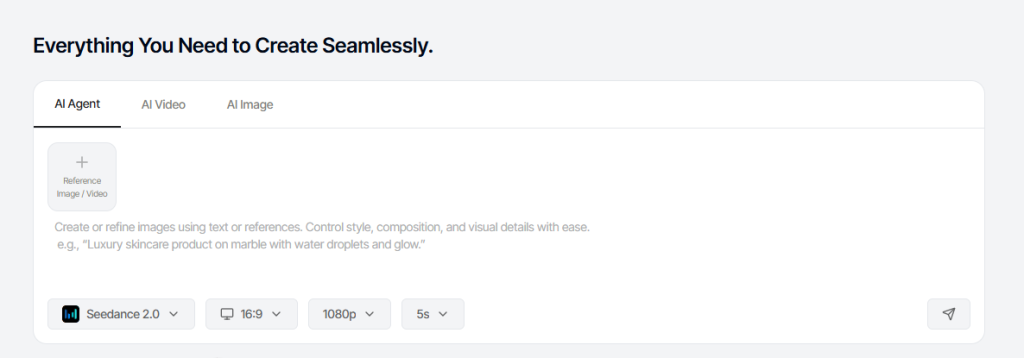
Something like “summer campaign, targeting people who go to the gym, protein supplement” is enough. The agent is designed to work with whatever you’ve got.
2 Let the AI video agent build your video
This is where most people are surprised. The agent doesn’t just take your input and disappear. It asks follow-up questions: about your product, your audience, the tone you want, the platform you’re targeting. Based on your answers, it builds a UGC-style script optimized for TikTok, Instagram Reels, or YouTube Shorts. No copywriter. No creative team. The brief and the script happen in the same conversation.
3 Generate and publish
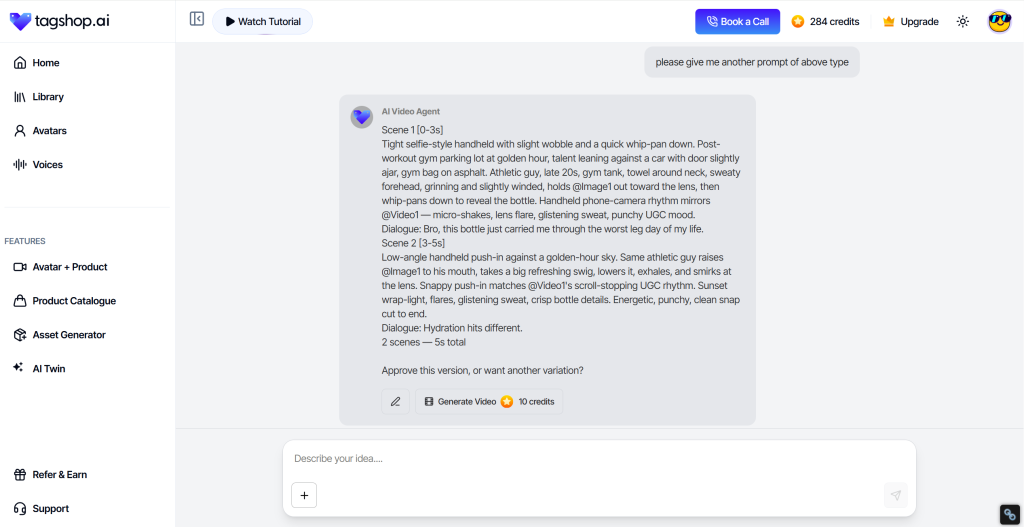
When the script looks right, click “Generate Video.” Tagshop AI takes your idea, the script it built with you, your chosen avatar, the voiceover, the visuals and turns it into a creator-style video in minutes. From there, edit inside the built-in editor, export in platform-native format, publish. The whole thing, from first input to finished video, takes a fraction of the time a single creator brief used to.
What Tagshop AI brings to the workflow
1. URL to video
Paste a product link, get a full video ad. Tagshop AI extracts visuals and details. Then just customize and generate your video.
2. 360+ AI Avatars
Hyper-realistic avatars with gestures, micro-expressions, and lip sync that don’t slip.
3. AI Twin
Create a digital version of yourself or a brand spokesperson to maintain a consistent identity across campaigns, without repeated shoots.
4. 75+ languages
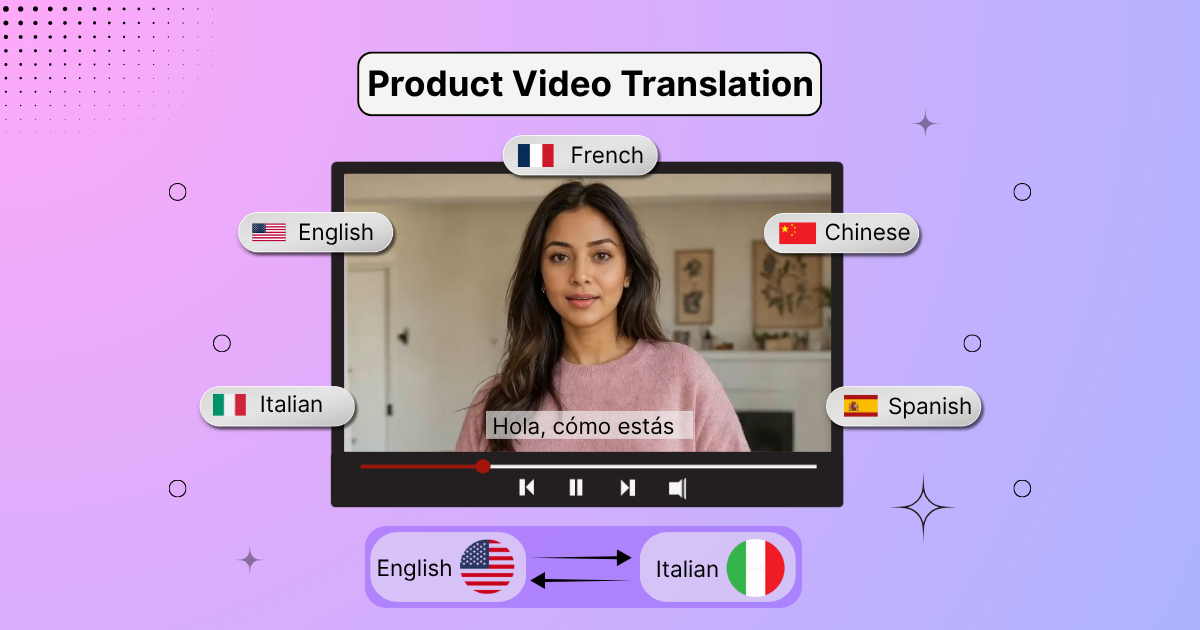
Generate localized videos for international campaigns in languages like English, Hindi, Spanish, Indonesian, Arabic, Bulgarian, Greek and many more.
5. Built-in editor
Auto-captions, text overlays, and gesture controls in one place. No third-party editing tools needed.
6. Platform-ready export
Native formats for TikTok, Instagram, Facebook, YouTube, and Google Ads. No re-editing needed from you for each channel.
AI UGC video styles for eCommerce
1. Unboxing
Simulates a customer opening the product. Works for gifting, premium packaging, or anything with a reveal moment.
2. Product demo
Shows the product in use. Best for functional items: tools, tech accessories, kitchen products.
3. Review / testimonial
An AI avatar speaks to their experience. Highest trust signal, highest bar for scripting quality.
4. Try-on/showcase
Fashion, beauty, accessories. Shows the product worn or used. Converts well on Instagram and TikTok.
5. Get ready with me (GRWM)
This type of content works great as it is lifestyle integration, and people love to see this. The product is part of a routine, not the subject of a pitch. Feels least like an ad.
Must Explore: AI Video Templates for E-Commerce Brands
Common Pitfalls to Avoid
1. Overly scripted delivery.
If every sentence sounds like a bullet point, the avatar sounds robotic even if the visuals look real. Check the script before you generate. If it needs small changes, you can just text the agent.
2. Ignoring what real customers actually say.
Your best AI UGC scripts come from reading your actual reviews and mirroring the language your customers use. Not marketing language. The words customers reach for are almost always more specific and more persuasive than anything written from scratch.
3. Going 100% AI
If you never collect real UGC, you miss the qualitative insights that come from customers talking about your product unprompted. Use AI to scale what you have, not replace it entirely.
4. Skipping the avatar test.
Avatar quality varies across any library. Test two or three on your audience before committing to one for a full campaign. The avatar that performs best isn’t always the one that looks most polished.
Read More: How to create AI UGC Videos using Seedance 2.0
Conclusion
The content gap is real. You know you need more video. Getting customers to make it is slow, unpredictable, and frankly exhausting.
AI UGC doesn’t solve everything, but it solves that. Drop a product link into Tagshop AI, answer a few questions, and you have a video ready to publish. Do it forty times in the time it used to take to chase down one creator.
That’s the shift. Start there.
Must Explore: AI Video Templates for UGC Ads
Frequently Asked Questions
A video where an AI avatar delivers scripted content, reviews, demos, testimonials that looks and feels like real customer content. Tagshop AI builds the script and produces the video from just a product name or URL.
They add social proof to your product pages and ads instantly, without waiting on customers. More video typically lifts conversion, and AI lets you test multiple creative variations fast.
Tagshop AI is the strongest eCommerce-specific option with AI video agent, 1,000+ avatars, URL-to-video, AI Twin, and 75+ languages in one platform.
15–30 seconds for TikTok and paid social. 30–60 seconds for Reels and YouTube Shorts. Up to 90 seconds for product pages.
Write the script the way your customers actually talk, pull language straight from your real reviews. Add a hesitation before the praise. Pick an avatar that matches your target buyer.
Yes. Disclose AI use, a small label on the video or in the caption. FTC guidelines and most major platforms require it. Audiences are fine with AI avatars. They’re not fine with being misled.
Written by:

Kashish Vaswani is a Content Strategist at Tagshop AI, specializing in AI-powered marketing, UGC advertising, and eCommerce content. She creates actionable guides, industry insights, and product-focused resources that help brands, marketers, and creators leverage AI to produce high-converting video ads and scale their content strategy with confidence.
 Add Tagshop.ai as a preferred source in Google Search






 Introducing

 Wan 3.0 is now live on Tagshop AI