
Tagshop AI Expands Its AI Model Suite with GPT Image 2.5
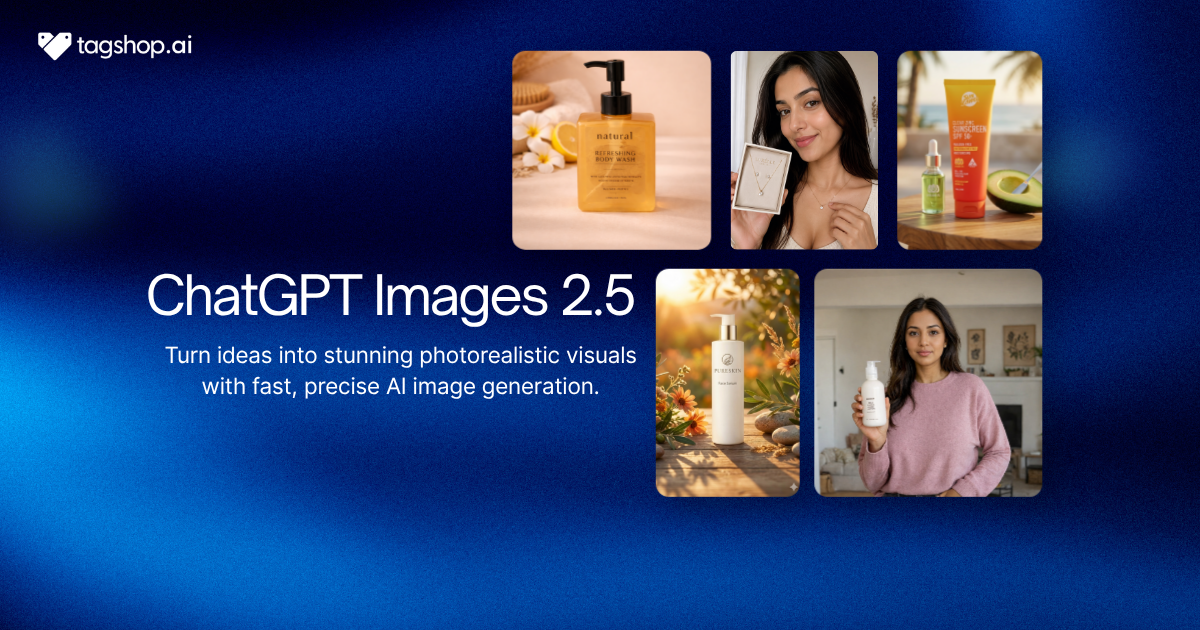







AI-powered creative production is changing quickly. Brands no longer need to rely entirely on photographers, designers, studios, and lengthy production cycles to create product visuals and advertising assets. With the latest advances in generative AI, businesses can turn simple product images, references, or creative ideas into polished marketing content in minutes.
One of the latest developments in this space is the addition of GPT Image 2.5 to the Tagshop AI creative workflow.
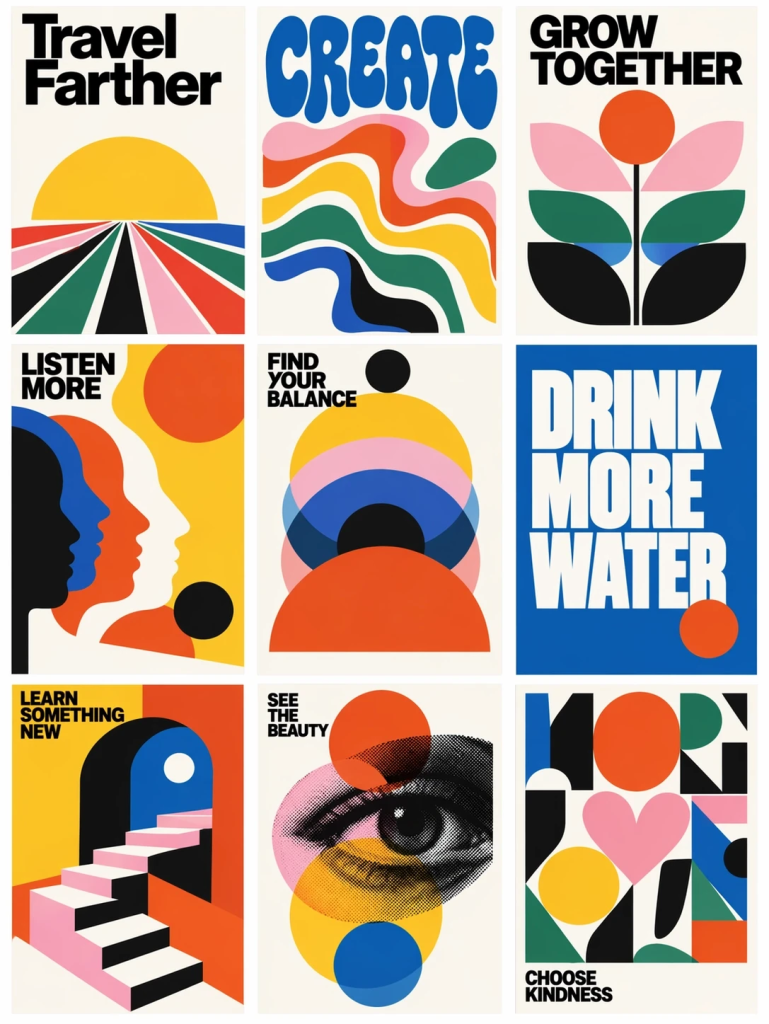
GPT Image 2.5 is OpenAI’s latest image-generation technology, designed to deliver sharper details, more natural lighting, improved reference-image fidelity, faster generation, and more precise editing. OpenAI says the new technology can also maintain consistency across multiple edits, making it particularly useful for production-oriented creative workflows.
For ecommerce brands, agencies, and performance marketers, bringing advanced image generation into a broader creative workflow can make it easier to move from a product idea to campaign-ready visual assets.
What is Tagshop AI?
Tagshop AI is an AI-powered UGC platform designed for advertisers, brands, agencies and creators. Its workflow brings together AI-powered image and video creators, so marketers can produce multiple advertising assets without relying on heavy traditional shoot setup.
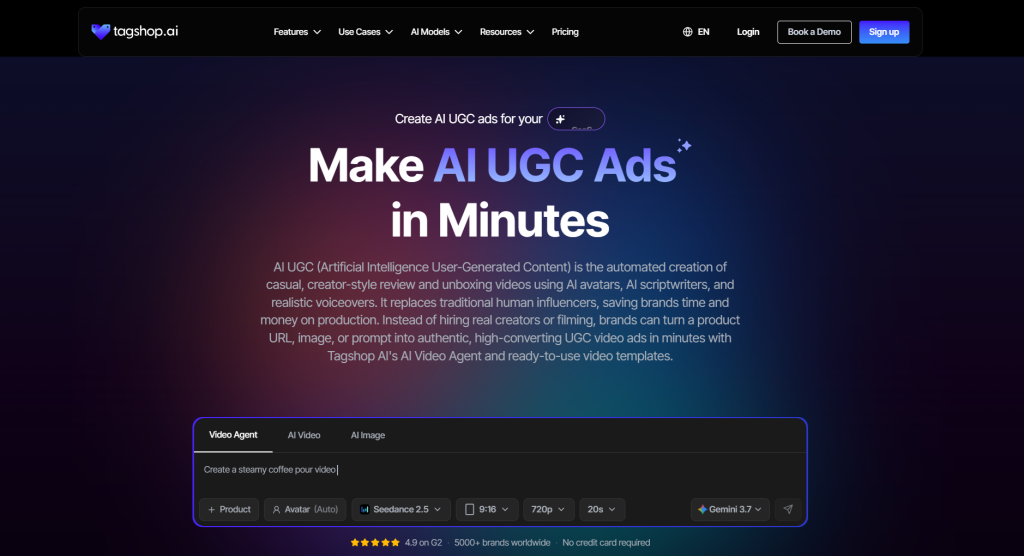
Tagshop AI already provides access to multiple AI image and video models, allowing users to create product visuals, lifestyle images, UGC-style content, and advertising creatives from prompts or product references.
Instead of using separate platforms for product photography, image generation, video creation, avatars, and ad production, marketers can use an integrated creative workflow.
GPT Image 2.5 further strengthens this approach by bringing advanced image generation and editing capabilities into the creative process.
What Is GPT Image 2.5?
GPT Image 2.5 is OpenAI’s newest generation of image-generation technology. It focuses on improving the quality, speed, fidelity, and editing capabilities of AI-generated images.
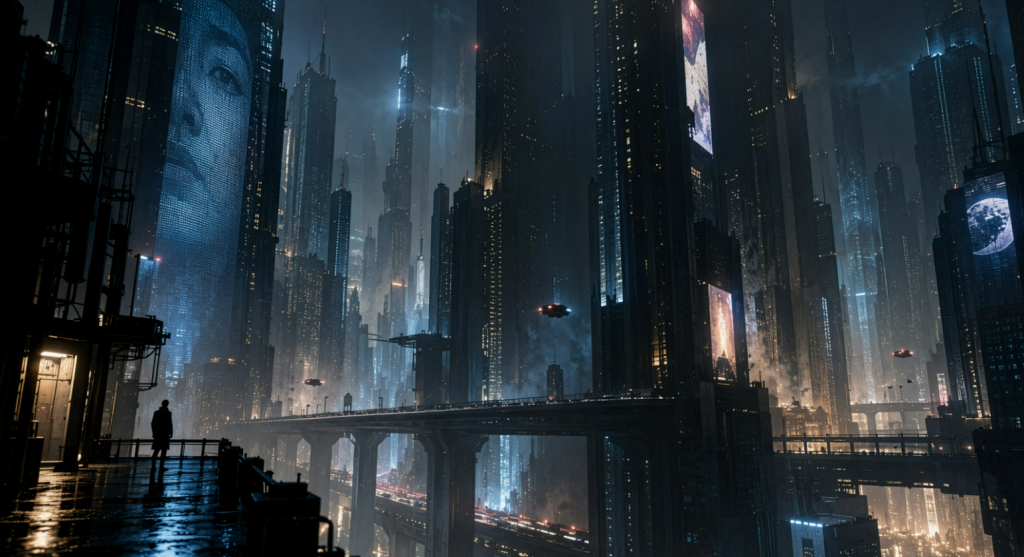
According to OpenAI, GPT Image 2.5 improves several areas that matter to marketers and creative teams:
- Sharper image details
- More natural lighting
- Richer textures
- Better preservation of reference subjects
- More accurate editing instructions
- Improved consistency across multiple edits
- Faster generation
- Better handling of complex visual instructions
- Support for transparent backgrounds
OpenAI has introduced two API models within the GPT Image 2.5 family: GPT-Image-2.5 Flare and GPT-Image-2.5 Sunburst. Flare is designed for faster, high-quality everyday image generation, while Sunburst targets more demanding image generation and editing workflows where precision matters most.
These capabilities make GPT Image 2.5 particularly relevant for advertising and ecommerce workflows where visual consistency and accurate product representation are important.
Why GPT Image 2.5 Matters for Marketing Creatives
Traditional product photography can be expensive and time-consuming. A single campaign may require multiple locations, props, models, lighting setups, photographers, editors, and designers.
Generative AI changes this equation.
With an advanced image model, marketers can start with an existing product image and create multiple creative directions without arranging another photoshoot.
For example, a skincare brand could transform one product photo into:
- A clean studio product shot
- A bathroom lifestyle scene
- A summer campaign visual
- A luxury beauty setup
- A social media ad
- A promotional banner
- A seasonal campaign image
The biggest advantage is not simply generating one image. It is the ability to generate and iterate at scale.
That is where integrating GPT Image 2.5 into an AI creative workflow becomes valuable.
How Tagshop AI + GPT Image 2.5 Can Improve the Creative Workflow
Step 1: Sign Up and Upload Your Product or Reference Image
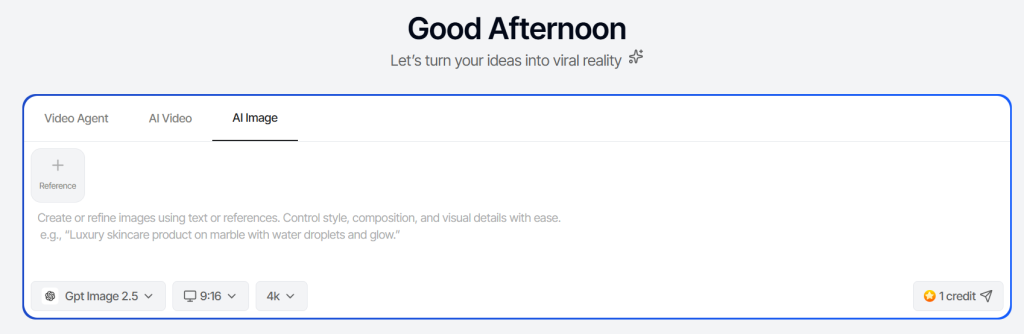
Create your Tagshop AI account and open the Asset Generator in the Tools section.
Paste your product URL; Tagshop AI pulls your product images automatically. Or upload your asset directly: a product shot, a hero creative, a logo lockup. Use your cleanest image. Whatever visual detail you give here carries into the generation, so a clear, well-lit reference gives GPT Image 2.5 the most to work with.
Step 2: Select GPT Image 2.5 and Write Your Prompt
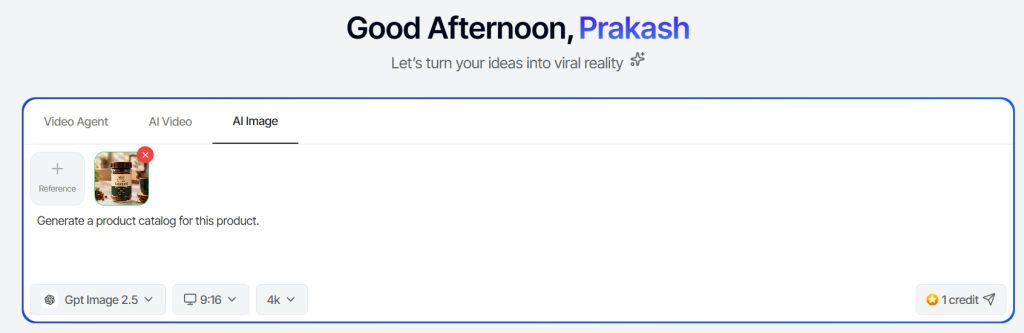
Select the model dropdown menu and choose GPT Image 2.5.
Then describe your scene in specifics, not approximations. Setting, lighting direction, how your product appears in frame, background detail, any text you want rendered inside the image, creative style. This model responds to precision.
A prompt like: “Product centered on a white marble surface, soft natural light from the left, label fully visible, tagline ‘Start Fresh’ in bold sans-serif at the bottom third of the frame” will outperform “product on a counter, clean look” by a significant margin.
If you need text in the image: a headline, a price, a call-to-action, specify exactly what it should say, where it should sit, and how it should be styled. GPT Image 2.5 can execute it. Select your aspect ratios and image resolution.
Step 3: Generate, Refine, and Export
GPT Image 2.5 produces the image. From there:
- Reframe for a different format. Take the same generation and adapt it for an Instagram Story, a display banner, or a product page hero- different dimensions, same visual consistency.
- Edit by instruction. Adjust specific elements: swap the background, change the lighting, update the rendered text, without starting over.
- Feed Tagshop AI’s video models. Export the image and use it as a reference frame in Tagshop’s video pipeline to build motion content from a consistent visual base.
- Export the versions you need. Download individual variants for your campaign or keep iterating inside the same workflow.
Try it yourself, type any prompt below and get AI images in seconds.
Key Benefits of Tagshop AI With GPT Image 2.5
| Benefit | Why It Matters |
| Better visual quality | Helps create polished campaign-ready imagery |
| Reference fidelity | Makes it easier to maintain recognizable product details |
| Precise editing | Allows targeted changes without rebuilding the entire creative |
| Faster iteration | Helps teams produce more concepts in less time |
| Creative variations | Supports A/B testing and campaign experimentation |
| Ecommerce applications | Useful for product shots and lifestyle imagery |
| Image-to-video workflow | Generated visuals can support broader video campaigns |
| Scalable production | Reduces dependence on traditional creative production |
Use Cases for Brands
1. Ecommerce Product Photography
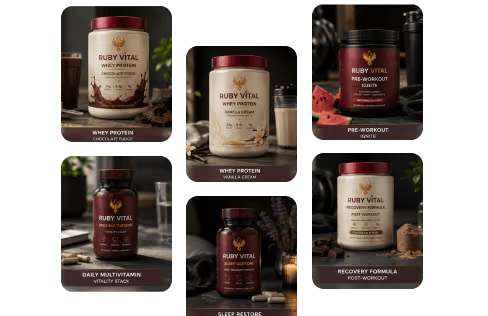
One of the strongest applications is generating product photography without organizing a new photoshoot.
Brands can create different environments and compositions around an existing product reference.
This can be useful when launching products quickly or when a brand needs more visual assets for its online store.
2. Social Media Content
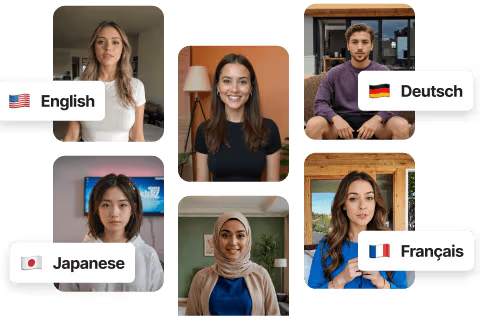
Social platforms require a constant supply of fresh creative.
Instead of repeatedly using the same product image, marketers can create new visual concepts for Instagram, Facebook, TikTok, Pinterest, and other channels.
3. Paid Advertising
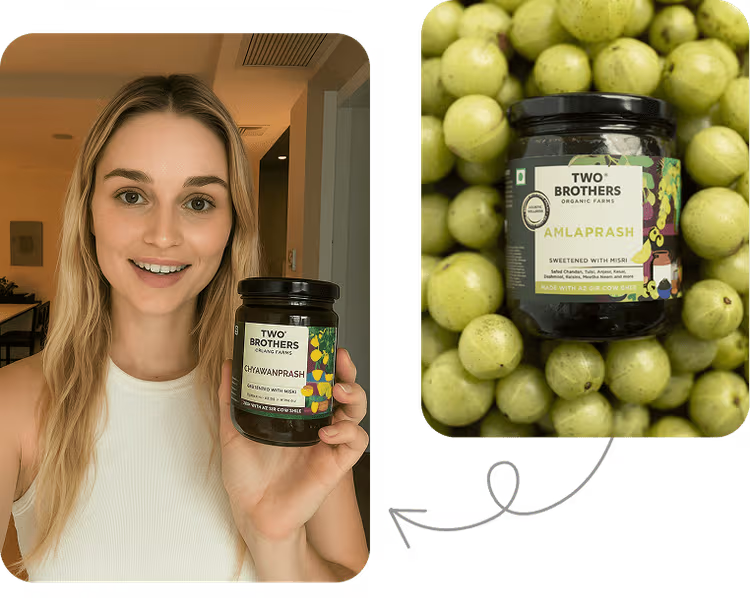
Performance marketing teams constantly need new creatives.
AI-generated images can help teams test different visual concepts and identify which creative directions generate stronger engagement and conversions.
4. Seasonal Campaigns

Brands frequently need visuals for events and seasonal promotions.
AI can make it easier to create campaign concepts around:
- Holiday promotions
- Summer launches
- Black Friday
- Valentine’s Day
- Back-to-school campaigns
- New product launches
5. Creative Prototyping
AI is also useful before investing in a full production campaign.
A marketing team can generate rough visual directions and determine which concepts are worth developing further.
This can make the creative planning process faster and more collaborative.
GPT Image 2.5 vs Traditional Creative Production
The goal of AI image generation is not necessarily to eliminate every traditional creative process. Instead, it can remove unnecessary production bottlenecks.
| Traditional Workflow | AI Creative Workflow |
| Plan photoshoot | Start with a product reference |
| Hire photographer | Generate initial concepts |
| Arrange location | Generate environments |
| Organize props | Create visual variations |
| Shoot multiple concepts | Iterate with prompts |
| Send images for editing | Make targeted AI edits |
| Wait for final assets | Generate assets quickly |
| Repeat for new campaigns | Reuse references and creative workflows |
For small businesses and growing ecommerce brands, this difference can be significant.
Why This Matters for Small Teams
Large brands may have dedicated creative departments, photographers, designers, video editors, and agencies.
Small businesses usually do not.
A founder or marketer may handle product photography, social media, paid advertising, email marketing, and content creation.
AI creative tools help reduce this production burden.
By bringing advanced image generation into a broader workflow, Tagshop AI GPT Image 2.5 can give smaller teams more flexibility to experiment with visual content without building a large production operation.
The Future of AI Creative Workflows
The biggest trend in AI marketing is moving from individual AI tools toward connected creative workflows.
Instead of asking marketers to use one tool for images, another for video, another for avatars, and another for editing, platforms are increasingly bringing these capabilities together.
Tagshop AI already supports multiple AI models and creative formats, including image and video generation.
GPT Image 2.5 adds another powerful capability to this type of workflow.
As AI models continue improving, marketers may increasingly be able to start with a single product asset and turn it into an entire campaign:
Product image → AI creative → variations → video → UGC ad → campaign testing
That workflow could significantly reduce the time between a marketing idea and launch.
Tips for Getting Better Results With AI Image Generation
Even with powerful models, the quality of the input still matters.
Here are several tips for creating better marketing visuals:
1. Use High-Quality Product References
Start with a clear product image whenever possible. Better references can make it easier to preserve important product details.
2. Be Specific With Your Creative Direction
Instead of saying “make a product image,” describe the environment, lighting, composition, mood, audience, and visual style.
3. Generate Multiple Concepts
Don’t settle for the first result. Create several variations and compare them.
4. Keep Brand Consistency in Mind
Use consistent colors, visual themes, product positioning, and campaign styles across your creative assets.
5. Test Creatives in Real Campaigns
The most attractive image is not always the highest-performing advertisement. Use real campaign data to determine which creative concepts work best.
Adding GPT Image 2.5 to the Tagshop AI creative workflow highlights where AI-powered marketing is heading: faster production, more creative experimentation, and increasingly connected workflows.
GPT Image 2.5 improves image quality, reference fidelity, editing precision, and generation speed. Combined with a broader platform for ecommerce image and video creation, these capabilities let marketers move more efficiently from a simple product asset to a collection of campaign-ready creatives.
For ecommerce brands, agencies, creators, and small marketing teams, the biggest opportunity is not simply generating better images. It is being able to create, refine, test, and scale more creative ideas without adding the same amount of production work.
As AI continues to bring image and video generation closer together, tools like Tagshop AI are positioned to make the entire creative process faster and more accessible.
Final Thoughts
Adding GPT Image 2.5 to the Tagshop AI creative workflow highlights where AI-powered marketing is heading: faster production, more creative experimentation, and increasingly connected workflows.
GPT Image 2.5 improves image quality, reference fidelity, editing precision, and generation speed. Combined with a broader platform for ecommerce image and video creation, these capabilities let marketers move more efficiently from a simple product asset to a collection of campaign-ready creatives.
For ecommerce brands, agencies, creators, and small marketing teams, the biggest opportunity is not simply generating better images. It is being able to create, refine, test, and scale more creative ideas without adding the same amount of production work.
As AI continues to bring image and video generation closer together, tools like Tagshop AI are positioned to make the entire creative process faster and more accessible.
Frequently Asked Questions
Tagshop AI GPT Image 2.5 refers to integrating OpenAI’s GPT Image 2.5 technology into an AI-powered creative workflow. The technology supports higher-quality image generation, precise editing, reference-image fidelity, and faster creative iteration.
GPT Image 2.5 can generate and edit images from text and image inputs. It is designed for applications including product visuals, creative assets, social content, visual prototypes, and advertising imagery.
Yes. Ecommerce brands can use advanced AI image generation to create product shots, lifestyle visuals, campaign concepts, and advertising variations from product references.
AI-generated images can be used as marketing and advertising assets, but brands should review platform policies, intellectual-property considerations, product accuracy, and applicable licensing terms before publishing.
Precise editing lets marketers change specific parts of an image while preserving the product, composition, and other key elements. This can make iterative creative production much faster.
Written by:

Neeraj is passionate about reshaping brand storytelling through AI-powered UGC videos. As the Founder he helps brands unlock authentic, creator-style video content that drives results - without the traditional time, cost, or complexity. His approach blends AI innovation with marketing performance to scale engagement efficiently.
 Add Tagshop.ai as a preferred source in Google Search






 Introducing

 Wan 3.0 is now live on Tagshop AI
